> ## Documentation Index
> Fetch the complete documentation index at: https://usepike.com/docs/llms.txt
> Use this file to discover all available pages before exploring further.
# Create tasks
> Create tasks, set properties, and link work to teams.
Creating tasks is one of the most common actions taken in Pike.
 ## Overview
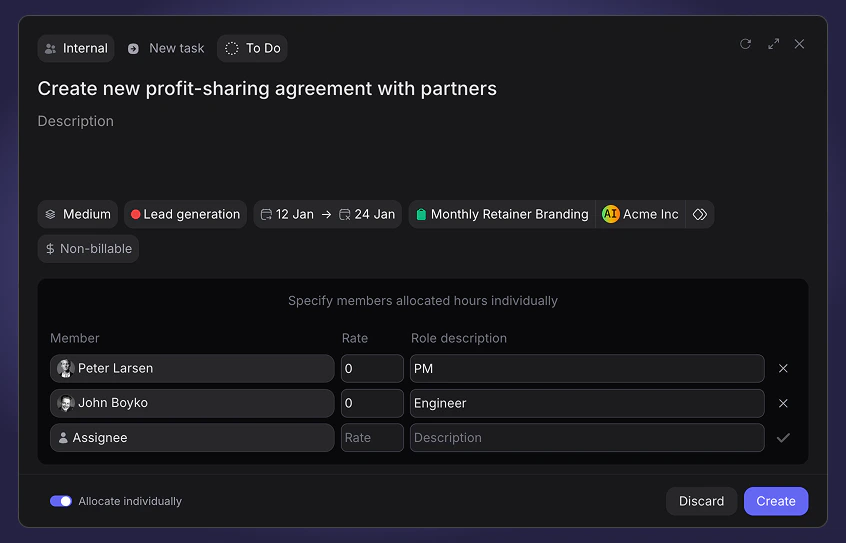
Tasks are always linked to a single team. They are only required to have a title and a status - all other properties and relations are optional.
All user roles, except Guest can create tasks.
## Creating a task
There are multiple ways to create a new task in Pike.
* From the + Add button at the top of your sidebar
* From the + located at the top of each group of tasks in the Task Board or List view.
Depending on where you are inside of Pike (e.g a Project), or from what group you decide to create a task from, all relevant propreties such as Status, Priority, Label, Project, Phase will be filled out automatically.
## Member rate source
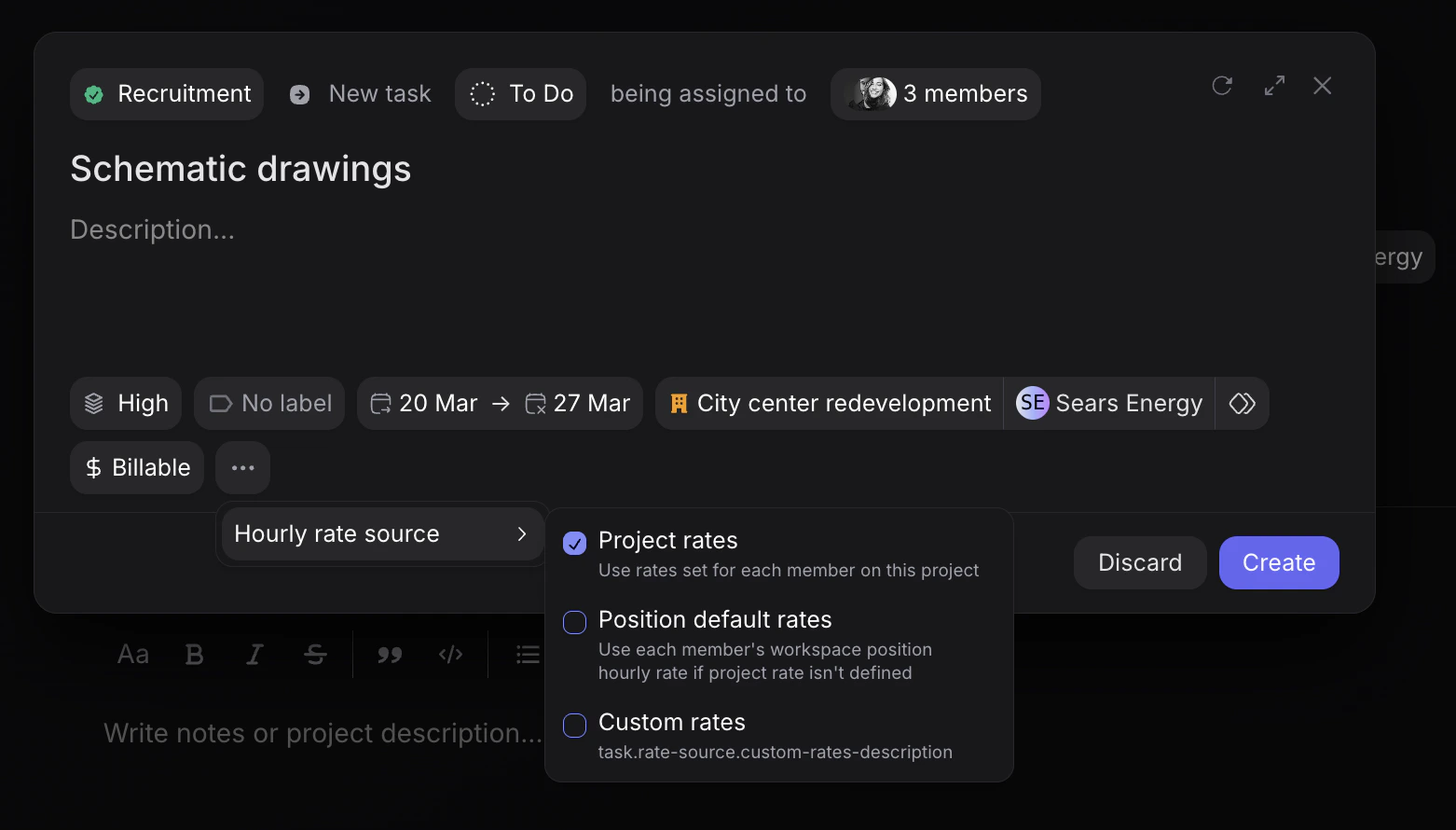
When toggling the three dots **"..."**, you can choose between the following three member rate sources for the task: **note**:(this also applies for role description)
1. **Project rate** - If the task is assigned to a project, the assigned member(s) of the task that have a set rate and role description for that project, will inherent it on the task.
2. **Position default rate** - If the assigned member(s) do not have a project default rate, the task rate and role description will inherent the member's position's rate instead (as setup in each member's profile).
Note: If the task is created and not associated to any project, the task rate and role of each member will by default apply this inheritance rule.
3. **Custom rate** - Third option is to set a custom rate and role for each assigned member for the specific task in question. In this case, a window below the task information appears where you can assign members and choose their set specific rate and role description for the task.
**OBS**: If a member as neither a project default or position default rate, the default task rate for that member will be 0 and their role description will be left empty.
## Overview
Tasks are always linked to a single team. They are only required to have a title and a status - all other properties and relations are optional.
All user roles, except Guest can create tasks.
## Creating a task
There are multiple ways to create a new task in Pike.
* From the + Add button at the top of your sidebar
* From the + located at the top of each group of tasks in the Task Board or List view.
Depending on where you are inside of Pike (e.g a Project), or from what group you decide to create a task from, all relevant propreties such as Status, Priority, Label, Project, Phase will be filled out automatically.
## Member rate source
When toggling the three dots **"..."**, you can choose between the following three member rate sources for the task: **note**:(this also applies for role description)
1. **Project rate** - If the task is assigned to a project, the assigned member(s) of the task that have a set rate and role description for that project, will inherent it on the task.
2. **Position default rate** - If the assigned member(s) do not have a project default rate, the task rate and role description will inherent the member's position's rate instead (as setup in each member's profile).
Note: If the task is created and not associated to any project, the task rate and role of each member will by default apply this inheritance rule.
3. **Custom rate** - Third option is to set a custom rate and role for each assigned member for the specific task in question. In this case, a window below the task information appears where you can assign members and choose their set specific rate and role description for the task.
**OBS**: If a member as neither a project default or position default rate, the default task rate for that member will be 0 and their role description will be left empty.
 ## Create more
In the top right corner of the task card, you can press "Create more", allowing you to create tasks in a row that all share the same propreties as the task before, filled out automatically, expect for the Title and Description.
## Create more
In the top right corner of the task card, you can press "Create more", allowing you to create tasks in a row that all share the same propreties as the task before, filled out automatically, expect for the Title and Description.