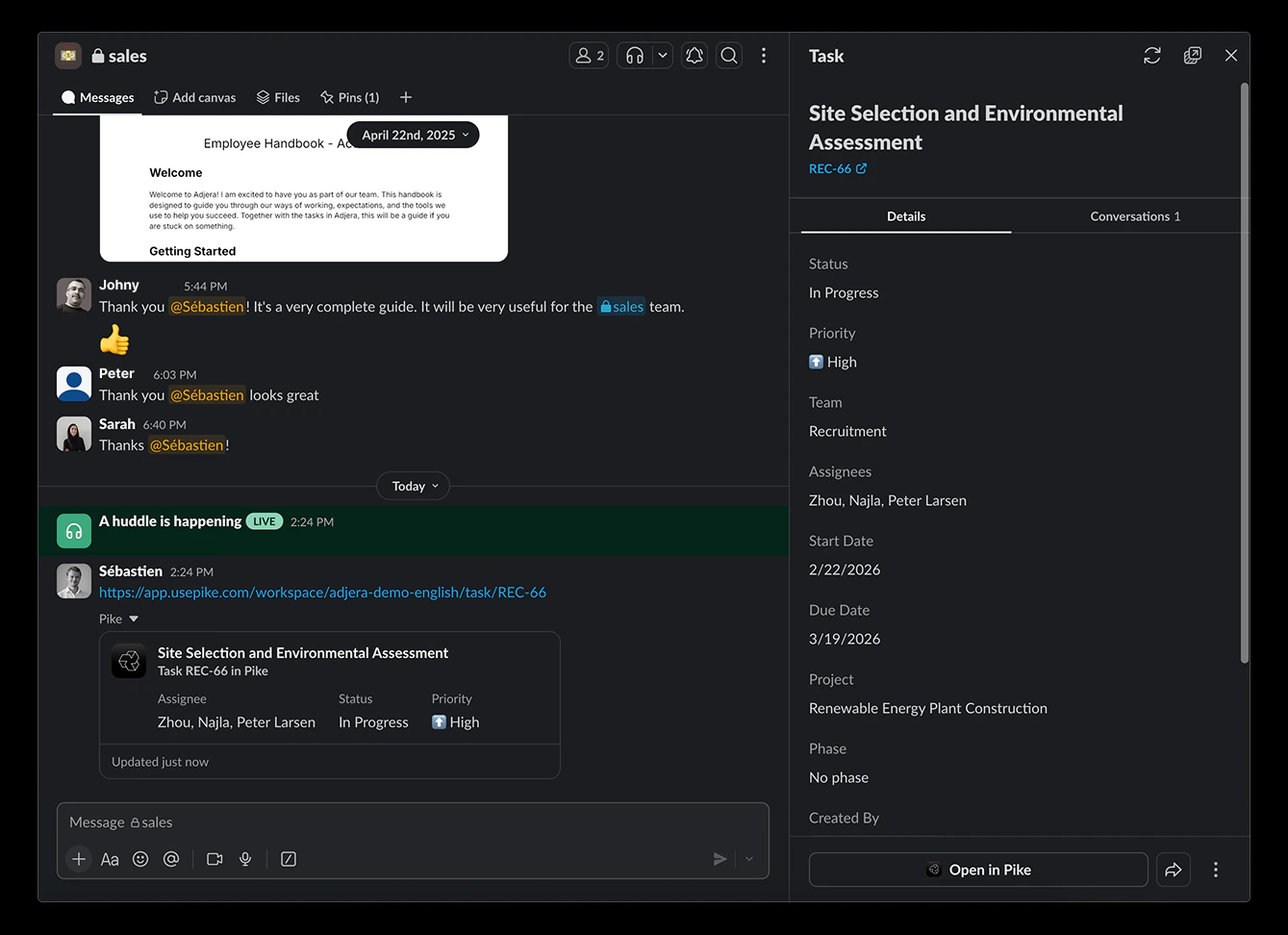
Connecting the workspace
Connect the integration from workspace settings so Pike can work with your Slack workspace (for example link previews and workspace-wide behaviour).- Go to Workspace settings -> Integrations -> Slack
- Click Add integration
- Complete the steps in the popup to authorise and connect the Slack workspace
- Select which Slack workspace to use with this Pike workspace
Connecting your personal Slack profile
After the workspace is connected, link your Slack user from personal settings. Your Slack profile must be a member of the same Slack workspace that is already connected to Pike above.- Go to Settings -> Connections
- Connect your Slack account and follow the prompts
- If something fails, confirm the workspace integration is connected under Workspace settings -> Integrations -> Slack and that you are using an account from that same Slack workspace
Notifications
When your personal Slack profile is connected, you can receive notifications in Slack for activity that involves you. What you get can depend on your notification preferences in Pike, but typically includes:- Task assignment - when you are assigned to a task
- Project assignment - when you are added to a project
- Comment mentions - when someone @mentions you in a comment
- Other task and project activity relevant to you (for example updates on items you follow or participate in)
Syncing and link previews
The Slack integration makes it easy to view Pike tasks and their data directly from Slack. Links from Pike tasks sent in Slack will expand to show a preview with key properties such as description, status, assignee(s), start and due date, project and phase. Expanded links will include actions when available so that members can update tasks directly from Slack. Once the preview is live in Slack, refresh it to pull in the latest data from Pike.