
Pike MCP for Claude, ChatGPT, and Gemini
Ask your AI assistant how the business is doing. Pike MCP connects your workspace to Claude, ChatGPT, Gemini, Cursor, and any other MCP client, so you can ask about margin, utilization, capacity, unbilled hours, and missing timesheets in plain words and get answers from live workspace data.- One server URL for every client:
https://mcp.usepike.com. - Gemini CLI joins Claude, Claude Code, ChatGPT, and Cursor in the setup guide, with a one-line
gemini mcp addcommand. - Your permissions apply. You sign in with your Pike account, so the assistant only sees what you can already see in the app.
- Prompts by topic in the docs give finance, delivery, and operations leads a starting set of questions.
https://mcp.usepike.com as a custom connector in your AI client, sign in with Pike, and ask your first question. See the Pike MCP overview for use cases and a prompt library.Worked - adjustment recognition
A new recognition method, Worked - adjustment, recognizes worked revenue unless you enter a different amount for a month. The difference shows as an Adjustment row.The project monthly table now shows billed, recognized, and unbilled or deferred rows with completion percentages, and Budget usage shows recognized and billed bars against the revenue budget.Revenue recognitionPick the method under Finance → Settings on a project.Billing rate and cost per hour sold
Two new rate metrics show what you sell an hour at and what that hour costs to deliver.- Average billing rate is billable time × the assignment sell rate, divided by hours sold. It is not recognized or invoiced revenue.
- Cost per hour sold is cost of delivery (labour plus internal or non-billable expenses) divided by hours sold.
- Hours sold is logged time on billable tasks only — the same clock as logged hours, minus internal and non-billable time.
Team home and allocations
Each team now has a Home page with inline editing for admins and managers: name, icon, acronym, members, description (saves as you type), and labels. The old team edit modal is gone — open team home from the workspace teams table, the sidebar settings icon, or the Home tab.Team headers add Home and Allocations tabs alongside Tasks and Projects. Allocations reuses the workspace capacity heatmap and timeline, scoped to that team’s members.TeamsOpen any team from the sidebar, use Home to edit details, or Allocations to plan capacity for the team.Deals and invoicing upgrades
Deals and invoices got a full pass. Define your own deal pipeline under Settings → Deal statuses, then convert a won deal to a project in one step. Line items support per-row tax, optional cost and margin with supplier pickers, and From / To contact fields that prefill from the customer. Send a deal or invoice PDF by email to multiple recipients, or download as before.DealsDeal statusesOpen Finance → Deals for pipeline work, or edit an invoice draft for the same line item and send tools.Position assignees on tasks and projects
Assign open positions to tasks and projects alongside named members. Position assignees show in task lists, kanban cards, and assignment pickers, and you can allocate hours to a position on the resource timeline. When you are ready to staff the role, convert a position assignment to a member and Pike moves existing allocations with a confirmation step.MembersAssign a position from any task or project member picker, plan hours under Allocations or Members → Resource allocation, and convert to a member from the task assignment menu when someone is hired.Custom dashboards
Build dashboards from your workspace metrics and share them with your team or keep them private. Pick a metric such as logged hours, labour cost, expense cost, invoiced revenue, or invoiced profit, then choose a chart type (number, line, bar, stacked bar, area, pie, donut, or table). Group and segment by team, user, project, customer, project status, billable, or time period, and preview the result before you save. Set a date range on each dashboard to refresh every widget at once.DashboardsClick Dashboards in the workspace sidebar to create your first dashboard or open an existing one. Use Add widget to open the builder, then arrange widgets on the grid and filter by customer, project, team, or member.Confirmed and proposed hours on the capacity heatmap
See confirmed and proposed demand in the same heatmap cell. Solid fill is hours on confirmed projects; a hatched overlay is hours on proposed projects, in the same color. Hover a cell for the split. Leave Proposed and Confirmed both selected (or neither) to stack them; pick one side when you want to isolate pipeline or booked work. The same stack appears on the timeline utilization row.Workspace capacityOpen Members → Resource allocation, or a team’s Allocations tab. Use the Proposed / Confirmed filter next to the view dropdown.Resource allocation by capacity or weekday
When you allocate a member to a task, you can enter hours three ways: total hours, share of capacity (%), or hours per weekday. Switch with the h, %, or calendar toggle above the amount field. Pike converts between modes instead of resetting your work, and the summary line spells out what your entry means (for example, hours of capacity, hours per day, or hours per week across selected days). Timeline blocks and task allocation rows use the same labels, so planning stays consistent across the task page, resource timeline, and members view.Allocation propertiesOpen any allocation from Members → Resource allocation, a task’s Allocations section, or the resource timeline. In per-weekday mode, tap a day letter to turn it on or off and type hours for each active day.Task allocations on the task page
View and manage resource allocations directly on any project task. The Allocations section lists each assigned member’s allocation blocks with hours per day, date range, and total hours. Add, edit, or delete blocks without leaving the task page or sidebar, and pick Allocate assignee to plan capacity for someone not yet on the task. Pike assigns them automatically. The same allocation editor from Members → Resource allocation opens from the task, including time off overlap callouts when a member has approved or pending leave in the period.How to allocateOpen a task from a board, list, or sidebar and expand Allocations below the description. Use the + button on a member row or Allocate assignee to create a new block.Workspace allocation timeline
See every member’s allocations across projects over time, then adjust or move them directly on the timeline. Switch between capacity heatmap and timeline views on the workspace resource allocation page - the same filters apply in both, and your last selected view is remembered the next time you open the page.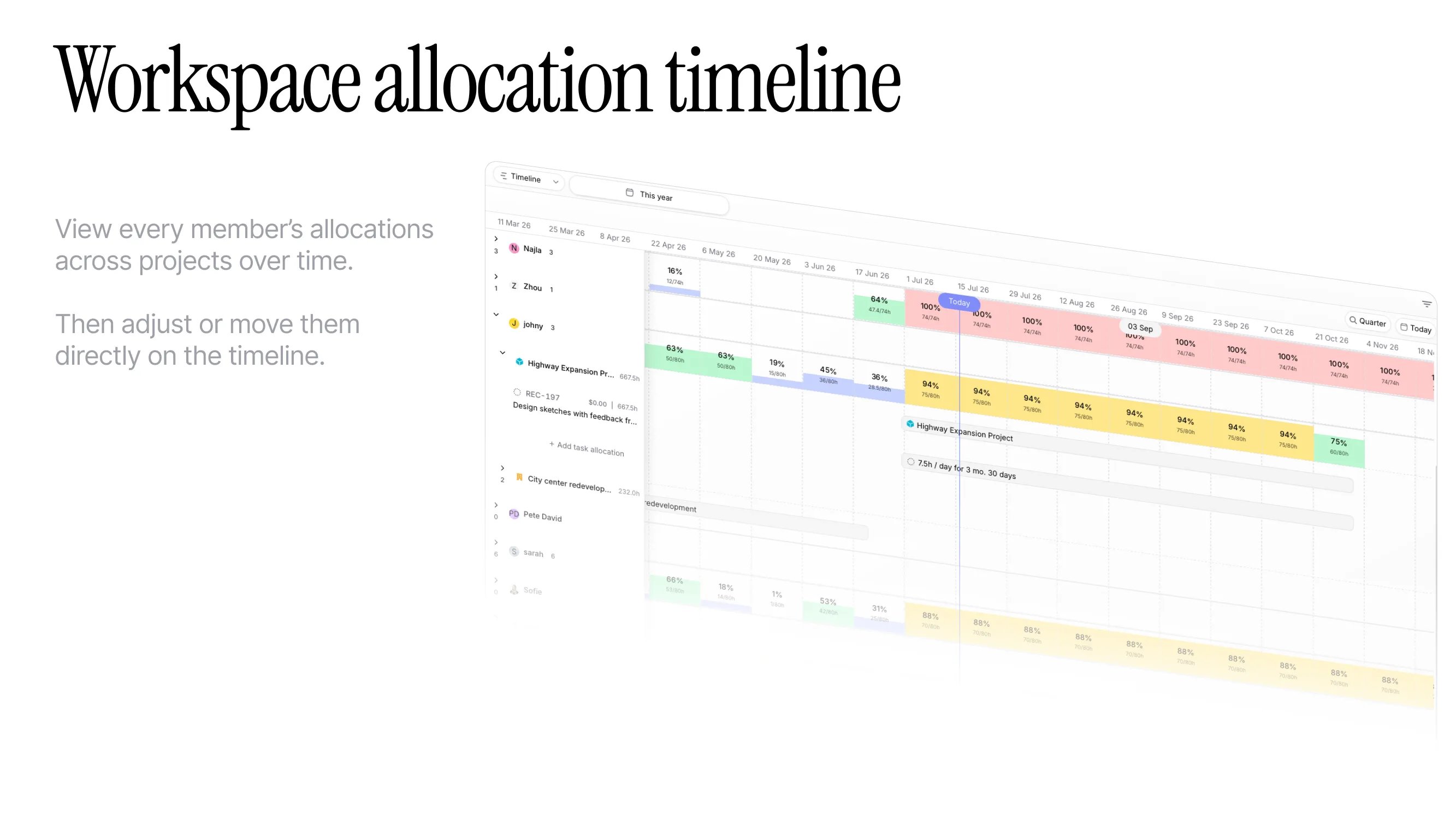
Personal activity calendar
Review your allocations, time entries, and time off on a single calendar under Log. Switch between Day, Week, and Month, click a day for a breakdown, and use the legend to show or hide event types.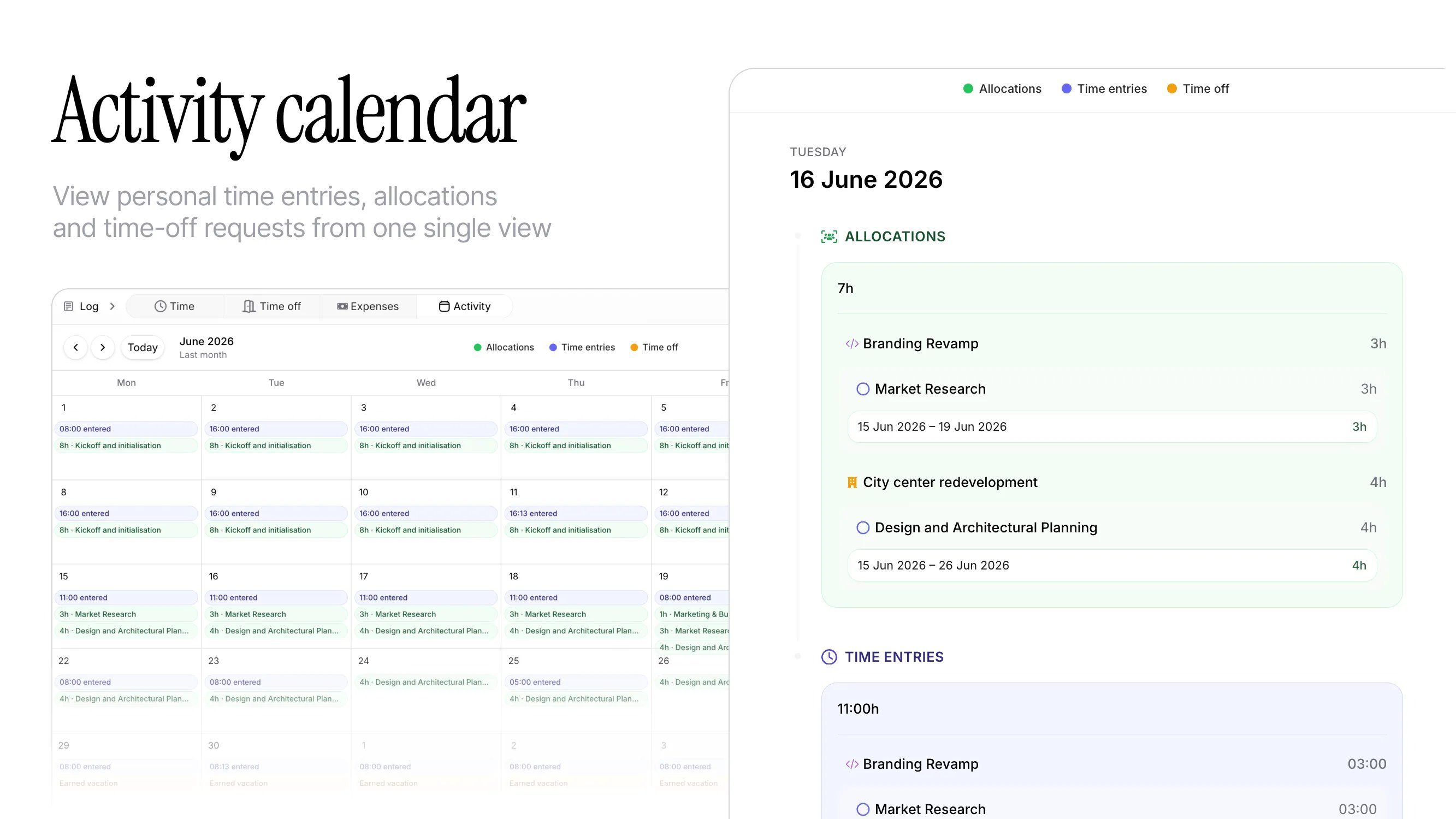
Filter by proposed and confirmed projects
Plan capacity without mixing proposed and confirmed work. The same filter also applies to time entries and finance overview metrics, so you can focus reports and charts on the project pipeline you care about.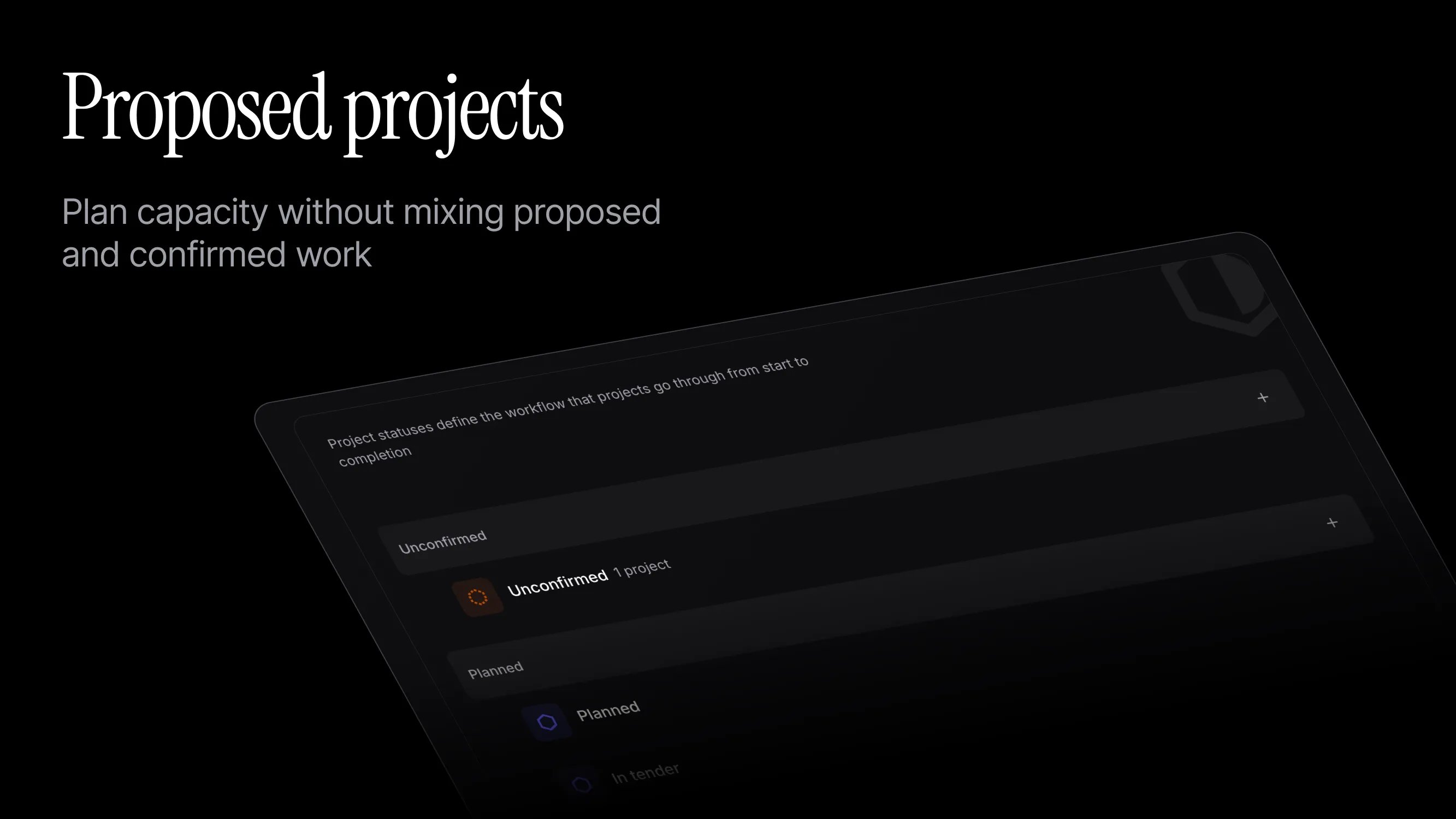
Accounting import for expenses and bills
Import expenses and bills from connected accounting integrations in one review table. Each row shows whether it is an expense or a bill before you bring it into Pike.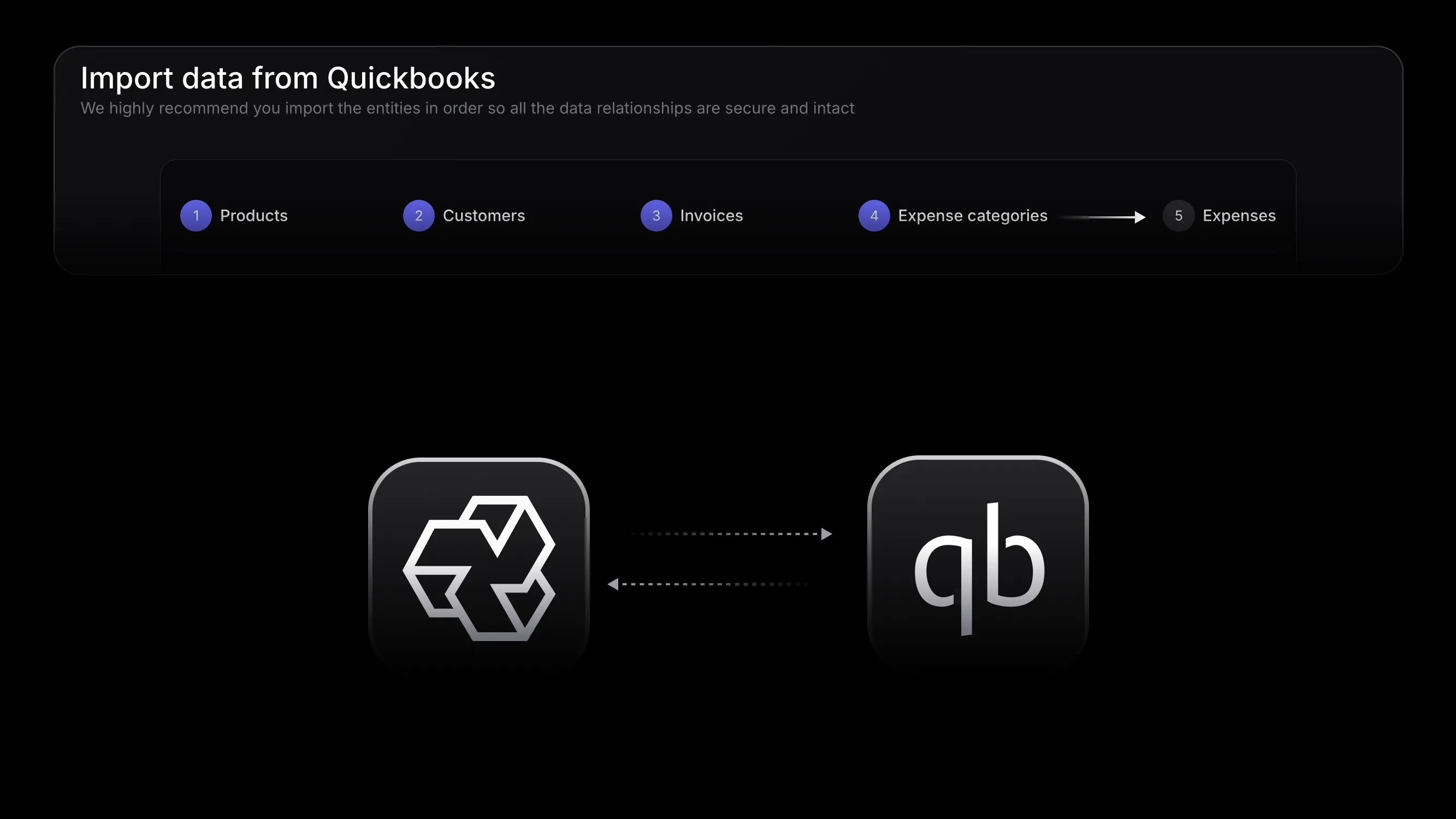
Required and default comments on time entries
Workspace admins can require a comment before a time entry is saved, so members always leave context when logging time. You can also set a default comment that pre-fills the comment field for new timesheet entries - it can still be changed or cleared unless comments are required.When Require comment on timer stop is enabled, stopping an active timer opens the time entry form so you can add a comment before the entry is saved.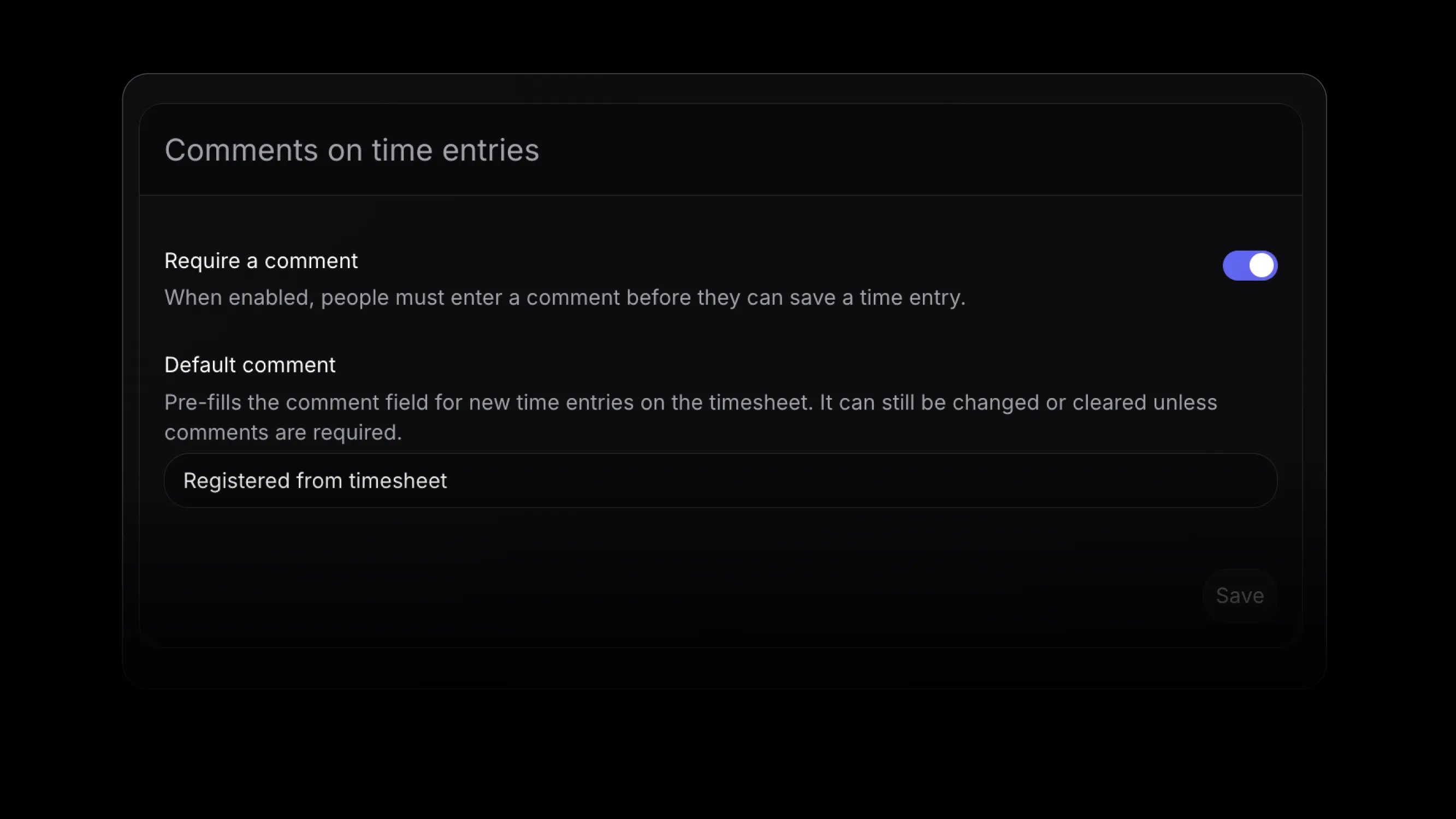
Time off when allocating
When you allocate a member on a project, the dialog now shows their non-rejected time off (approved or pending) that overlaps the allocation period. You can still save the allocation; those hours do not change how that member’s utilization is calculated.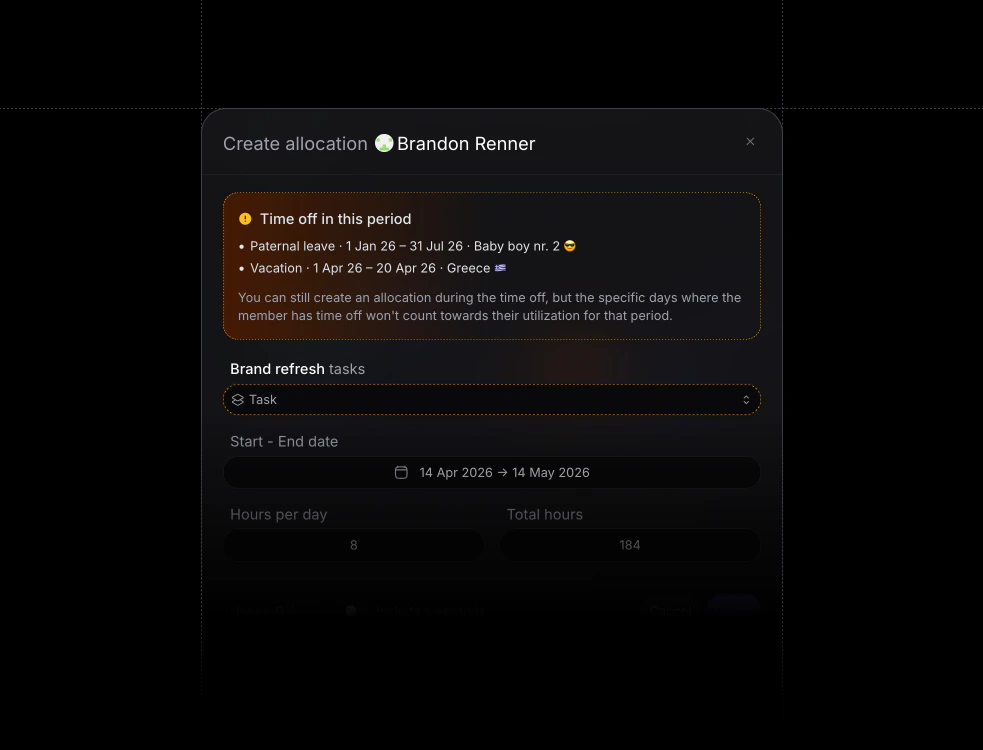
Workspace search
Press ⌘ K on Mac or Ctrl+K on Windows and Linux to search across your entire Pike workspace. You can also open search from the sidebar by clicking the magnifying glass next to your workspace name and Settings.
Private projects
You can now mark a project as private. Only project members and workspace admins can see it in the sidebar, search, and elsewhere - for everyone else it behaves as if the project does not exist.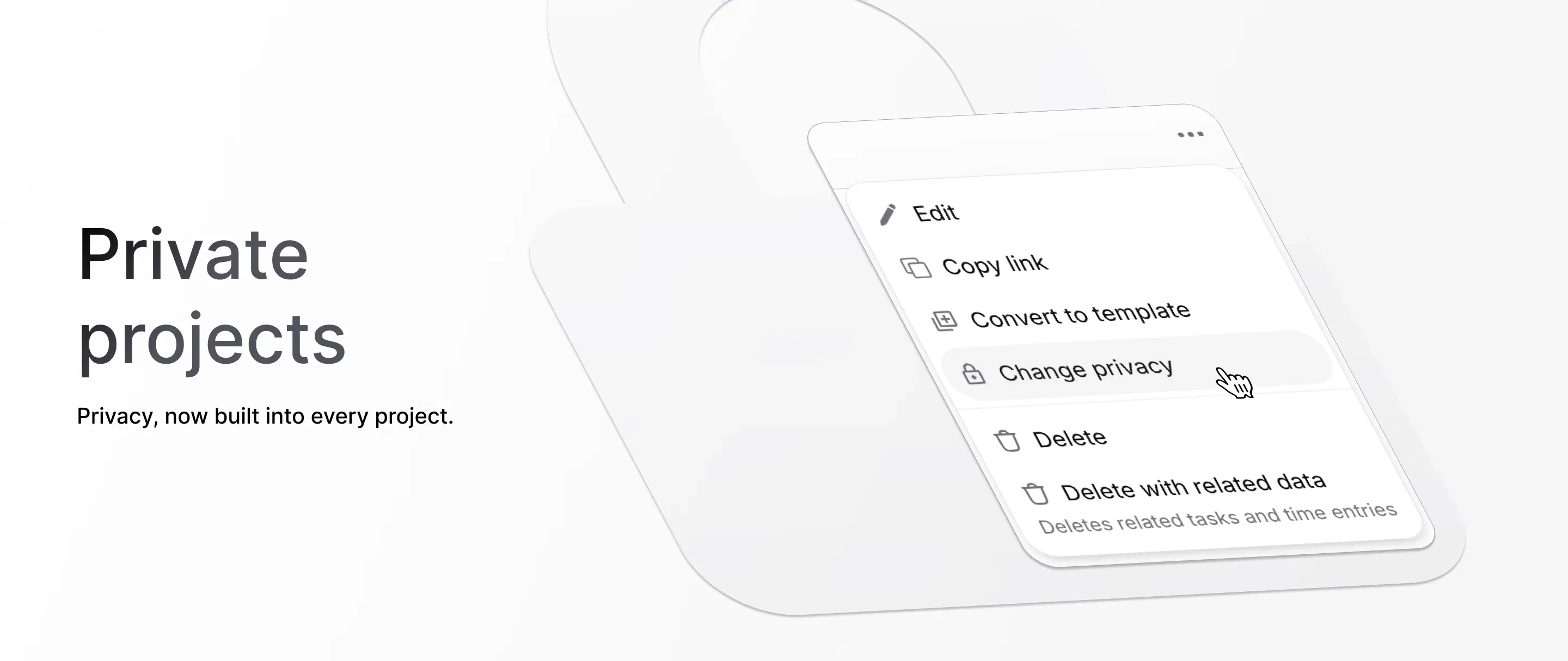
Slack notifications
Connect your personal Slack account to Pike and get notifications for the actions that matter to you - for example when you are assigned to a task or project, mentioned in a comment, and more.Connect the Slack workspace under Workspace settings -> Integrations, then link your profile under Settings -> Connections (same Slack workspace as the workspace connection).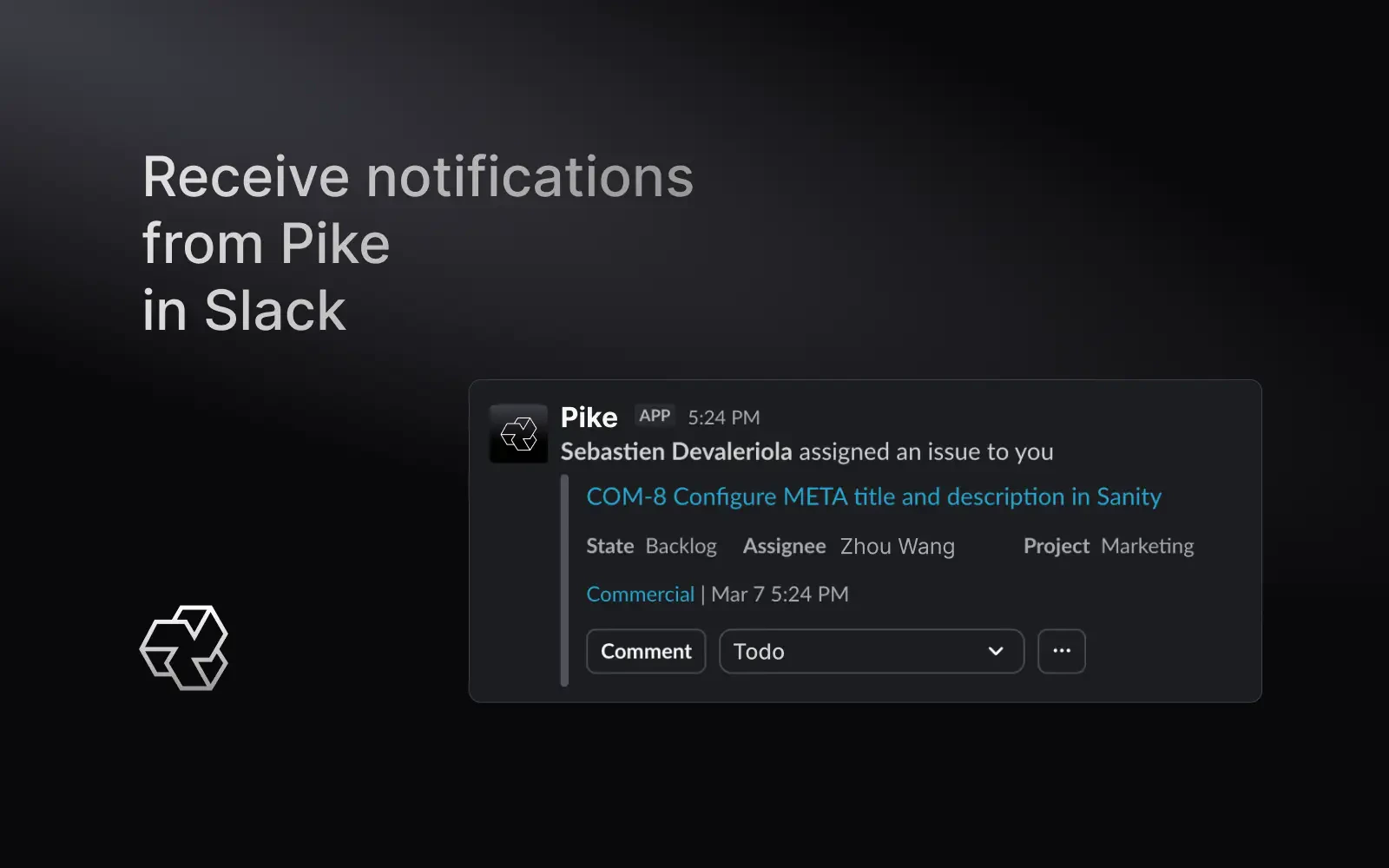
Custom project statuses
Customer project statuses now live in Pike.To configure these, go to: Workspace settings -> Project statuses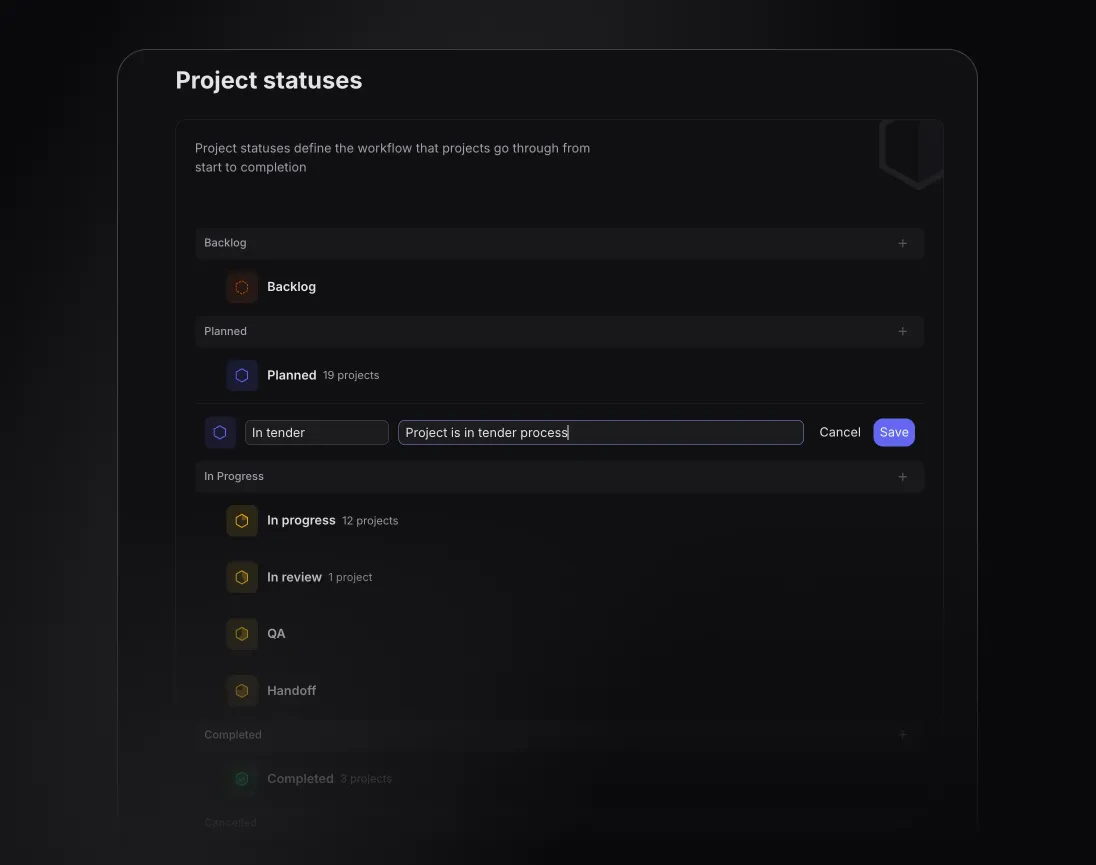
Introducing expense categories.
An easy way to distinguish and report on expenses.Create and modify categories in Log -> Expenses -> SettingsImproved task filtering and grouping.
Tasks are now by default sorted by Active statuses to de-clutter your workspace.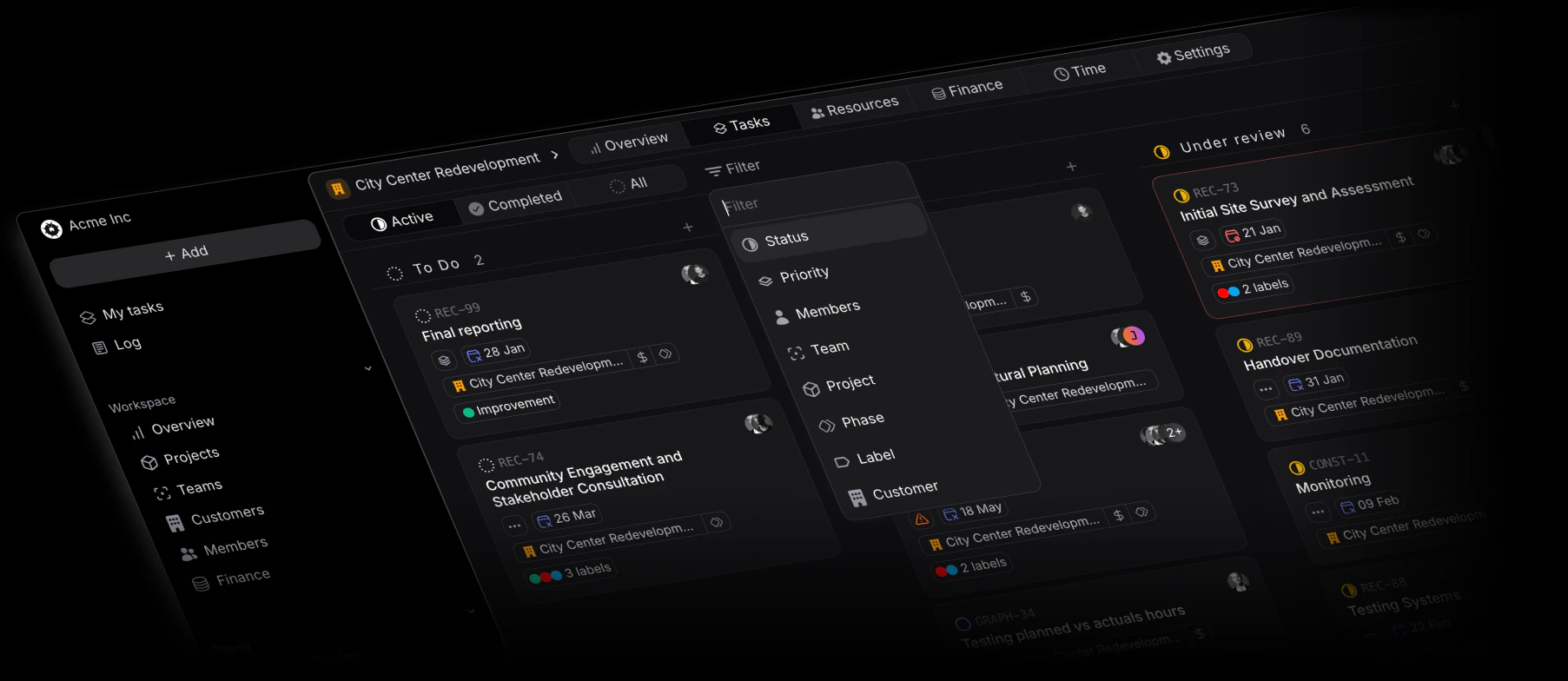
Allocations overview now filterable by positions and skills
Segment your team’s available versus planned capacity by positions and skills, for a faster understanding of possible overbookings or underbookings.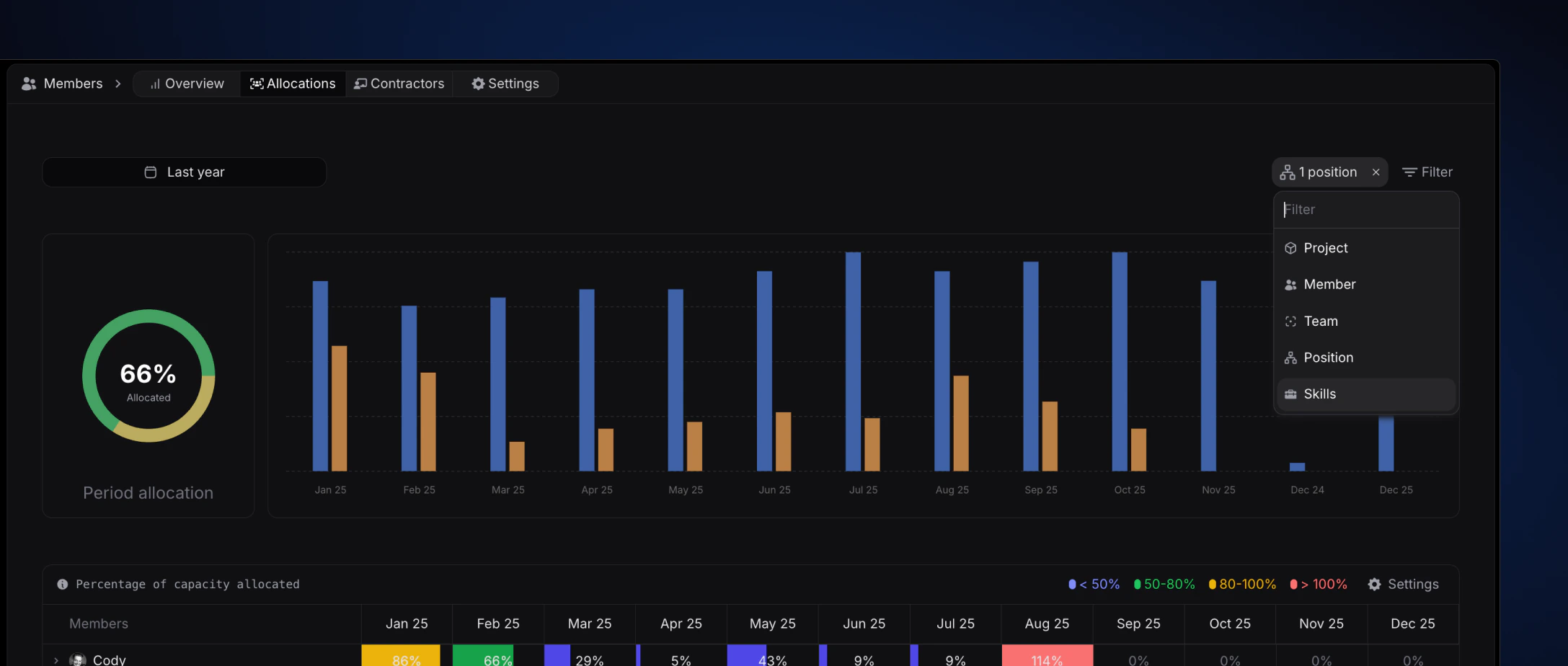
Slack Integration - Task preview in slack threads
With the Slack integration, it’s now easier than ever to collaborate on projects and tasks directly from within your slack workspace and threads.The Slack integration makes it easy to create, update, and view Pike tasks and their data directly from Slack. Notifications and synced threads keep colleagues in the loop on projects and tasks.
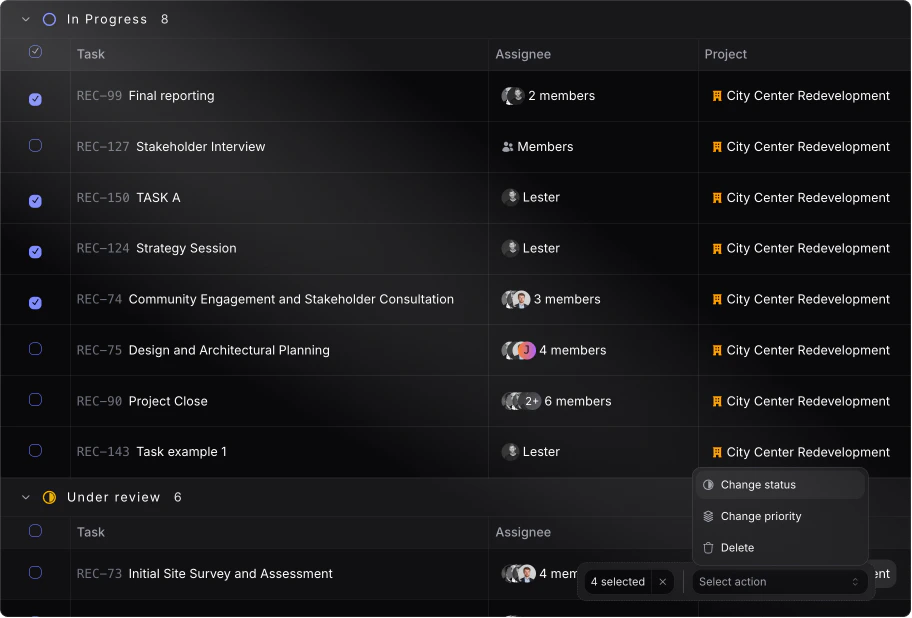
Task bulk actions
Selection multiple tasks to apply a similar action.Currently the following properties can be changed:- Task status
- Task priority
-
Delete tasks
Skills and position filtering for project resources
When adding resources to projects from the resource tab, it’s now possible to filter by skill(s) and position(s) for better and more accurate assignees.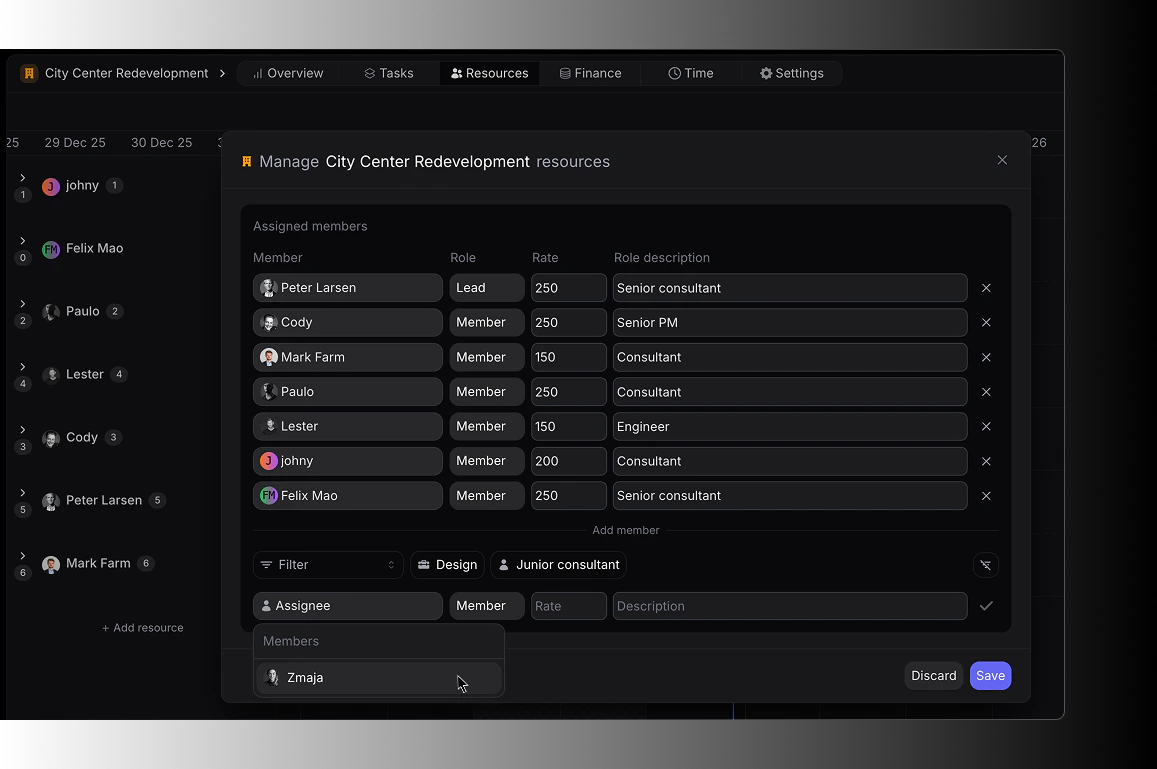
Improved financial insights
New and improved financial insights to view actuals and planned “Earnings, Costs and Profit”.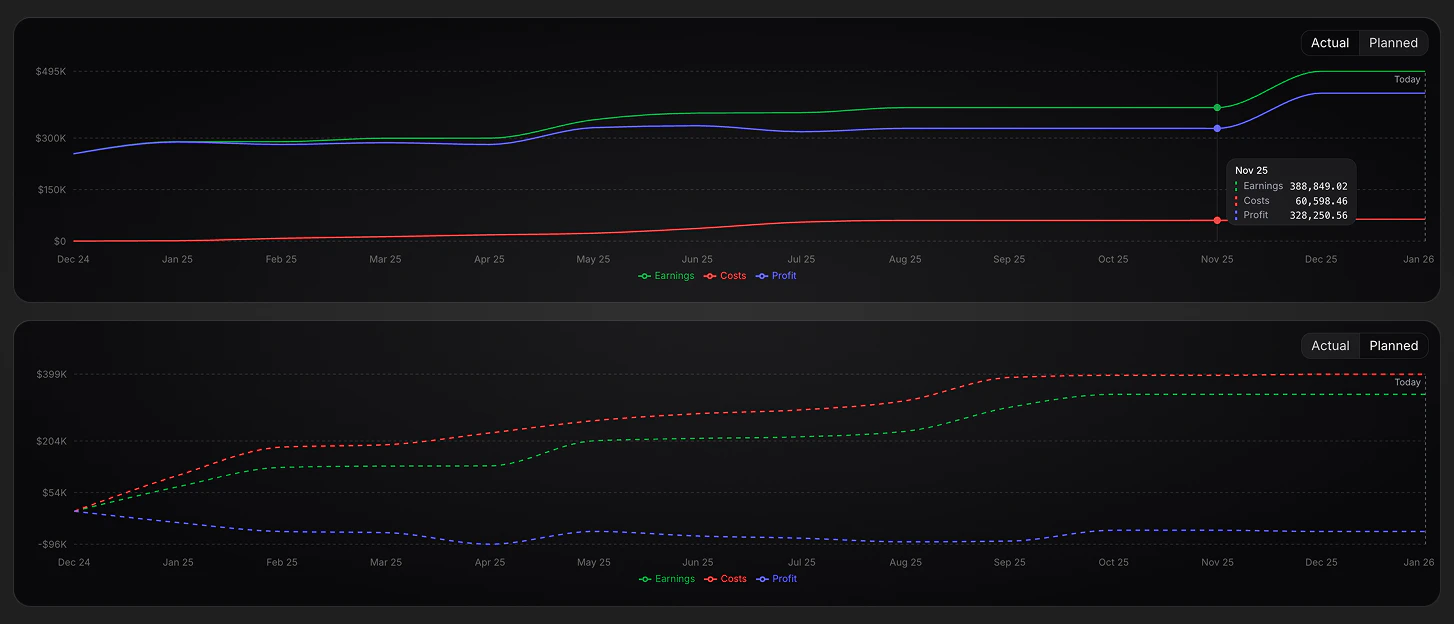
Resource allocation improvement
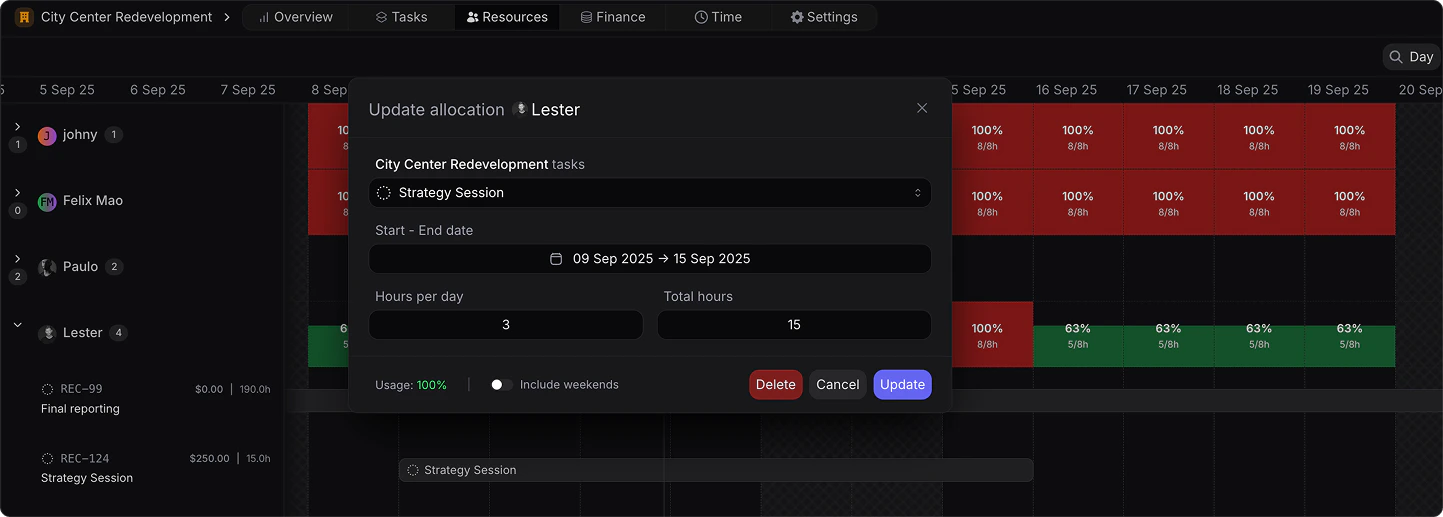
The following improvements have been added to the project level resource allocation:- Showcase of task allocation in % of capacity and hours.
- Upon allocation of a task, a real-time usage impact is shown in the bottom left corner for the specific allocation period.
-
Allocation can be made as hours per day or total hours in allocation period.
Member Hover - Quick Info
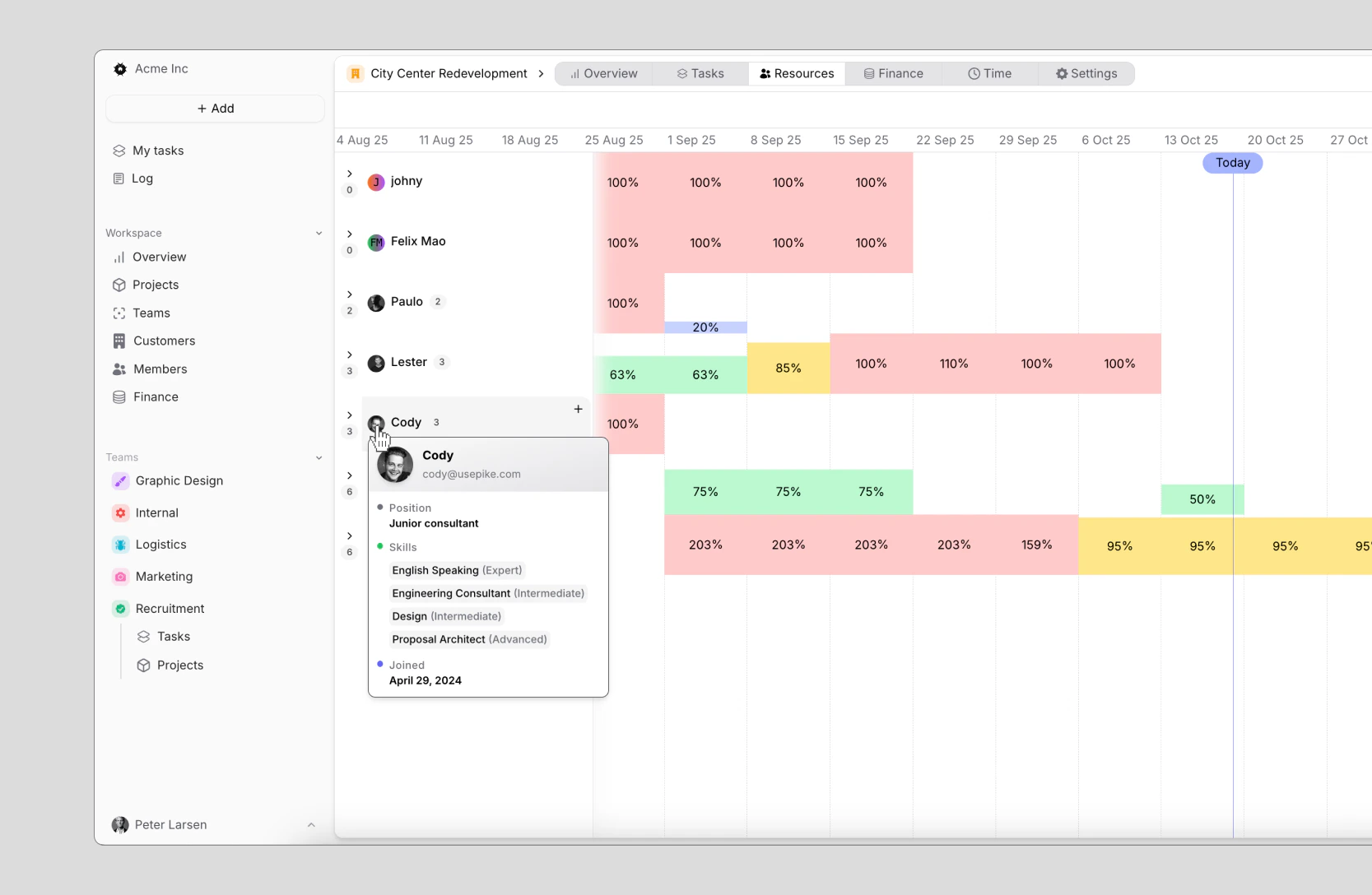
Hover over a members icon from wherever in your workspace to view the following information:- Full name
- Contact information
- Position
-
Skills
Xero Integration
With the integration between Pike and Xero, you can:- Push invoices from Pike to Xero
- Get real-time payment updates from Xero to Pike
- Importing and syncing customers
-
Importing and syncing products

Project time budgets and forecast
Define time budgets on projects, as well as view in real time planned versus actuals inside of each project.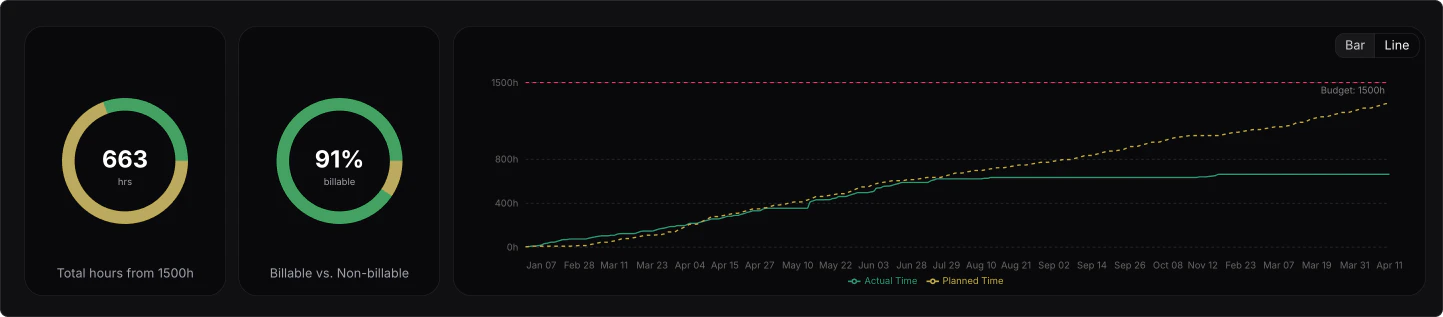
Pipeline value overview
You can now track your pipeline value per individual service or product and per stage, directly from your Finance Overview.This is especially useful for sales teams and leadership, to ensure a healthy pipeline whilst understanding exactly the distribution and breakdown of potential revenue by service and product.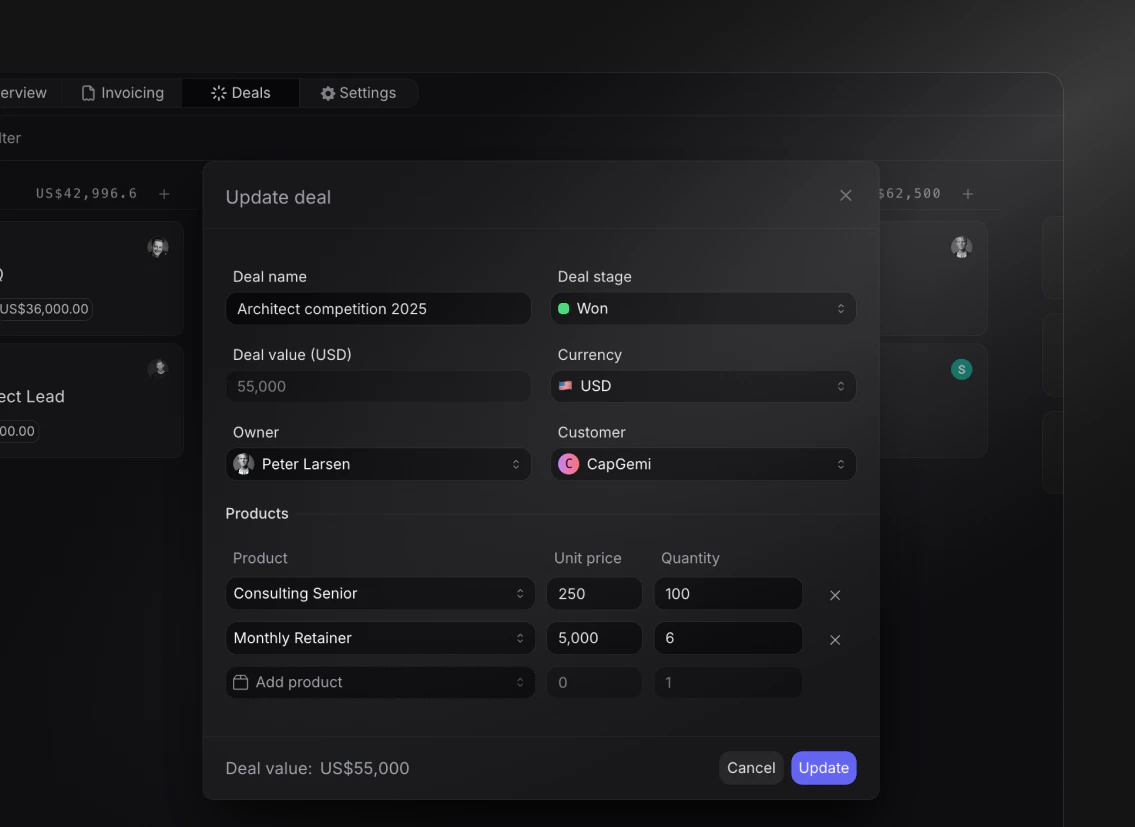
- Create products under finance -> settings.
- Add line items to deals with unit pricing and quantity
- The total deal value gets automatically calculated
- View the pipeline distribution in your Finance Overview by products and deal stage
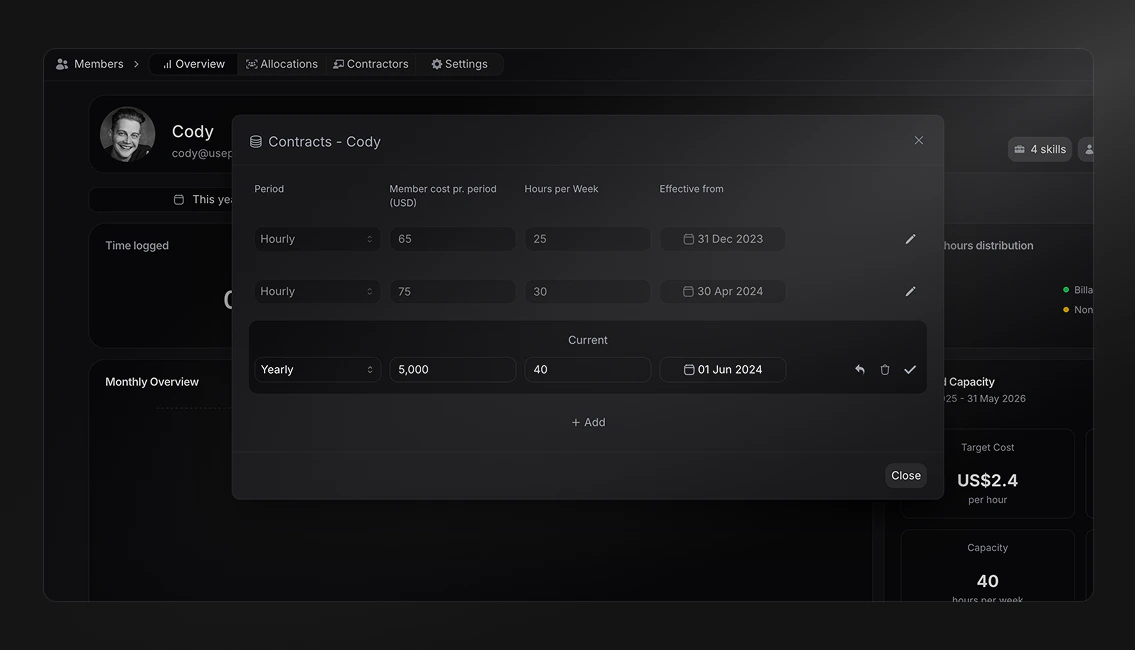
Member cost profile
With the newly added member cost profile, you can now define the following for each member:- Cost period (hourly, weekly, bi-weekly, monthly and yearly)
- Cost per period (salary)
- Capacity (weekly availble hours)
-
Contract start date (with historical effect)
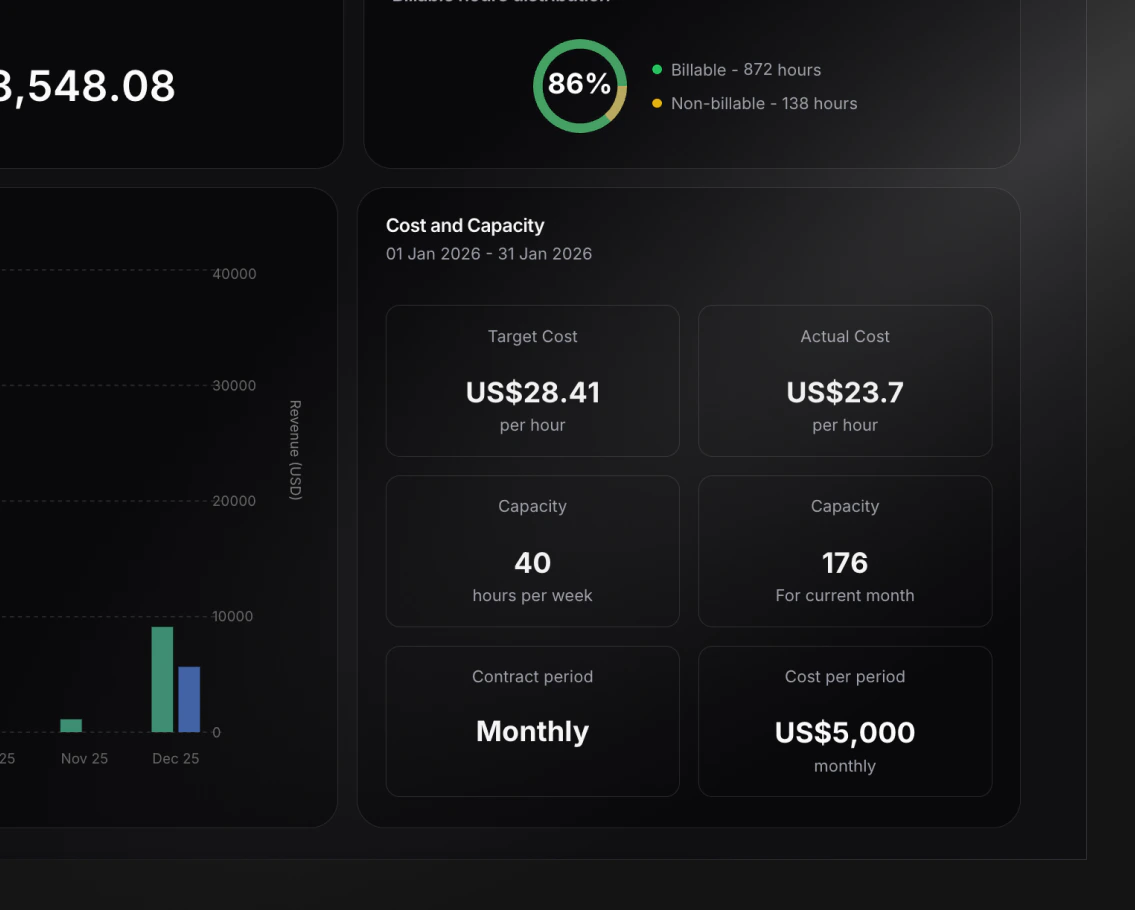
- Target hourly cost (salary / capacity)
-
Actual hourly cost (salary / logged hours)
Project Template Tasks
We’ve enhanced project templates with the ability to define tasks that will be automatically created when using the template. When creating tasks in templates, you can:- Associate tasks with phases.
- Assign team members and teams
- Set start and due dates
- Define priority levels
- Pre-assign tasks to specific teams
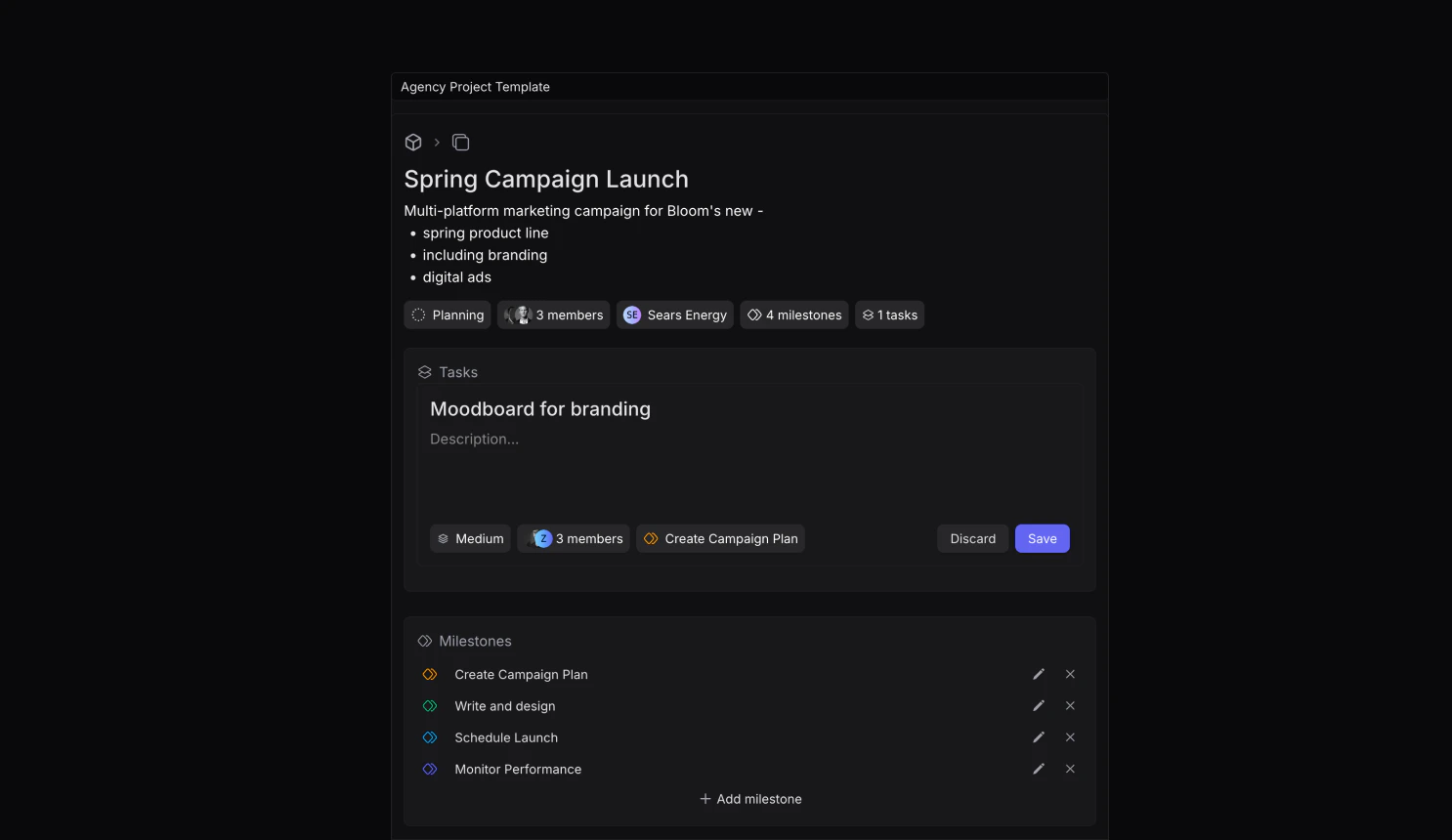
Settings -> Templates -> Project Templates to get started.Resource Planning Improvements
We’ve made updates to the resource planning timeline to improve visibility:- Non-active tasks (e.g., cancelled) are now grayed out to better reflect their impact on capacity
- Tasks are now sorted by status importance for clearer organization
- Visual distinction between active and inactive allocations
Contractor Management
We’ve introduced a comprehensive contractor management system to help you maintain and organize your external resources effectively. Navigate toMembers -> Contractors to get started.Key Features:
- Maintain a searchable database of external contractors
- Manage contact details, hourly rates, and notes
-
Track contractor status:
- Active: Currently available for projects
- Hired: Currently engaged in ongoing projects for your workspace, could be an active member
- Inactive: Not currently available or retired from the database
- Store multiple documents (contracts, agreements, certifications)
-
Tag contractors with skills defined in members/settings
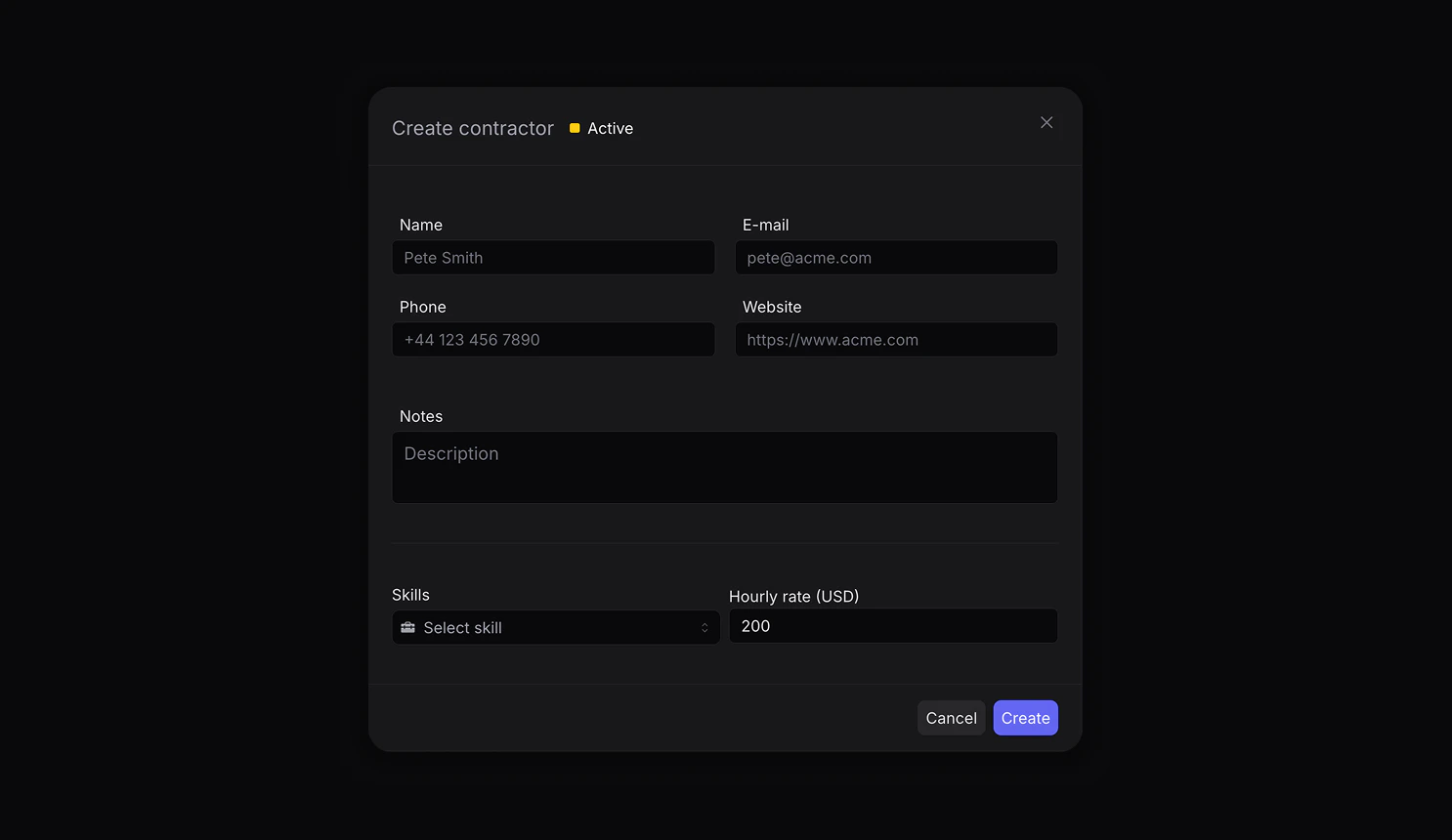
Advanced Filtering and Workflow Highlights
Find the right contractor quickly by filtering through:- Status
- Skills
- Hourly rate ranges
- Full-text search across contact information
Finance Analytics Enhancements
We’ve expanded our finance dashboard with more granular filtering options:- Filter financial analytics by specific projects and teams
- Combine multiple projects and teams for custom reporting views
-
Get deeper insights into your organization’s financial performance
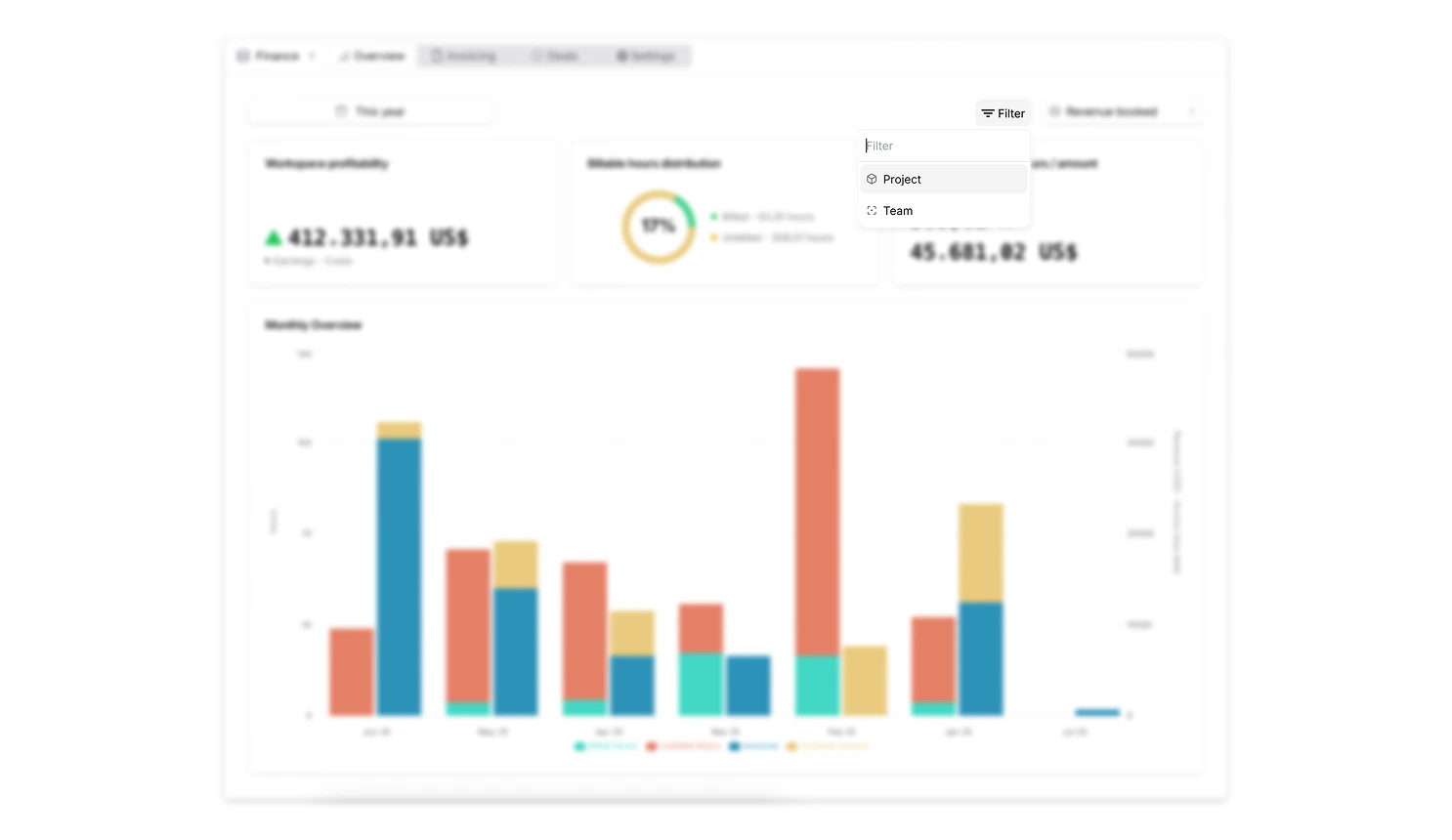
Resource Allocation Improvements
Enhanced visibility into resource capacity:- View remaining capacity in percentage as well as hours
- When viewing remaining hours, get color coded to indicate if the member is over capacity, at capacity or under capacity
-
When hovering over a member, you can see their remaining capacity in both hours and percentage
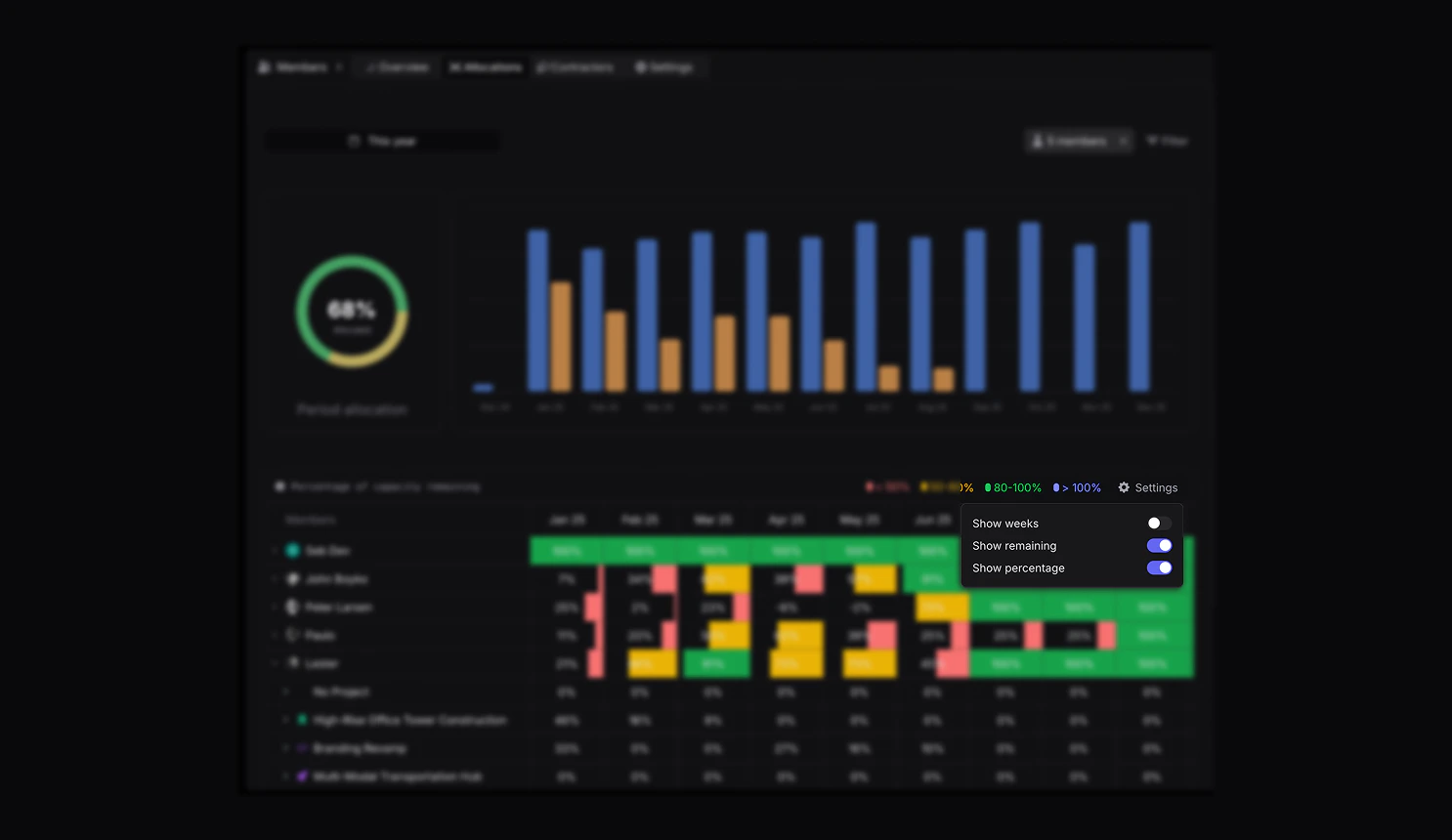
Workflow Improvements
This release focuses on overall workflow improvements. These updates, although smaller, make up a great chunk of how smooth and enjoyable using Pike can feel.Highlights include:- Inline creation of items such as customers and products
- Better user invitation flow
-
Better filtering of member when assigning tasks
User Roles Tightening
When working with multiple stakeholders, members, projects and overall data, it’s important to have an easy way to create and enable focus for every user.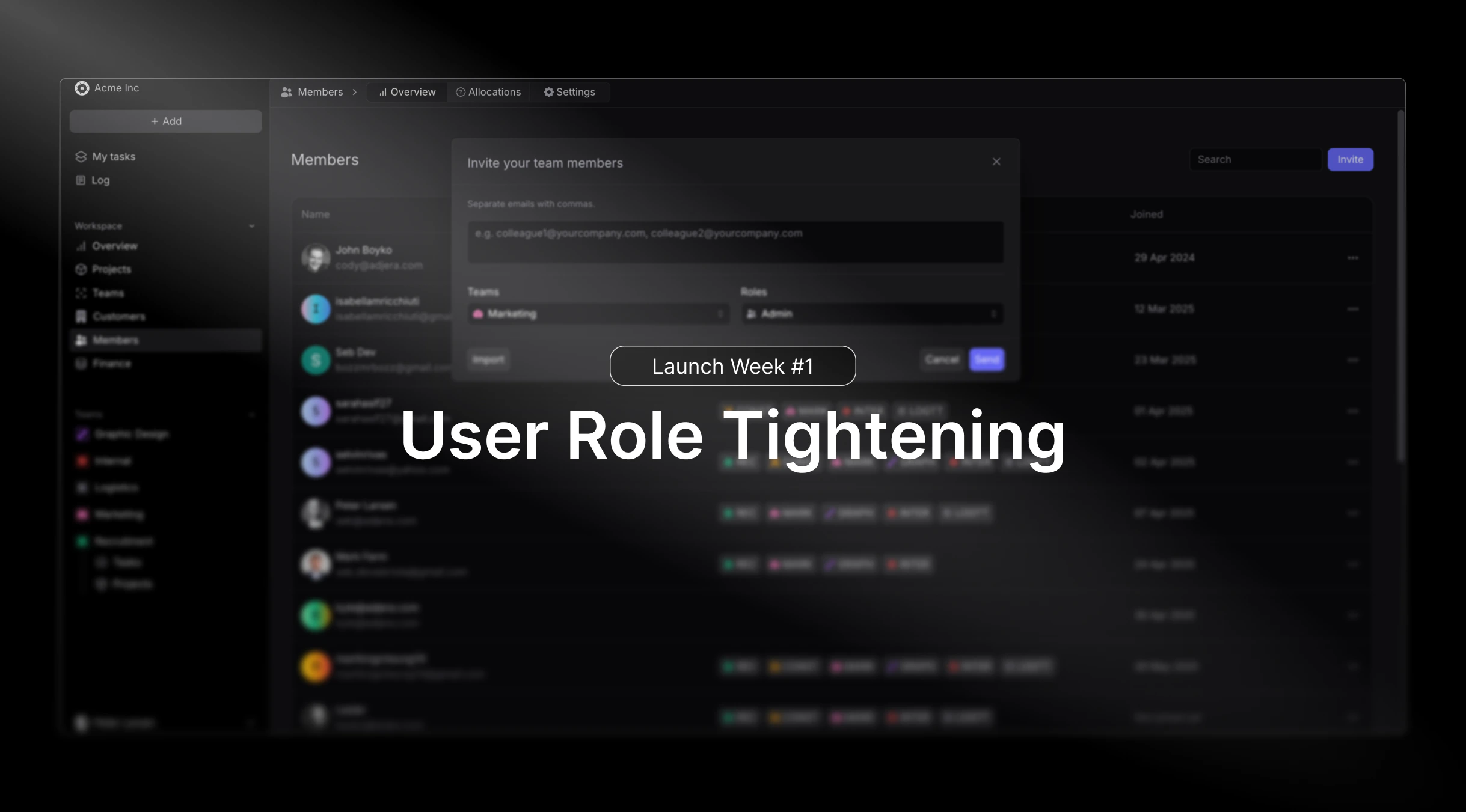
- Admin
- Manager
- Finance Manager
- HR Manager
- Basic
Profitability Tracking
Working with billable hours, expenses, invoices and finance in general, it’s important to stay updated on your projects, customers and overall profitability.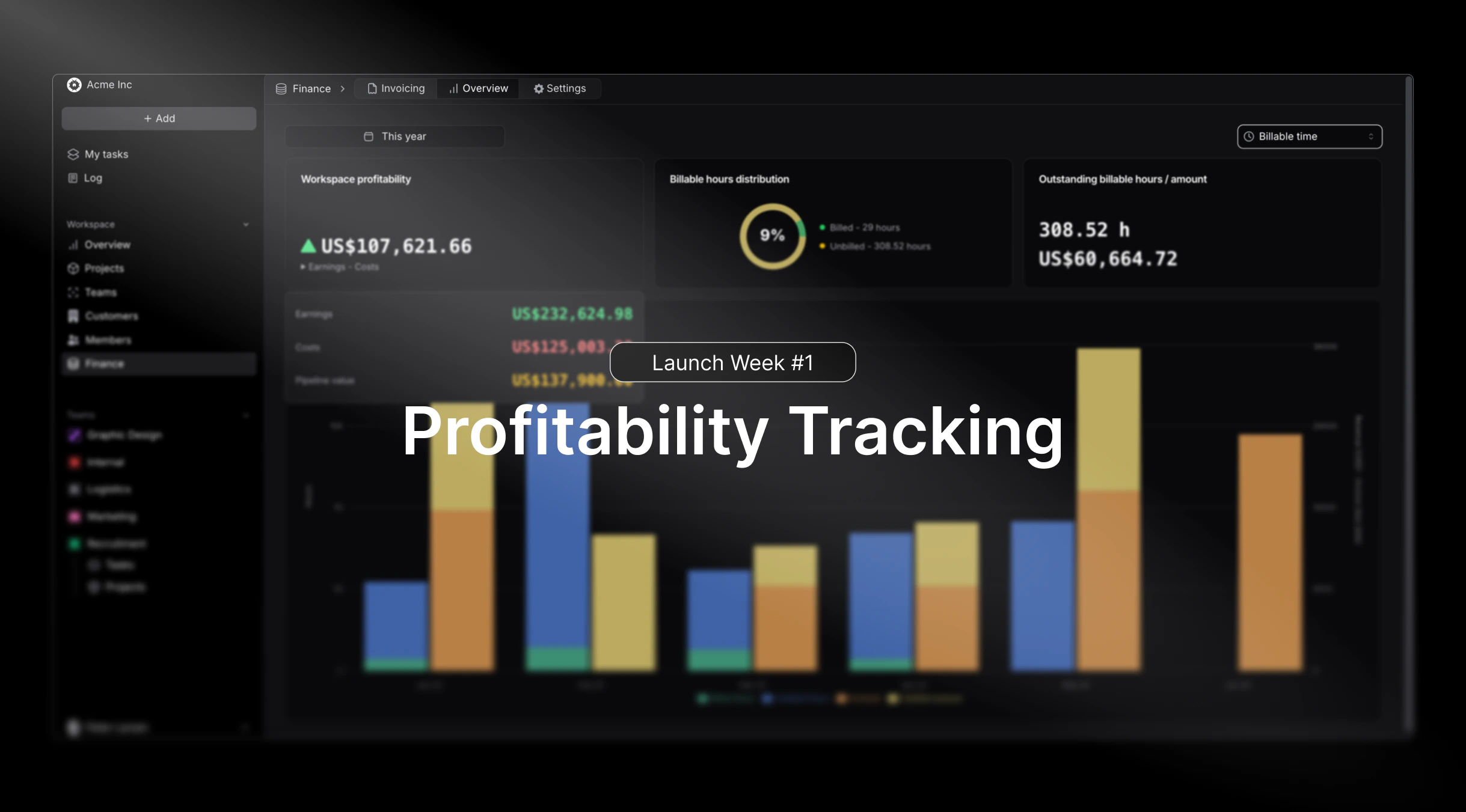
- The ability to view Projects, Customers and Workspace profits based on revenue or billable hours, giving you the full perspective at different angles.
- Automated incorporation of Expenses into profitability calculations as costs.
Timeline Revamp
We bring you an upgraded and smoother timeline then ever before. Now applicable and live for Projects, Tasks and Resource Allocation.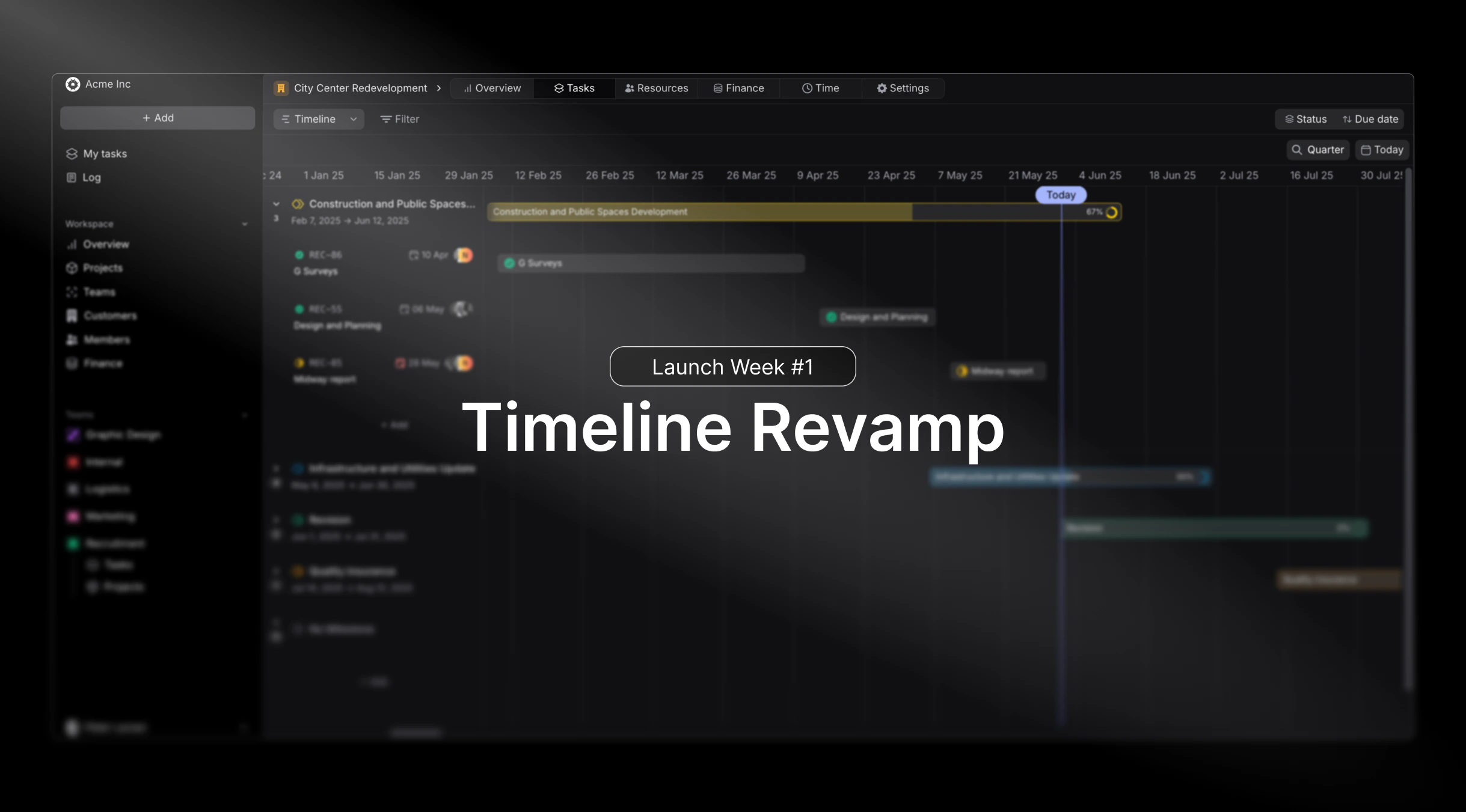
- Phases are now visible in Projects and Tasks timeline.
- Smoother drag and drop for a more snappy feel.
Enhanced Resource Planning
This release focuses heavily on improving how teams manage and allocate resources across multiple projects. We’ve redesigned the resource allocation interface to provide better visibility into team capacity and skill matching.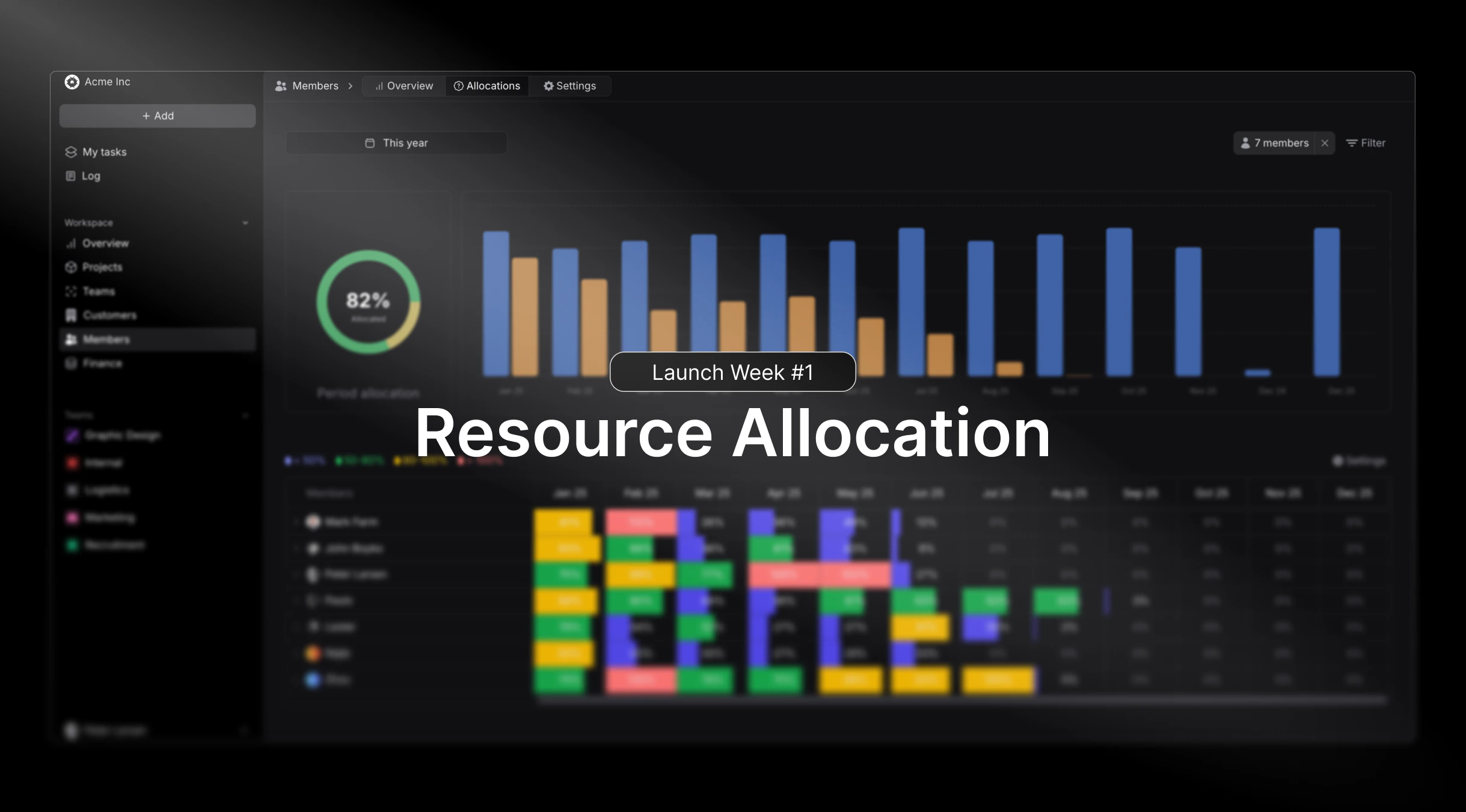
- Advanced resource scheduling with drag-and-drop functionality
- Skill-based resource matching for optimal project assignments
- Real-time capacity planning with availability forecasting
Critical Fixes and Stability
This maintenance release addresses several important issues reported by our enterprise clients, particularly around data synchronization and reporting accuracy:- Resolved calculation errors in complex phase-based projects
- Improved performance for organizations with 500+ active projects
Third-Party Integrations
We’ve expanded our integration capabilities to better support existing workflows and reduce the need for manual data entry across platforms.Intuit QuickBooks
With the integration between Pike and QuickBooks, you can now:- Push invoices from Pike to QuickBooks
- Get real-time payment update from QuickBooks to Pike
- Important and sync customers
-
Important and sync products

E-conomic
With the integration between Pike and E-conomic, you can now:- Push invoices from Pike to E-conomic
- Get real-time payment update from E-conomic to Pike
- Important and sync customers
-
Important and sync products

Mobile-First Time Tracking
Professional services teams are increasingly mobile, and this release delivers a completely redesigned mobile experience for native use.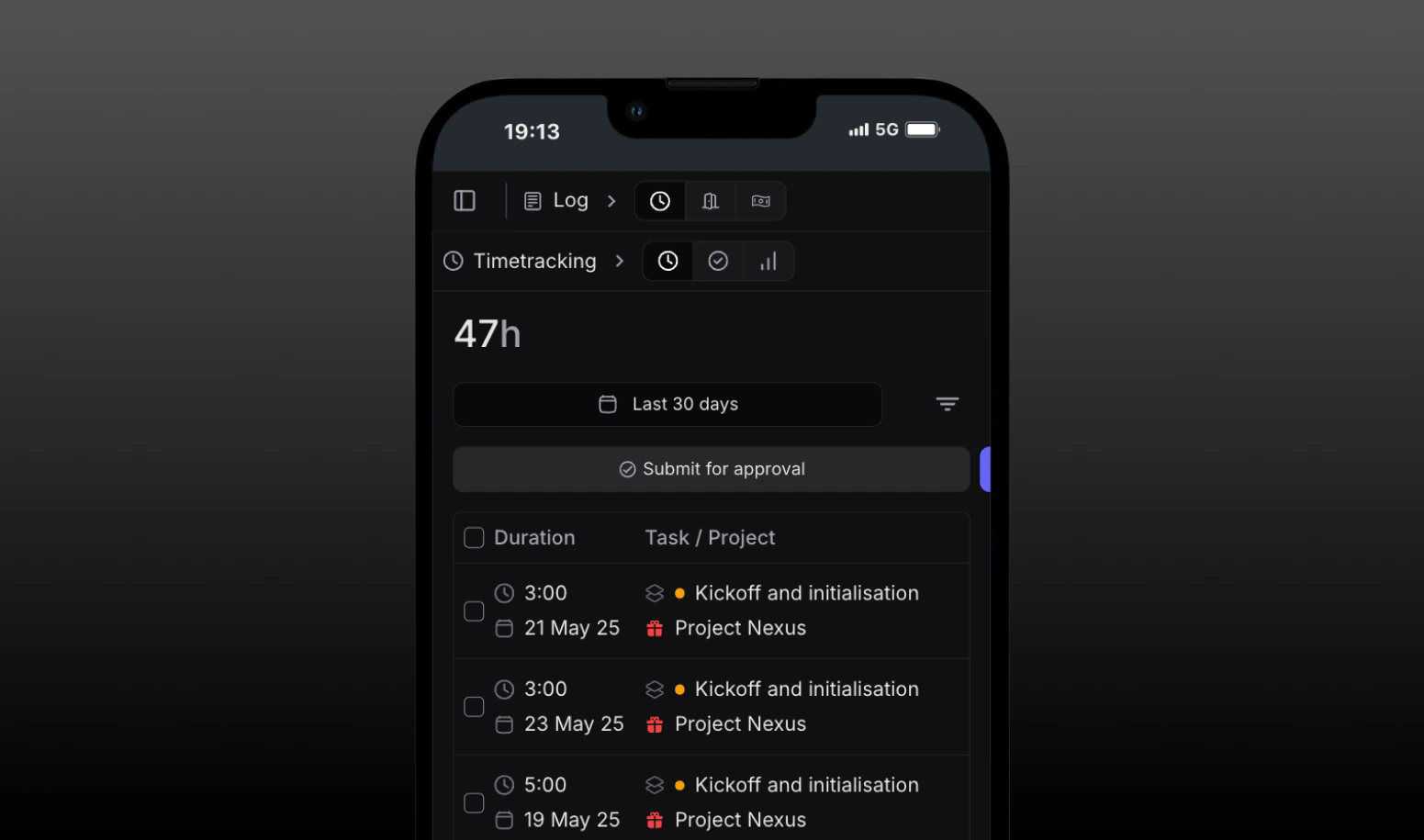
- Log time
- View tasks and deadlines
- Create and assign work
Improved time tracking features
Time tracking accuracy is crucial for professional services profitability. This release introduces intelligent features to improve both accuracy and user adoption.Users can now register time from anywhere in the app or from our new timesheet.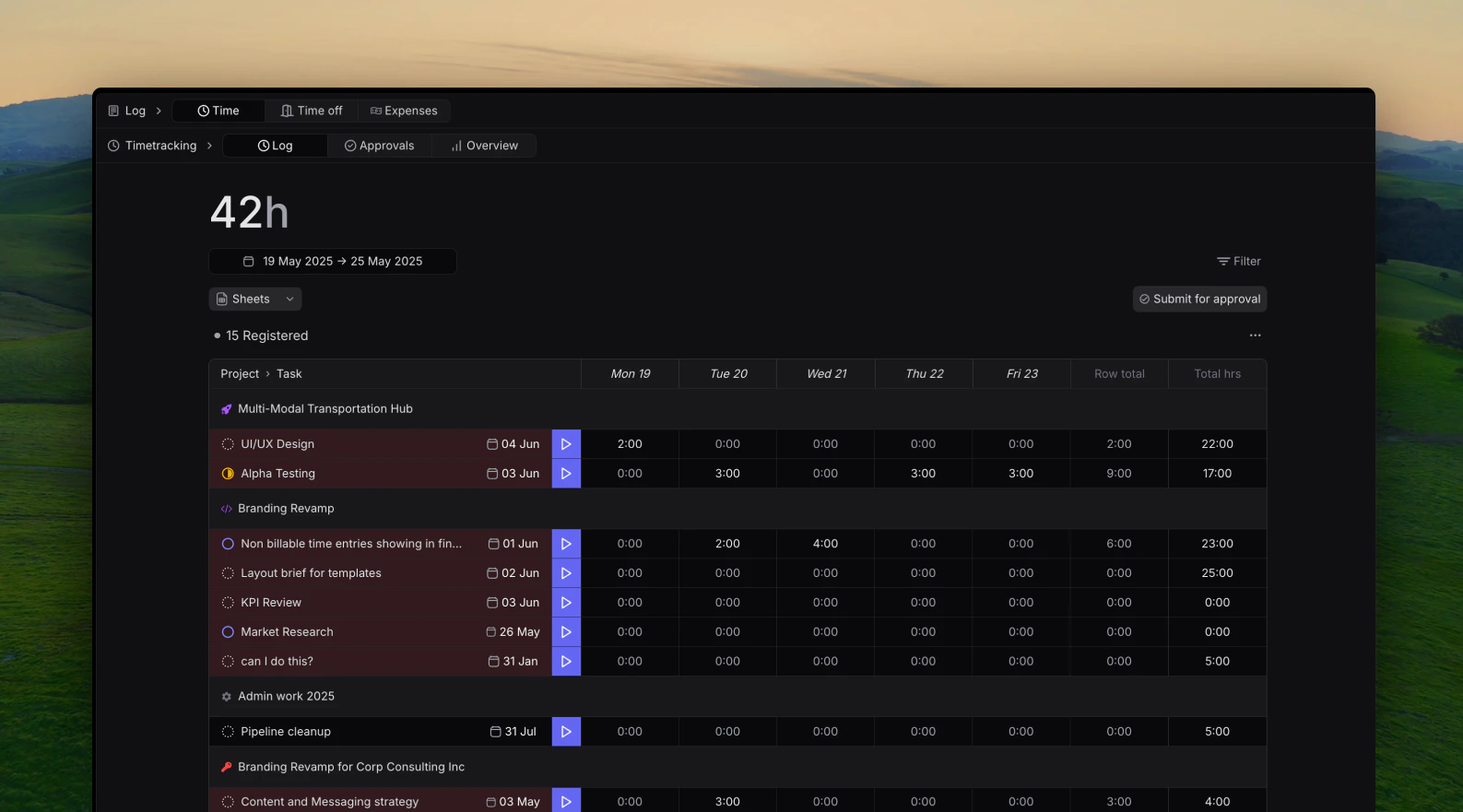
- Timesheet
- Start and stop timer
- Quick log button
Time usage dashboard
Want to know how much time has been spent across your entire firm, as well as being able to drill down into time spent per project, customer, tasks labels and individual members, all in a single page and in real-time?Well now you can!
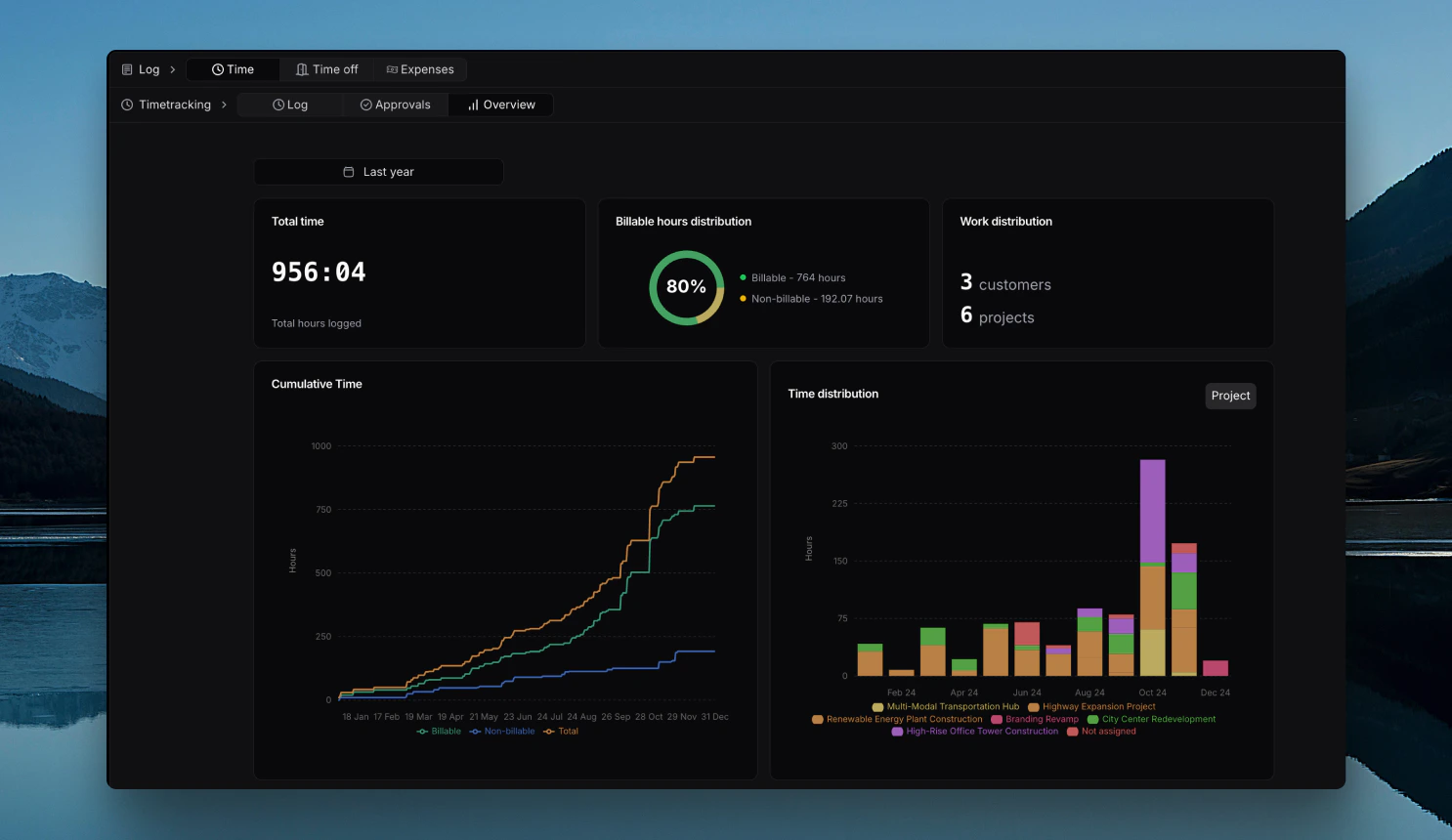
- Total time logged in the selected period
- Billable hours distribution in the selected period
- Work Distribution: Number of Customers and Projects that have been logged time under
- Linear Cumulative Time graph comparing total time logged versus billabke and non-billable hours.
- Total Distribution of time entries sorted by Projects, Customers, Task Labels and Members
Customer Deals
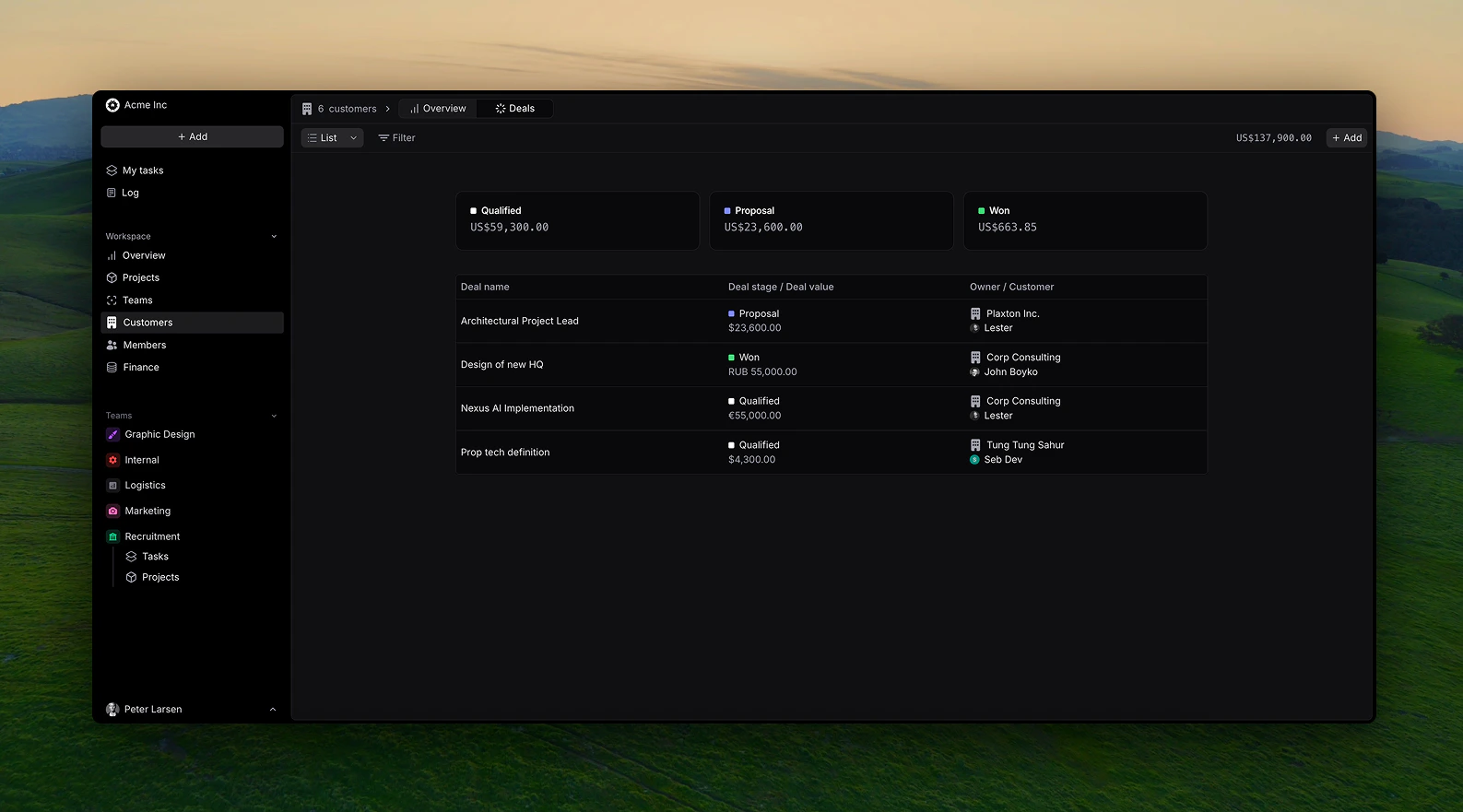
With this release, you can now create and track customer deals in real-time through different stages.When creating a deal, fill out the following information:
- Deal name
- Related customer
- Deal owner
- Deal value in your choosen currency
- Deal stage (Prospect, Qualified, Negotiation, Proposal, Won/Lost)
Views
You can view custome deals in a list or kanban view with drag and drop functionalities.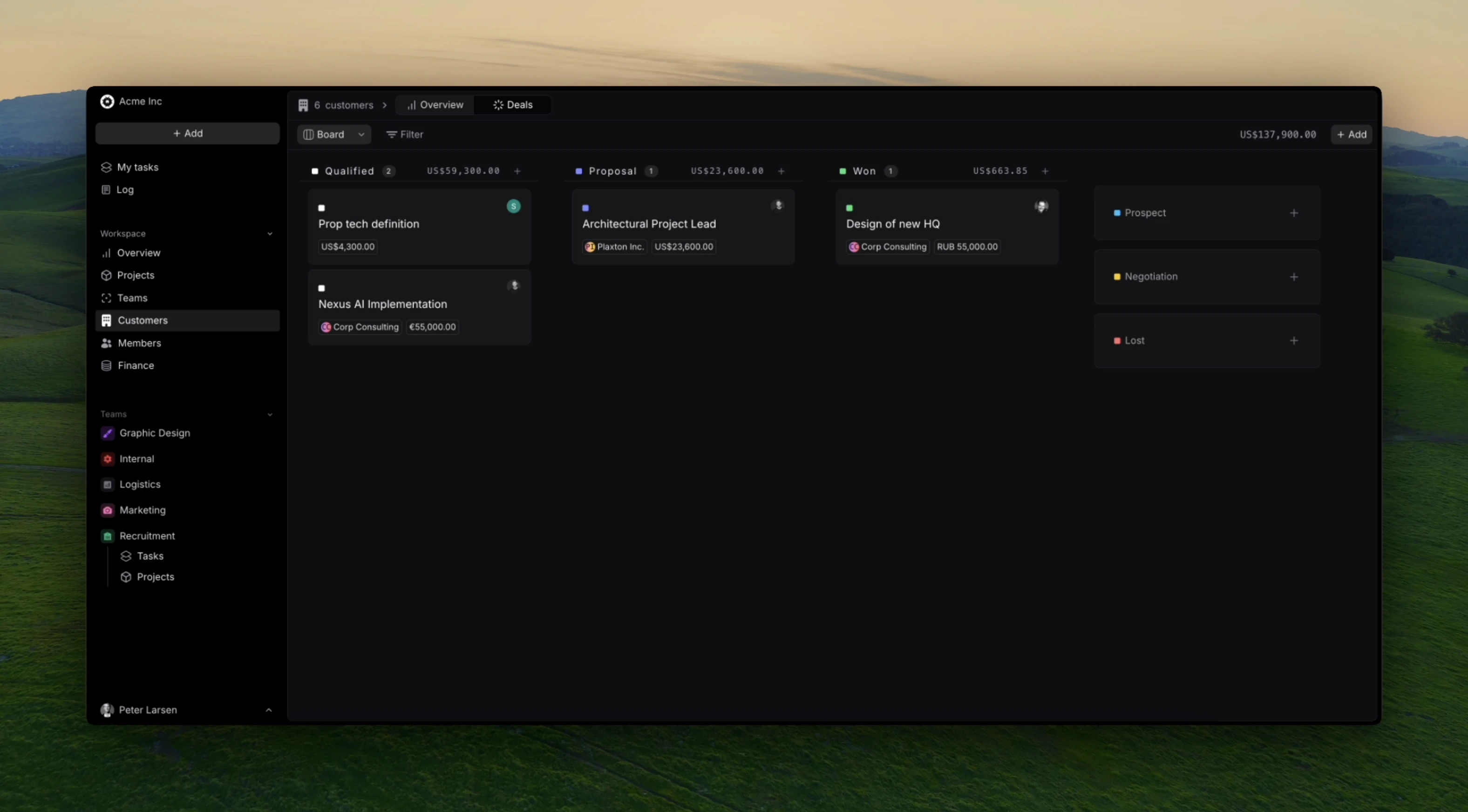
Finance Overview
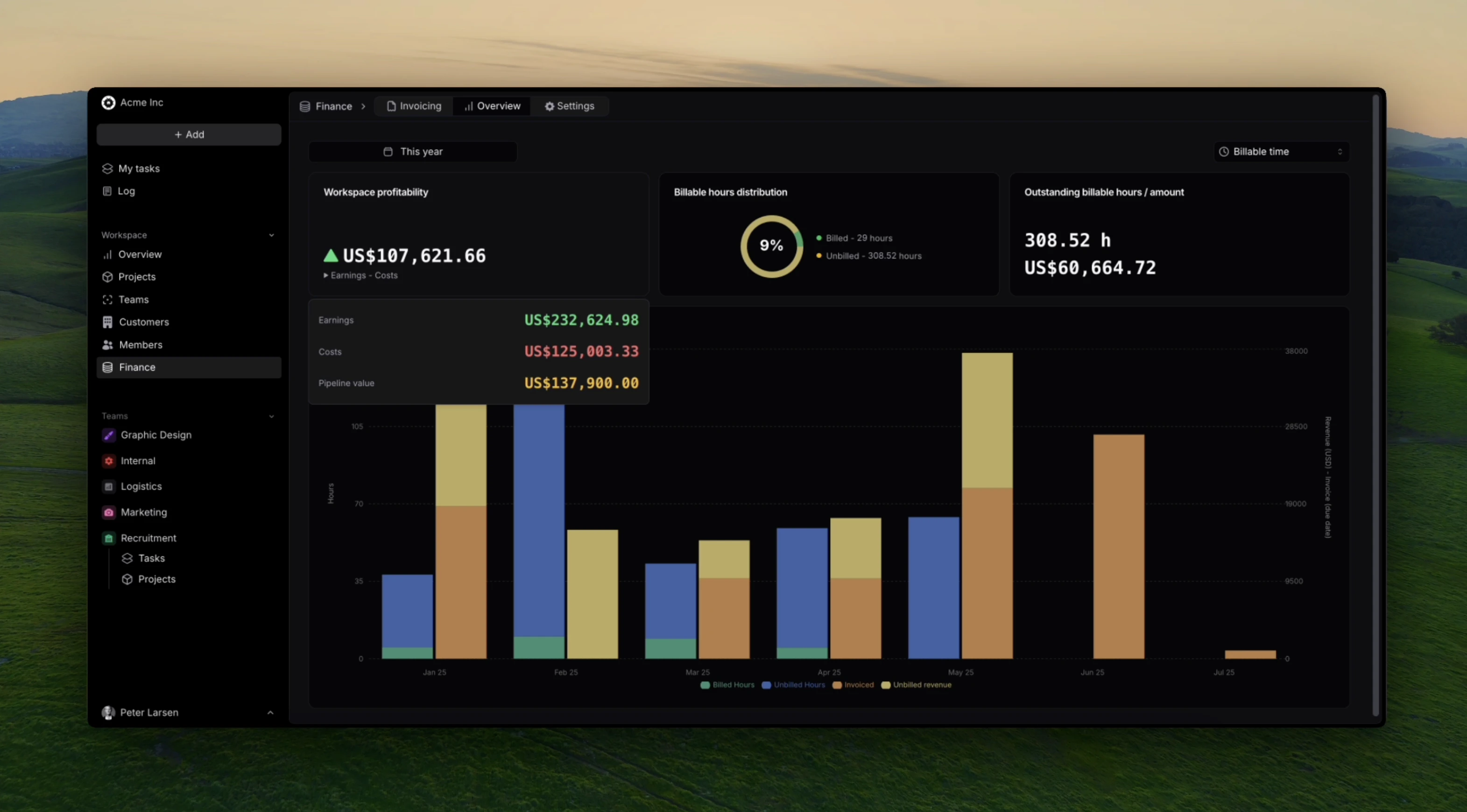
Get real-time insights into your firms overall financials such as revenue, costs, and pipeline value.This release enables Admin and Finance managers to view the following metrics:- Workspace profitability
- Workspace Earnings
- Workspace Costs (labour and expenses)
- Workspace pipeline value from customer deals
- Billable hours distribution
- Outstanding billable hours and it’s value
Enhanced User Management
Growing professional services firms need sophisticated user management capabilities to maintain security while enabling productivity across diverse teams and client engagements.- Role-based permissions with project-specific access controls
Data Protection
Professional services organizations are entrusted with sensitive client information, making data protection a critical operational requirement.These security enhancements ensure professional services firms can maintain client trust while meeting increasingly stringent data protection requirements across different industries and jurisdictions.Profitatbility calculations
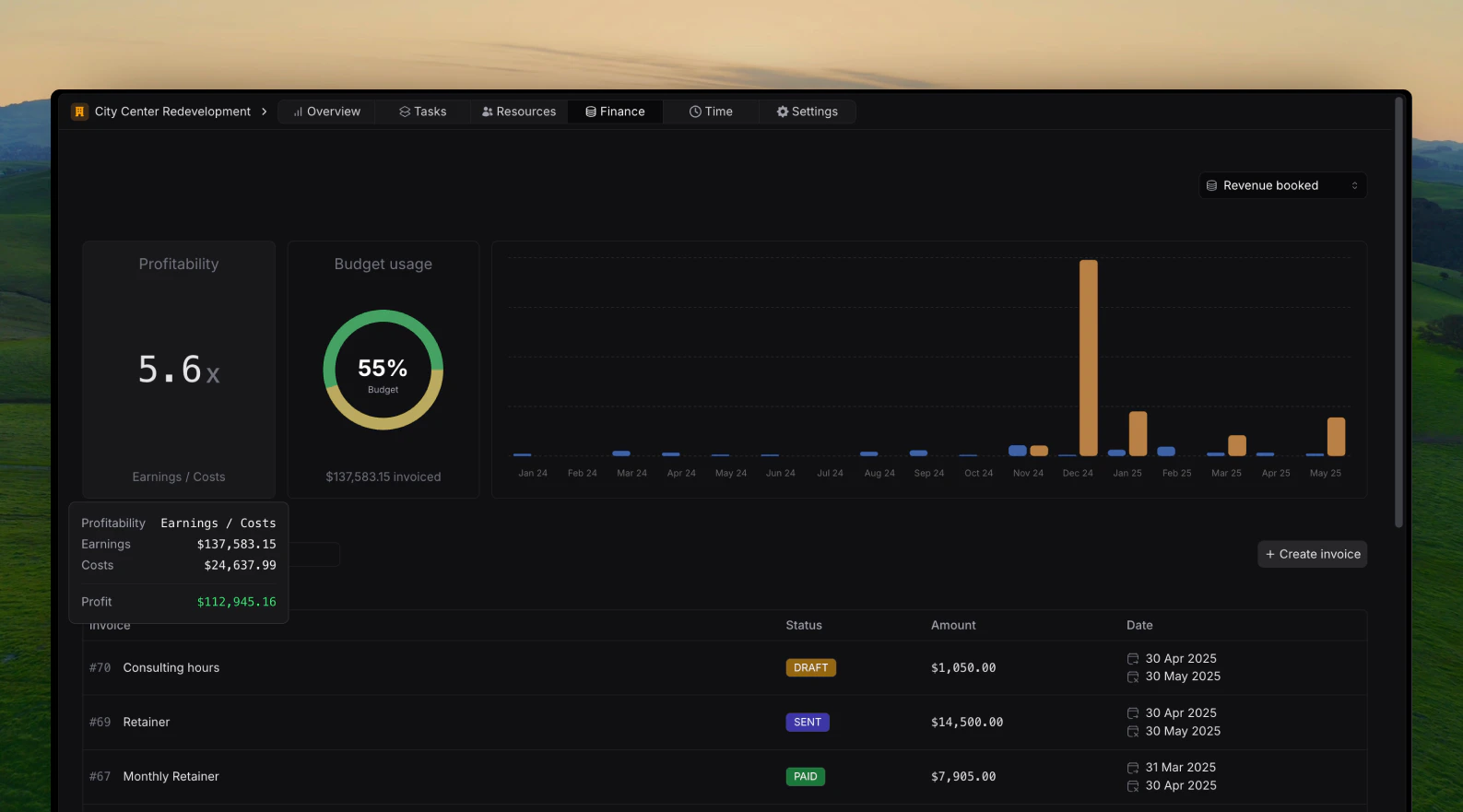
This release focuses on increasing the flexibility of profitability calculations on projects, customers and the overall workspace.It is now possible to choose wether profitability is calculated based on:- Revenue booked (earnings equals to invoice amounts, in workspace currency)
- Billable hours (earnings equals to registered hours * billable rate of task of the member who registered the hours)
Expense tracking
It’s now possible and easy to track expenses in Pike. Wether they are internal or project related; Billable or non-billable.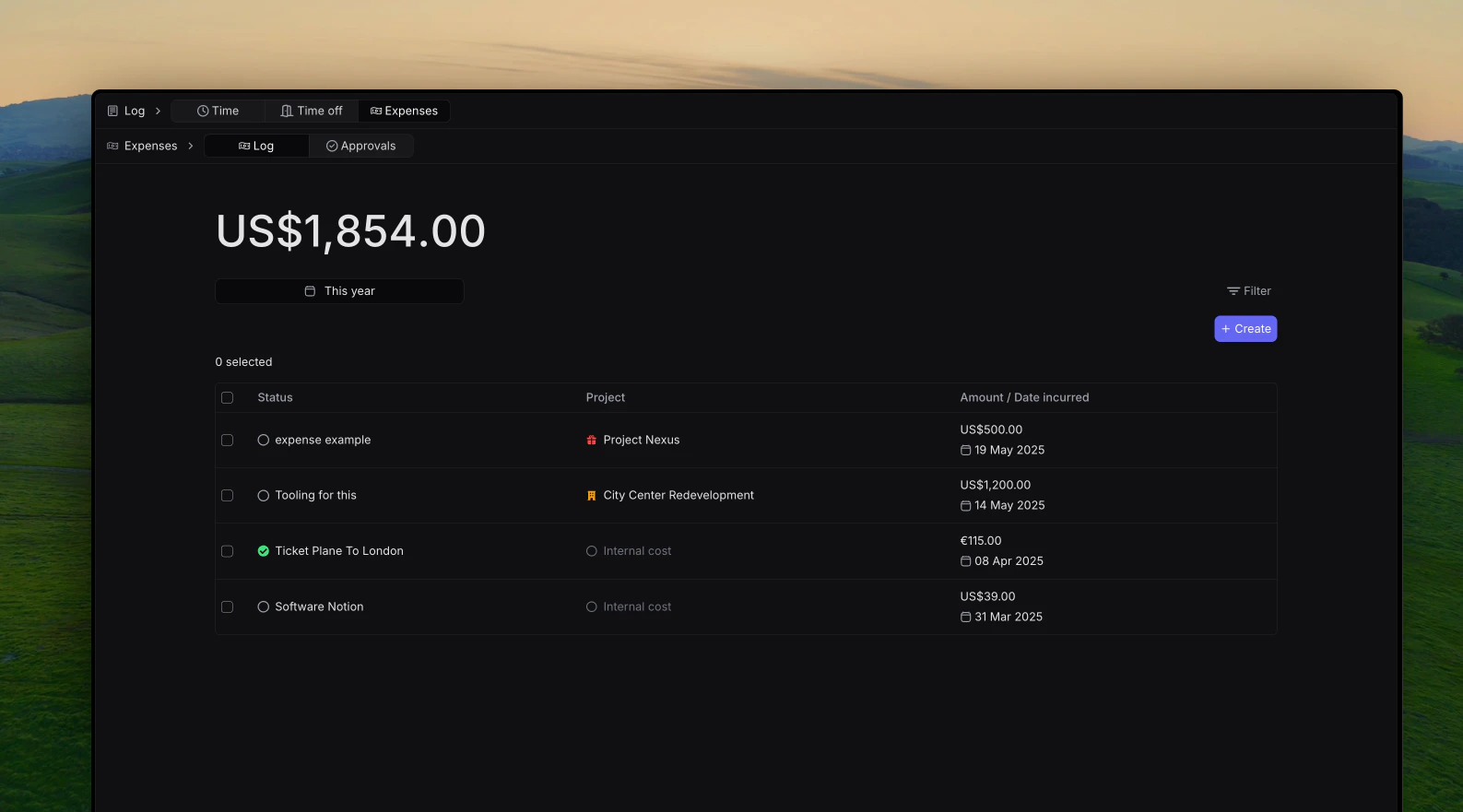
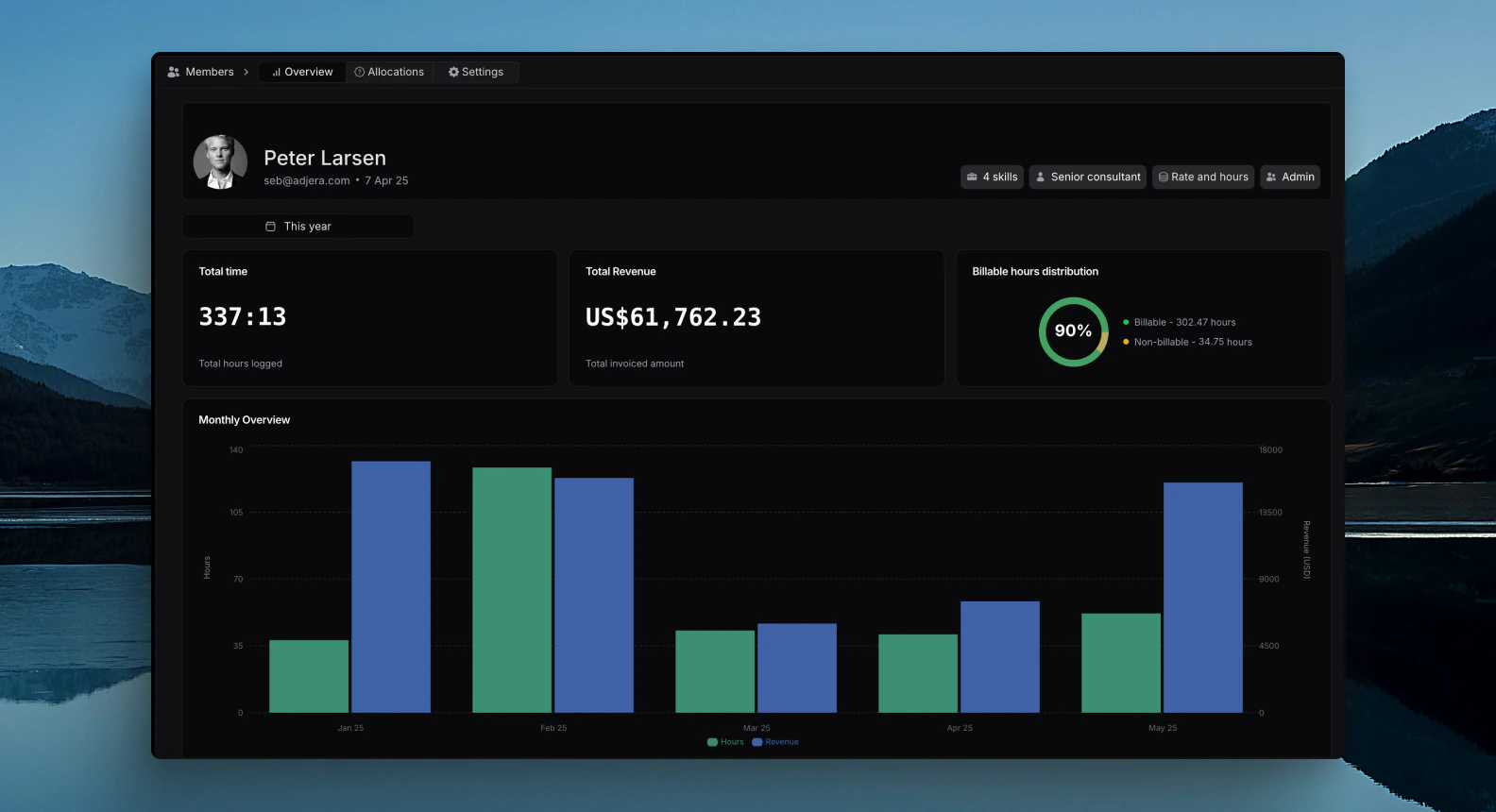
Member Overview
This release focuses on adding member related insights on each members profile.Admins and HR Manager can now view the following information on a member:- Total Hours registered in selected period
- Total Revenue generated in selected period (rate* registered hours on billable tasks)
- Billable hours distribution (how many hours are registered on billable versus non billable tasks), essentially that members efficiency.
Currencies
This release focuses on adding workspace currencies to Pike in order to accommodate users across multiple countries.By default your workspace will have a base currency used in reporting. If other currencies are used across invoices or expenes, these will automatically be converted to the base salary when looking at project finances, customer finances and overall workspace finance reporting.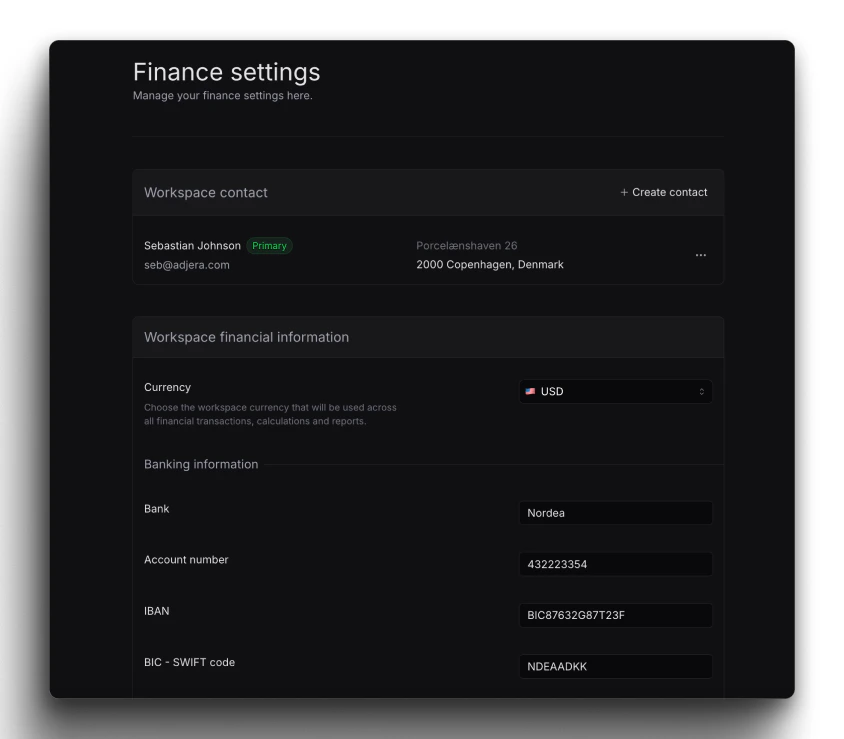
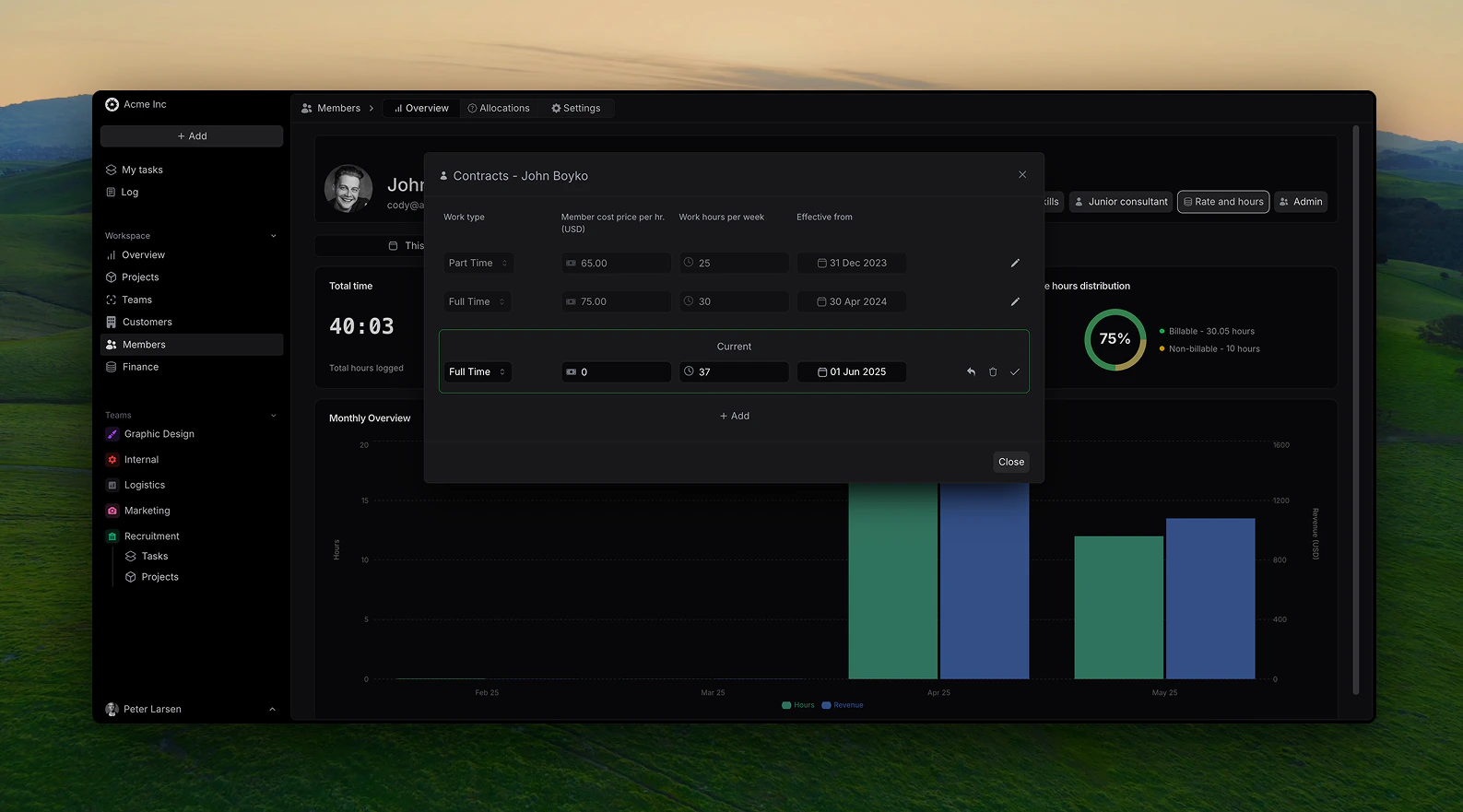
Member insights increase
This release focuses on adding member related information to use for tracking of project financials.Members can now have the following information:- Internal cost (salary), calculated per hour.
- Working type: Full time, part time or hourly
-
Efficitve from date, storing historicall data to back track project insights accurately.
Pike V2 - Feature-Complete Beta
This release marked the transition to a feature-complete beta, incorporating core consutling and agency focused functionality needed for comprehensive professional services management.- Complete project management lifecycle
- Customer management
- Comprehensive time tracking and expense management
- Integrated inoice creation and financial reporting
- User roles
Expanded Beta Program
We opened the beta program to a broader range of professional services organizations to validate functionality across different industry segments and organizational sizes.If you’re interested in joining future beta programs, sign up here to be notified of opportunities.Pike V1.5 - Enhanced Alpha Features
The alpha program continued to evolve based on early user feedback, with focus on core professional services automation capabilities.- Improved project setup and configuration workflows
- Enhanced time tracking with approval workflow
- Refined resource allocation and planning tools
- Basic finance overview for project earnings
Alpha User Feedback Integration
Our alpha partners provided crucial insights into the daily challenges of professional services management, directly influencing feature development priorities.Pike V1 - Alpha
Pike’s initial alpha release established the foundational platform for professional services automation, focusing on core project management and time tracking capabilities. This version was released to it’s initial core users and included:- Basic project creation and management
- Time tracking
- Customer management
- Team workspace structure
- Basic task dashboards