
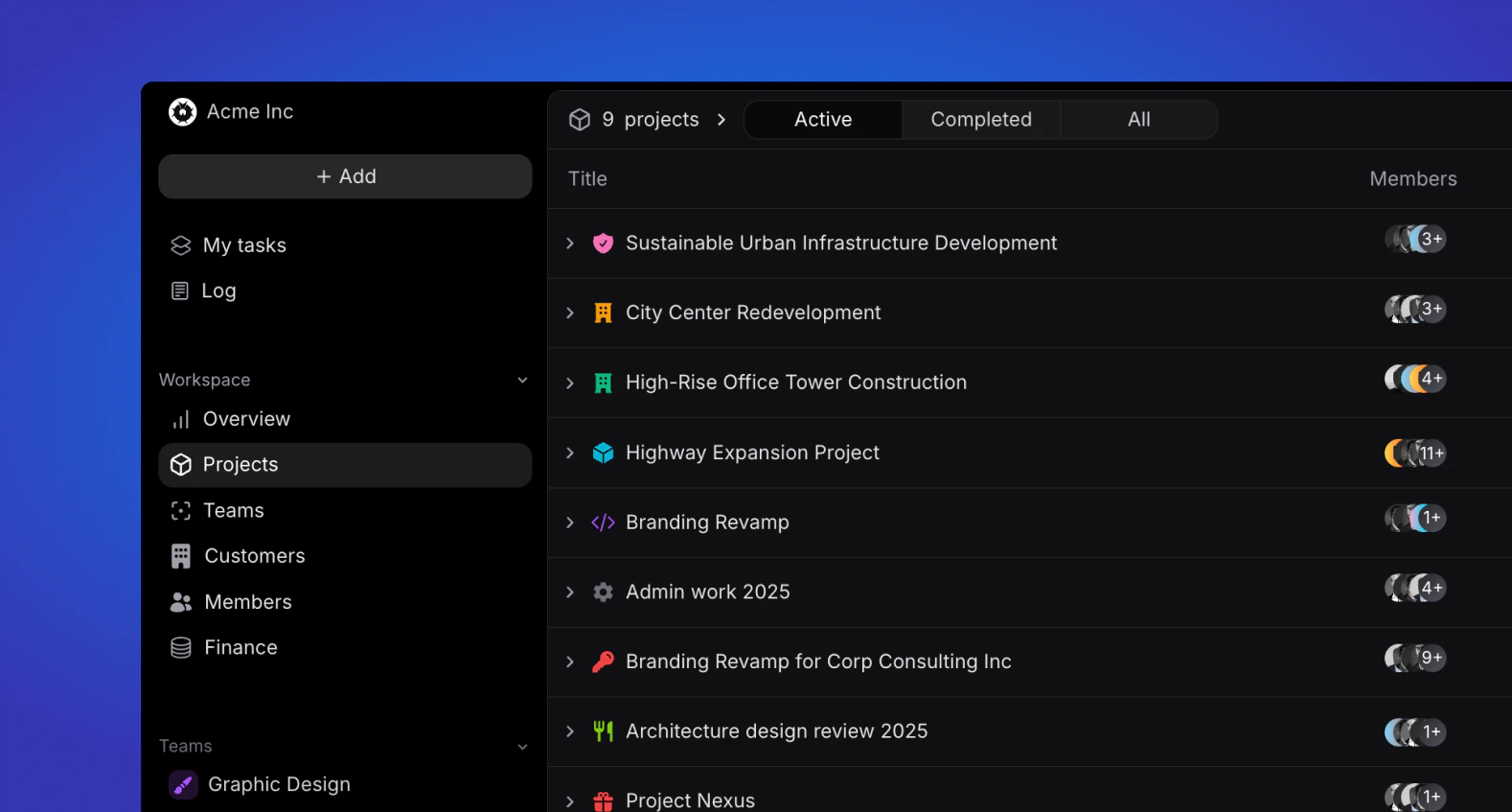
Overview
View all company projects, sorted by Active, Completed and All. Only admin and managers can view all workspace projects, while other roles can only view projects they are part off.Project information
Each project will show the following information at a glance:- Project icon
- Project name
- Project members icon
- Project team(s)
- Project status (planning, active, on hold, completed or cancelled)
- Project due date
- Phase icon and colour (will be reflected in the timeline)
- Phase name
- Phase start and due date
Search
In the top right of the project overview, users can search for projects based on their names.Display
The display button allows you to sort your project list and change between views.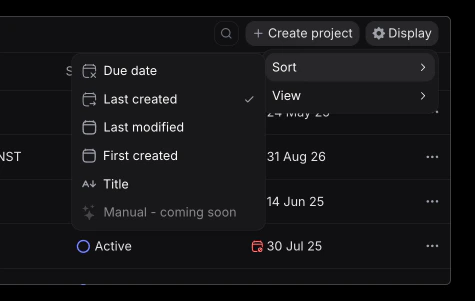
Sorting
Sort the order of your projects by:- Due date
- Last created
- Last modified
- First created
- Alphabetical order (title)
Views
Change between list and timeline view. The list view is th default one, showing projects and phases as described above. The timeline view, showcases each project on a timeline, with it’s associated phases below.Finance columns
In list view you can add optional finance columns to see budget, time and profitability for every project at a glance, without opening each one. Open the Display menu and toggle the columns you want. They are hidden by default, and each column is only calculated for the projects currently shown, so the list stays fast. Available columns:- Time budget – the project’s time budget.
- Allocated – total time allocated to the project’s tasks.
- Unallocated – time budget minus allocated.
- Logged – total time logged against the project.
- Unlogged – time budget minus logged.
- Invoice budget – the project’s financial budget.
- Invoiced – amount invoiced on the project.
- Unbilled – invoice budget minus invoiced.
- External expenses – expenses booked to the project.
- Labor cost – cost of the time worked on the project.
- Profit (invoiced) – invoiced amount minus labor cost and expenses.
- Profit (worked) – value of the work done minus labor cost and expenses.
- Billing rate – effective sell rate on billable time (
billable hours × assignment rate ÷ hours sold). - Cost per hour sold – cost of delivery divided by billable hours.
- Gross margin – profit (worked) as a percentage of the work’s value.
Budget columns are shown in the project’s budget currency; invoiced, cost and
profit amounts are shown in your workspace currency. When a project’s budget
currency differs from the workspace currency, budget-versus-actual columns are
not directly comparable.
Projects
Learn more about projects and their structure.
Private projects
Learn how private project visibility works.