
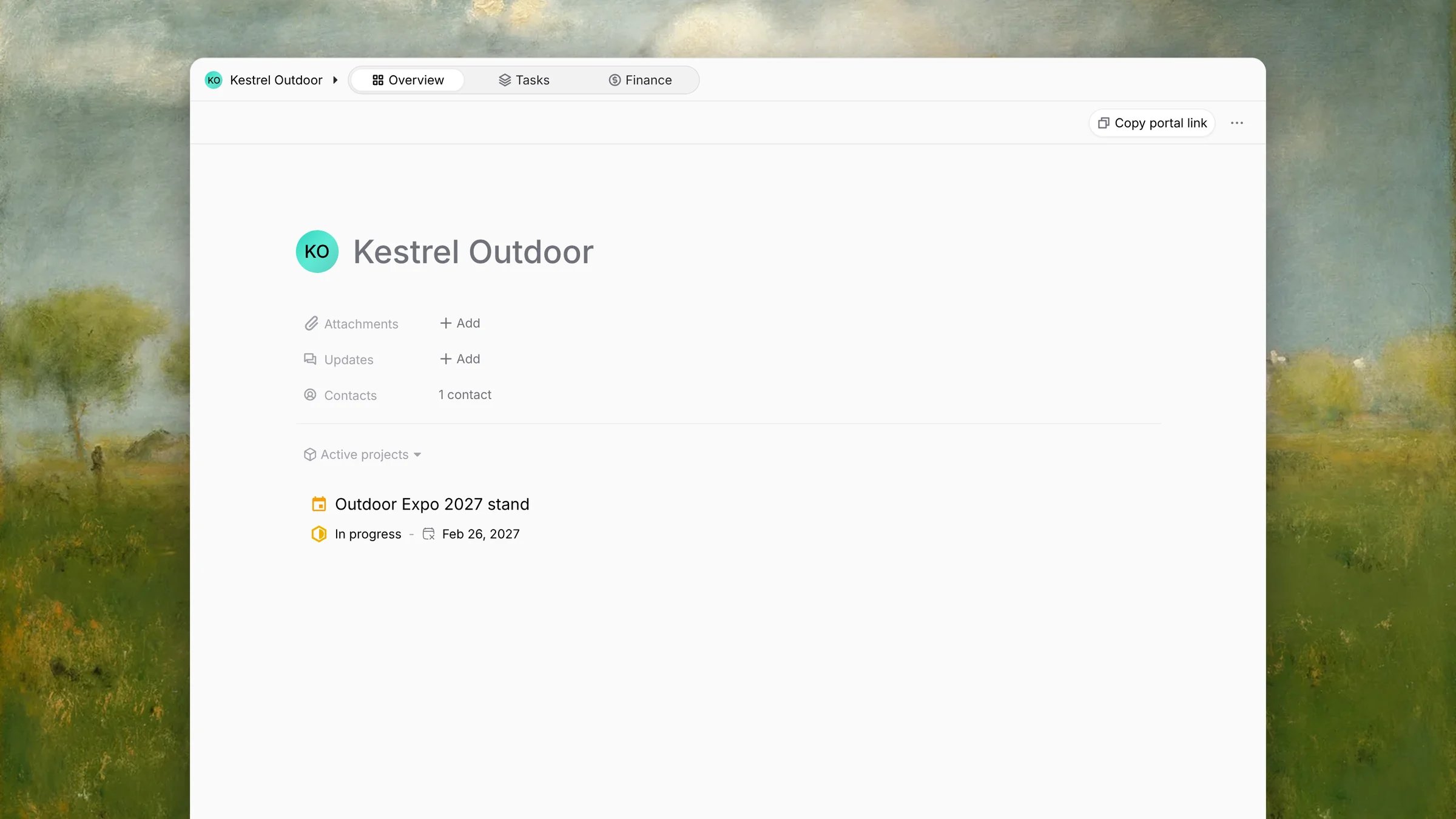
A customer’s page brings together everything you do for that company: its projects, tasks, contacts, updates, invoices and profitability. Open it from Customers. Its tabs are Overview, Tasks and Finance. Kestrel Outdoor overview: attachments, updates, one contact, and the active project Outdoor Expo 2027 stand, with Copy portal link at the top

Overview

  • Click the name to rename the customer.
  • Attachments contains files about the customer.
  • Updates is for notes the team should read. Updates can include Granola meeting summaries, posted when the note’s folder is mapped to the customer, or when an external attendee matches the customer’s contacts. See Granola.
  • Contacts lists the customer’s contacts. Add or create one, and mark the company contact used on invoices.
  • Active projects lists the customer’s current projects, with Create project to start one.

Customer menu

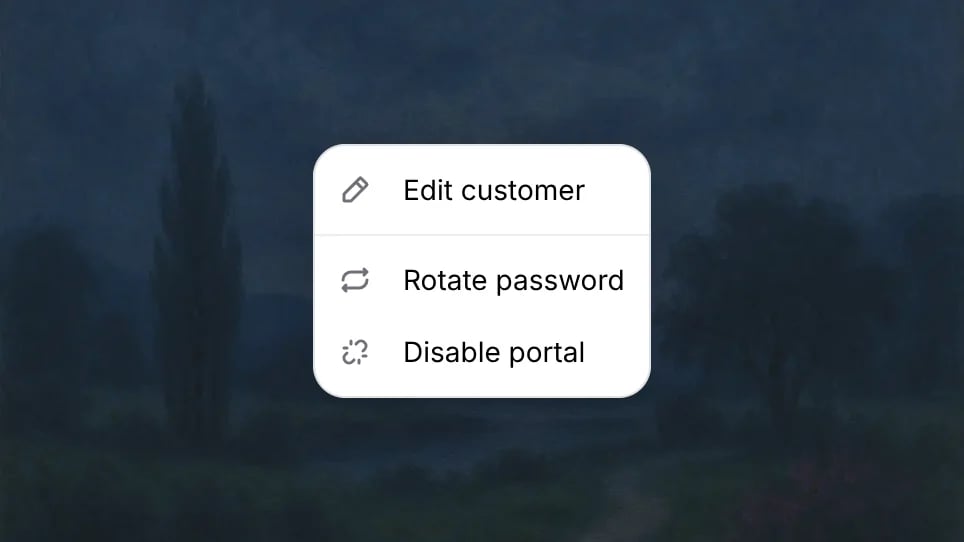
⋯ at the top right has Edit customer, the customer portal items, and Send to or Link when an accounting integration is connected. Customer menu with Edit customer, Rotate password and Disable portal
Tasks

Tasks shows every task on the customer’s projects, with the usual views.

Finance

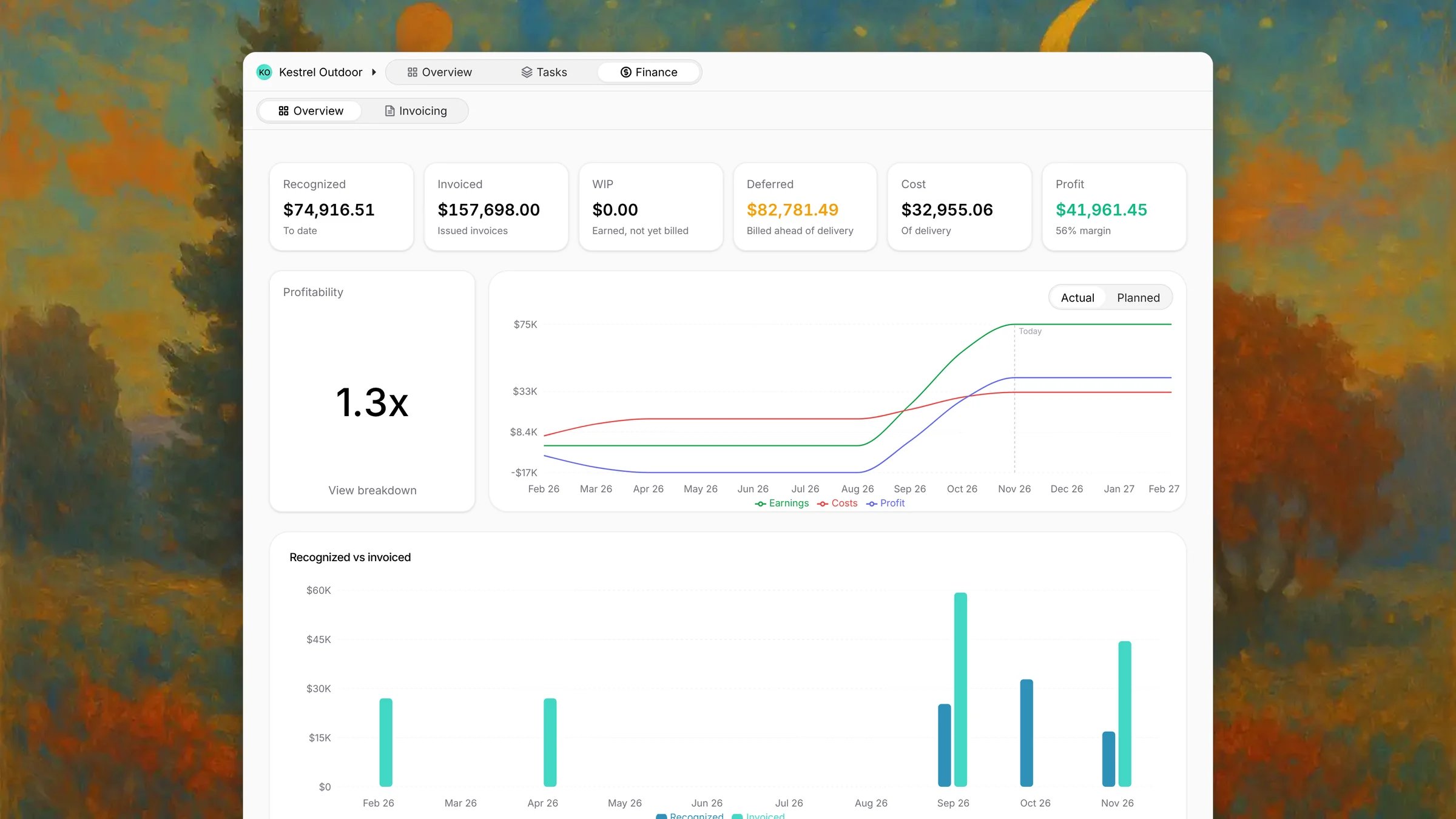
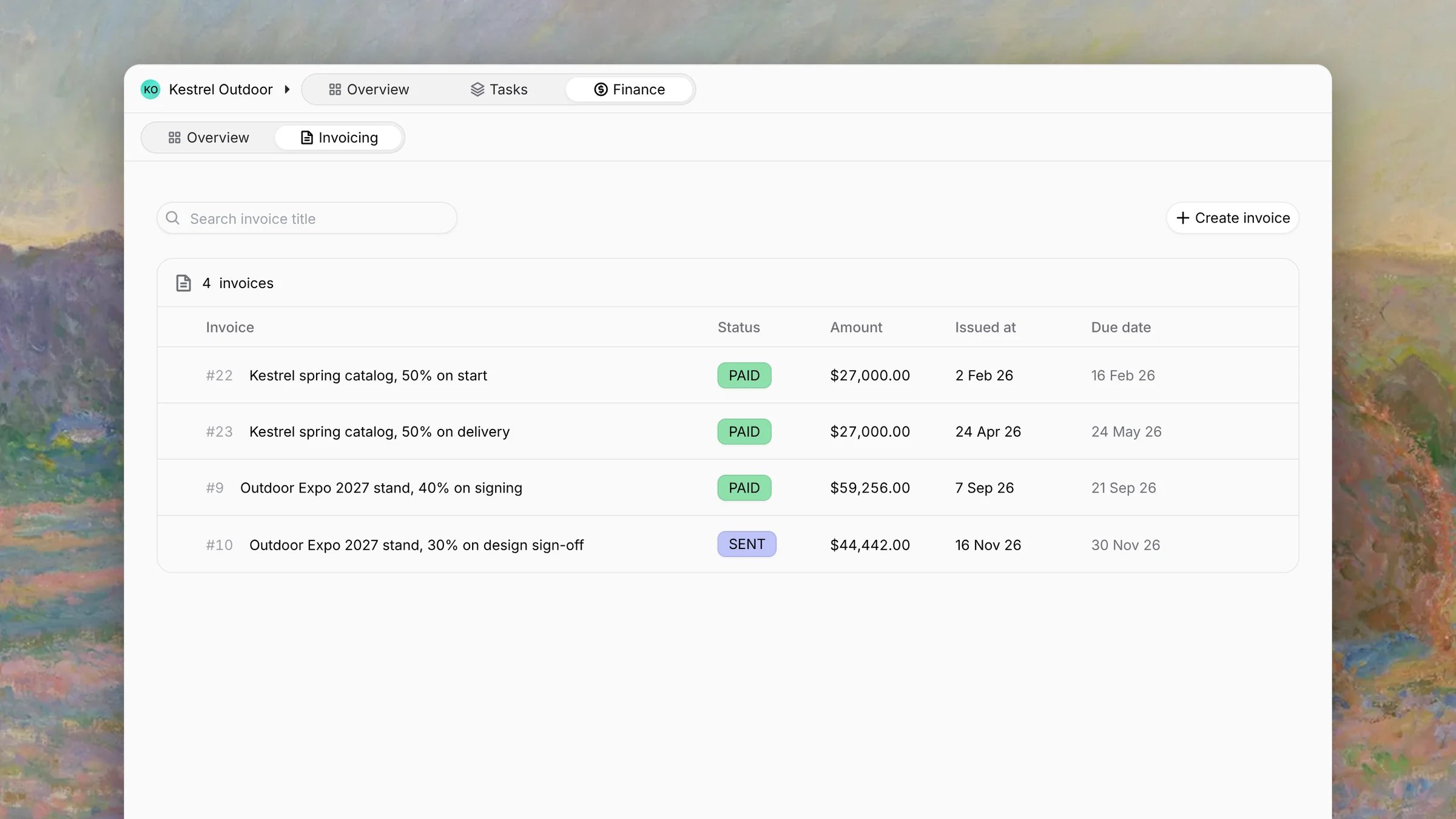
Finance has Overview and Invoicing. Overview shows the same cards and charts as the workspace finance overview, for this customer only: recognized, invoiced, work in progress, deferred, cost and profit. Kestrel Outdoor finance overview: recognized 74,916.51, invoiced 157,698, deferred 82,781.49, cost 32,955.06, profit $41,961.45, profitability 1.3x and recognized against invoiced by month Invoicing lists the customer’s invoices with their status, amount, issue date and due date, with search and Create invoice. Kestrel Outdoor invoicing: four invoices, three paid and one sent
Customer status

Each customer has a status that Pike derives from its projects and deals. Nobody maintains it by hand. The status updates when the customer’s projects or deals change. It shows on the customer list and on the Customer Panel, and filters the list. The Mailchimp integration sends it to your audience as a tag.

Lifetime value

Lifetime value is the customer’s invoiced revenue across every invoice Pike holds for it, so it comes from real invoices and not from a field someone updates. Admins and finance users also see margin per customer on the Finance section.

Deals won and lost

The Overview section lists every deal for the customer with its outcome, value, and, for a lost deal, the reason. The list keeps past deals, so an account lead sees what the customer bought and what it turned down. See Deals.

Services sold

Each deal and project carries the services sold, such as branding, strategy, or campaigns. The customer shows the services it has bought, and services work as a filter on the customer list and in dashboards.

Customer fields