
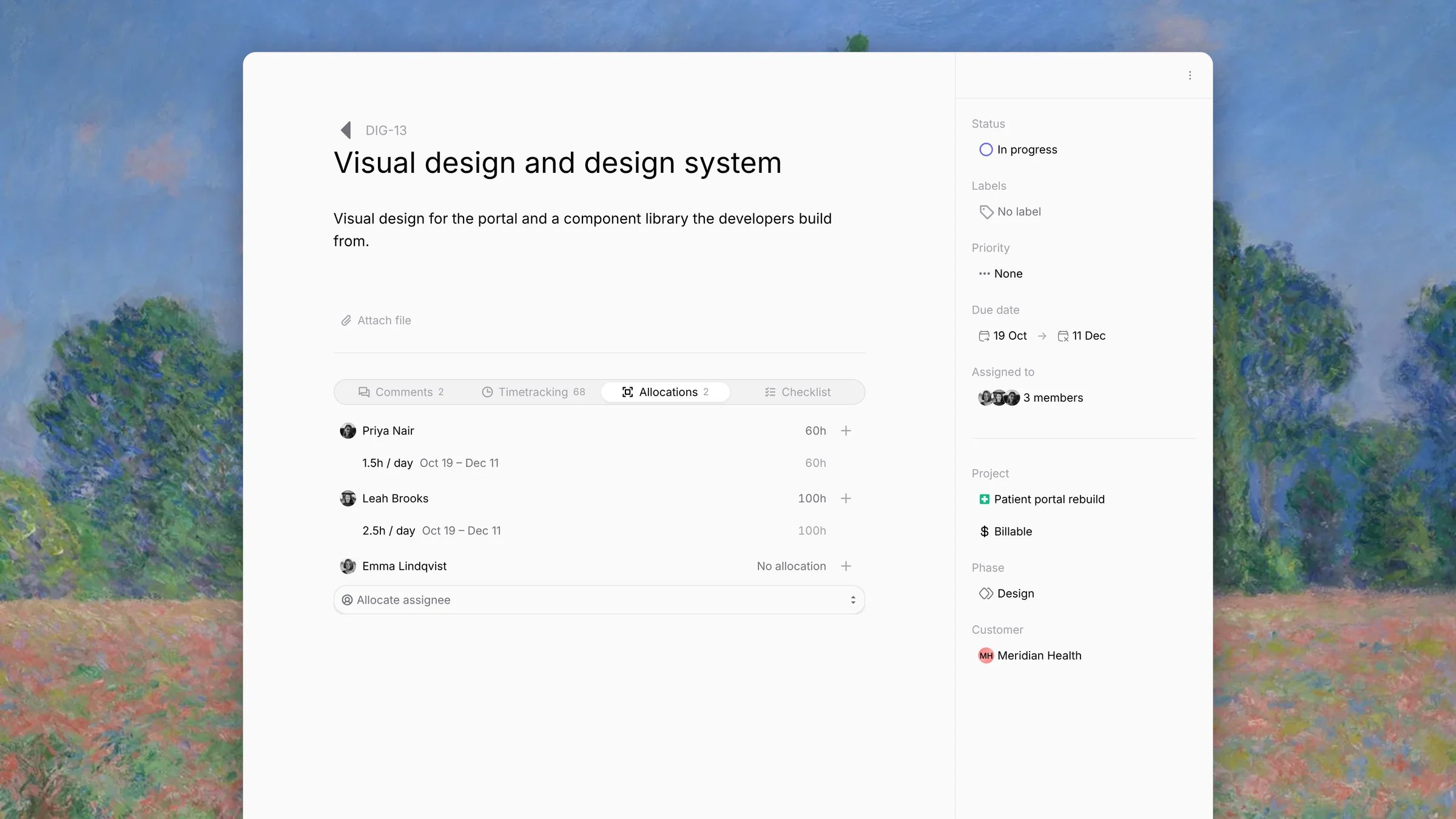
| Property | Details |
|---|---|
| Title | Required. Short name of the work. |
| Description | Rich text. Select text to apply Bold, Italic, lists, code blocks, and headings. |
| Status | Required. See values below. |
| Priority | See values below. |
| Team | Required. Set when you create the task. The picker lists the teams you have joined by default. |
| Project | Optional. The picker lists projects you can access. A task without a project is visible to all workspace members. |
| Assignees | One or more members or positions, each with hours allocated, hourly rate, and role description. Rates drive task cost and margin. |
| Start date and Due date | Used for planning and the Timeline view. |
| Labels | The labels of the task’s team, for filtering and grouping. |
| Customer | Read only. The customer of the task’s project, linking to that customer’s tasks. |
| Billable | A toggle next to Project. Marks whether time on the task is chargeable to the customer. |
| Phase | Appears when the project has phases. Ties the task to a stage of the project. The List view has a Phase column to change it. |
| Period | On retainer projects. The retainer period the task belongs to. |
| Subtasks and parent task | Set from the task menu: Create subtask, Add subtask… or Subtask of… |
| Blocking and Blocked by | Dependencies between tasks, set from the task menu. |
| Attachments | Files attached to the task. |
Status values
| Status | Meaning |
|---|---|
Todo | Needs to be worked on |
In progress | Being worked on |
Under review | Complete, waiting for review |
Done | Finished |
Cancelled | No longer needed |
Duplicate | Duplicates another task |
Backlog | Deprioritized or set aside |
Priority values
| Priority | Meaning |
|---|---|
None | No priority set |
Low | Not time-sensitive |
Medium | Standard priority |
High | Needs attention soon |
Urgent | Needs immediate attention |