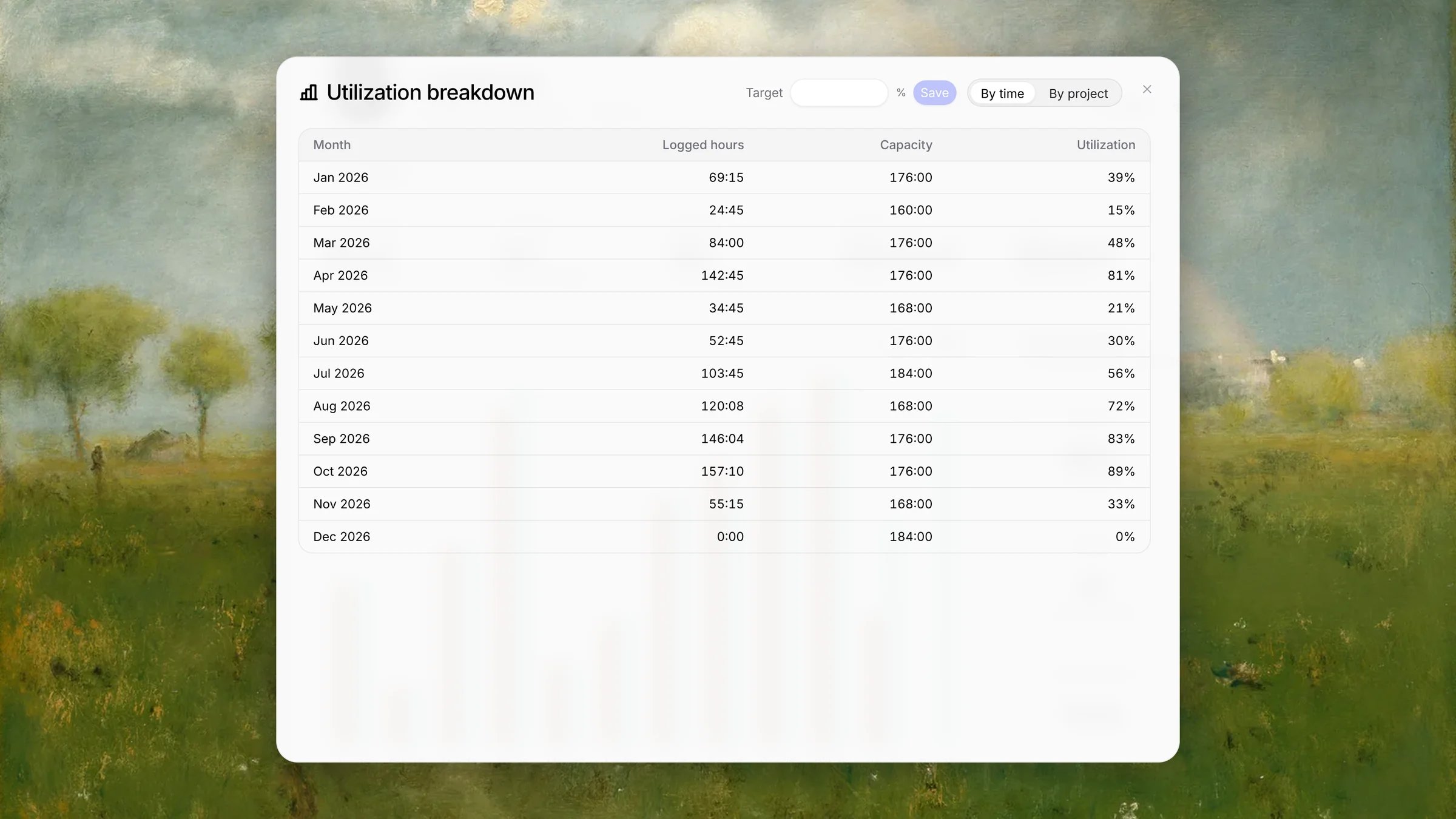
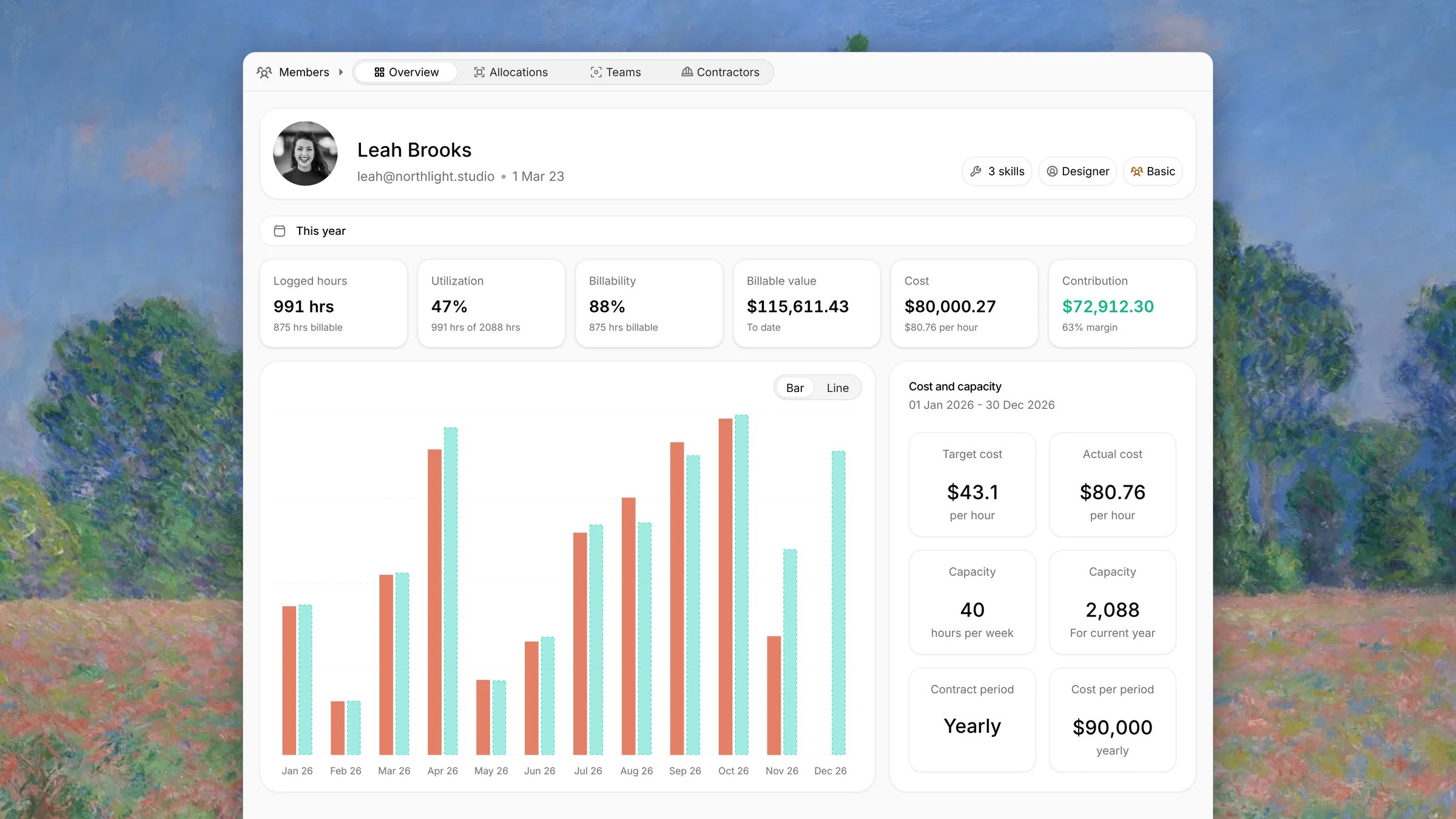
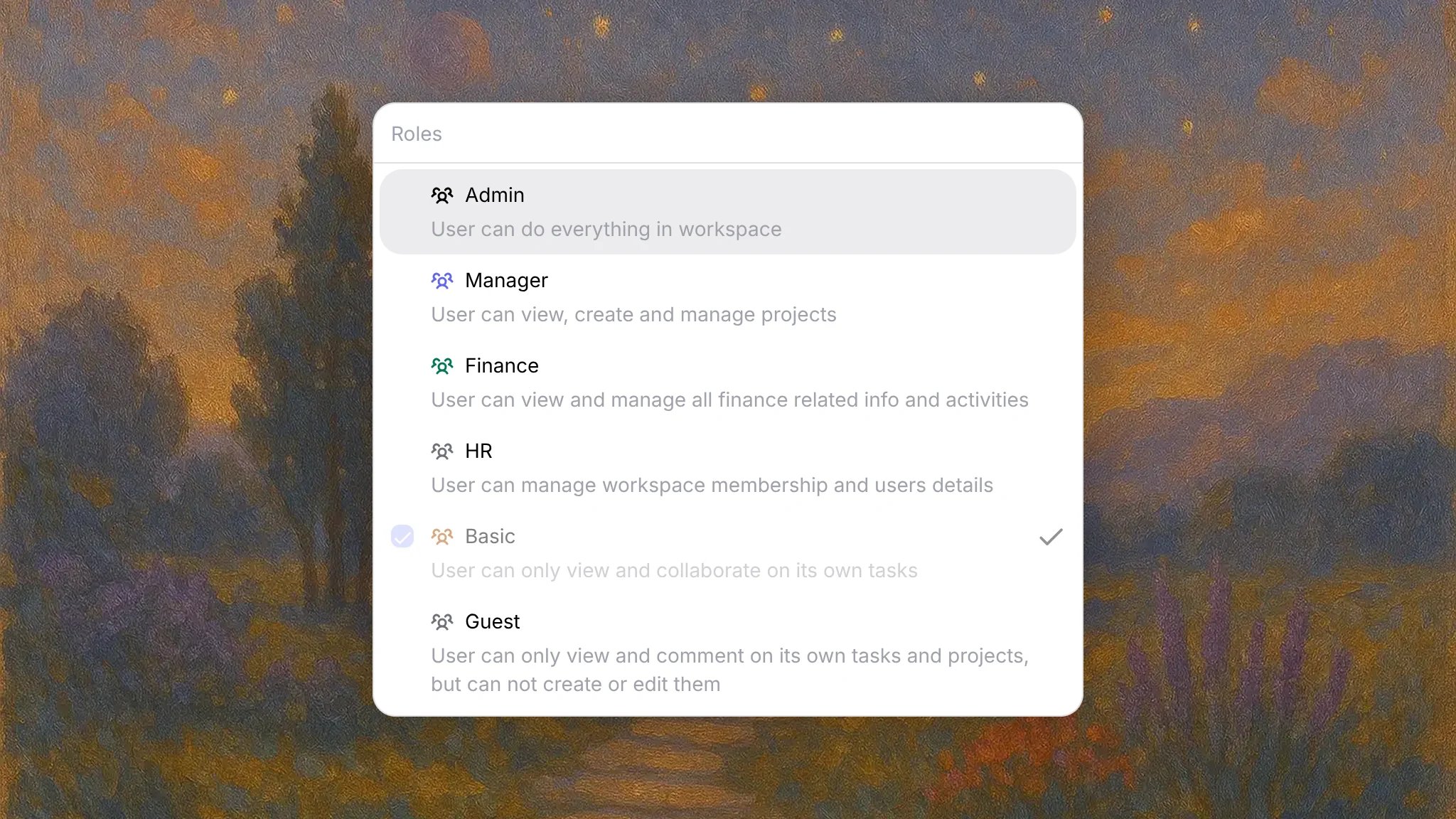
Each member has a profile with their details, roles, and how their time and cost added up over a period. Admins and HR use it to review a member and change their position, roles, skills or contract. Leah Brooks's profile: Designer, Basic, 3 skills, and for this year 991 logged hours, 47% utilization, 88% billability, 115,611 billable value, 80,000 cost and $72,912 contribution, a monthly hours chart, and Cost and capacity Click a member on Members Overview, or use Edit in the row’s menu, to open the profile. The banner shows the picture, name, email and join date, or Not joined yet for a pending invite, and Virtual for virtual users. On the right, click Skills, the position, or the roles to change them. Roles menu: Admin, Manager, Finance, HR, Basic and Guest with their descriptions, Basic checked
Metrics

The date range below the banner starts on This year. Each card shows a value for the range and its target. Click a card for its breakdown By time or By project. In a breakdown you can set a Target for the metric. Utilization breakdown by month: logged hours, capacity and utilization for each month of 2026 The chart below shows hours per month, and the Cost and capacity card shows the contract behind the cost. See Cost profile.