Required properties
Every task needs three properties:Task properties
All task fields, with the options for status and priority.
Open a task
Click a task to open it in a sidebar on the right, next to the board or list you are on. It shows the title, description, attachments, the properties and four activity tabs: Comments, Timetracking, Allocations and Checklist. Expand it to open the task page, where the properties move to a panel on the right. See Edit tasks.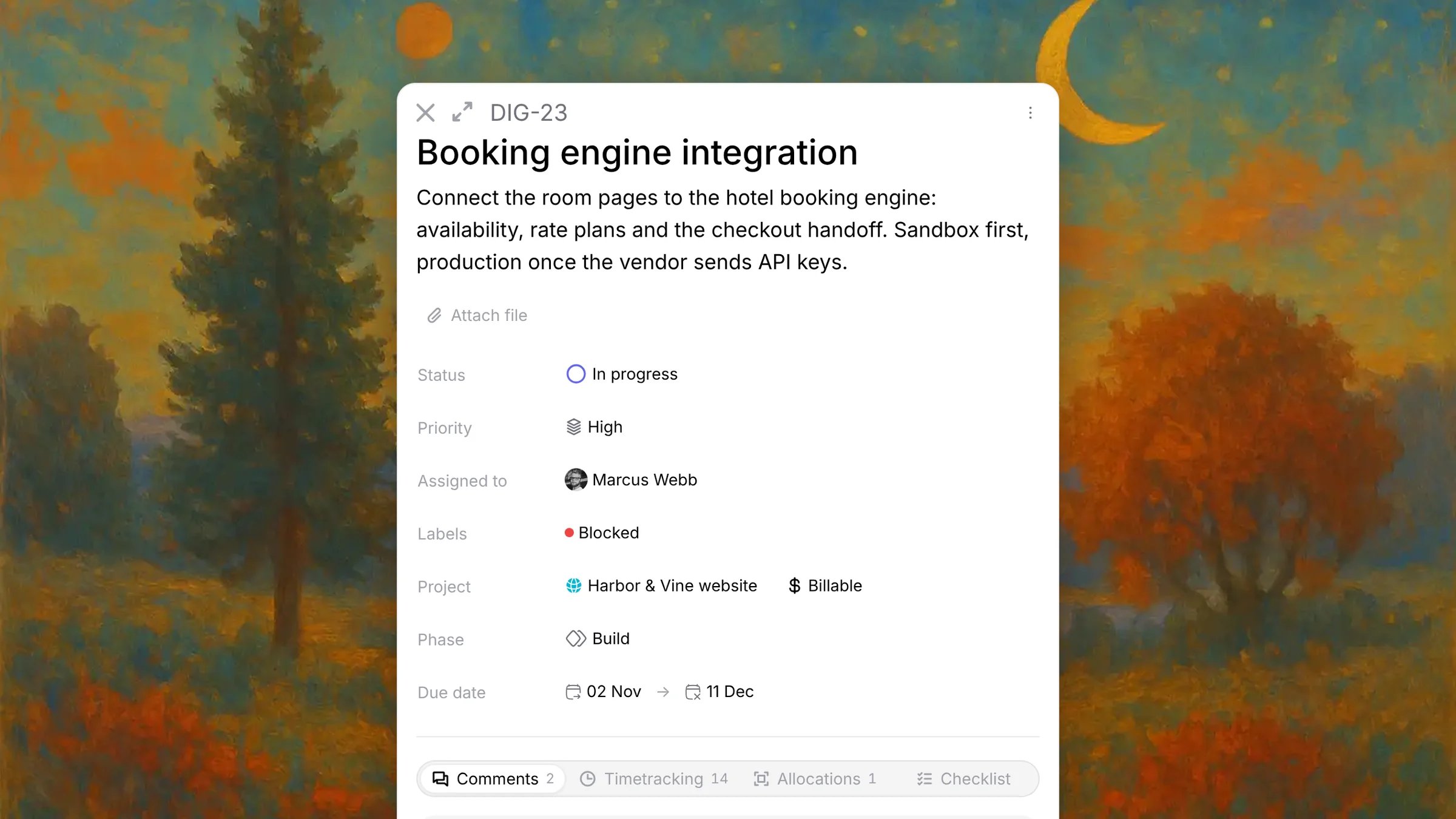
Comments
- Start a thread or reply to an existing comment.
- @mention a member to notify them.
- Format text with rich text and attach files to a comment.
- Comments can come from Granola. A Granola meeting summary posts as a comment on the task when the meeting title contains the task reference, such as
DES-42 handover. See Granola.
Files
- Click Attach file, or drag files onto a task, to upload them.
- Paste a Box or Google Drive link to show the file as a card you can open and browse.
- Preview common file types in Pike, or download the original.
Task checklists
Track small to-dos inside a task and convert them to full tasks.