
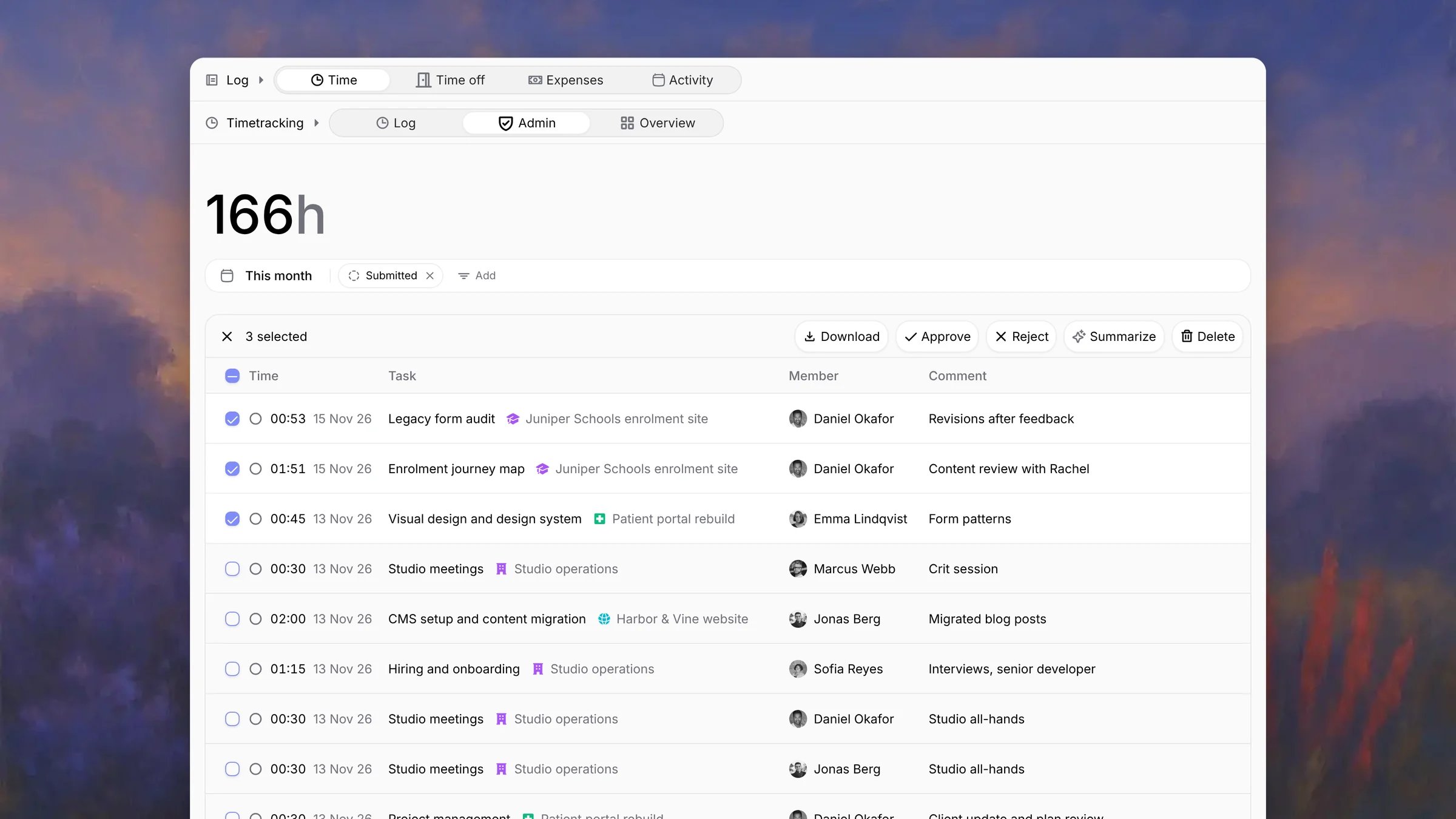
Log Time Admin lists the workspace’s time entries for review. Admins and managers use it each week to approve submitted time before it is invoiced or reported. It opens on this month’s Submitted entries, and the large number is their total. Time admin: 166h submitted this month, three entries selected, and Download, Approve, Reject, Summarize and Delete above the table

Filters

Filter narrows the list by:
  • Range: a preset such as this month, or dates on the calendar
  • Task labels
  • Project
  • Member
  • Billing status: billed or not billed on an invoice
  • Team
  • Billable: billable or non-billable tasks
  • Approval status: Registered, Submitted, Approved or Rejected

Columns

Review entries

Select entries with their checkboxes, or every entry shown with the header checkbox. Then pick an action: Approved entries are locked for the member. Admins and managers can still edit them here.

Log time for someone else

Click Create above the table to log an entry on behalf of a member. Pick the member, then the task, date, duration and comment as usual.

Approvals by team

Admins choose who approves time and expenses for each team. Approved entries lock, so invoices bill approved time only. See Workflows and custom fields.

Approval, overtime, and payroll

Only approved time counts toward a member’s norm, overtime, and pay. When HR closes a pay period, every entry in it locks for everyone, including admins. A change after close goes into the next open period as an adjustment. See Working time and overtime.