
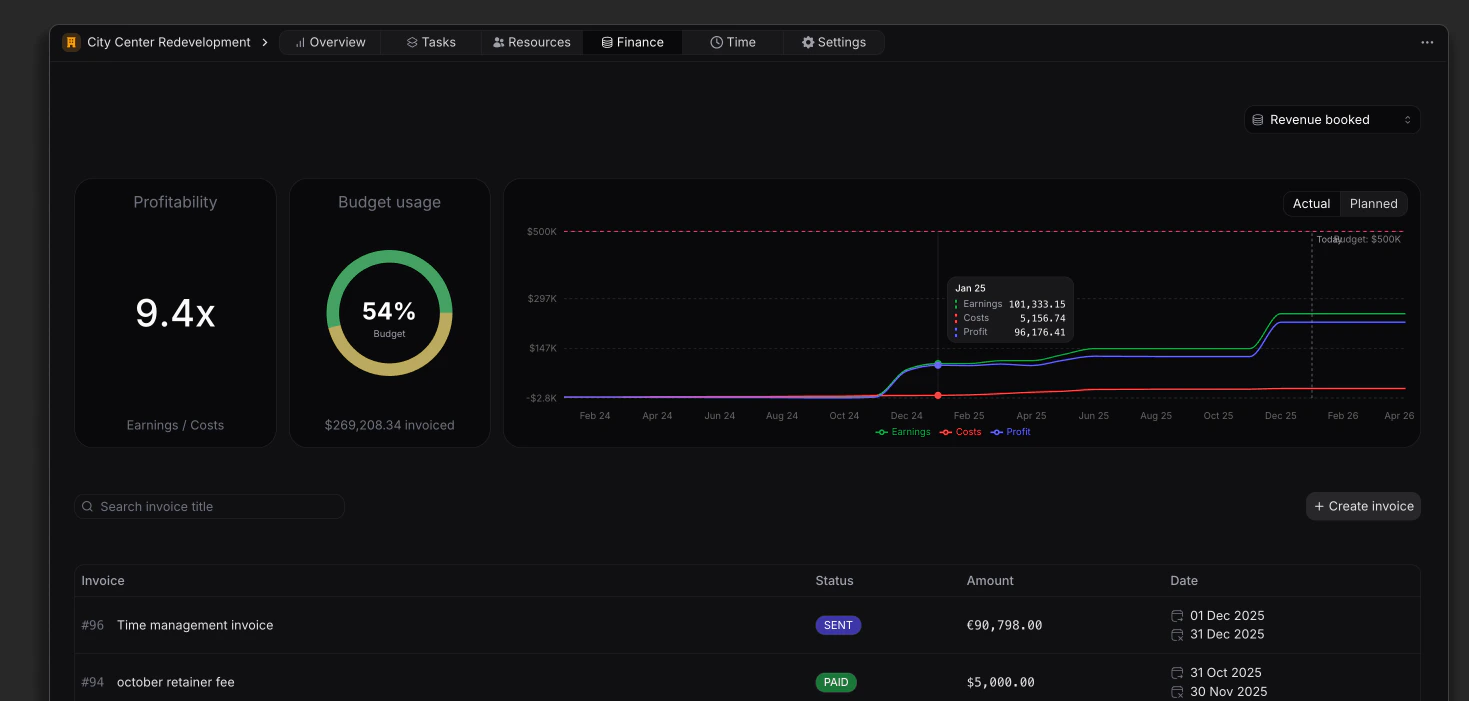
Summary cards
WIP and Deferred are two sides of the same gap: a project shows one or the other in any period, never both.
Each project earns recognized revenue by one method (Time %, Worked, Worked - adjustment, or Manual). Set the method under Finance → Settings. A finance user can override any month’s amount.
Revenue recognition
Methods, monthly overrides, and how recognized feeds profit and WIP.
Finance overview
The same six cards rolled up across the workspace.
Profitability
The Profitability card shows the project’s earnings-to-cost ratio. Hover to expand the breakdown:- Earnings (recognized revenue)
- Costs (labour and expenses)
- Profit (
earnings − cost)
Profitability
How cost is built, planned comparison, filters, and the cost breakdown.
Budget usage
The Budget usage card shows two bars against the project’s revenue budget, one for recognized and one for billed:Financial chart
The chart plots the project over time, with a horizontal line at the total budget.- Earnings (green) — cumulative recognized revenue
- Costs (red) — cumulative cost of delivery
- Profit (blue) — earnings minus cost
- Actual — recognized revenue, logged cost, and invoices
- Planned — expected performance from scheduled resource allocations
Monthly breakdown
The table below the chart shows one column per month with a running total, so you can see how each method and the invoicing line contribute period by period.
Hover the info icon on any row label for its definition. The rows shown depend on the project’s recognition method.
Recognized for each month is the manual amount when entered, otherwise the project’s chosen method. The Unbilled / deferred row totals to the same figure as the WIP or Deferred card.
Invoicing
The Invoicing tab lists every invoice on the project with its number, title, status (Draft, Sent, Paid, Overdue), amount, and date. + Create Invoice prefills the workspace, customer, and current project.Creating invoices
Create and manage invoices for the project.