
Summary
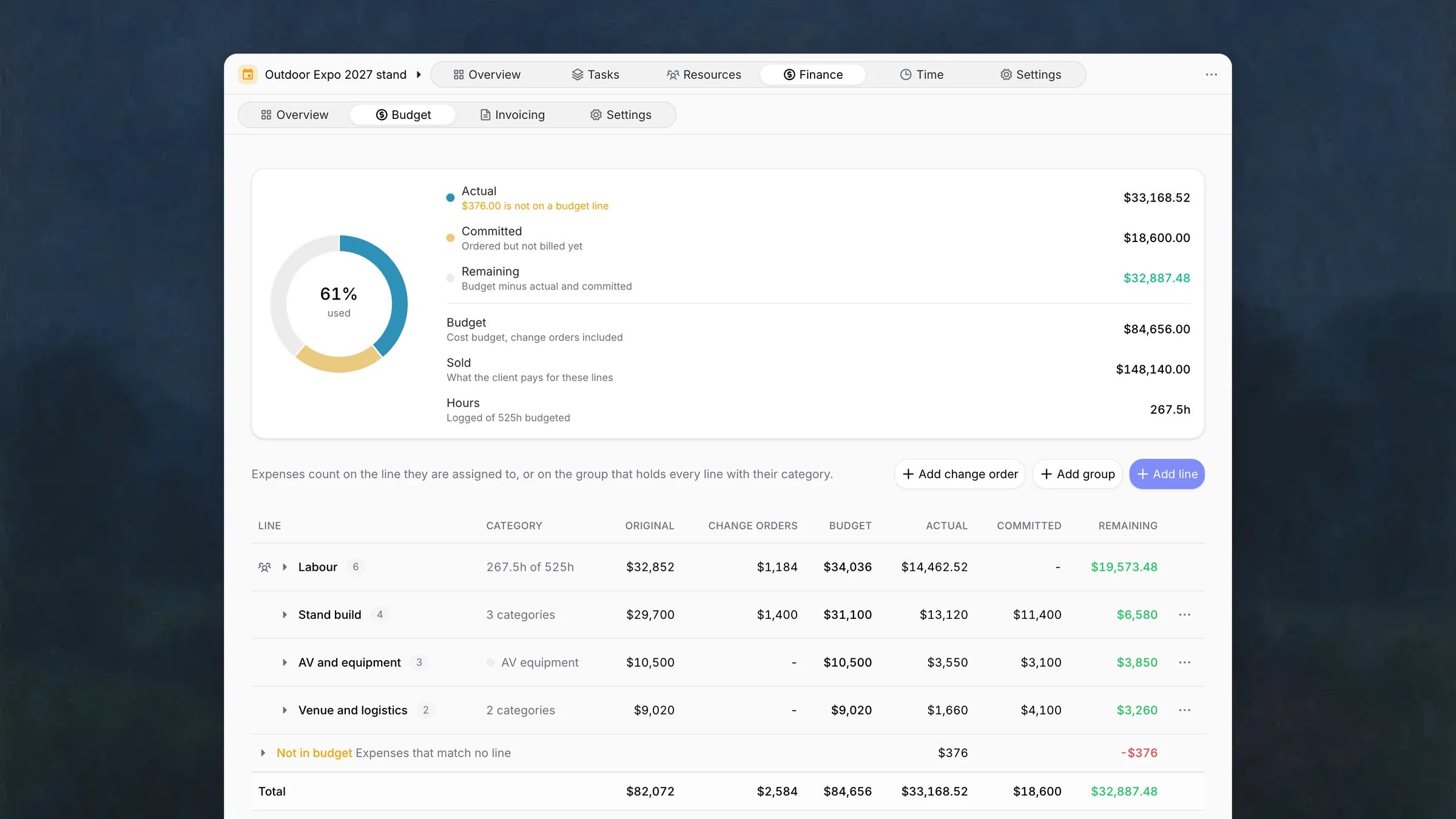
The donut shows how much of the cost budget is used: actual plus committed, against budget.
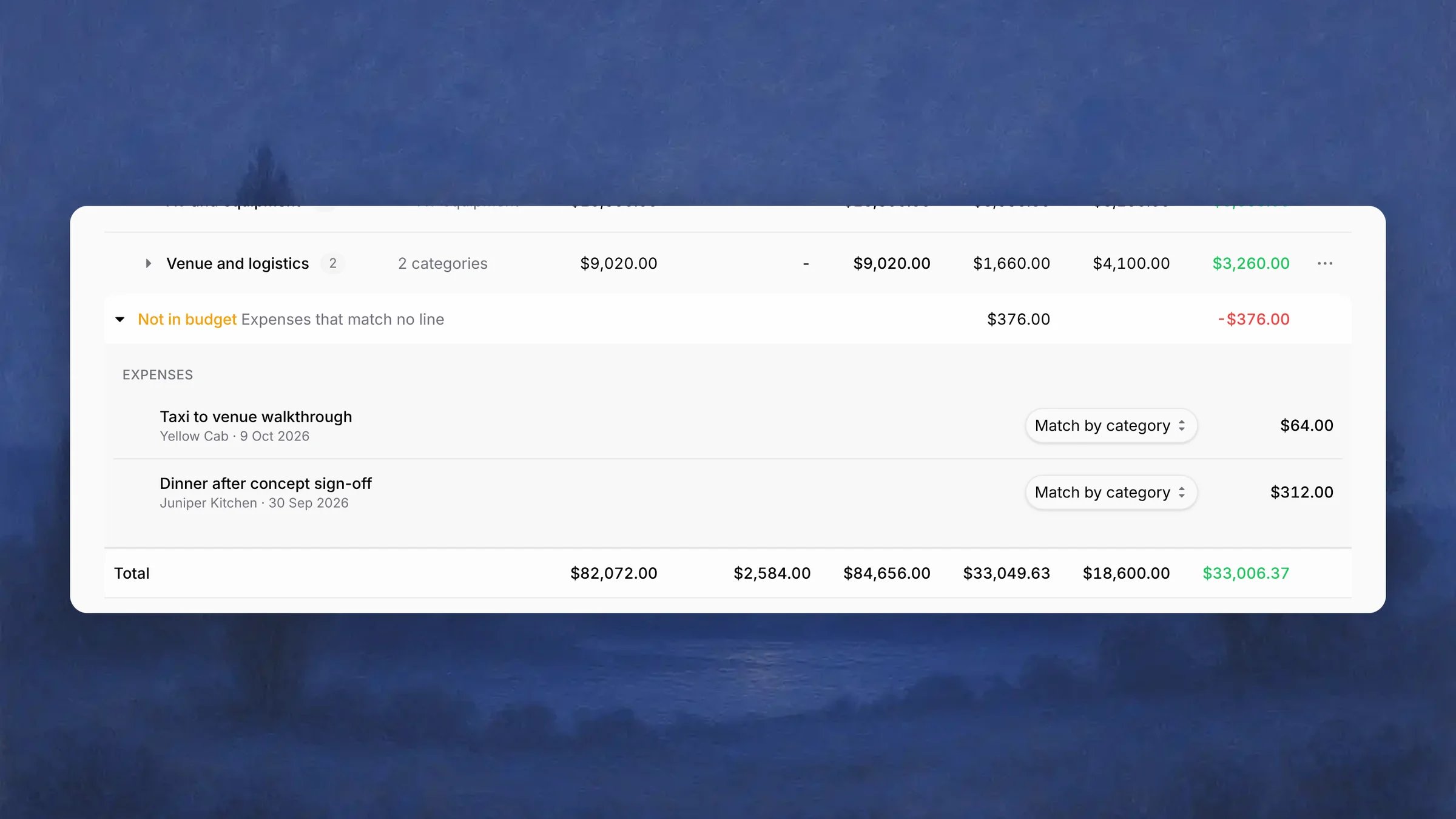
When some expenses match no line, Actual reads, for example, $376.00 is not on a budget line.
Budget table
Labour is the first row, followed by the groups in your order, then Ungrouped for cost lines without a group. Not in budget lists expenses that match no line. They add to the total Actual and reduce the total Remaining, but no single group’s.
Sold minus budget is the planned margin on the project.
Groups and cost lines
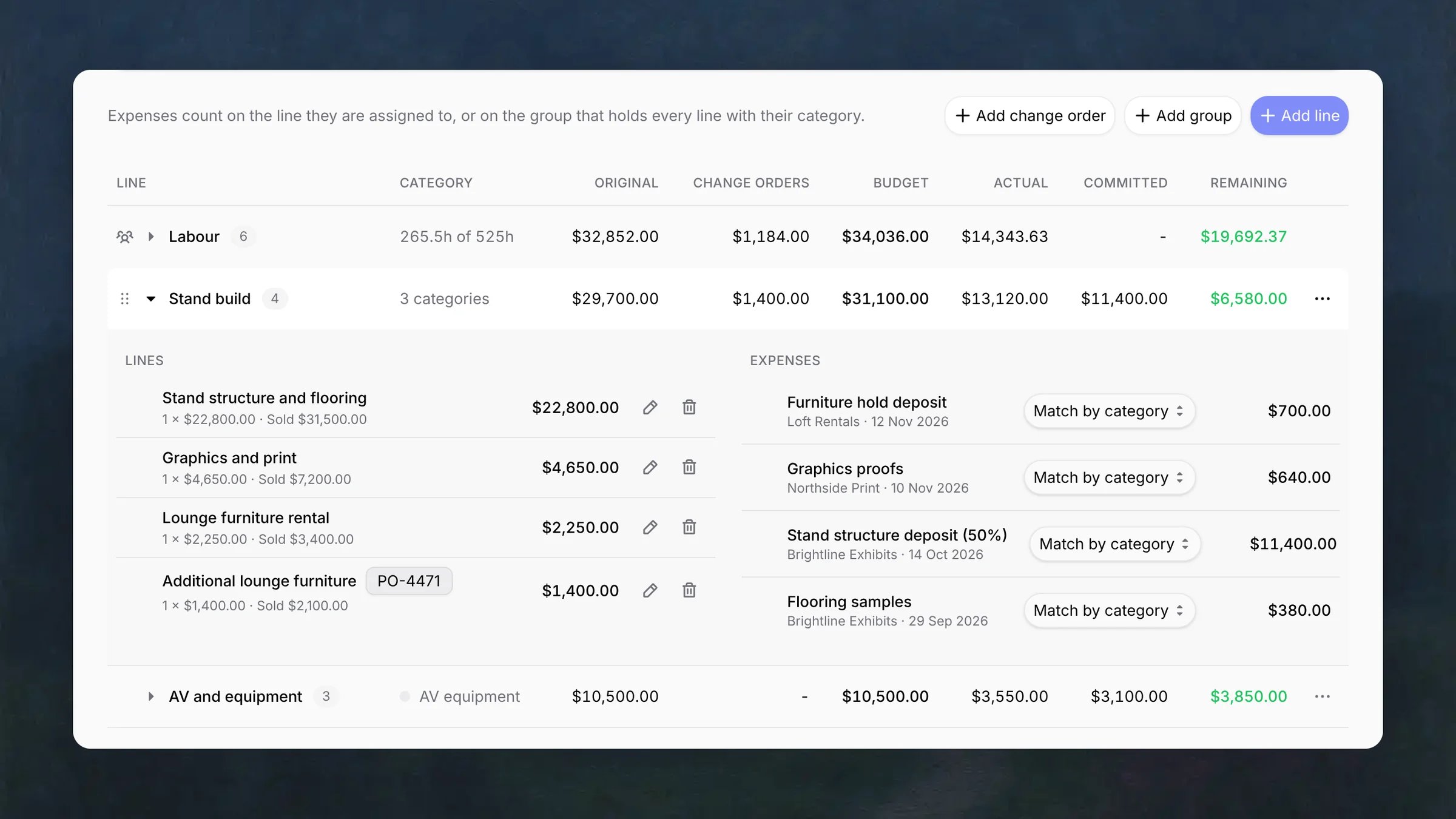
A group is a named part of the scope, such as Stand build or Venue and logistics. Expand it to see two lists side by side: Lines, each withquantity × unit cost and what it sold for, and Expenses that count on the group.
1
Add a group
Click Add group and enter a Name. Edit group in the group’s menu
renames it, and Add line in the same menu adds a line straight to the
group.
2
Add a cost line
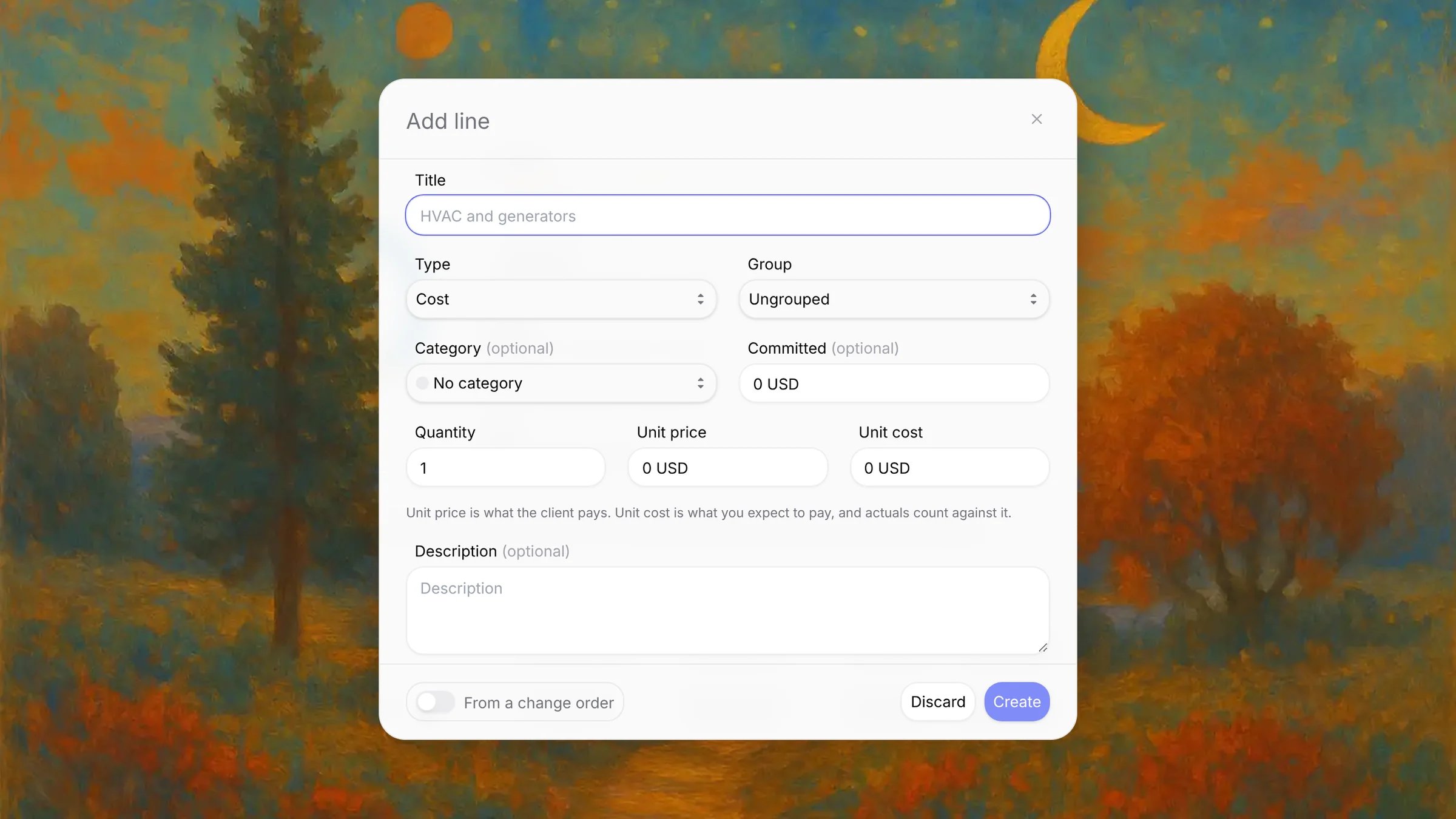
Click Add line, keep Type on Cost, and fill in the line.
3
Arrange groups and lines
Drag a group by its handle, or use Move up and Move down in its
menu. Drag a line to reorder it, or onto another group or Ungrouped to
move it there. A placeholder shows where it drops, and a closed group opens
when you hold a line over it.
Deleting a line moves its expenses back to category matching. Deleting a group
deletes its lines, and the confirmation shows how many. A group with no lines
stays until you delete it.
Labor
Labor lines carry the hours you sold, each for one position or one person. Expand Labour to see every line with its hours, hourly cost, and what it sold for. Change order lines show their reference, for example PO-4471.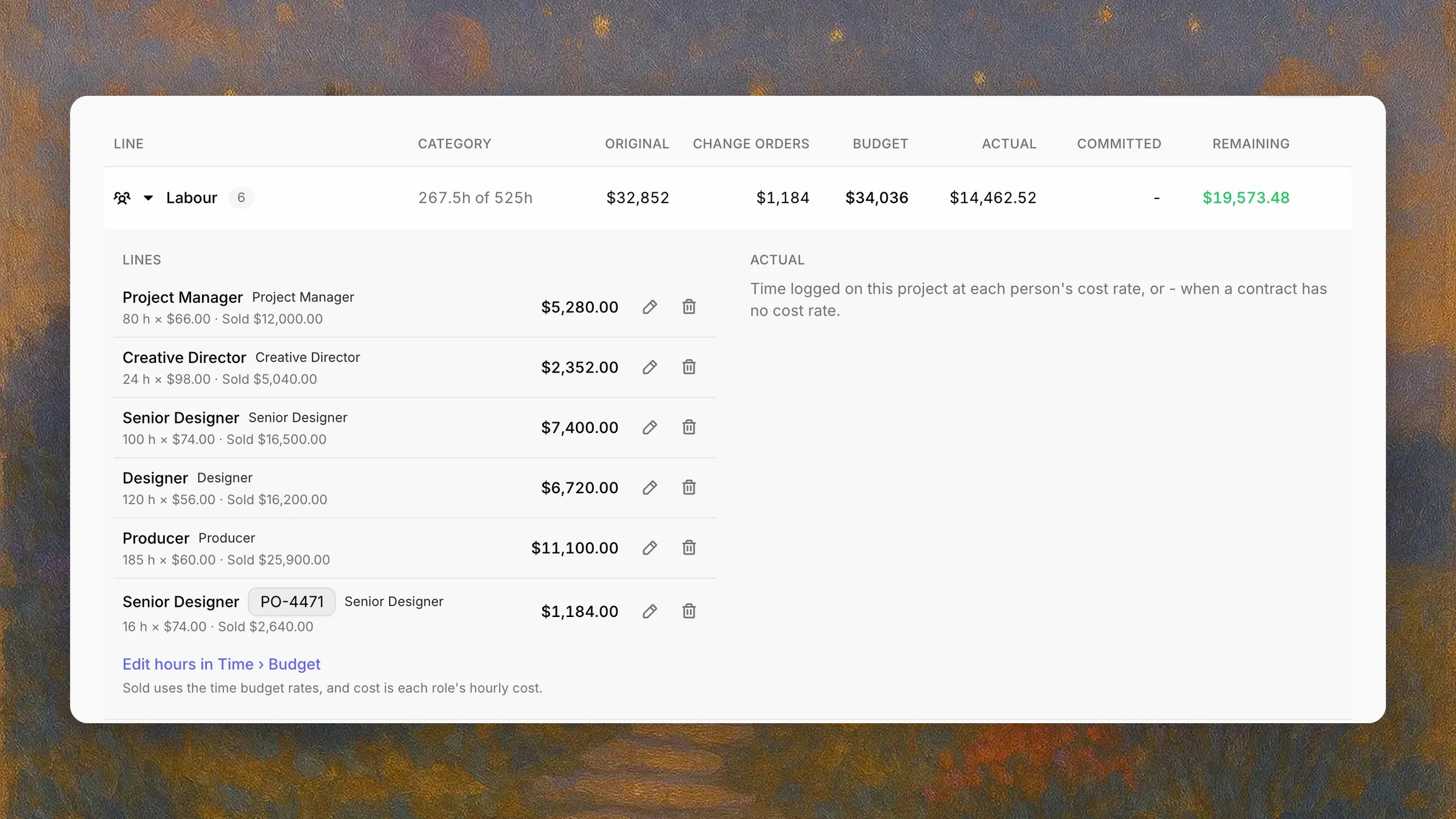
- The hours on labor lines are the project’s time budget. Hover the icon on the Labour row: it says the hours and roles come from the time budget, and links to Edit hours in Time › Budget, where you split them by position and person. See Time budget.
- Hourly rate is what the client pays, Hourly cost is what an hour costs you. Sold uses the time budget rates, and cost is each role’s hourly cost. Change a row’s rate in Time or Time → Budget with the rate editor.
- A line for a named person shows the person and the position they were sold as, for example Priya Nair · Senior Designer.
- Actual on Labour is the time logged on the project at each person’s cost rate. It reads - when a member’s contract has no cost rate. See Cost profile.
Price adjustment
A Price adjustment line appears below Labour when the sold price differs from the value of the hours at their rates. A negative amount is a discount. The line changes Sold only, never cost, and it is marked Sold price only.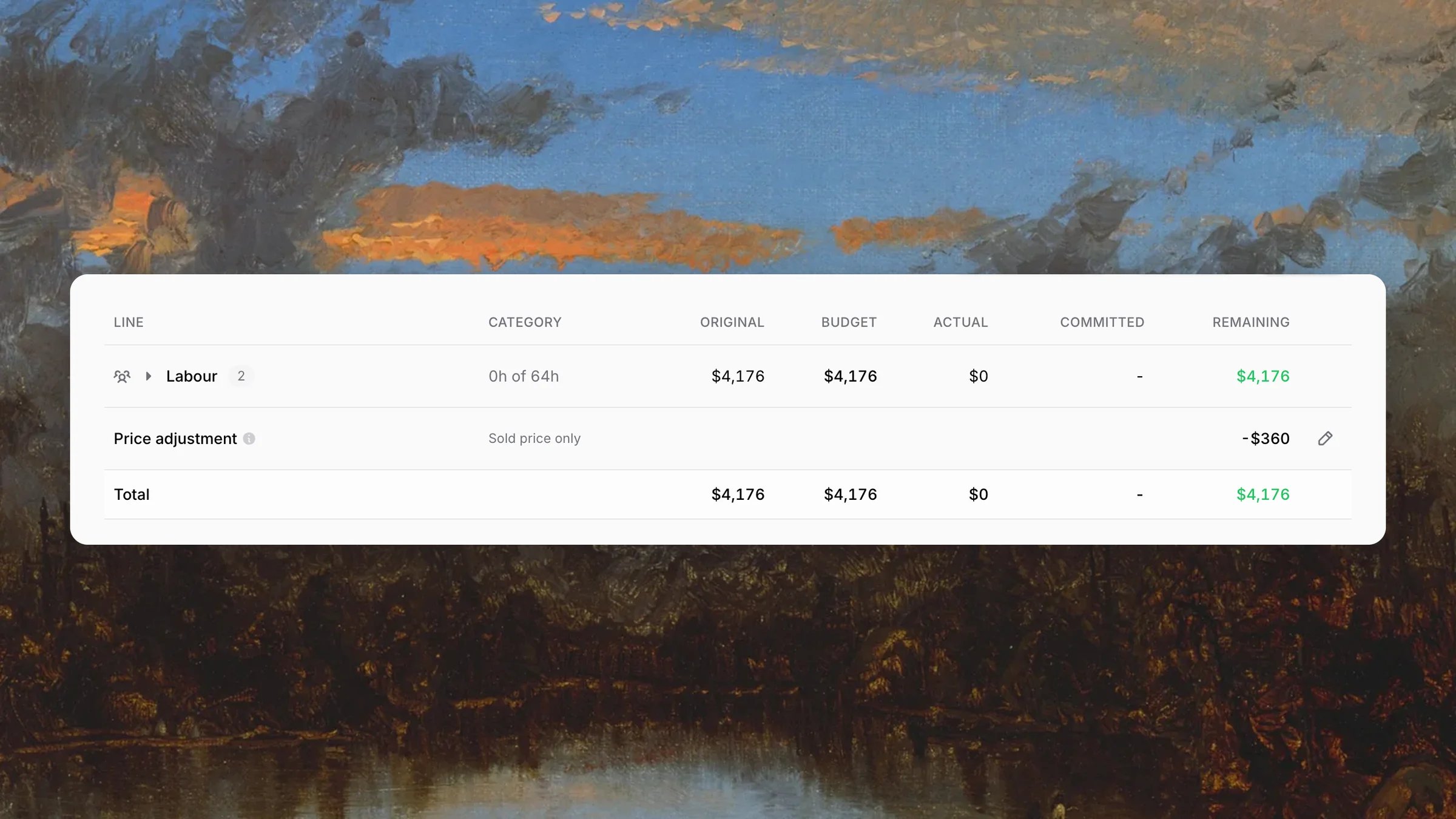
- A quote whose price differs from its delivery rows at their rates. The line comes with the quote’s lines when they become a project or a change order.
- A rate change in Time on a Fixed Price project. The revenue budget stays and the line absorbs the difference. See Time.
How expenses count
An expense counts on the first match in this order:- Assigned line: the group of the line the expense is assigned to, or Ungrouped.
- Category: the group that contains every cost line with the expense’s category.
- Not in budget: no assigned line, and no cost line has the category, or lines in more than one group share it.
- Amounts are in the workspace currency (
amount × exchange rate). - Rejected expenses do not count. Billable and non-billable expenses both count.
- Moving an expense to another project removes its assignment.
- Bills and purchases synced from QuickBooks import one expense per line with its category, so they match lines with no extra work. A synced expense shows the integration’s icon next to its description.
Change orders
A change order records scope the client approved after the original sale. The Change orders panel lists each one with its reference, title, approval date, and the cost budget of its lines.
1
Create the change order
Click Add change order and enter a Title, the Client reference
(for example a PO number) and the Approved date.
2
Add its lines
Click Add line, turn on From a change order, and pick the change
order. A change order can add cost lines and labor hours.
From deals
Each delivery row becomes a line with its hours, sell rate and cost, converted to the workspace currency. A member or position row becomes a labor line for that member or position, and a supplier or other cost row becomes a cost line. A line item with no rows becomes one cost line at its price, and a price adjustment becomes its own line, so the lines add up to what the client pays. A deal links to one project only, as a project or as a change order. See Deals.
How the budgets fit together
Budget lines set the two project budgets that the rest of Pike reads.
The revenue budget is labeled Fixed Price, Budget or Ceiling depending on the project type.
Each budget takes the first source that has a value, and that source locks the field:
A locked field reads Budget set by budget lines, with Open budget to edit the lines. The lock also applies to the API and MCP. Every change to a line or change order updates both budgets straight away. Deleting every line unlocks the fields, starting from their last values.
On Fixed Price and Capped Time and Materials projects, Pike blocks invoice lines that take billing above the revenue budget, so extra scope is billable once its change order is in. On a Time completion project, a change order restates recognized revenue for past months. See Revenue recognition.
A retainer project has no Budget tab, and a project with budget lines
cannot become a retainer. Choose one model per project: periods that reset, or
a scope sold line by line. See Retainers.
Example
Northlight Studio sells Kestrel Outdoor a trade show stand for $148,140: 525 hours across five positions, and $66,100 of stand build, AV and venue costs. The client later approves PO-4471 for an extra lounge area: $2,100 of furniture and 16 more senior designer hours.- AV and equipment contains three lines that share the AV equipment category, so every AV equipment expense counts on that group. A $450 lighting test is assigned to the Lighting rig line by hand.
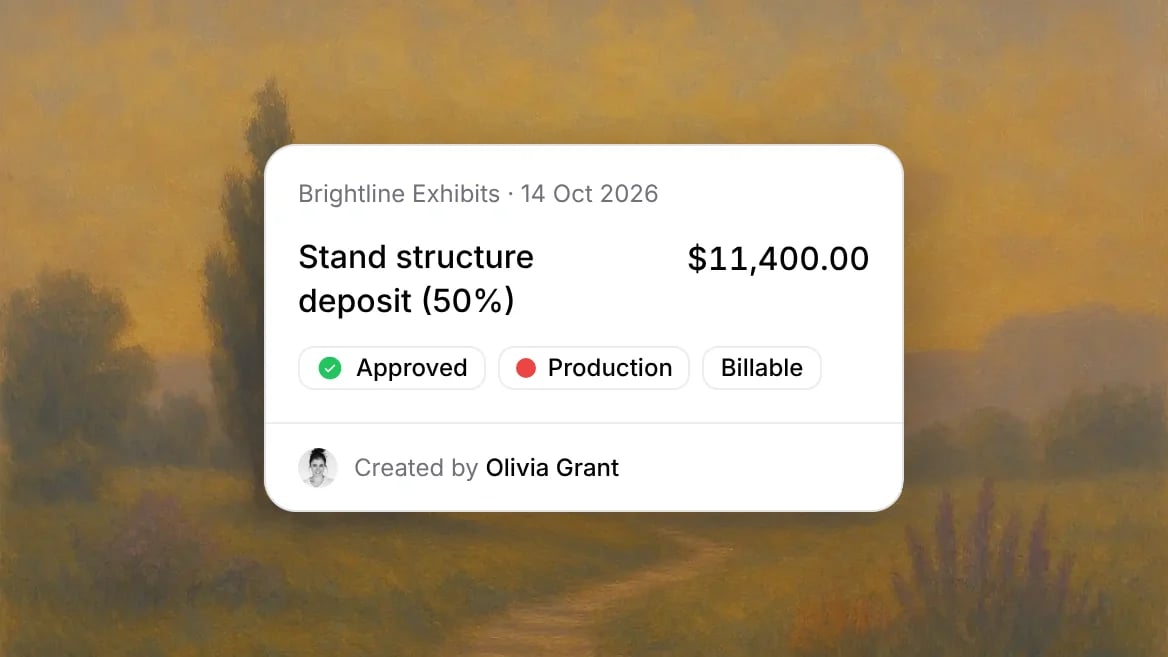
- The $11,400 stand structure deposit is actual, and the second half of the structure is committed.
- A $64 taxi with no category and a $312 client dinner in Meals, a category no line uses, appear under Not in budget.
- Revenue budget: $148,140, the total sold. Time budget: 525 hours. Both come from the lines.
For AI agents
The MCP server reads and writes the finance budget. Every tool needs the admin, manager, or finance role.
Budget writes are refused on retainer projects, and
update_project refuses a revenue or time budget that lines or periods set. For hours by position and person, see Time budget.
Time budget
Split the labor hours by position and person.
Project finance
Recognized, invoiced, WIP, and budget usage on the revenue budget.
Deals
Line items, cost and margin before the sale.
Profitability
How labor, overhead, and expenses make up cost.