
How the time budget works
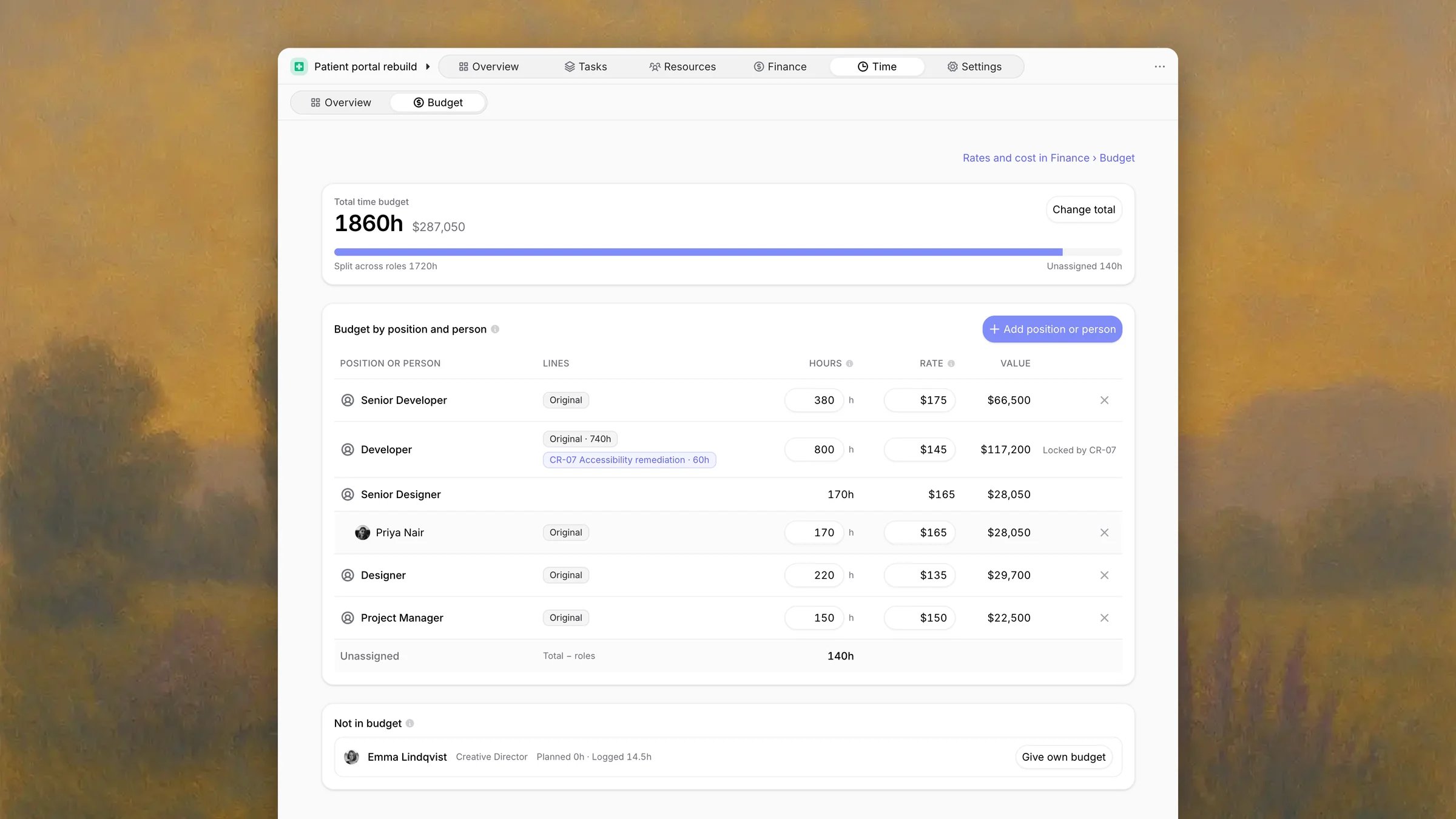
The time budget is the hours on the project’s labor lines in Finance budget. Each labor line belongs to one position or one person, and a row on this tab adds up the lines for that position or person.- Position rows cover everyone with that position on the project, and its open positions.
- Person rows cover one member by name. A member with a person row counts there first, then on their position’s row.
- Unassigned contains labor hours that belong to no position or person.
- Not in budget lists people and open positions with hours on the project that match no row.
Split the budget the first time
A project with a time budget and no rows opens Split the time budget by role. It lists the project team by position, with who has each position and the hours planned for them now.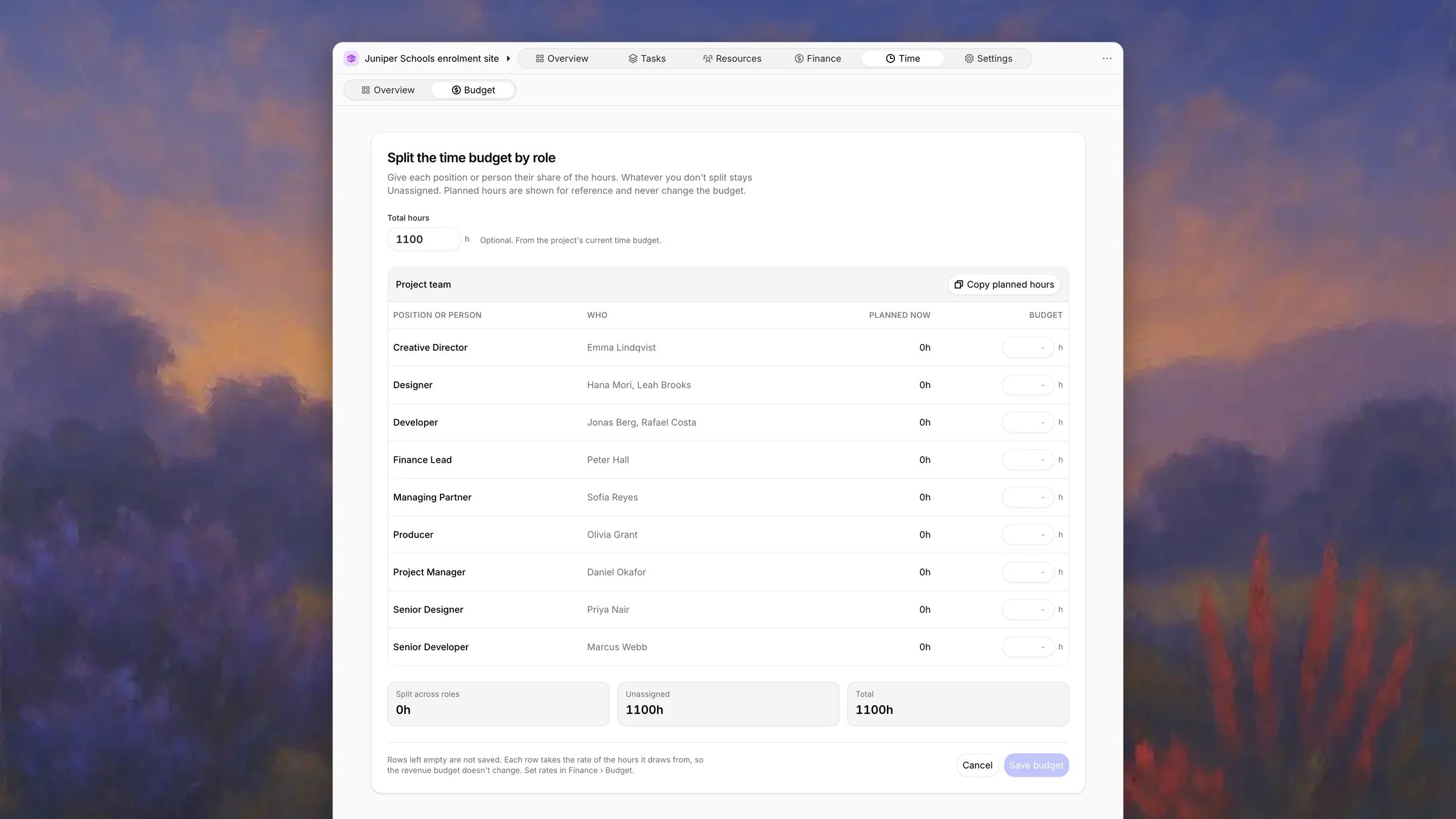
1
Set the total
Total hours starts from the project’s current time budget. Leave it as
it is, change it, or clear it for no fixed total.
2
Give each role its hours
Type hours for each position or person, or click Copy planned hours to
start from the plan. Planned hours are shown for reference and never change
the budget.
3
Save
Click Save budget. Rows left empty are not saved, and whatever you do
not split stays Unassigned.
Rows
Click the cross on a row to remove it. Its hours go back to Unassigned. When the project has a fixed total, you also choose Lower the total time budget too?: Lower total takes the freed hours off the total, and Keep total leaves them Unassigned.
Change a rate
Click a row’s rate, type the new hourly rate, and check the preview of the row’s Value. On a Fixed Price project the preview also shows the Price adjustment: the revenue budget stays and the adjustment absorbs the difference. On other project types it shows the Revenue budget, which moves by the change. The rate applies to the row’s original lines. Change order lines keep their price, so a row made only of change order lines shows its rate without an editor. The same editor opens from the breakdown on Time.Add a position or person
Click Add position or person, pick one, and enter the hours. The preview shows where the hours come from, for example Unassigned 140h → 116h. The total stays 1860h. When the hours exceed Unassigned, the preview reads The total rises by the difference.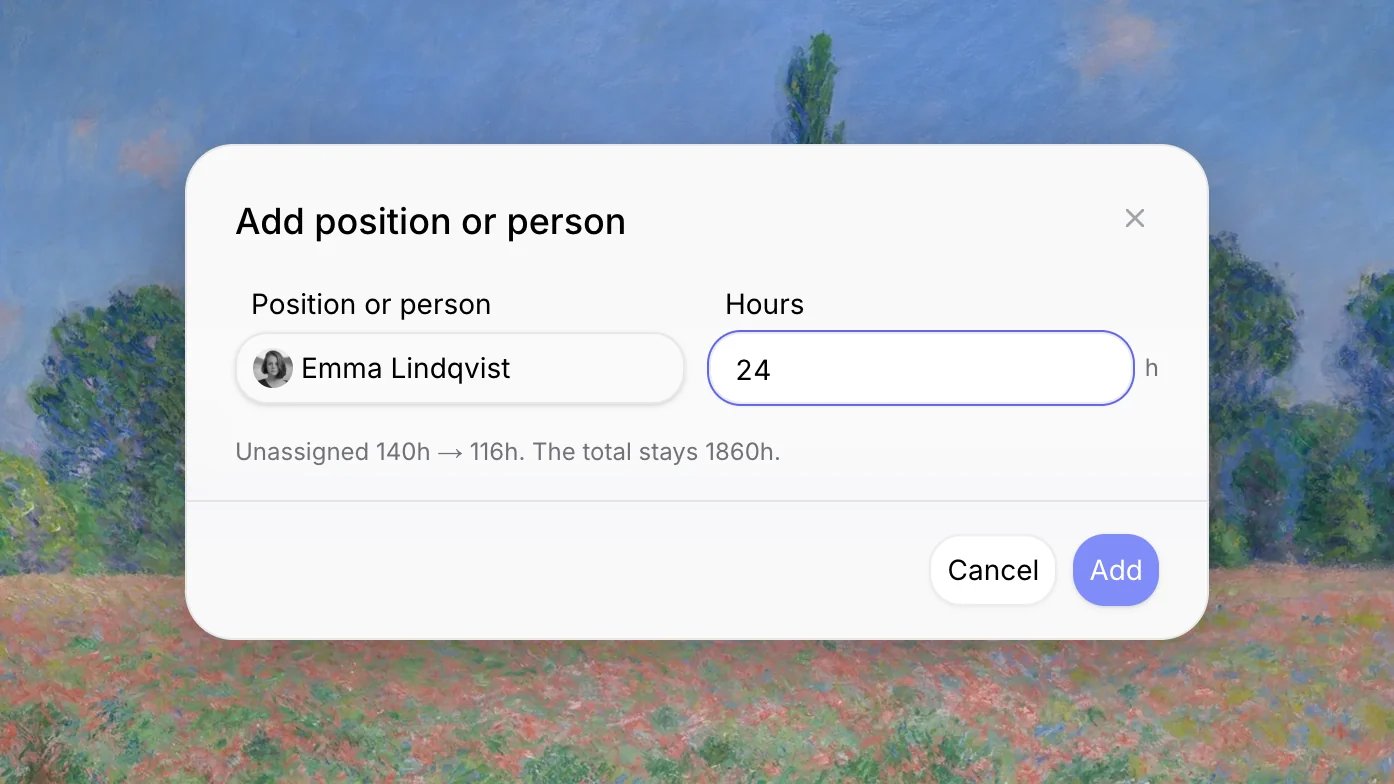
Change order hours
Hours a change order adds to a row show as a line with the change order’s reference, for example CR-07 Accessibility remediation · 60h. The row cannot go below those hours (Locked by CR-07). To lower them, edit the change order’s lines in Finance budget.Total and Unassigned
The Total time budget card shows the total, its value, and how it splits: Split across roles and Unassigned.
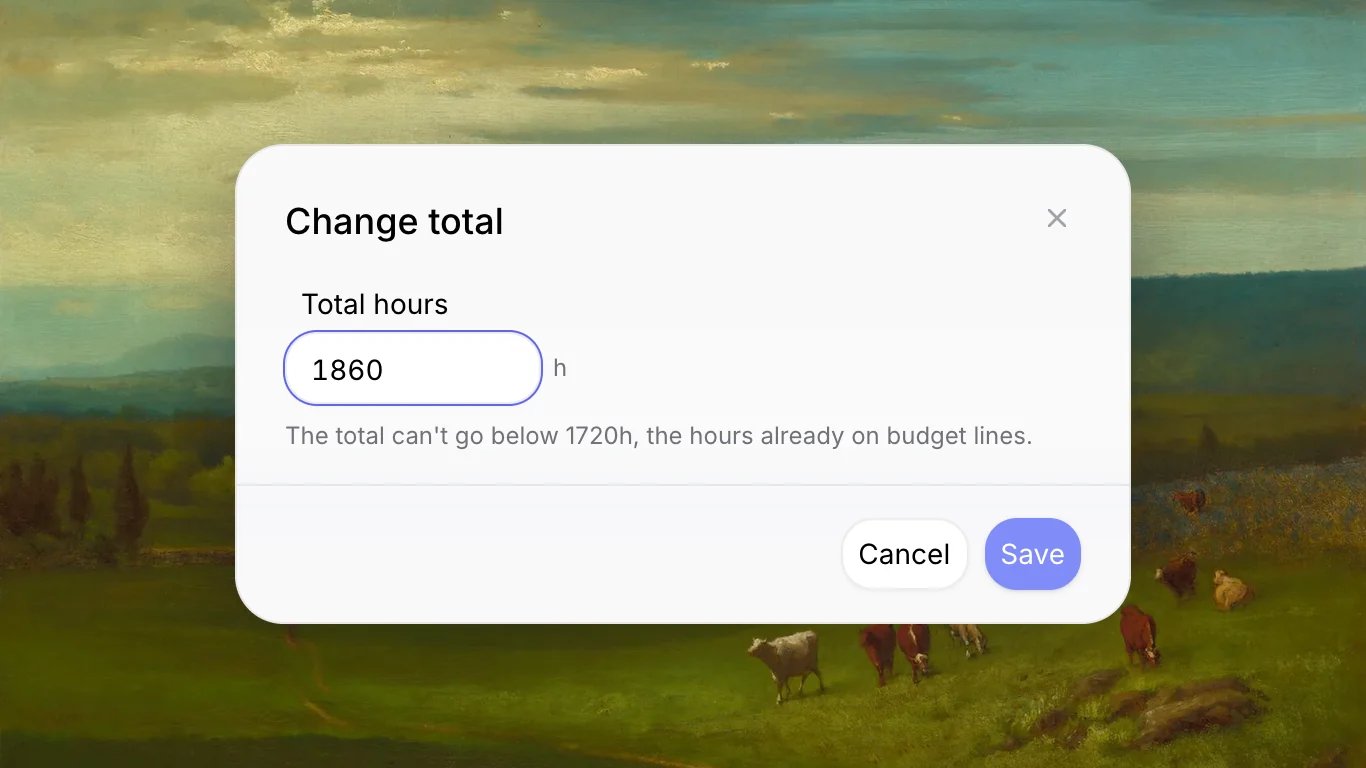
Click Change total to set a fixed total. It cannot go below the hours already on budget lines. A project with a fixed total shows a Fixed total label, and Remove fixed total returns it to the sum of its lines.
Example
Northlight Studio budgets 1,860 hours to rebuild a patient portal for Meridian Health.- The rows split 1,720 hours and leave 140 Unassigned. The time budget is worth $287,050.
- Priya Nair is a senior designer with her own row, so her hours count there. The Senior Designer row above her adds up the position and its named people, and has no hours of its own.
- Developer covers Jonas Berg, Rafael Costa and an open Developer position. Together they are planned 815 hours against 800, so Left to plan reads -15h on Time → Overview, and Resources flags Planned 15h over budget.
- The client’s CR-07 added 60 developer hours at $165, so Developer is worth 740 hours at $145 plus 60 at $165. The row cannot go below those 60 hours.
- Emma Lindqvist, the creative director, logged 14.5 hours of design review. No row matches her, so she appears under Not in budget until someone gives her own budget.
For AI agents
The MCP server reads and writes the time budget.set_time_budget replaces the split, so a position or person left out loses its row. It refuses a total below the hours on budget lines, a row below its change order hours, and retainer projects, which budget each period instead.
Project time
Logged and planned hours against the budget.
Finance budget
Rates, cost and change orders behind the hours.
Resources
Plan people inside their share of the hours.
Retainers
Hours that reset every period.