Project management tools for agencies: What actually matters
Share
In this guide
- Why agencies need different project management tools
- The five things agency project management software must do
- What changes as your agency grows
- Five warning signs in your current tool stack
- How to bring it all together
- Frequently asked questions
Every agency founder has opened one of those best-tools lists. You scroll past seventeen tools you have never heard of, spot two you have already tried, and close the tab with twelve bookmarks and no clearer on what to buy. This is not that list.
The real problem is not the number of tools. It is that most guides focus on features in isolation rather than the outcome agencies actually need: running client projects profitably, without a team that is permanently underwater. Marketing agencies, creative studios, and digital consultancies all face the same equation. This post covers the five capabilities your agency project management software must have, the warning signs your current setup is failing, and why most agencies outgrow their first tool faster than they expect.
Why agencies need different project management tools
Most project management tools were built for product teams. Sprint boards, epic tracking, velocity charts. The vocabulary is all there, and it is all wrong for a client services business.
A 30-person digital agency running fifteen client accounts does not need backlog grooming. It needs to know which projects are running over budget, which team members are at capacity, and whether last month's retainer clients were actually profitable. Those are not the same questions a software team asks, and they are not the same data a general-purpose project management tool was designed to surface.
The best tools for agency project management start from a different assumption: your team sells time and expertise, bills by the hour or milestone, manages external client relationships, and needs to see margin at the project level. Build that in as a foundation and everything else follows. Bolt it on as an afterthought and you end up building a spreadsheet that does the job the tool was supposed to do.
The five things agency project management software must do
Not all agency project management tools are built the same way. Most handle tasks and timelines reasonably well. Far fewer handle the five capabilities below without forcing you to bolt on additional tools or maintain manual processes alongside them.
1. Track time and connect it directly to billing
Time is the raw material of agency revenue. If your project management software does not have native time tracking, or if time tracking lives in a separate tool that does not communicate with project status, you are operating with incomplete data from day one. Look for a tool where billable and non-billable hours are tracked at the project level, where you can see time logged against budget in real time, and where that data feeds directly into invoicing. A tool that requires a spreadsheet export before you can invoice requires manual work every single billing cycle.
2. Show resource availability before you commit to new work
Every agency has taken on a project without fully knowing whether the team had capacity for it. Sometimes it works out. More often, it results in someone working late for three weeks on a project budgeted for one. Good agency resource management software shows you who is available, in hours, before you commit. Not a vague colour-coded calendar. Actual numbers based on current allocations, booked time off, and realistic working hours. The agencies that stop over-allocating their teams are the ones using this data before they accept briefs, not after.
3. Track project budgets in real time
Fewer than half of projects across industries are completed within their original budget. For agencies, that figure is often worse, because scope change is frequent and the feedback loop between effort spent and budget consumed is slow. The minimum standard for any project management tool for agencies: show budget consumed versus budget remaining at the project level, updated as time is logged. In real time, so you can have the budget conversation with a client before the overrun happens rather than after the invoice goes out.
4. Produce client reports without manual exports
Most agency project management tools require a project or account manager to spend several hours each week pulling data from different systems to produce a client status report. That is a real operating cost, and an avoidable one. If your tool holds the project data, the time data, and the budget data, it should be able to surface a client-ready status view without rebuilding it from scratch each week. Look for tools with configurable reporting or client dashboards that draw from live project data automatically.
5. Show profitability at the project and client level
This is the capability most agencies are missing, and the one that matters most for a sustainable business. Healthy agency net profit margins typically sit between 15 and 25 percent. Below 10 percent is a warning sign. But most agencies only find out where they land after the project is invoiced. By then, there is nothing to act on. Agency project management software that connects delivery data to financial data gives you margin visibility while the project is still running. That is the only point at which you can actually do something about it. For a full breakdown of all the platforms in this category, see our PSA software guide. For how these tools compare to the broader agency management category, see agency management software.
What changes as your agency grows
At ten people, you can run an agency on a general-purpose task tool and a shared spreadsheet. The project manager knows where everything is. The founder knows who is overloaded. The finance person knows which clients are profitable because they have spoken to every account manager this week.
At 30 people, that system starts to crack. Not because anyone is doing anything wrong. The team is simply too large for one person to hold all the context. Information lives in different places. Reporting requires manual aggregation. Decisions about new work get made without reliable capacity data. The spreadsheet that was meant to be temporary two years ago now has its own naming convention and a column no one can explain.
By 50 people, the cost of fragmented operations is significant. Time spent chasing status updates, margin surprises at invoice time, resource conflicts that surface too late to fix. The agencies that scale without these problems all make the same move at some point: they consolidate delivery and financial operations onto a single platform rather than continuing to patch a stack of tools that do not share data.
Five warning signs in your current tool stack
If any of these sound familiar, your agency has likely outgrown its current setup:
- Knowing whether a project is on budget requires opening a spreadsheet that someone maintains manually.
- Finding out who is available next week means asking the team in a Slack thread or a meeting.
- Client status reporting takes more than an hour per week to produce.
- You find out a project was unprofitable when the invoice goes out.
- Your project management tool, time tracking tool, and finance tool do not share data automatically.
Each of these is a solvable problem. The answer is usually not adding a fifth tool. It is replacing the existing stack with a platform that handles delivery and financial operations in one place.
How to bring it all together
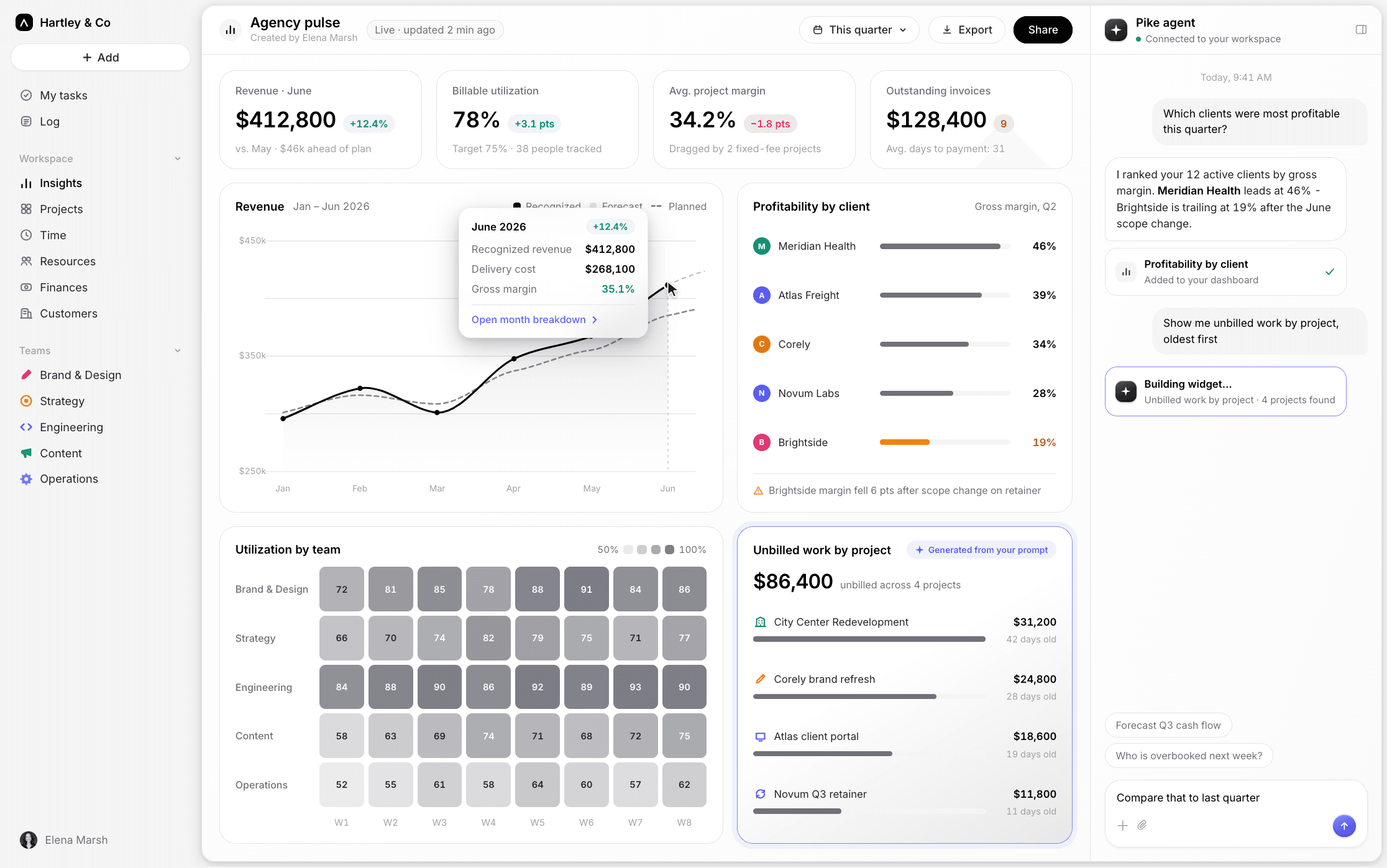
This is the problem Pike was built to solve. Agencies that bring delivery and financial data onto one platform stop losing hours to manual reporting, stop finding out projects were unprofitable at invoice time, and stop building spreadsheets to compensate for gaps between tools. Projects, time, resources, budgets, and billing live in one system, so the data that matters is visible while work is in progress, not assembled after the fact.
Frequently asked questions
Share