
Best PSA software for digital agencies in 2026, compared
12 Oct 26
Share
Nobody got into agency work because they wanted to be good at logging time. But somewhere around year three, most agency owners figure out that tracking hours accurately is less about control and more about knowing whether projects are profitable before the invoice goes out. The agencies running healthy margins are usually the ones that made this connection early.
Time management tools in an agency context mean something more specific than calendar apps and focus timers. They mean tools that capture how hours are being spent, classify whether that work is billable, and report on whether the time committed to a project aligns with the budget available. This guide explains what to look for, why integration matters more than feature count, and what changes when time data connects directly to financial outcomes.
Personal productivity tools help individuals work better: focus timers, calendar blocking, to-do systems. These have their place, but they are not what agencies mean when they talk about time management. For client delivery teams, time management tools serve a different function.
The three things a time management tool needs to do for an agency are: capture hours (who worked on what, when, and for how long), classify that time (billable or non-billable, attached to the right client and project), and report on utilisation and margin in a way that actually informs decisions. Without all three, you have a log of activity, not a management tool.
The metric that matters most is billable utilisation: the percentage of available team hours that are billed to clients. The SPI Research Professional Services Maturity Benchmark consistently shows that top-performing professional services firms maintain billable utilisation rates above 75%. Most agencies are tracking this number monthly or quarterly, by which point course correction is already expensive.
Time tracking is retrospective. It records what happened: who worked on what project, for how long, and whether it was billable. Time management is forward-looking. It is the process of planning and optimising how team capacity is allocated to meet client commitments and margin targets.
Most agencies use time tracking tools but call them time management tools, which creates a confusion about what they are actually measuring. Time tracking becomes time management only when the logged data feeds decisions: about who to assign to next week's work, whether a project is consuming hours faster than planned, and whether the overall team utilisation is healthy. This is why timesheet automation matters: if manual entry is the bottleneck, the data is always incomplete.
The best tools for agencies support both directions: they make it easy to log hours accurately (tracking), and they surface the information needed to plan the week ahead (management). Without accurate historical data, capacity planning is guesswork.
These are the capabilities that matter when evaluating options for an agency or professional services team.
**Low-friction capture. **If logging time takes more than 30 seconds, adoption will be partial. Partial adoption means incomplete data, which makes every downstream report unreliable. Look for tools with timers, mobile access, and pre-populated project and task lists so the person logging time does not have to remember how to categorise their work.
**Project and client attribution. **Hours must attach to the right context to generate useful reports. Time logged as 'design work' without a project or client reference is not trackable against any budget. Every time entry should connect to a project, a client, and ideally a phase or task category.
**Billable and non-billable classification. **This is the split that connects time tracking to margin. Knowing that the team logged 400 hours this week tells you nothing by itself. Knowing that 300 were billable and 100 were internal tells you your utilisation rate is 75%. This classification is the foundation of every agency profitability metric that matters.
**Real-time budget visibility. **The most valuable function a time management tool can have for an agency is showing, for each active project, how many hours have been logged against the hours budgeted. When this is visible in real time, project managers can intervene before a project goes over budget rather than discovering the problem at invoice time.
**Utilisation reporting. **Weekly utilisation reports by team member and by role help identify who is over-allocated, who has capacity, and whether overall billable output is on target. This information should be visible without running a manual export or building a spreadsheet.
A time tracker that does not connect to project budgets is a log of what happened. The value comes only when time data flows into budget consumed, which flows into margin visibility, which flows into the decisions that protect project profitability. For a full breakdown of how time tracking connects to billing across different models, see our time tracking and billing guide.
The typical fragmented setup looks like this: a standalone time tracker, a separate project management tool, a spreadsheet to reconcile the two, and a separate invoicing tool. Every transition between systems requires manual data movement, and every manual step introduces error. As The Digital Project Manager notes in its agency tool reviews, the time spent on internal reconciliation is itself a non-billable overhead that quietly erodes margin without appearing on any report.
The right question when evaluating time management tools is not 'which has the best timer interface' but 'which connects most directly to project budgets, invoicing, and capacity planning without requiring manual exports.' The answer to that question narrows the field considerably.
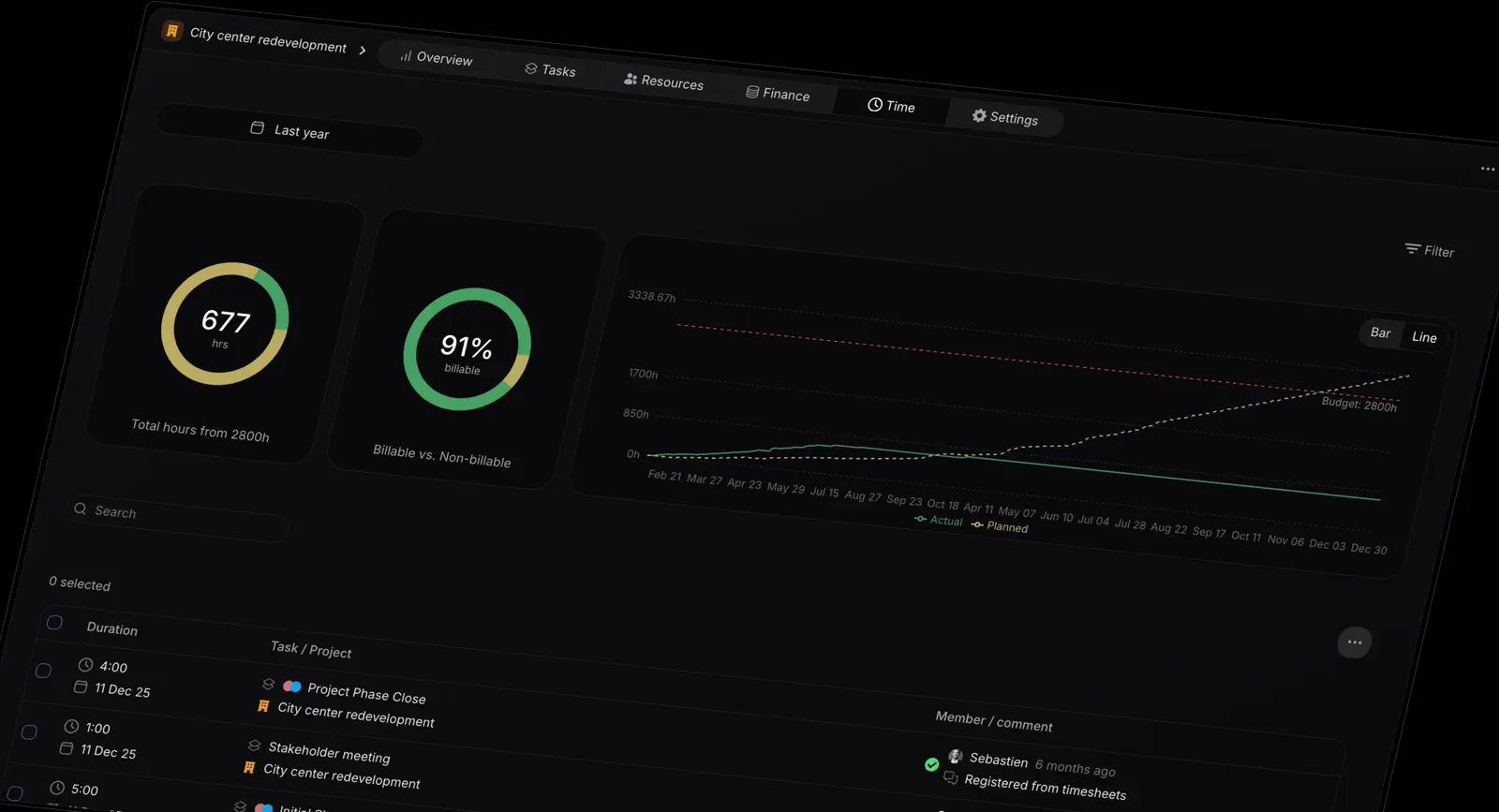
Pike connects time tracking to project budgets and invoicing in one system. Every hour logged updates the budget consumed on the relevant project immediately. Project managers and account leads can see remaining budget at any time without running a report or opening a spreadsheet. This is what real-time project budget tracking looks like: not a monthly export from a time tracker, but a live view that updates as hours are logged.
For teams managing multiple concurrent projects, this visibility also feeds forward-looking capacity planning: because logged hours and project budgets are in the same system, you can see where remaining capacity sits and whether the team is already committed beyond what the next project would require. If your current setup involves pulling time data from one place and budget data from another before any useful analysis is possible, a Pike demo shows what changes when those are the same place.
Share
 ISO 27001
 GDPR
GDPR SOC 2 Type II
Built to keep sensitive client data secure and private.