

Pike
  • Pricing
  • Contact us
Log in

Product · Time

Hours that land
where finance expects them

Scattered timers and spreadsheet exports quietly erode trust in your numbers. Keep capture lightweight, attribution explicit, and variance visible while the week is still open, not after the invoice goes out.

Contact salesRead the docs
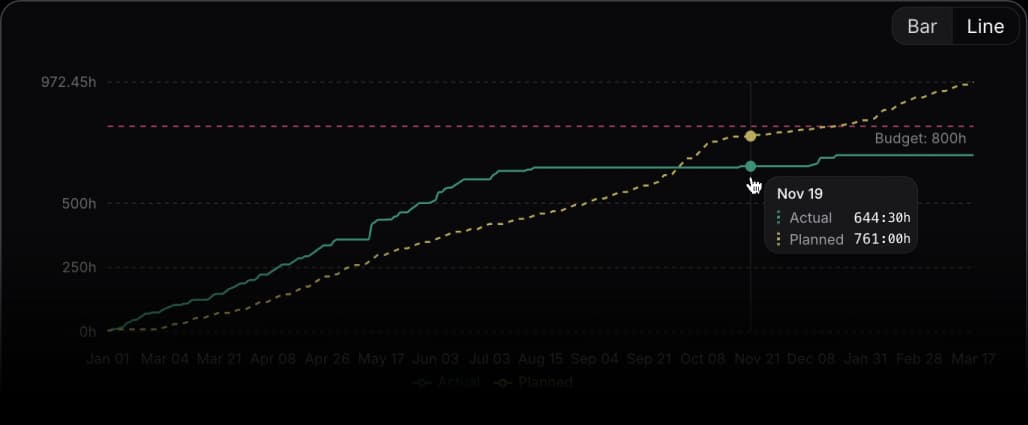
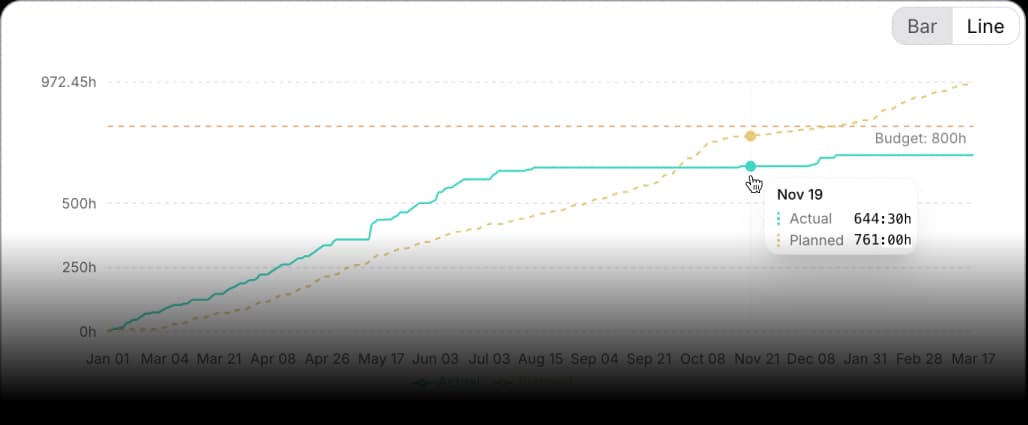
Planned versus actual time chart comparing estimated and logged hours in dark modePlanned versus actual time chart comparing estimated and logged hours in light mode
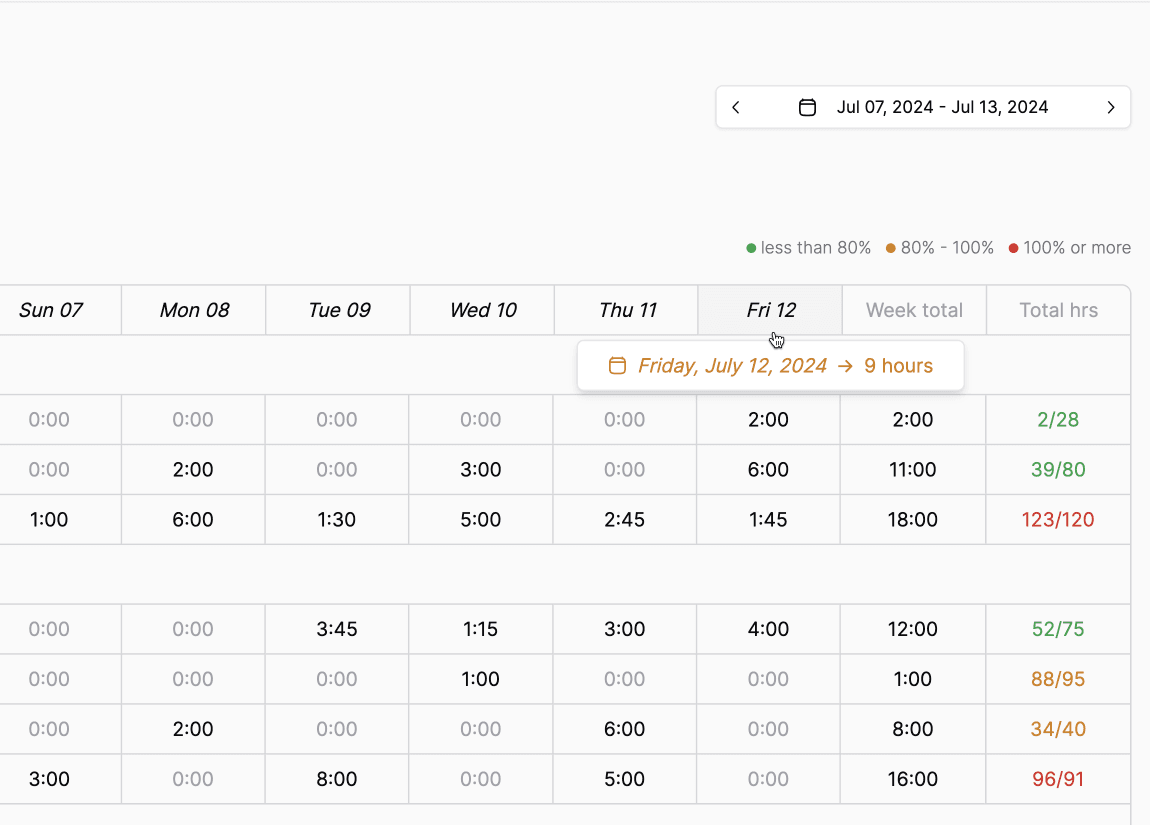
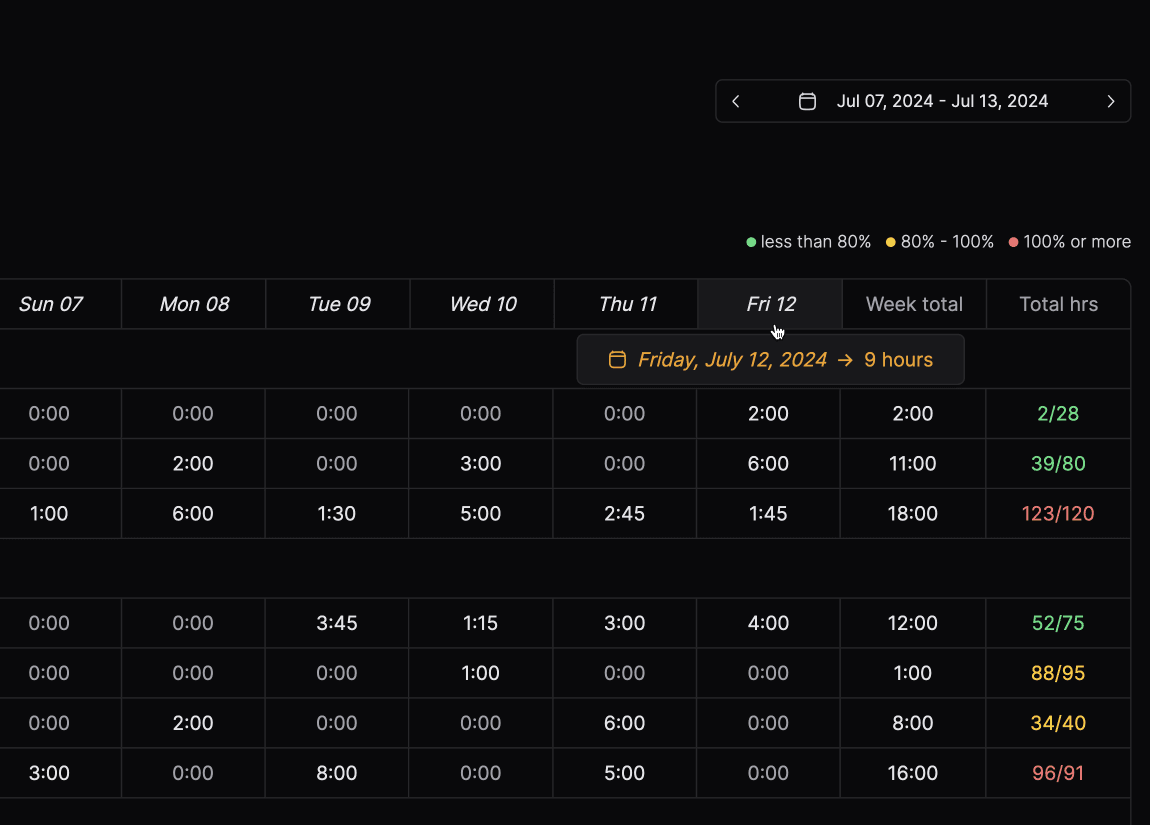
Time sheet in light modeTime sheet in dark mode

01 · Capture and timers

Time tracking UI - replace with supplied asset

670 × 420

Log time without breaking flow

Start and stop timers from the work you are already in, or add entries in seconds when you batch at day end. Fewer forgotten blocks, less end-of-week archaeology in browser history.

02 · Projects and billability

Time tracking UI - replace with supplied asset

670 × 420

Every hour names its home

Point time at projects, phases, tasks, and clients so reporting rolls up cleanly. Billable and non-billable stay explicit so utilization and write-offs are honest, not implied.

03 · Planned vs actual

Time tracking UI - replace with supplied asset

670 × 420

See drift before it becomes margin

Compare estimates to logged hours as engagements move so you can course-correct staffing and scope early. The goal is fewer surprises in the finance review and calmer client conversations.

04 · Rates and billing context

Time tracking UI - replace with supplied asset

670 × 420

From tracked time to defensible revenue

Carry rates, roles, and project rules forward so invoices and margin views reflect how you actually work. Less manual reshaping in finance tools, more confidence when someone asks why this month looks different.

At a glance

  • Timers and quick time entry tied to tasks and projects
  • Billable and non-billable attribution with clear rollups
  • Planned vs actual visibility across engagements
  • Rates and project context that support invoicing and margin views

More from the product

Project icon

Projects

Board, list, and timeline views with milestones, dependencies, and templates.

Invoice icon

Finance

Live margin by client, project, and team, with invoices that flow to your bookkeeping.

Customer icon

Customers

Deals convert to projects, with pipeline, delivery, and profitability per customer.

Timer icon

Time management

Timers, one-click logging, and approvals, with every hour priced into project financials.

Work is better with Pike

Contact sales
Pike box logoPike box logoPike
All systems operational
Company
BlogOur storySwitch playbookGet in touch
Product
ProjectsResourcesFinanceDashboardsCustomersTime management
Resources
DocsChangelogPrivacy policyTerms and conditionsGlossaryFAQ
Language
EnglishDansk

Engineered around the 🌎

© 2026 Pike. All rights reserved.



