



Profitability
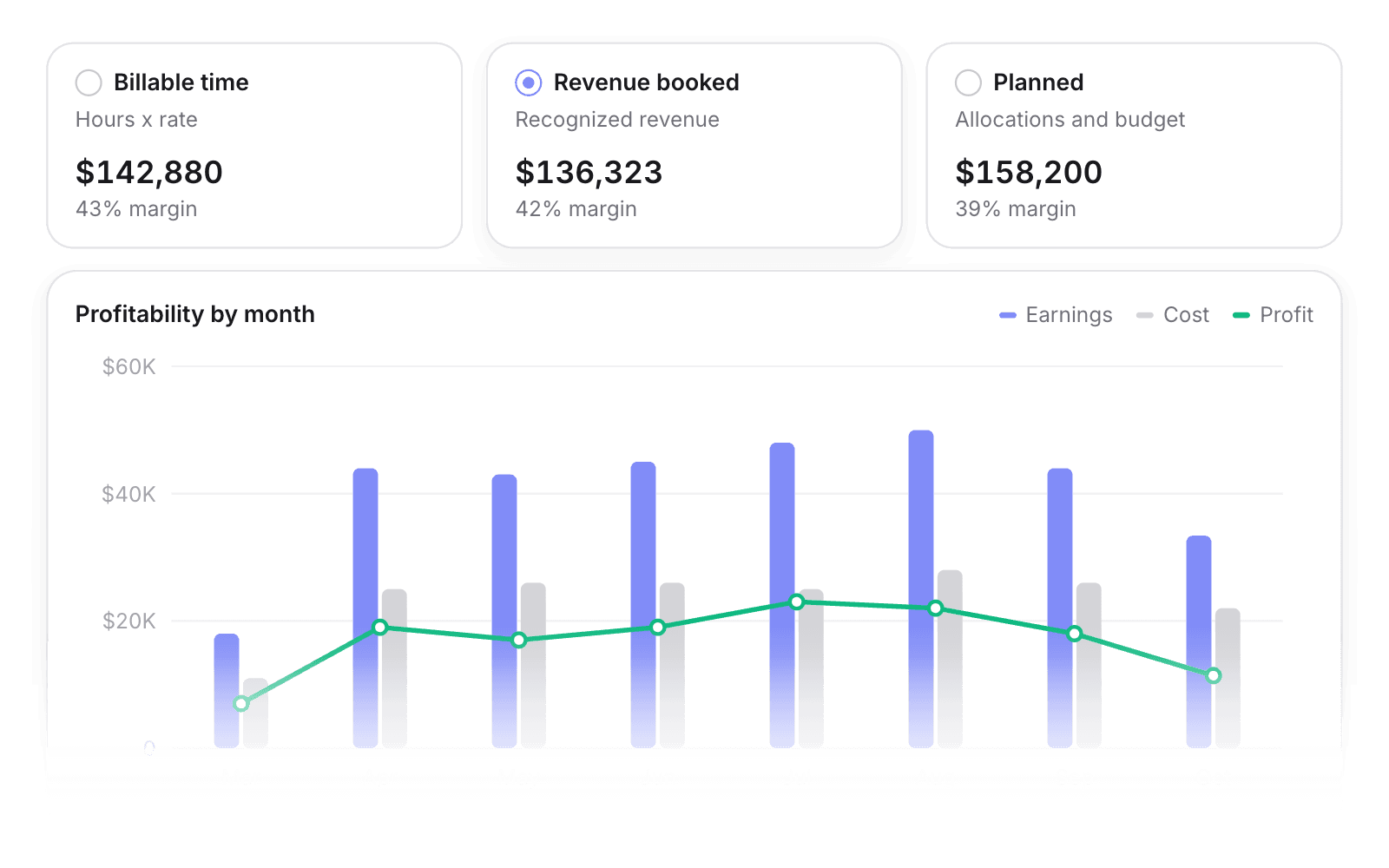
Planned vs actuals
Allocations are the plan. Hours and invoices are the actuals.
Earnings, cost, and profit for both, by month.
Product · Finance
Pike rolls rates, hours, salaries and overhead into one margin figure. Open a project mid-engagement and see what it earns.
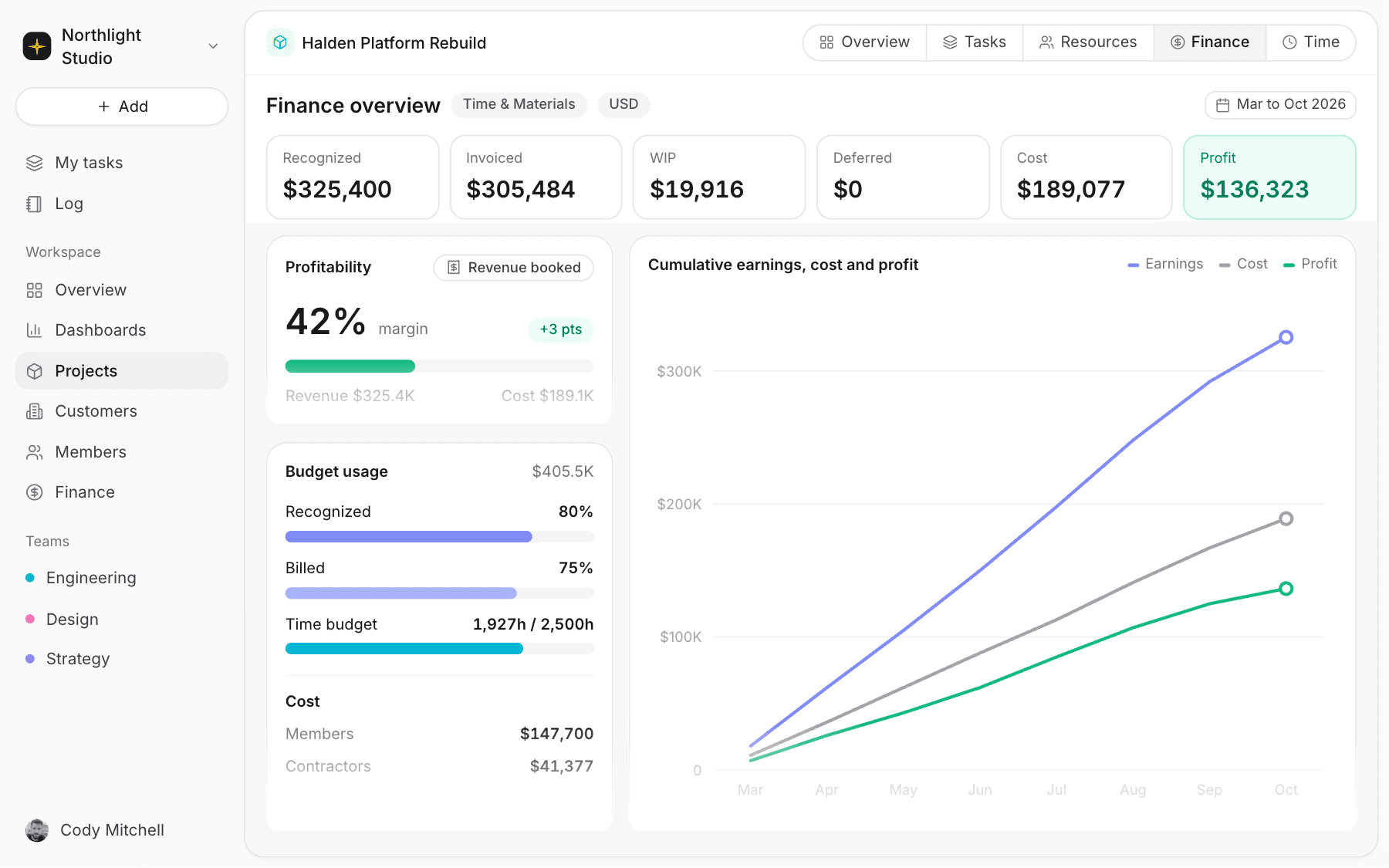
Profitability
Allocations are the plan. Hours and invoices are the actuals.
Earnings, cost, and profit for both, by month.
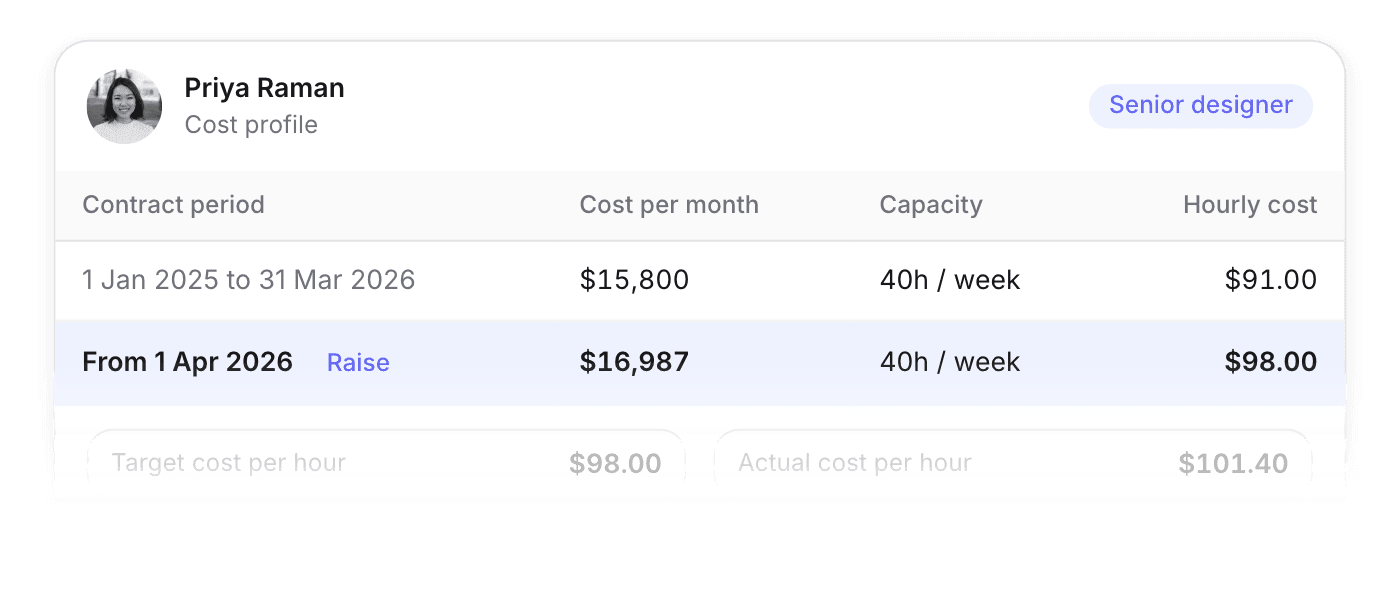
Pike turns salary and contracted hours into an hourly cost. A raise applies from its date, and earlier margins do not change.
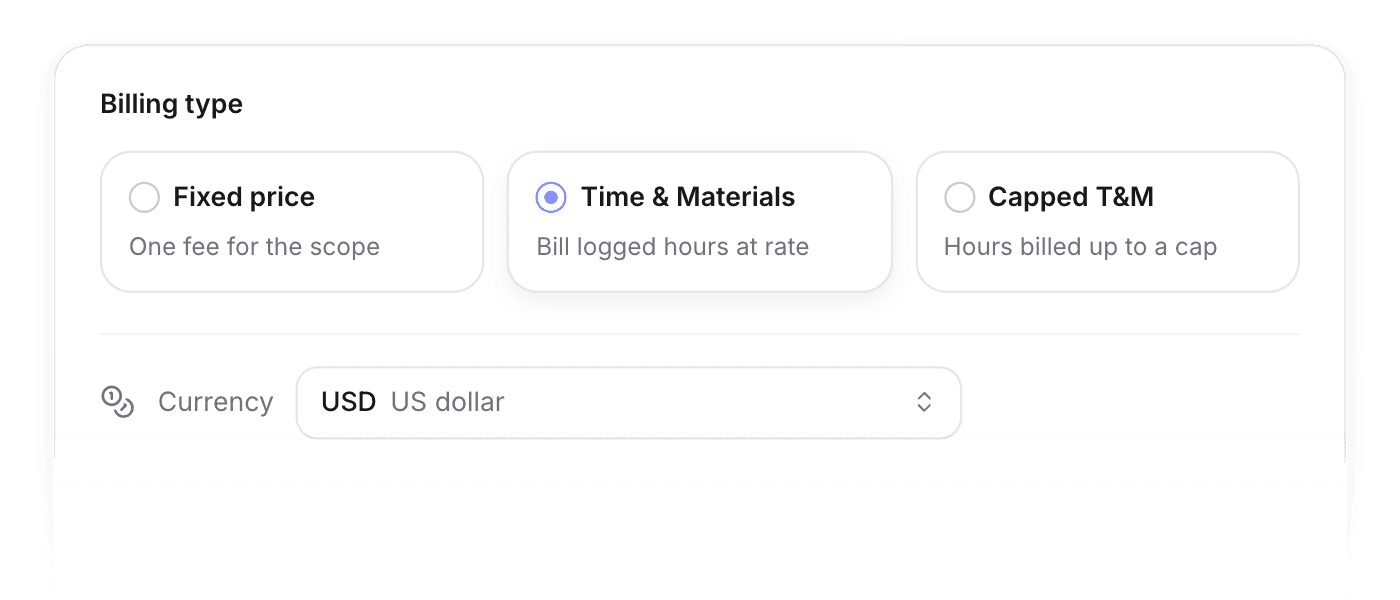
Set the billing type per project. Over twenty currencies convert to your base currency for reporting.
Invoicing
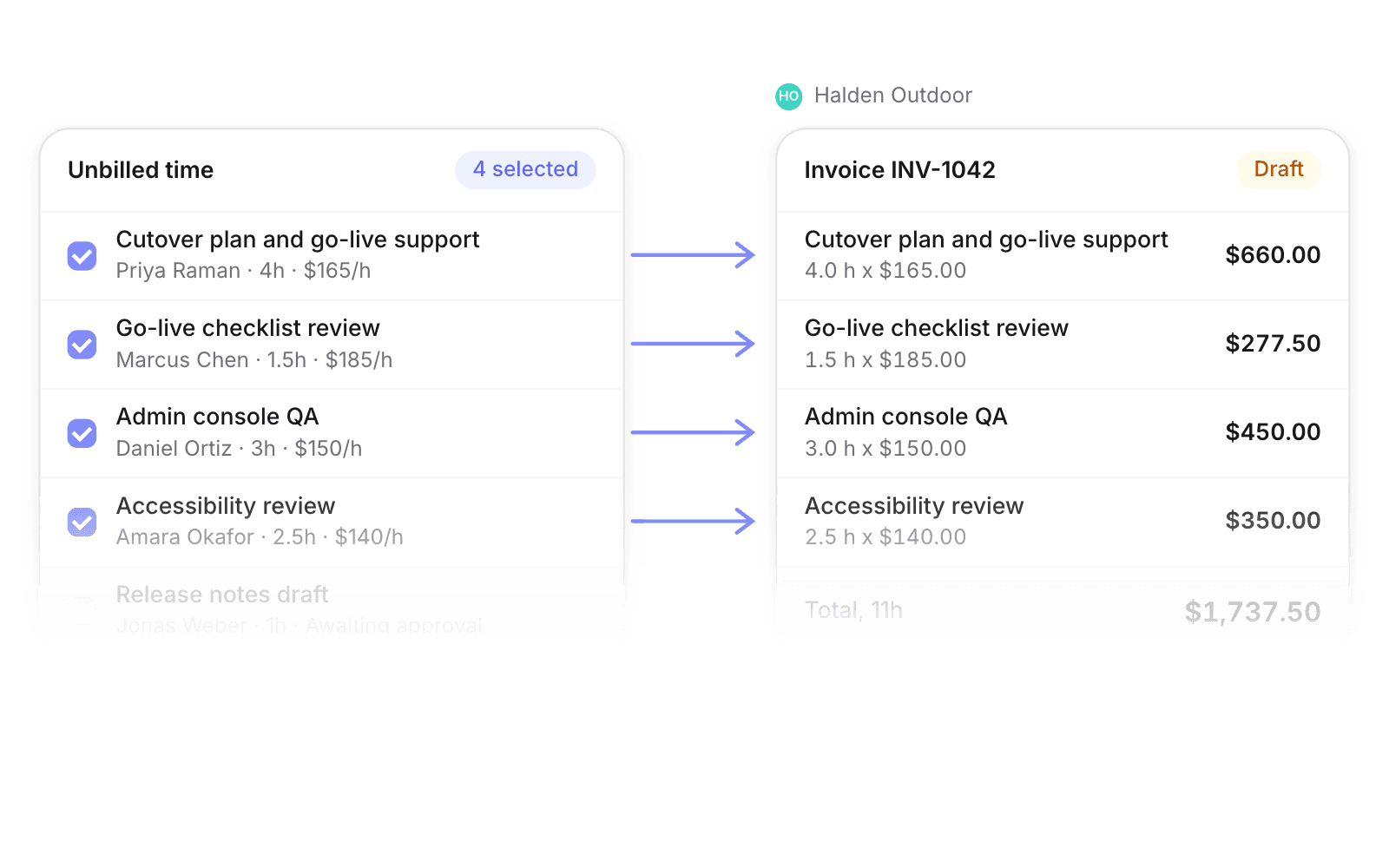
Pick approved, unbilled entries. Customise it to your brand.
Each entry brings its rate, and Pike invoices an entry only once. Import and sync with your bookkeeping system.





Invoices, customers, products and services, expenses, and more with your bookkeeping system.
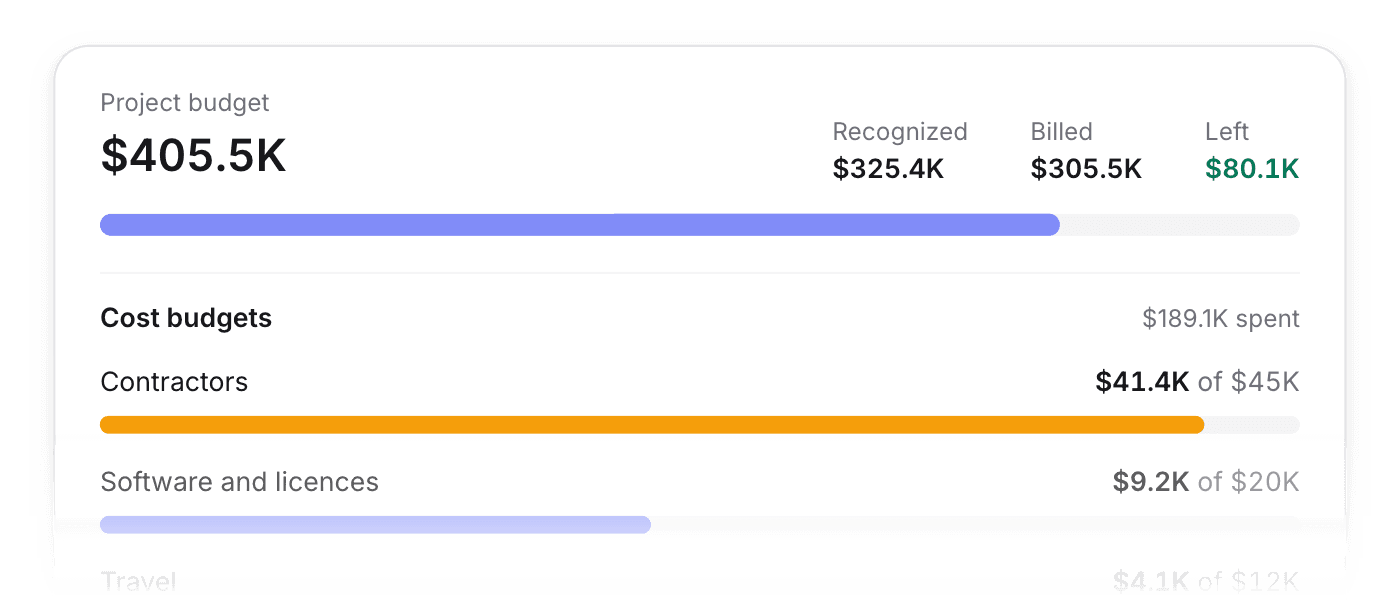
Budget labour and costs line by line from the deal you sold. The lines set the project fee and hours, and Pike shows actual, committed and remaining cost on each one.
For finance and operations
Revenue, cost and margin from the time, rates and expenses you track.
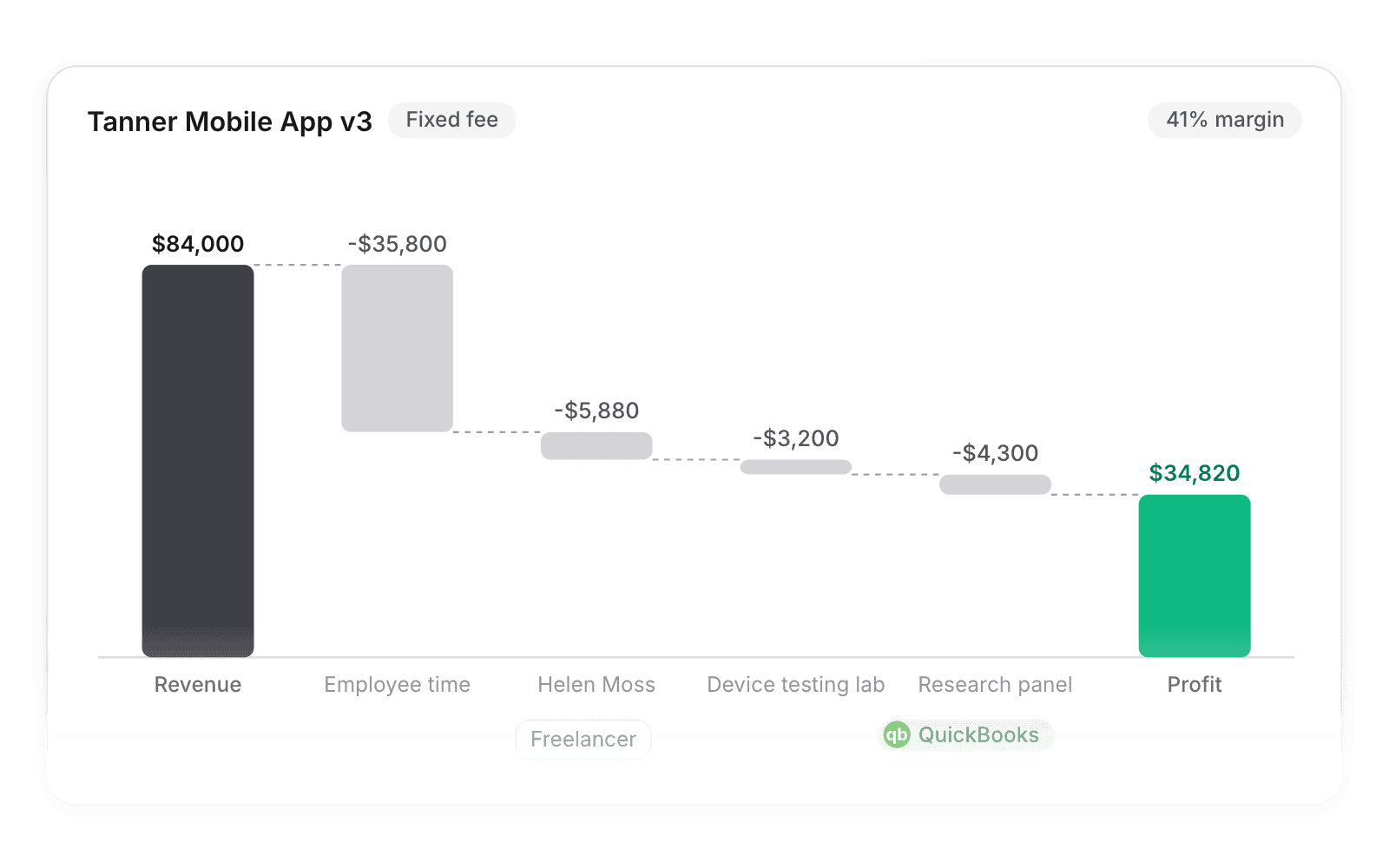
Revenue comes from billable hours, fixed fees or retainers. Cost is made up of these lines:
| Cost line | Where the number comes from |
|---|---|
| Employee time | Hours × each person's cost rate |
| Freelancer time | Hours × the freelancer's cost rate |
| Production costs | Expenses and supplier bills, including bills from QuickBooks |
| Overhead (optional) | An hourly overhead rate, for fully loaded margin |
Example: an $84,000 fixed fee project with $35,800 of staff time, $5,880 of freelance time, $3,200 of production costs and a $4,300 supplier bill costs $49,180. Profit is $34,820, a 41% margin.
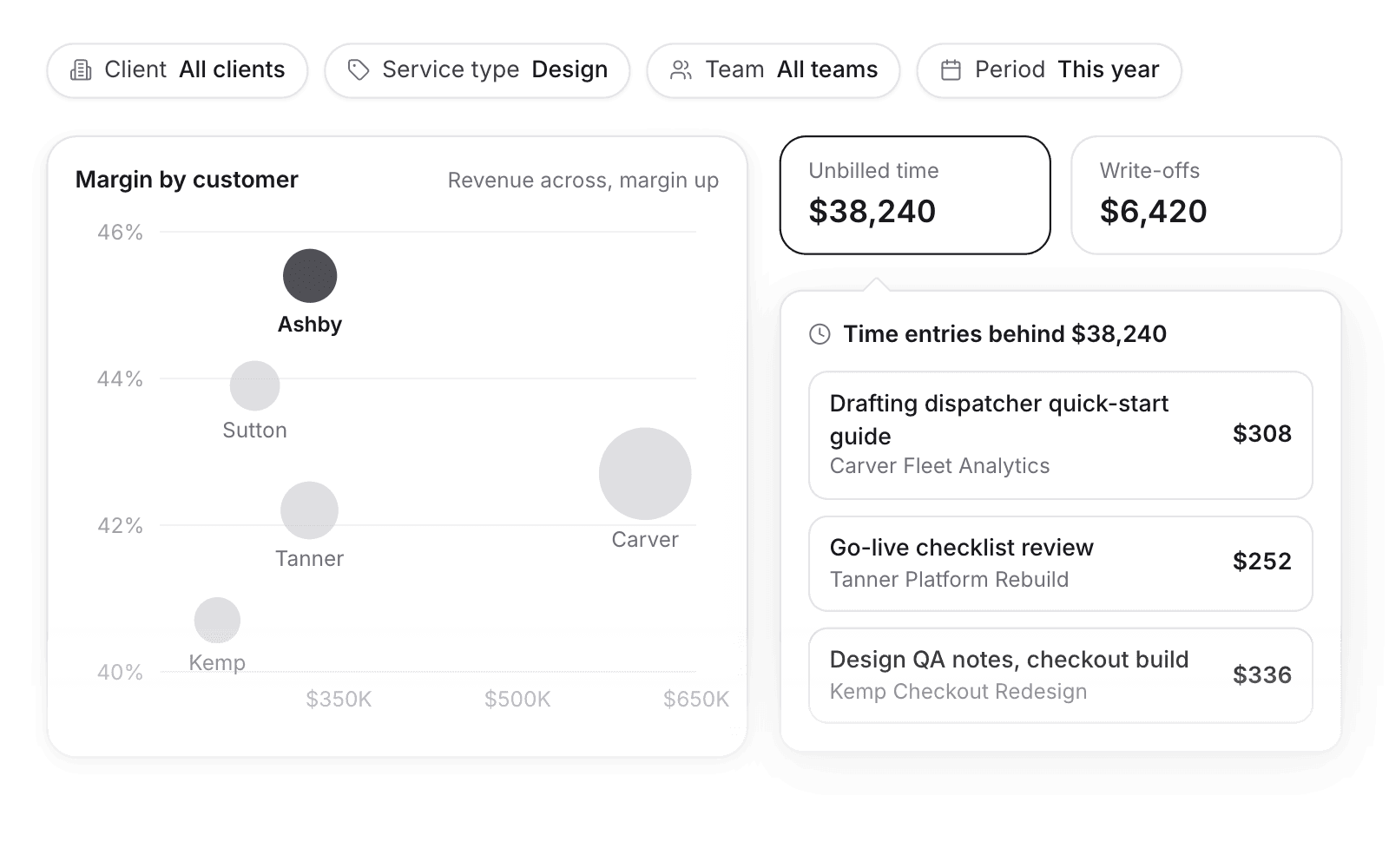
Filter margin, revenue, cost and write-offs by client, service type, team or period. Click any number to see the time behind it.
Want the details? Read the full docs
 Time & absence
Timers, one-click logging and approvals. Pike prices each logged hour into project financials.
 Customers & sales
Convert won deals to projects and see pipeline, delivery and profitability per customer.
 Projects
Board, list, and timeline views with milestones, dependencies, and templates.
 Dashboards
Utilization, margin and pipeline on one screen, with filters by customer, project, team or person.
 Resourcing & capacity
See capacity, soft-book tentative work, and staff roles with placeholders.
 Pike MCP
Ask Claude or ChatGPT about margin and status, and create projects from the chat.
 ISO 27001
 GDPR
 SOC 2 Type II
Built to keep sensitive client data secure and private.