

Pike
  • MCP
  • Pricing
  • Contact us
Log in

Industries · IT consultancies

From signed order
to billed hours

Pike links the order, the implementation plan, the consultants' hours, and the invoice. Delivery managers see capped budgets and bench time before they turn into write-offs.

Contact sales
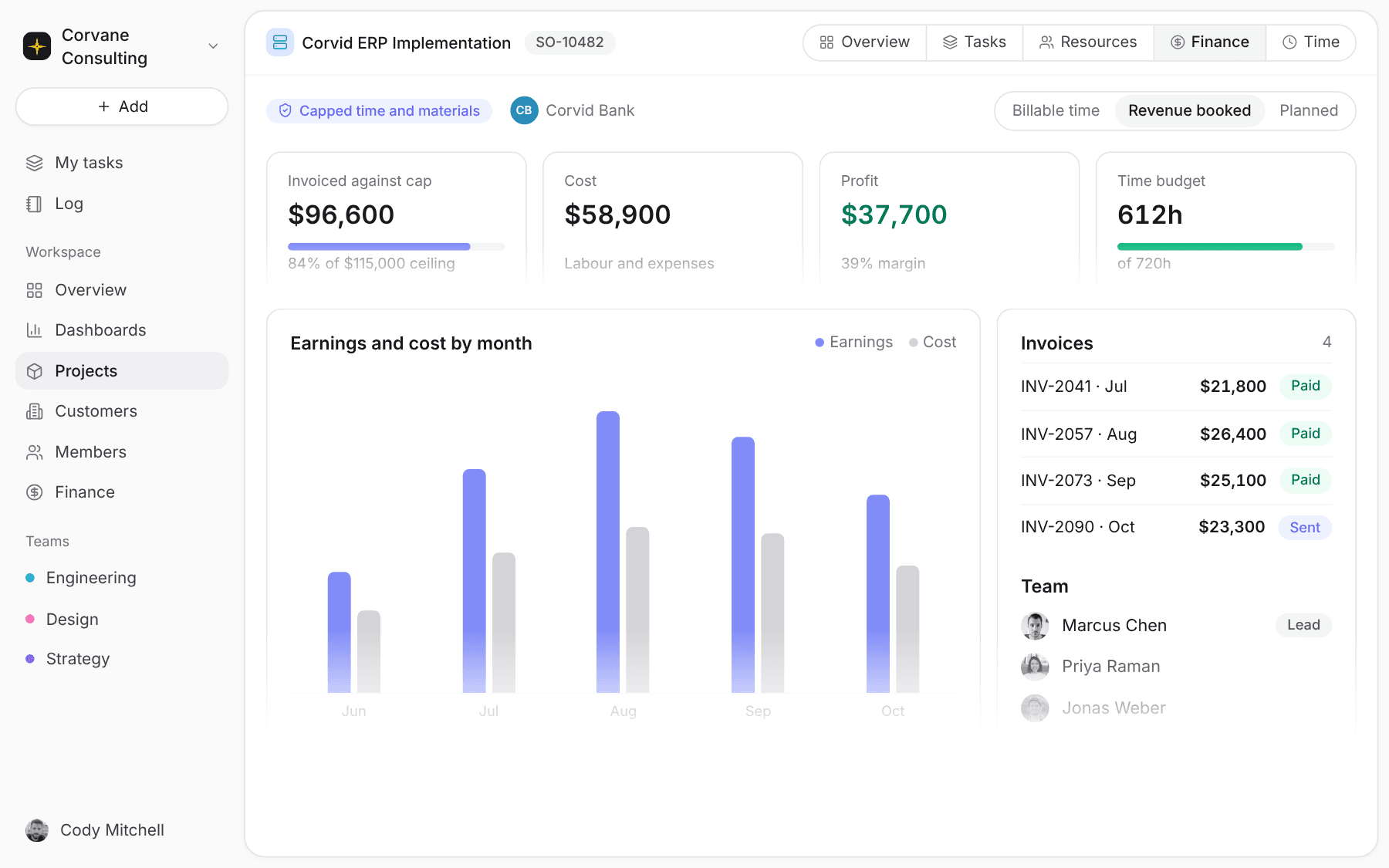
Capped time and materials project in Pike with budget used against the ceiling, cost, and margin

Sound familiar

Where implementation work loses money

Implementations run on certified people, capped budgets, and change requests. Each one is a place where billable hours become write-offs.

01

Caps you hit without noticing

A capped engagement reaches its ceiling in week six. Every hour after that is free work, and the team keeps logging it.

02

Certified people double-booked

Two go-lives need the same ERP specialist. The clash is found in a delivery meeting, after both dates went to the clients.

03

Sales and delivery in separate systems

The order sits in the ERP, the plan in a project tool, and the hours in timesheets. Someone re-keys all of it to build an invoice.

Capped budgets

Bill time and materials up to the cap

Set the project to capped time and materials with a ceiling. Invoices track against the cap, a time budget tracks the hours.

Delivery managers see how much of the cap is left while work runs, and raise a change request before the team works for free.
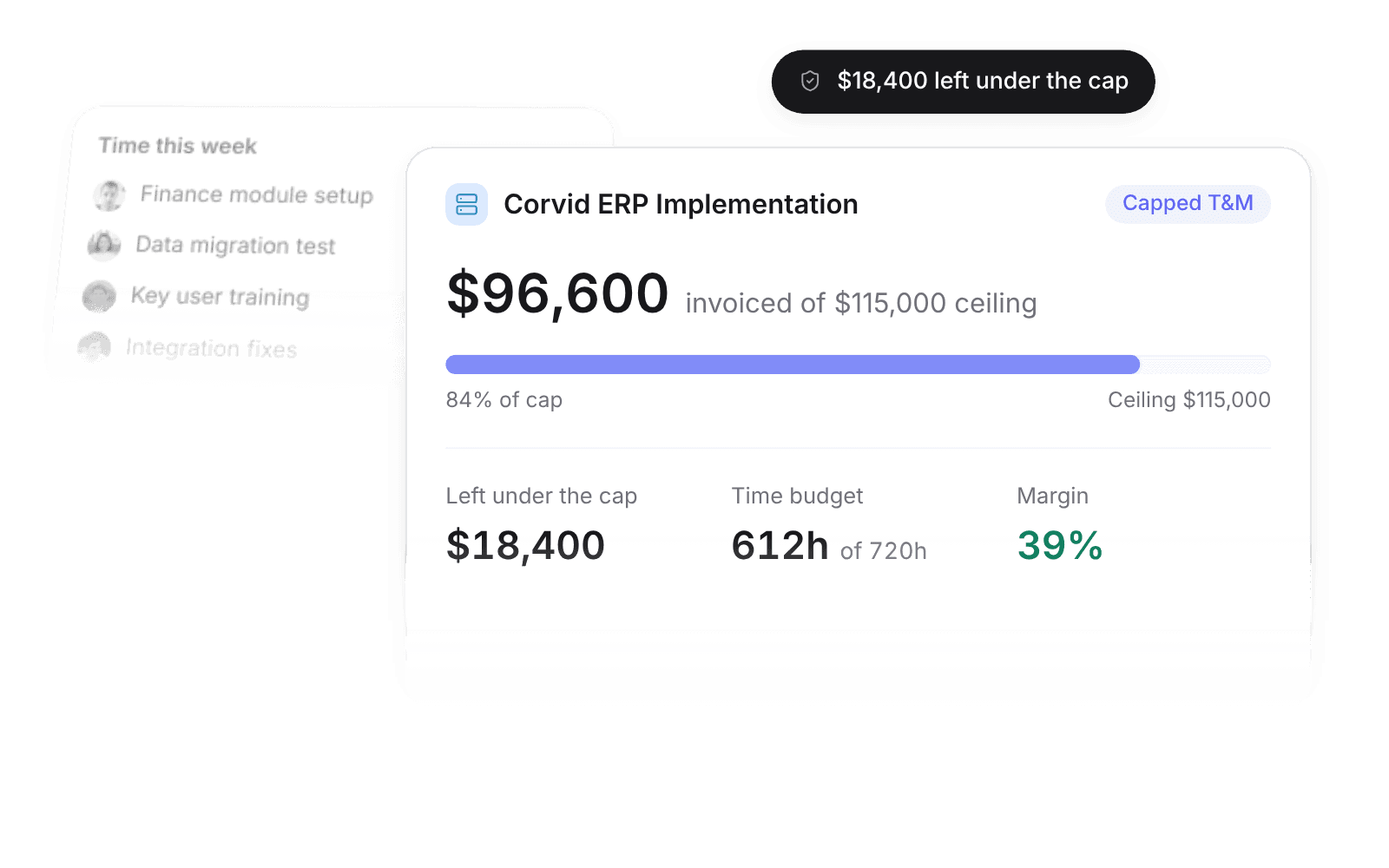
Capped time and materials budget with invoiced amount against the ceiling
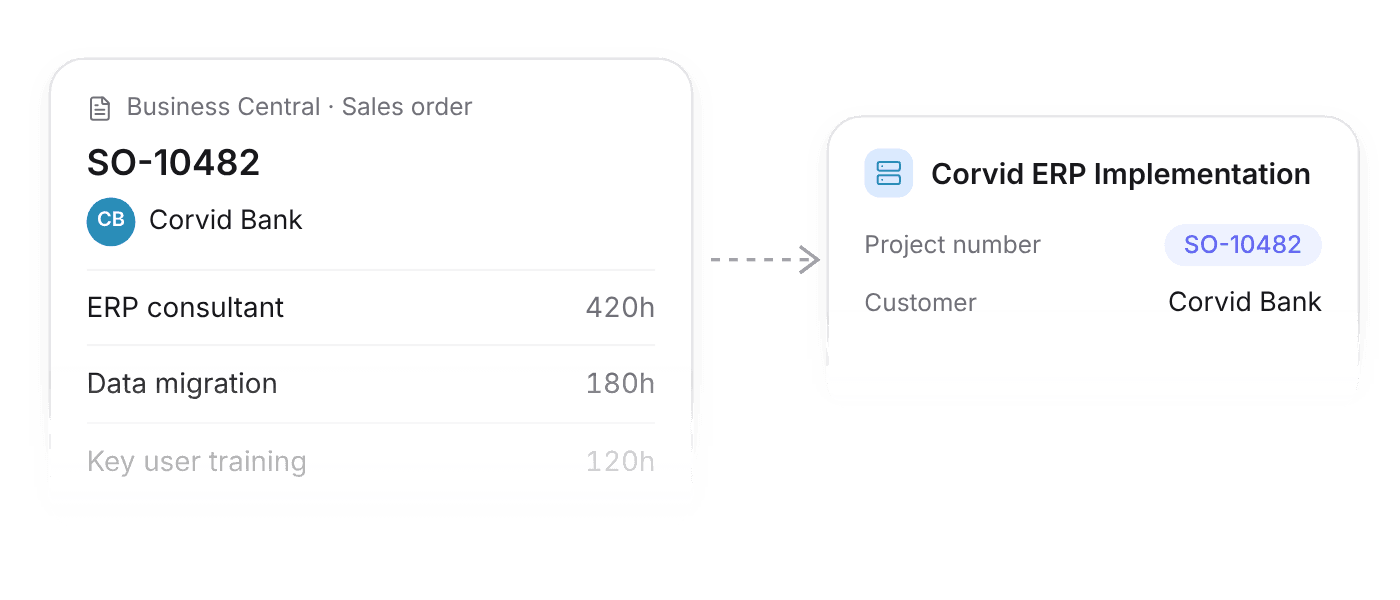
Business Central sales order turned into a Pike project with the same number

Orders become projects

With Business Central connected, a sales order opens as a project and its number becomes the project number.

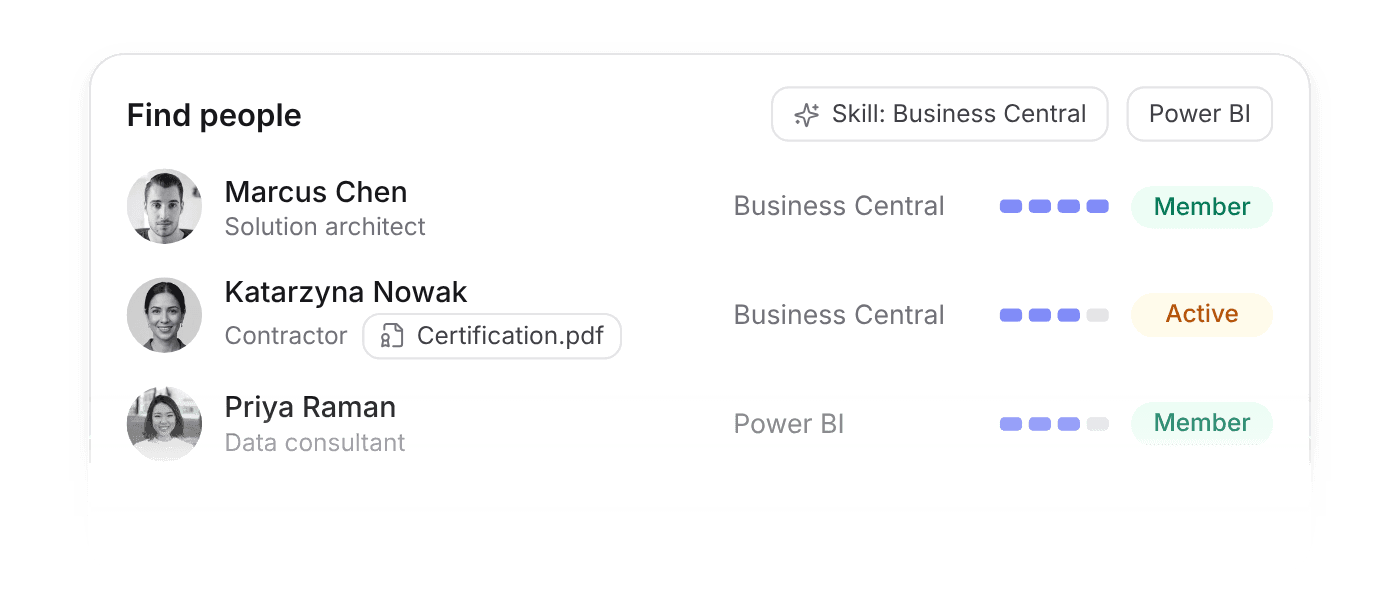
Member search filtered by skill and competency level

Find the certified consultant

Tag people with skills and competency levels, keep contractor certifications on file, and filter by skill when you staff.

Bookkeeping

Invoices that reach your books

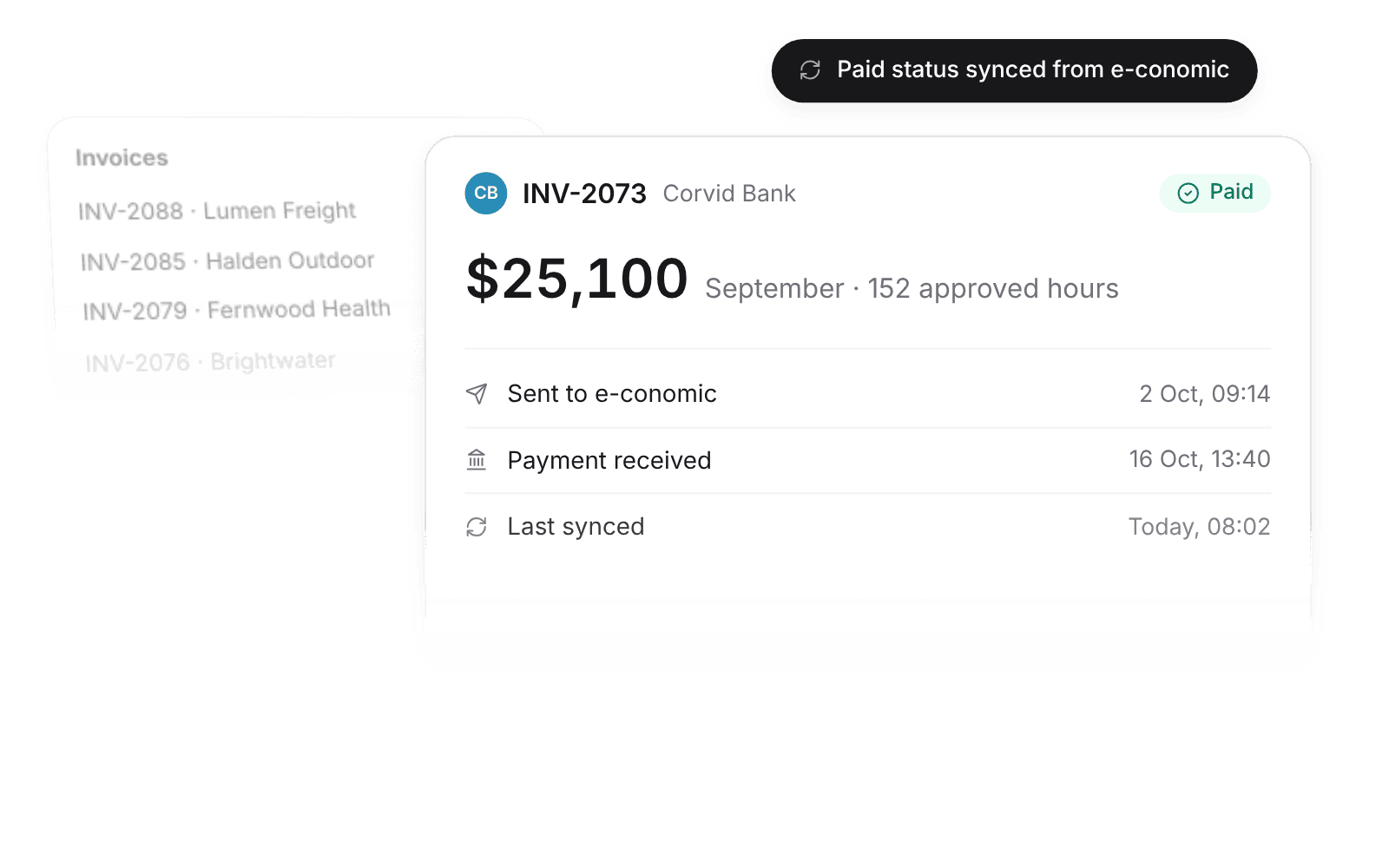
Build invoices from approved hours and push them to e-conomic, QuickBooks, or Xero.

Payment status syncs back, so delivery sees which projects are paid without asking finance.

Invoice pushed to the bookkeeping system with payment status synced back

Who uses it

One workspace from order to invoice

Each role opens Pike to the numbers it answers for.

Managing director

Utilisation, margin per client, and the pipeline of signed orders.

Delivery manager

Caps, budgets, go-live dates, and which consultants are free.

Consultant

Your tasks, a timer on the ticket, and approved hours that lock for billing.

Questions from IT consultancies

Want the details? Read the full docs

The features behind this page

Finance & invoicing

Live margin by client, project, and team, with invoices that flow to your bookkeeping.

Resourcing & capacity

See capacity at a glance, soft-book tentative work, and staff roles with placeholders.

Time & absence

Timers, one-click logging, and approvals, with every hour priced into project financials.

Further reading

GuideChange orders: how to bill scope changes cleanlyGuideWork in progress and unbilled revenue for agenciesGuideProfessional services automation: what it means and whether you need it

Pike for other firms

  • Creative agencies
  • Marketing agencies
  • Digital agencies
  • Consulting firms
  • Architecture firms
  • All industries

Run your next implementation in Pike

Contact sales
  • ISO 27001 CertifiedISO 27001
  • GDPR CompliantGDPR
  • AICPA SOC 2 Type IISOC 2 Type II

Built to keep sensitive client data secure and private.

Pike box logoPike
All systems operational
Company
BlogOur storySwitch playbookGet in touch
Product
ProjectsResourcing & capacityFinance & invoicingDashboardsCustomers & salesTime & absencePike MCP
Industries
Creative agenciesMarketing agenciesDigital agenciesConsulting firmsIT consultanciesArchitecture firms
Resources
DocsChangelogPrivacy policyTerms and conditionsGlossaryFAQ
Language
EnglishDansk

Engineered around the 🌎

© 2026 Pike. All rights reserved.