


Staffing
Staff by skill, rate, and availability
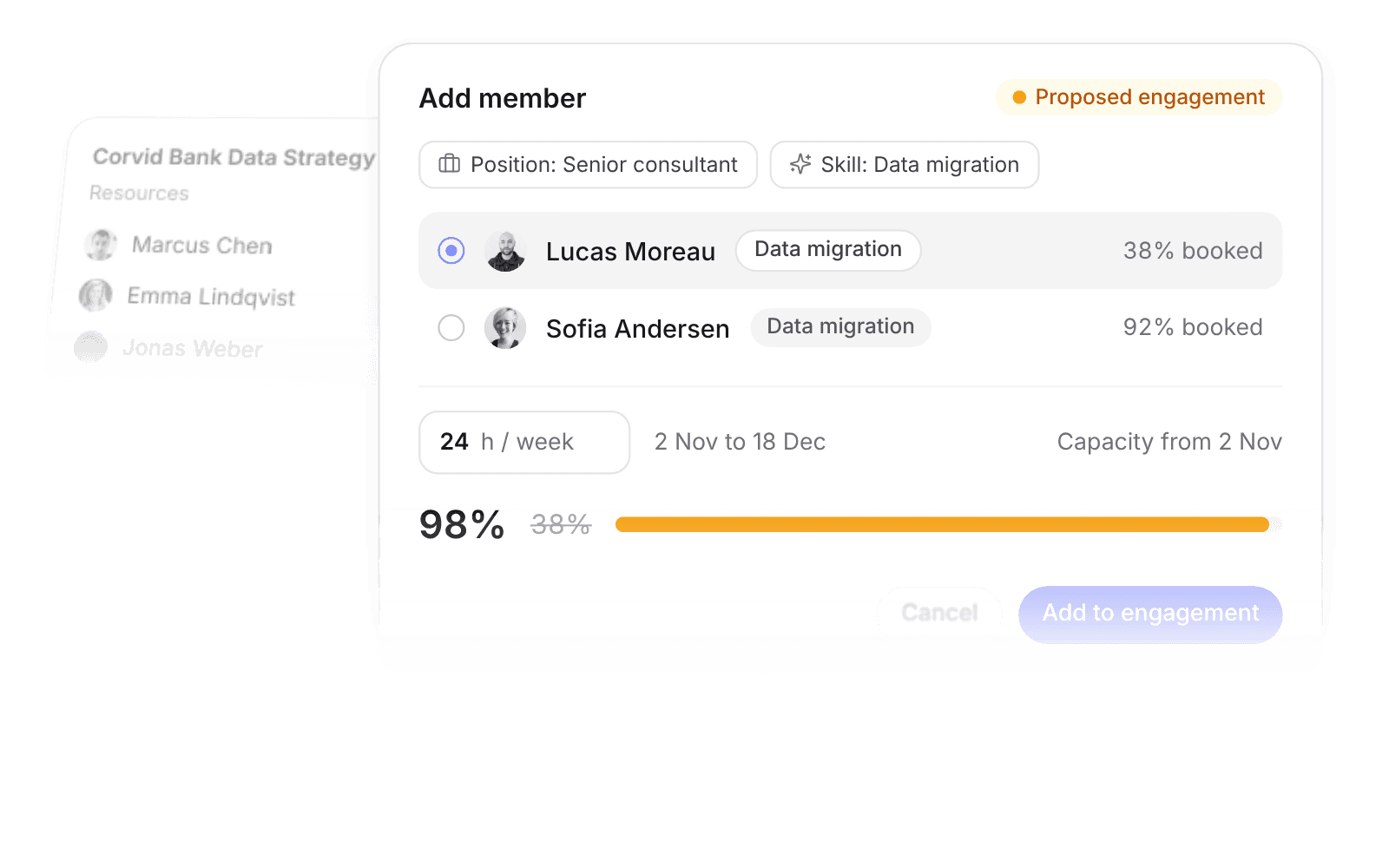
Filter people by skill and position, then see the effect on their capacity as you book them.
Book pipeline work as proposed, so you plan the bench before the proposal is signed.
Industries · Consulting firms
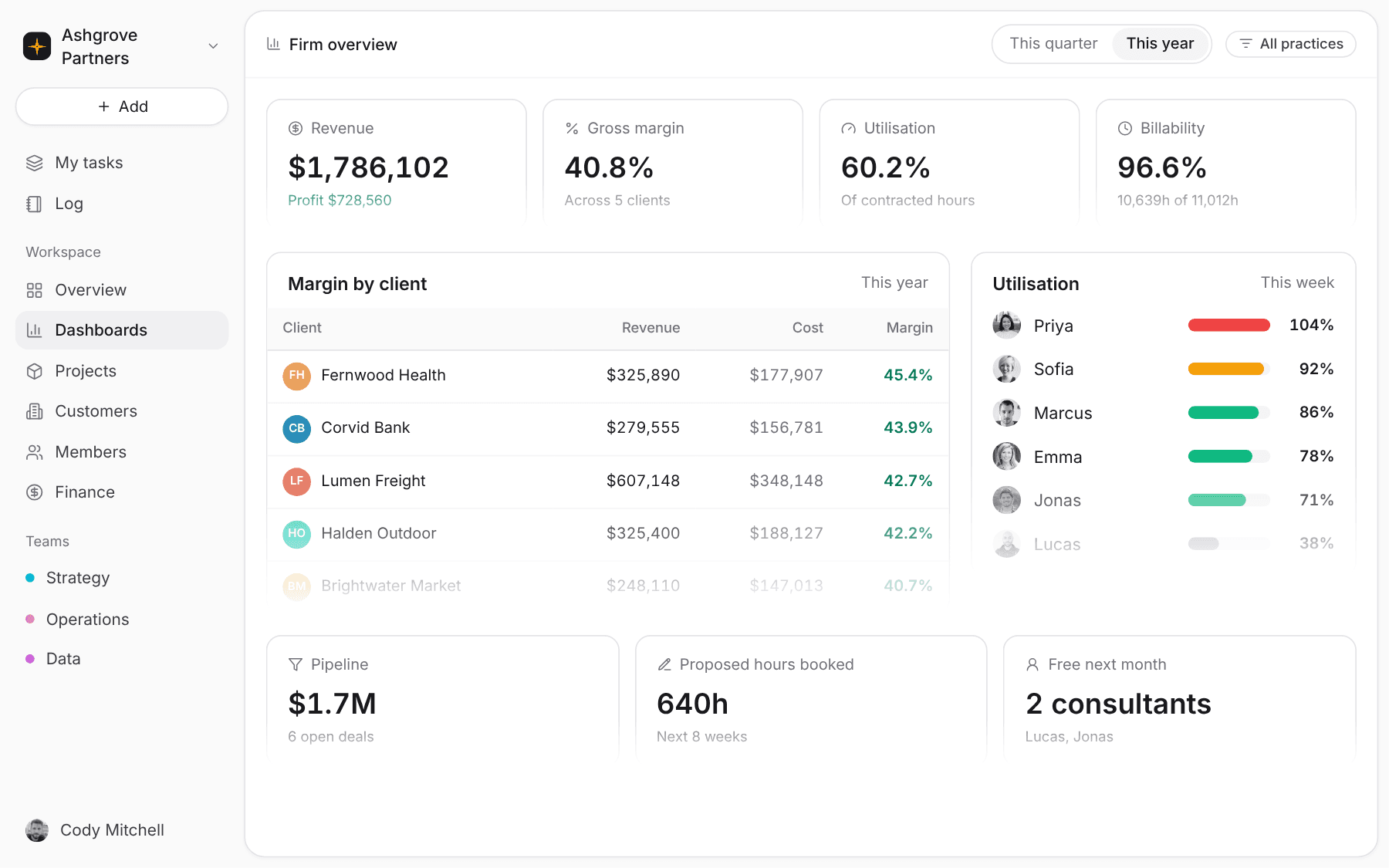
Pike connects pipeline, staffing, hours, and margin on one engagement record. Partners see utilisation and profit per client this week, not at quarter close.
Sound familiar
Rates are set in the proposal. What the firm keeps depends on who you staff, how many hours they bill, and how fast you see it.
A consultant rolls off an engagement on Friday with nothing booked. Partners find out from the utilisation report a month later.
The right person for a data migration is whoever the engagement manager remembers. Skills, rates, and availability live in three places.
Finance rebuilds engagement profitability each quarter from timesheet exports and payroll. By then the engagement is over.
Staffing
Filter people by skill and position, then see the effect on their capacity as you book them.
Book pipeline work as proposed, so you plan the bench before the proposal is signed.
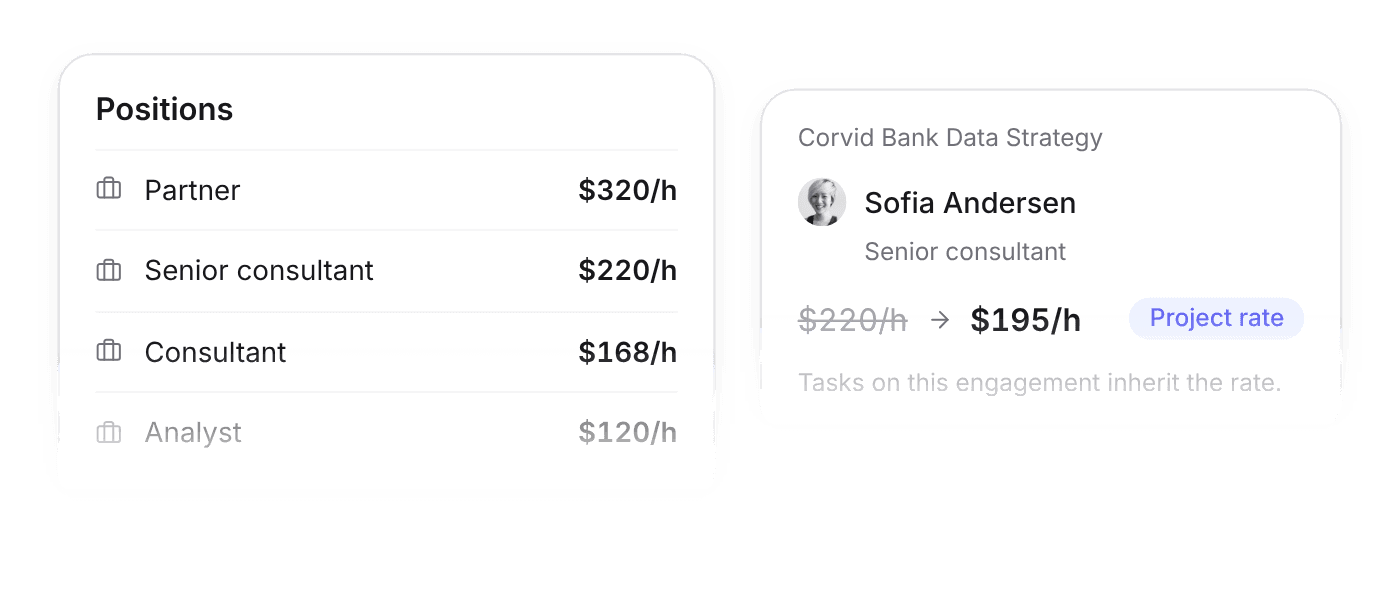
Positions carry a default billing rate. Override it per project or per person when an engagement is priced differently.
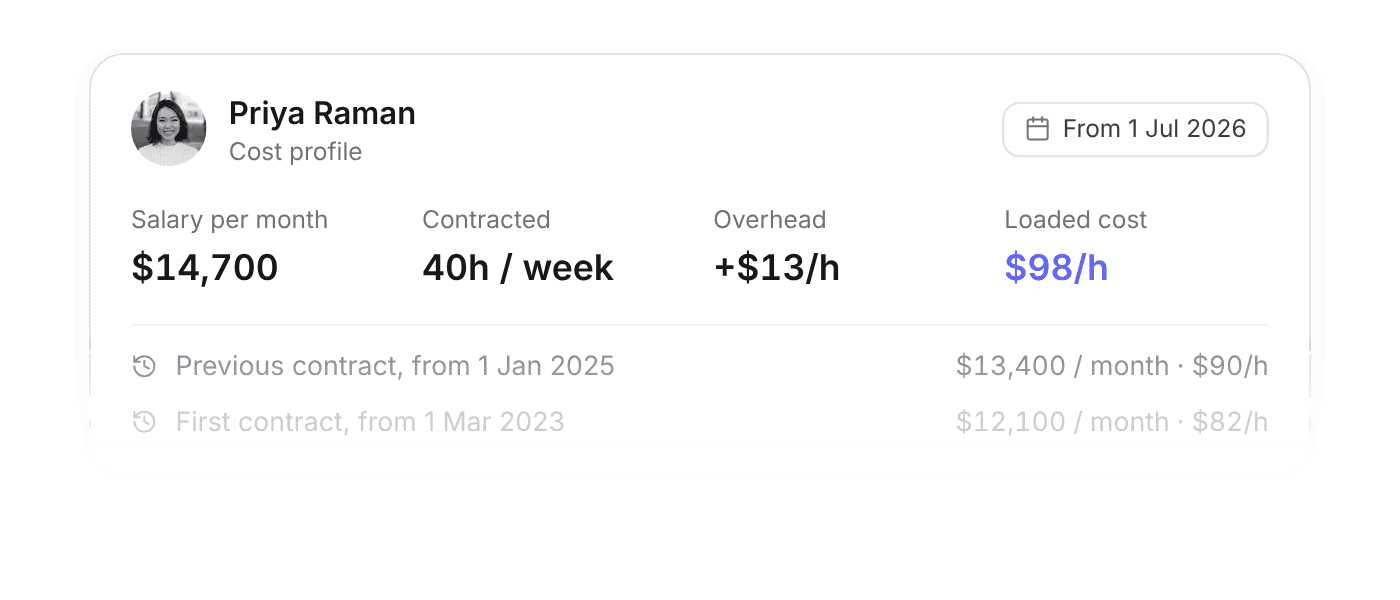
Salary and contracted hours become an hourly cost per consultant, with overhead added. Raises apply from their date.
Utilisation
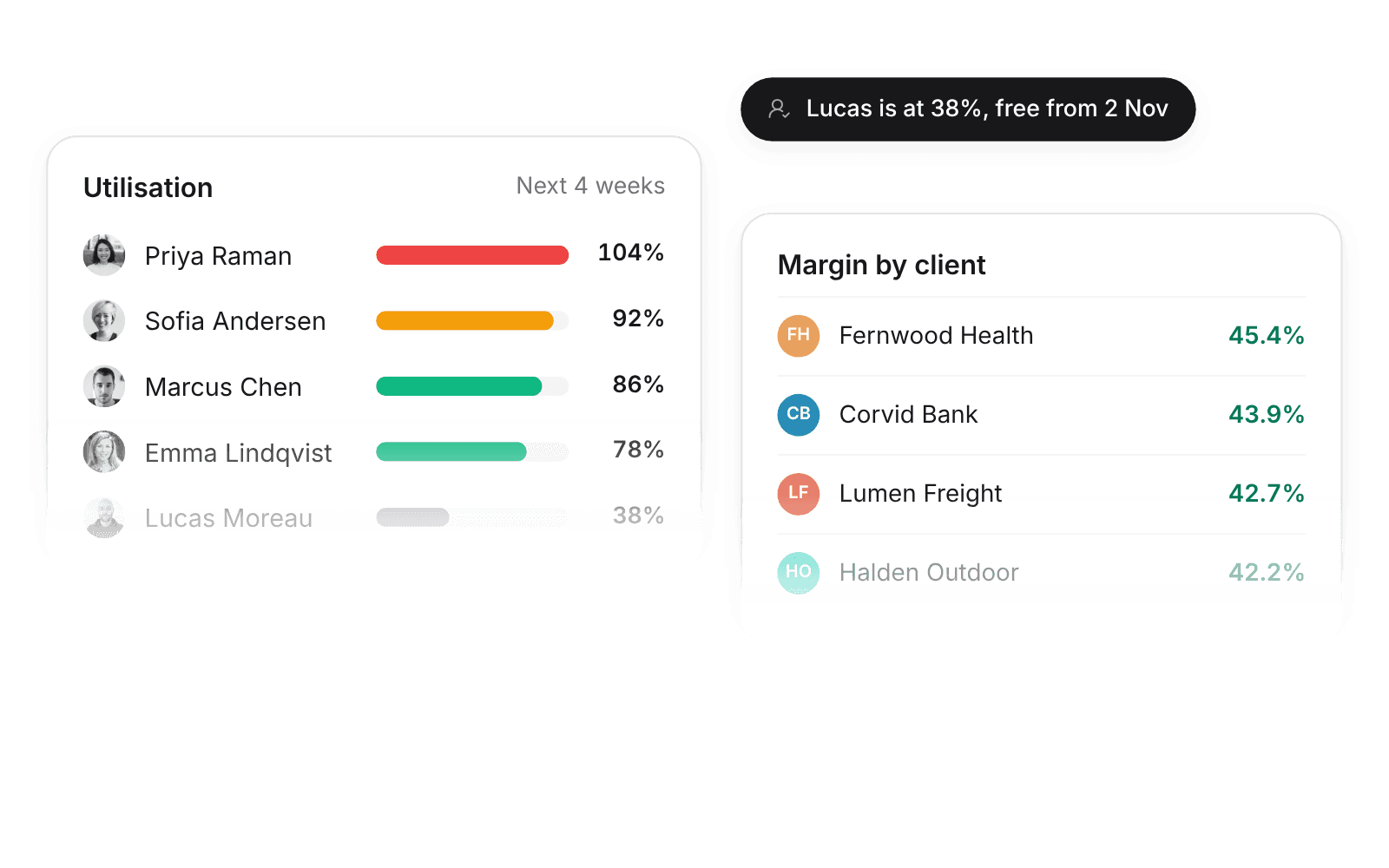
Utilisation comes from contracted hours and logged time. Margin comes from rates and real cost.
Partners open one view for utilisation, billability, and profit per client, filtered by team or practice.
Who uses it
Each role opens Pike to the numbers it answers for.
Firm-wide margin, pipeline, and utilisation, filtered by practice or client.
Budget burn, staffing, and the hours your team logged this week.
Your engagements, your tasks, and a timesheet you submit once a week.
Want the details? Read the full docs
 ISO 27001
 GDPR
GDPR SOC 2 Type II
Built to keep sensitive client data secure and private.


