


Pike and
Zoho CRM
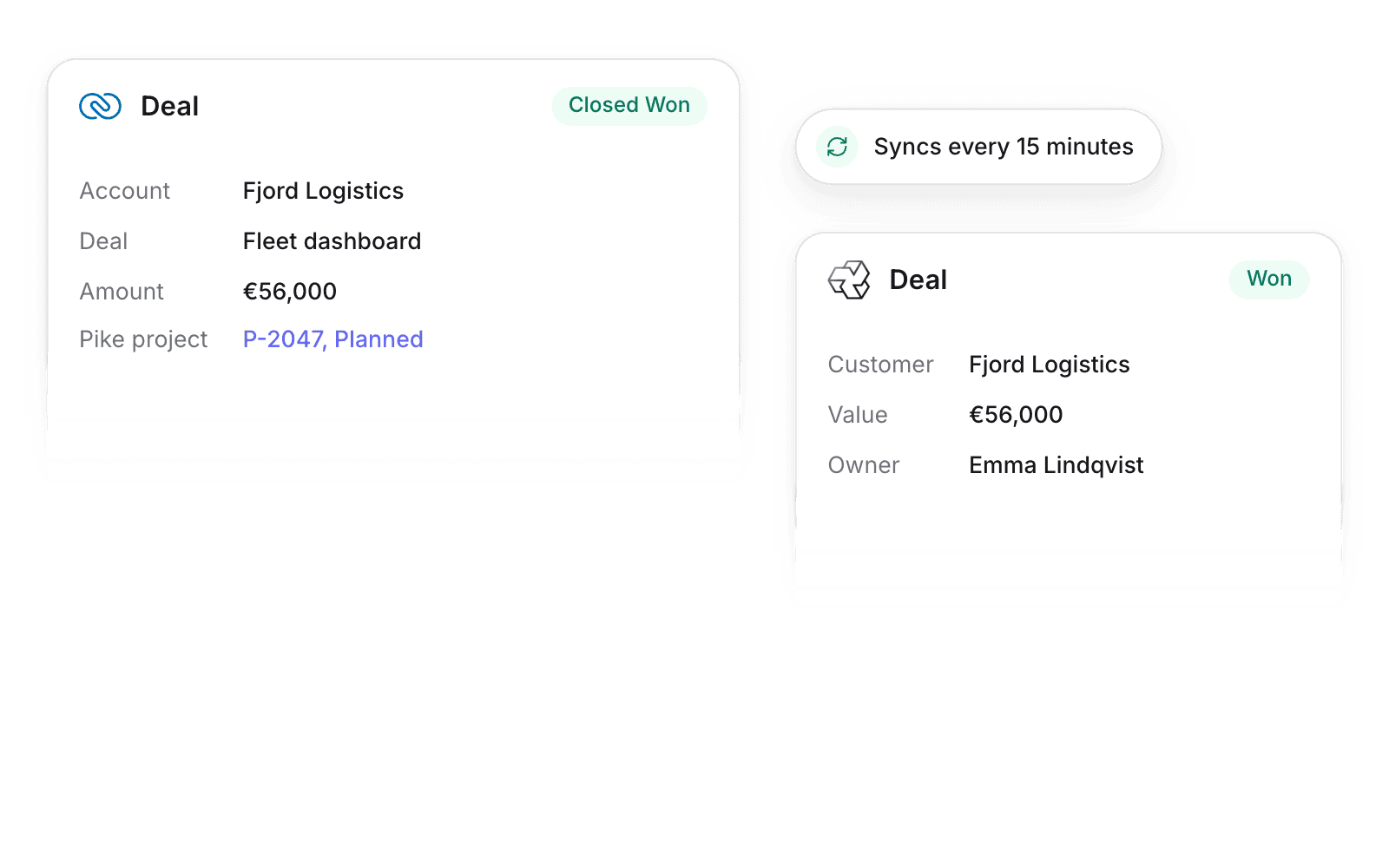
Sync accounts, contacts, and deals from Zoho CRM, and turn won deals into projects.

At a glance
- Direction
- Zoho CRM to Pike. Pike to Zoho CRM for the project link.
- Who sets it up
- Workspace admins.
- Sync
- Every 15 minutes, and on demand.
- Documentation
- Zoho CRM docs
What syncs between Zoho CRM and Pike
| Zoho CRM | Pike | Direction |
|---|---|---|
| Accounts | Customers | Zoho CRM to Pike |
| Contacts | Customer contacts | Zoho CRM to Pike |
| Deals | Deals, with stage and owner | Zoho CRM to Pike |
| Pike project field | Project link and status | Pike to Zoho CRM, when Send is on |
Once linked, Zoho CRM owns the CRM fields. Pike keeps the project, allocations, and internal notes.
Set up and use Zoho CRM
Connect
- 1.Go to Workspace settings → Integrations → Zoho CRM. Sign in to Zoho in your data center region.
- 2.Map deal stages to Pike deal stages, then click Import data.
- 3.Turn on Send for deals to write project links back to Zoho CRM.
How to use it in your business
- Plan capacity from the pipeline. Open deals show in Pike, so leads book proposed hours early.
- Staff the project when the deal closes. A won deal arrives with its account and contacts.
Limits
- Pike does not create accounts, contacts, or deals in Zoho CRM.
- Leads sync only once converted.
- Custom modules do not sync.
Setup steps and field mappings: Zoho CRM docs.
Zoho CRM integration questions
Does Pike integrate with Zoho CRM?
Yes. Pike syncs Zoho CRM accounts, contacts, and deals into customers and deals, and writes the Pike project link back to won deals.
Does the integration work in every Zoho data center?
Yes. You pick your Zoho data center region when you sign in.

See Pike and Zoho CRM working together on your data.
 ISO 27001
 GDPR
 SOC 2 Type II
Built to keep sensitive client data secure and private.