

Project and development integration
Pike for Azure DevOps
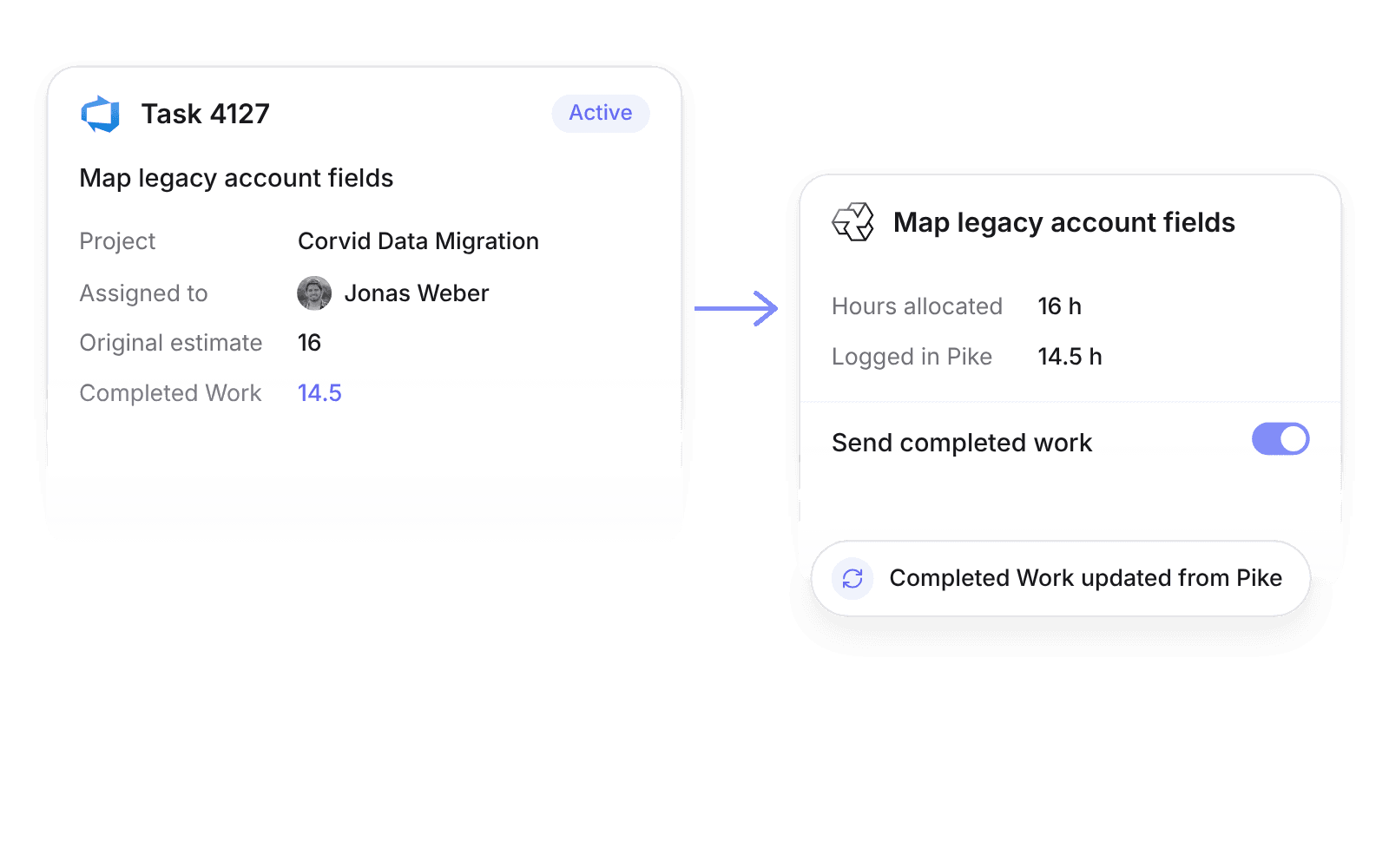
work items with real hours
Pike integrates with Azure DevOps: work items sync into Pike tasks in real time through service hooks, and hours logged in Pike can update each work item’s Completed Work field. Teams on Microsoft tooling keep their boards, and Pike adds budget and margin.
Last updated · Read as Markdown

At a glance
- Direction
- Azure DevOps to Pike for work items, in real time. Pike to Azure DevOps for Completed Work, when Send completed work is on.
- Who sets it up
- Workspace admins, signing in with Microsoft Entra ID.
- Source of truth
- Azure DevOps, for work item fields.
- Plan
- All plans
- Documentation
- Azure DevOps docs
What syncs between Azure DevOps and Pike
| Azure DevOps | Pike | Notes |
|---|---|---|
| Title and description | Task title and description | |
| Assigned to | Assignee | Matched by email |
| Target date | Due date | |
| Original estimate | Hours allocated | |
| Tags and work item type | Labels | |
| State | Task status | Through an editable status mapping |
| Completed Work | Hours logged on the synced task | Pike to Azure DevOps, when Send completed work is on |
How to connect Azure DevOps
- 1.Go to Workspace settings → Integrations → Azure DevOps, click Add integration, and sign in with Microsoft Entra ID.
- 2.Map each Azure DevOps project, and an optional area path, to a Pike project.
- 3.Edit the state mapping, and turn on Send completed work if you want hours written back.
Full setup steps and field mappings are in the Azure DevOps integration docs.
How agencies use Pike with Azure DevOps
- Give engineering real hours. With Send completed work on, the Completed Work field shows the hours logged in Pike, so sprint reviews use actuals.
- Plan from original estimates. Original estimates become allocated hours, so resource plans and utilization forecasts start from the backlog.
- Split one client across area paths. Map an area path to its own Pike project to track budget and margin per workstream.
Limits to know before you connect
- Only the Completed Work field is written back to Azure DevOps.
- Map each Azure DevOps project, or project and area path, to one Pike project.
Azure DevOps integration questions
Does Pike integrate with Azure DevOps?
Yes. Pike syncs Azure DevOps work items into Pike tasks in real time through service hooks, with states mapped to Pike task statuses.
Can Pike update Completed Work in Azure DevOps?
Yes. Turn on Send completed work in the Azure DevOps integration, and hours logged in Pike on a synced task update the work item’s Completed Work field.
How does the Azure DevOps integration sign in?
The Azure DevOps integration connects with OAuth through Microsoft Entra ID.

See Pike and Azure DevOps working together on your data.
 ISO 27001
 GDPR
GDPR SOC 2 Type II
Built to keep sensitive client data secure and private.