

Project and development integration
Pike for Jira
delivery numbers on the work devs track
Pike integrates with Jira Cloud: Jira issues sync into Pike tasks in real time, and time logged in Pike can post back to Jira as worklogs. Developers stay in Jira while delivery leads see hours, budget burn, and margin on the same work.
Last updated · Read as Markdown

At a glance
- Direction
- Jira to Pike for issues, in real time. Pike to Jira for worklogs, when Send worklogs is on.
- Who sets it up
- A workspace admin connects the Atlassian Cloud site. Members who send worklogs connect their own Jira account.
- Source of truth
- Jira for all issue fields. Pike owns time entries, billable status, rates, and allocations.
- Plan
- All plans
- Documentation
- Jira docs
What syncs between Jira and Pike
| Jira | Pike | Notes |
|---|---|---|
| Summary and description | Task title and description | |
| Issue type and labels | Labels | |
| Assignee | Assignee | Matched by email |
| Due date | Due date | |
| Original estimate | Hours allocated on the assignee | |
| Epic or parent | Phase | When Map epics to phases is on |
| Status | Task status | Through the status mapping table |
| Worklog | Time entry on a synced task | Pike to Jira, when Send worklogs is on |
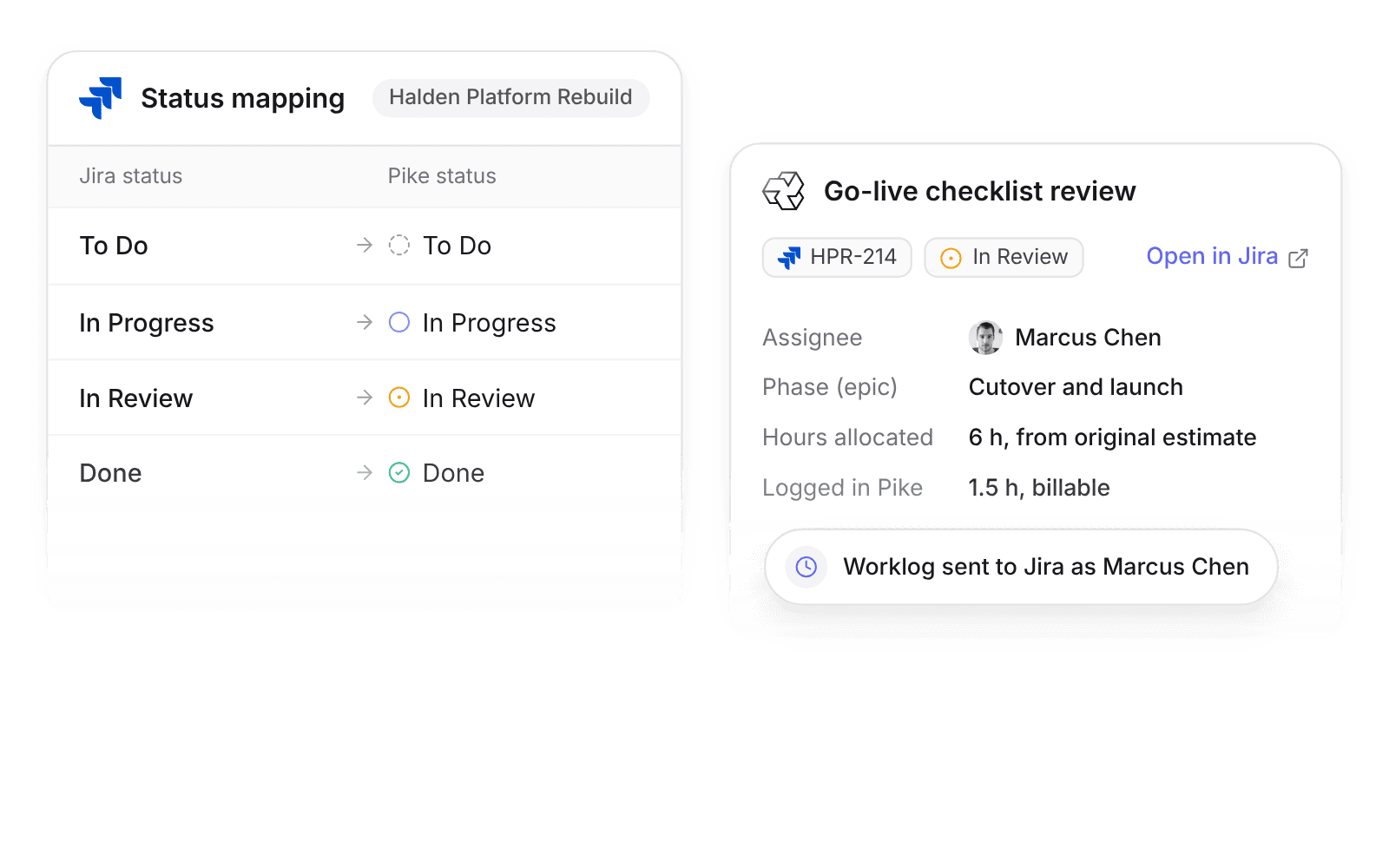
Admins edit the status mapping table. The defaults map To Do, In Progress, In Review, and Done to the Pike statuses with the same names.
With Send worklogs on, time logged in Pike on a synced task posts to Jira as a worklog with the duration, date, and comment, as the member who logged it. Editing or deleting the Pike time entry updates or deletes the worklog.
How to connect Jira
- 1.Go to Workspace settings → Integrations → Jira, click Add integration, and authorize your Atlassian Cloud site.
- 2.Map each Jira project, or a saved JQL filter, to one Pike project.
- 3.To send worklogs, each member connects their Jira account under Settings → Connections.
Full setup steps and field mappings are in the Jira integration docs.
How agencies use Pike with Jira
- Track budget burn on Jira work. Original estimates become allocated hours, so delivery leads see planned against logged hours per project without asking developers to change tools.
- Bill from the hours developers log. Time logged in Pike carries billable status and rates, and the same hours reach Jira as worklogs, so nobody logs time twice.
- See margin per sprint or epic. With epics mapped to phases, cost and revenue add up by phase in Pike while the backlog stays in Jira.
Limits to know before you connect
- Pike does not create Jira issues.
- Jira custom fields do not sync, except original estimate.
- Jira Server and Data Center are not supported. The integration works with Jira Cloud only.
Jira integration questions
Does Pike integrate with Jira?
Yes. Pike integrates with Jira Cloud: Jira issues sync into Pike tasks in real time through webhooks, with assignees matched by email and statuses mapped in a table the admin edits.
Can I send Pike time to Jira worklogs?
Yes. Turn on Send worklogs in the Jira integration, and time logged in Pike on a synced task posts to Jira as a worklog, as the member who logged it.
Does the Pike Jira integration work with Jira Server or Data Center?
No. The Pike Jira integration works with Jira Cloud only.
Can Pike create Jira issues?
No. The Pike Jira integration reads issues from Jira and sends worklogs. Create issues in Jira.

See Pike and Jira working together on your data.
 ISO 27001
 GDPR
GDPR SOC 2 Type II
Built to keep sensitive client data secure and private.