

Project and development integration
Pike for Linear
estimates become capacity
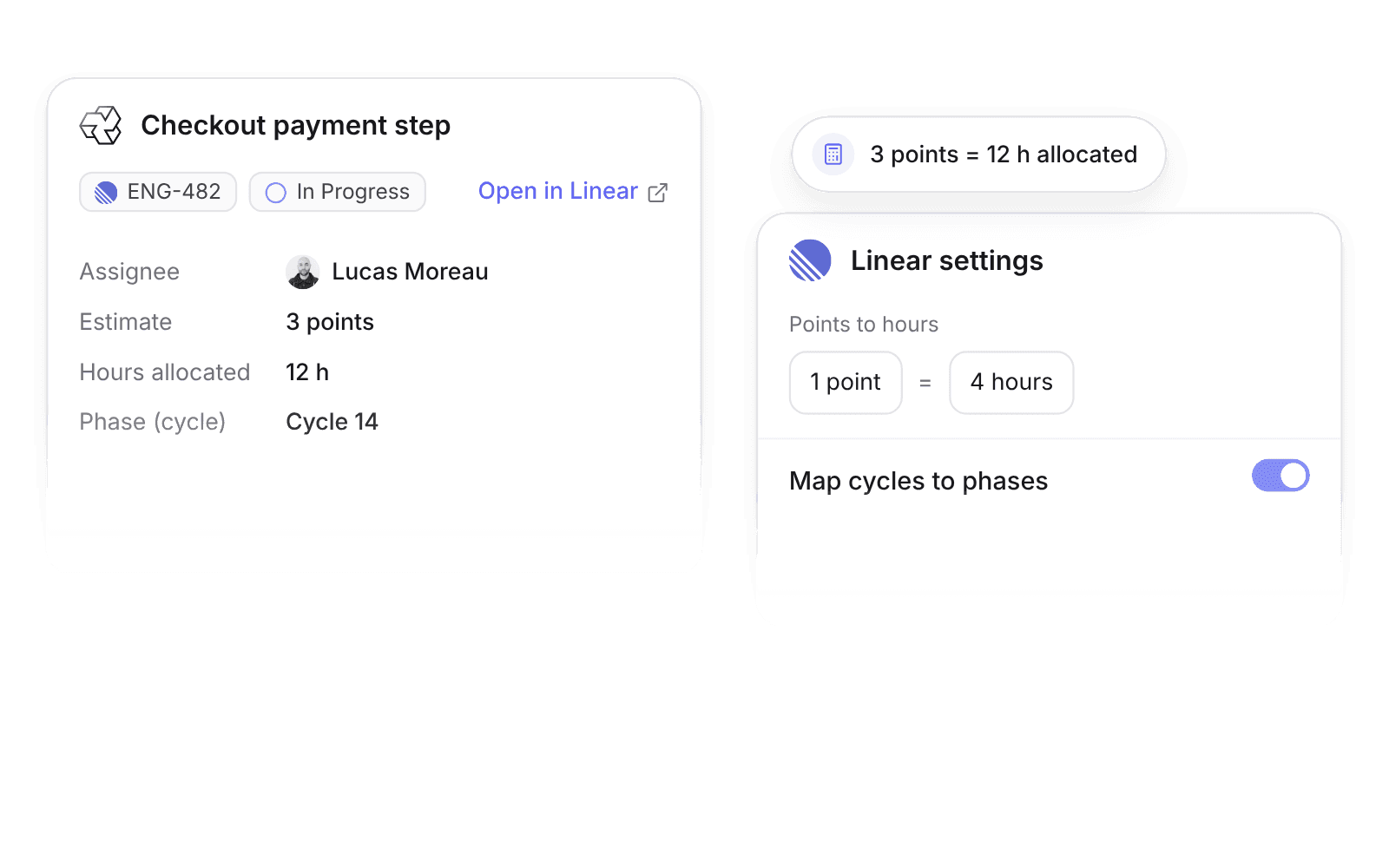
Pike integrates with Linear: Linear issues sync into Pike tasks in real time, estimate points become allocated hours, and cycles can become phases. Delivery leads plan capacity and track margin on the work engineers run in Linear.
Last updated · Read as Markdown

At a glance
- Direction
- Linear to Pike, in real time. Pike does not write back to Linear.
- Who sets it up
- Workspace admins.
- Source of truth
- Linear.
- Plan
- All plans
- Documentation
- Linear docs
What syncs between Linear and Pike
| Linear | Pike | Notes |
|---|---|---|
| Title and description | Task title and description | |
| Assignee | Assignee | Matched by email |
| Due date | Due date | |
| Estimate points | Hours allocated | At the ratio you set. Default: 1 point = 4 hours |
| Labels | Labels | |
| Workflow state | Task status | Through an editable status mapping |
| Cycle | Phase | When Map cycles to phases is on |
Each synced task shows the Linear identifier and an Open in Linear link.
How to connect Linear
- 1.Go to Workspace settings → Integrations → Linear, click Add integration, and authorize Linear.
- 2.Map each Linear team or project to a Pike project.
- 3.Set the points-to-hours ratio and the workflow state mapping.
Full setup steps and field mappings are in the Linear integration docs.
How agencies use Pike with Linear
- Turn estimates into capacity. Points become allocated hours on each engineer, so resource plans show who is over capacity before the cycle starts.
- Compare cycles on cost. With cycles mapped to phases, logged hours and cost add up per cycle in Pike.
- Keep engineers in Linear. Linear has no time log, so engineers log time in Pike against the synced task and everything else stays in Linear.
Limits to know before you connect
- Pike does not write back to Linear.
- Linear has no time log, so time logged in Pike stays in Pike.
Linear integration questions
Does Pike integrate with Linear?
Yes. Pike syncs Linear issues into Pike tasks in real time, with workflow states mapped to Pike statuses and estimate points turned into allocated hours.
How does Pike convert Linear points to hours?
The Linear integration multiplies estimate points by a ratio the admin sets. The default is 1 point = 4 hours.
Can Linear cycles show up as phases in Pike?
Yes. Turn on Map cycles to phases in the Linear integration, and each Linear cycle becomes a Pike phase.

See Pike and Linear working together on your data.
 ISO 27001
 GDPR
GDPR SOC 2 Type II
Built to keep sensitive client data secure and private.