

Project and development integration
Pike for Asana
sync tasks, or move off Asana once
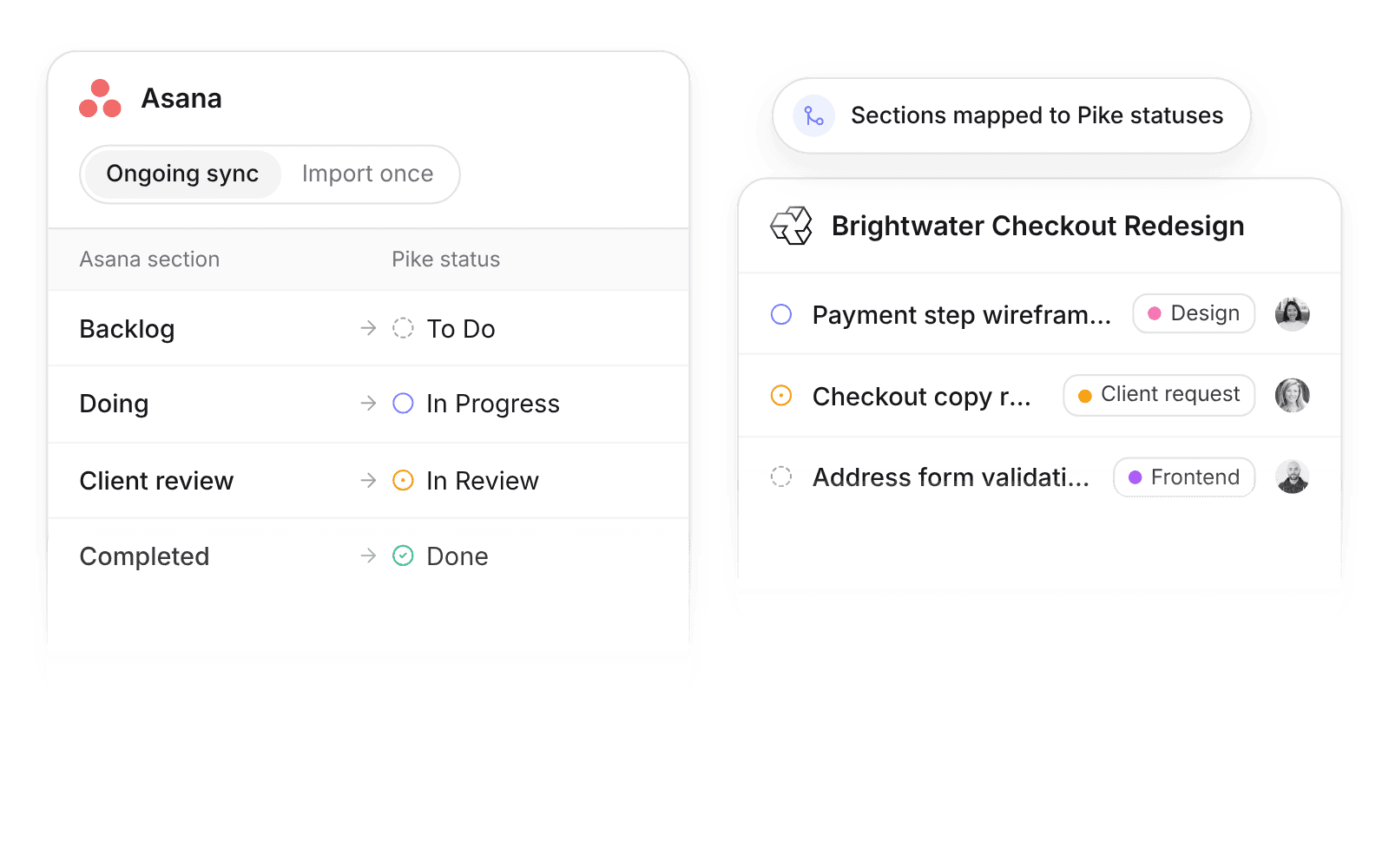
Pike integrates with Asana: Asana tasks, subtasks, and tags sync into Pike tasks in real time, or Import once copies whole Asana projects into Pike when you move off Asana. Pike adds the time, budgets, and margin Asana does not track.
Last updated · Read as Markdown

At a glance
- Direction
- Asana to Pike, in real time. Pike does not write back to Asana.
- Who sets it up
- Workspace admins.
- Source of truth
- Asana, while ongoing sync is on.
- Plan
- All plans
- Documentation
- Asana docs
What syncs between Asana and Pike
| Asana | Pike | Notes |
|---|---|---|
| Task name and notes | Task title and description | |
| Assignee | Assignee | Matched by email |
| Due date | Due date | |
| Subtasks | Subtasks | |
| Tags | Labels | |
| Section | Task status | Through an editable status mapping |
| Completed task | Done |
To move off Asana, choose Import once. It copies projects, sections, tasks, subtasks, and comments as text, then disconnects.
How to connect Asana
- 1.Go to Workspace settings → Integrations → Asana, click Add integration, and authorize your Asana workspace.
- 2.Map each Asana project to a Pike project, and map sections to Pike task statuses.
- 3.Choose ongoing sync, or Import once to copy projects and disconnect.
Full setup steps and field mappings are in the Asana integration docs.
How agencies use Pike with Asana
- Add time and margin to Asana plans. Teams keep planning in Asana while Pike tracks logged hours, budget burn, and margin on the same tasks.
- Run a pilot without a cutover. Sync one client team’s Asana projects into Pike, compare utilization reports for a month, then decide.
- Move off Asana in one step. Import once brings projects, tasks, subtasks, and comments into Pike, so admins skip the CSV mapping work.
Limits to know before you connect
- Pike does not write back to Asana.
- Attachments import as links, not files.
- Asana custom fields do not sync.
Asana integration questions
Does Pike integrate with Asana?
Yes. Pike syncs Asana tasks, subtasks, tags, assignees, and due dates into Pike tasks in real time, with Asana sections mapped to Pike task statuses.
Can I migrate from Asana to Pike?
Yes. The Asana integration’s Import once mode copies projects, sections, tasks, subtasks, and comments as text into Pike, then disconnects.
Does Pike update tasks in Asana?
No. The Pike Asana integration reads from Asana and does not write back.

See Pike and Asana working together on your data.
 ISO 27001
 GDPR
GDPR SOC 2 Type II
Built to keep sensitive client data secure and private.