

ERP integration
Pike for Business Central
sales orders become projects
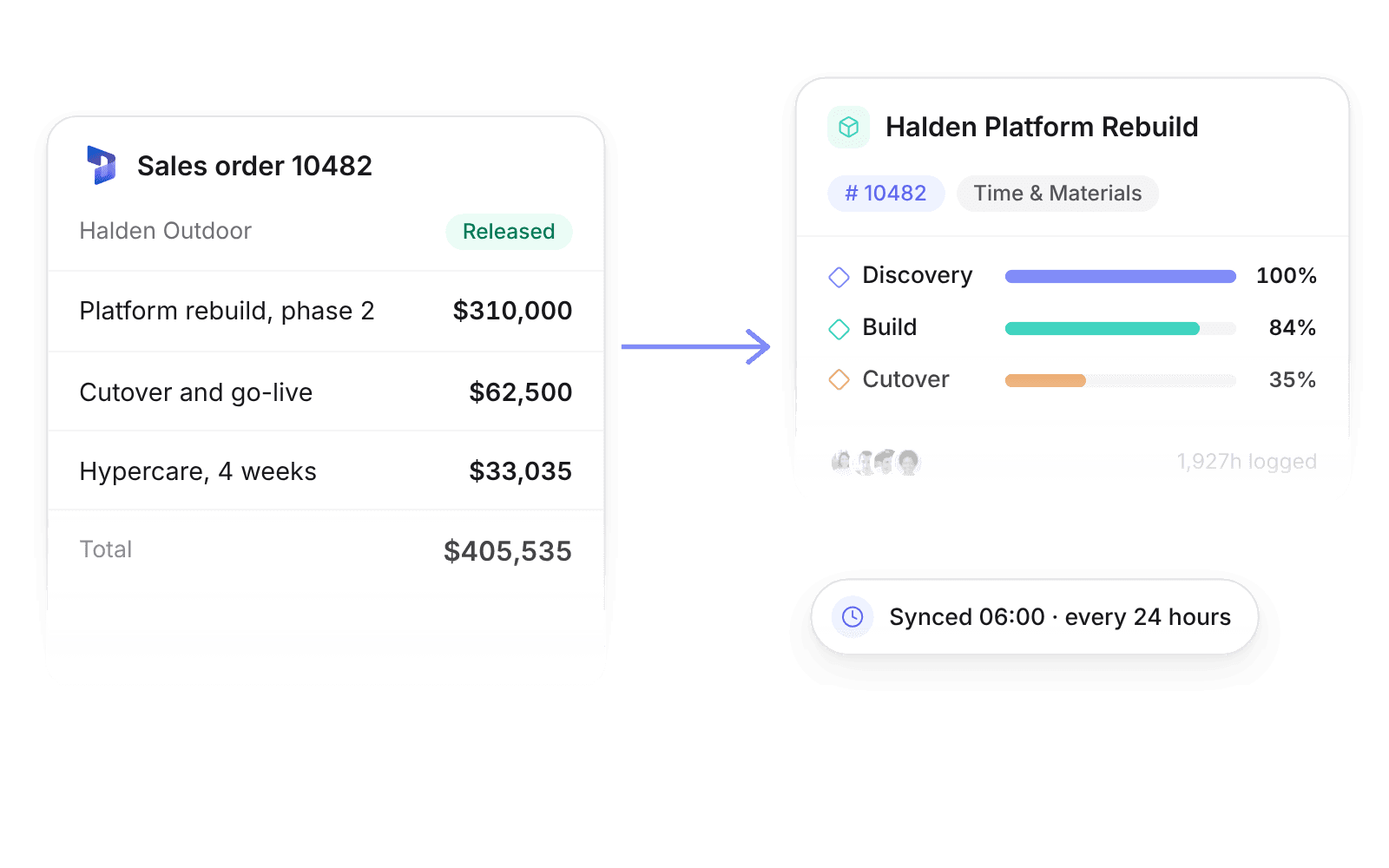
Confirmed sales orders become Pike projects, with customers, items, and posted invoices synced. Business Central stays your ledger; Pike runs delivery.
Last updated · Read as Markdown

At a glance
- Direction
- Business Central to Pike, on a schedule or on demand.
- Sync schedule
- Manual, or automatic every 24 hours by default. Contact support for a higher frequency.
- Source of truth
- Business Central for catalog, customer master data, and posted documents.
- Documentation
- Business Central docs
What syncs between Business Central and Pike
| Business Central | Pike |
|---|---|
| Sales orders | Projects, with the sales order No. as the project number |
| Customers | Customers |
| Items and resources | Products for quoting, invoicing, and reporting |
| Posted sales invoices and credit memos | Invoices next to projects and customers |
| Vendor and purchase documents | Bills and expenses, after review |
How to connect Business Central
- 1.Go to Workspace settings → Integrations → Business Central.
- 2.Click Add integration and authorise your tenant and company.
- 3.Run Import data, or set an automatic schedule in the integration settings.
Full setup steps and field mappings are in the Business Central integration docs.
How agencies use Pike with Business Central
- Start delivery from the sales order. The project number matches the sales order No., so finance and delivery use the same identifier.
- Track delivery economics. Time, allocations, and costs build up against the project while posting stays in Business Central.
- Assign spend to projects. Imported bills and expenses can be linked to the right project in Pike.
Limits to know before you connect
- Pike does not replace Business Central for general ledger posting or inventory.
- Update catalog and customer master data in Business Central, not Pike.
- The default sync runs once every 24 hours. Faster sync needs a request to Pike support.
Business Central integration questions
Does Pike integrate with Microsoft Dynamics 365 Business Central?
Yes. Pike imports sales orders as projects and syncs customers, items, posted invoices, credit memos, and vendor documents from Business Central.
How often does Business Central sync with Pike?
Manually on demand, or automatically every 24 hours by default. Pike support can raise the frequency.
Does Pike post to the general ledger?
No. Business Central stays the ERP for posting and inventory. Pike shows posted documents for visibility and project assignment.

See Pike and Business Central working together on your data.
 ISO 27001
 GDPR
GDPR SOC 2 Type II
Built to keep sensitive client data secure and private.