

Accounting integration
Pike for QuickBooks
invoices and costs on every project
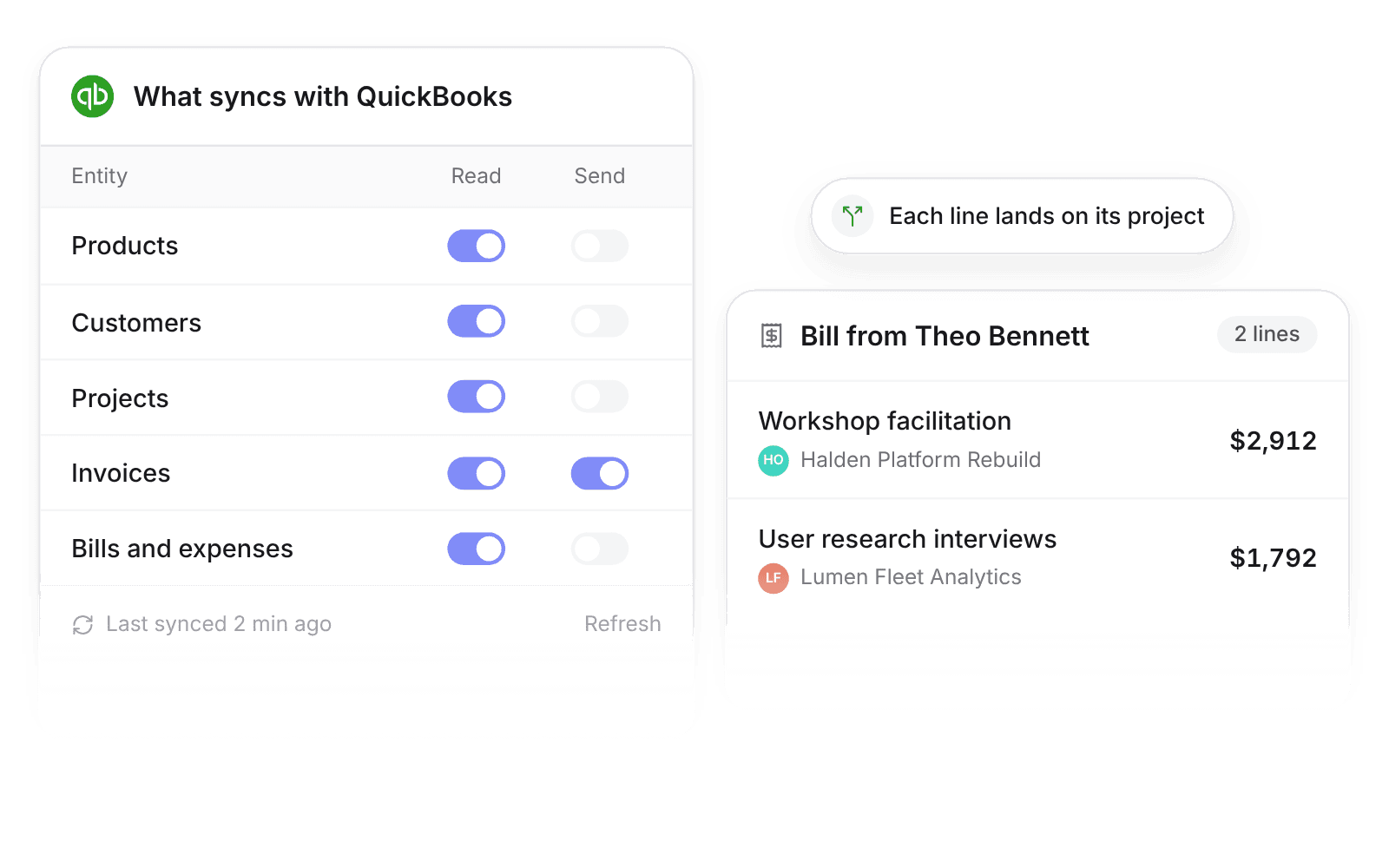
Import customers, projects, invoices, bills, and expenses from QuickBooks, and send invoices back. Each bill line lands on its project, so margin counts real costs.
Last updated · Read as Markdown

At a glance
- Direction
- QuickBooks to Pike for products, customers, projects, bills, and expenses. Both ways for invoices.
- Who sets it up
- Workspace admins and finance users.
- Source of truth
- QuickBooks, once a record is linked.
- Documentation
- QuickBooks docs
What syncs between QuickBooks and Pike
| QuickBooks | Pike | Direction |
|---|---|---|
| Products | Products | QuickBooks to Pike |
| Customers | Customers and primary contacts | QuickBooks to Pike |
| Projects (sub-customers marked as projects) | Projects, linked to their customer | QuickBooks to Pike |
| Invoices | Invoices | Both ways |
| Bills and purchases | Expenses, one per line, on the project named on the line | QuickBooks to Pike |
You review imported bills and expenses in a table before they land in Log → Expenses, where they can be assigned, approved, and reported on.
How to connect QuickBooks
- 1.Go to Workspace settings → Integrations → QuickBooks.
- 2.Click Add integration and authorise your QuickBooks account.
- 3.Click Import data. The importer runs products, customers, projects, invoices, expense categories, then expenses.
Full setup steps and field mappings are in the QuickBooks integration docs.
How agencies use Pike with QuickBooks
- See true project cost. Bills split across projects show on each project, so freelancer and media spend counts against project margin.
- Invoice from tracked work. Create the invoice in Pike from billable time and send it to QuickBooks, so nobody re-keys line items.
- Keep finance in QuickBooks. Your accountant keeps posting and reconciling in QuickBooks while delivery leads watch margin in Pike.
Limits to know before you connect
- Pike cannot create projects in QuickBooks. Refresh on an imported project updates its name only.
- After an invoice is sent to QuickBooks, changes happen in QuickBooks.
- QuickBooks allows one finance account per product, and the sync applies the account saved in QuickBooks.
- Importing products deactivates existing Pike products.
QuickBooks integration questions
Does Pike work with QuickBooks Online?
Yes. Admins and finance users connect QuickBooks under Workspace settings → Integrations, then import products, customers, projects, invoices, bills, and expenses.
Can I send invoices from Pike to QuickBooks?
Yes. Create the invoice in Pike and send it to QuickBooks. After that, edit it in QuickBooks.
Do QuickBooks bills show up on projects in Pike?
Yes. Each bill line imports as an expense on the project named on that line, so a bill split across projects appears on each one.

See Pike and QuickBooks working together on your data.
 ISO 27001
 GDPR
GDPR SOC 2 Type II
Built to keep sensitive client data secure and private.