

Accounting integration
Pike for Visma e-conomic
invoices from delivery to books
Sync customers, products, and invoices with Visma e-conomic, and send invoices from tracked time with the right VAT zone and payment terms.
Last updated · Read as Markdown

At a glance
- Direction
- e-conomic to Pike for products. Both ways for customers and invoices, controlled by Send toggles.
- Who sets it up
- Workspace admins and finance users.
- Source of truth
- e-conomic, once a record is linked.
- Documentation
- Visma e-conomic docs
What syncs between Visma e-conomic and Pike
| Entity | What syncs | Pike can send to e-conomic |
|---|---|---|
| Products | Name, price, SKU, unit, active state | No, read only |
| Customers | Name, tax number, EAN, currency | Yes, after you set customer defaults |
| Invoices | Status, dates, currency, exchange rate, customer | Yes, on by default |
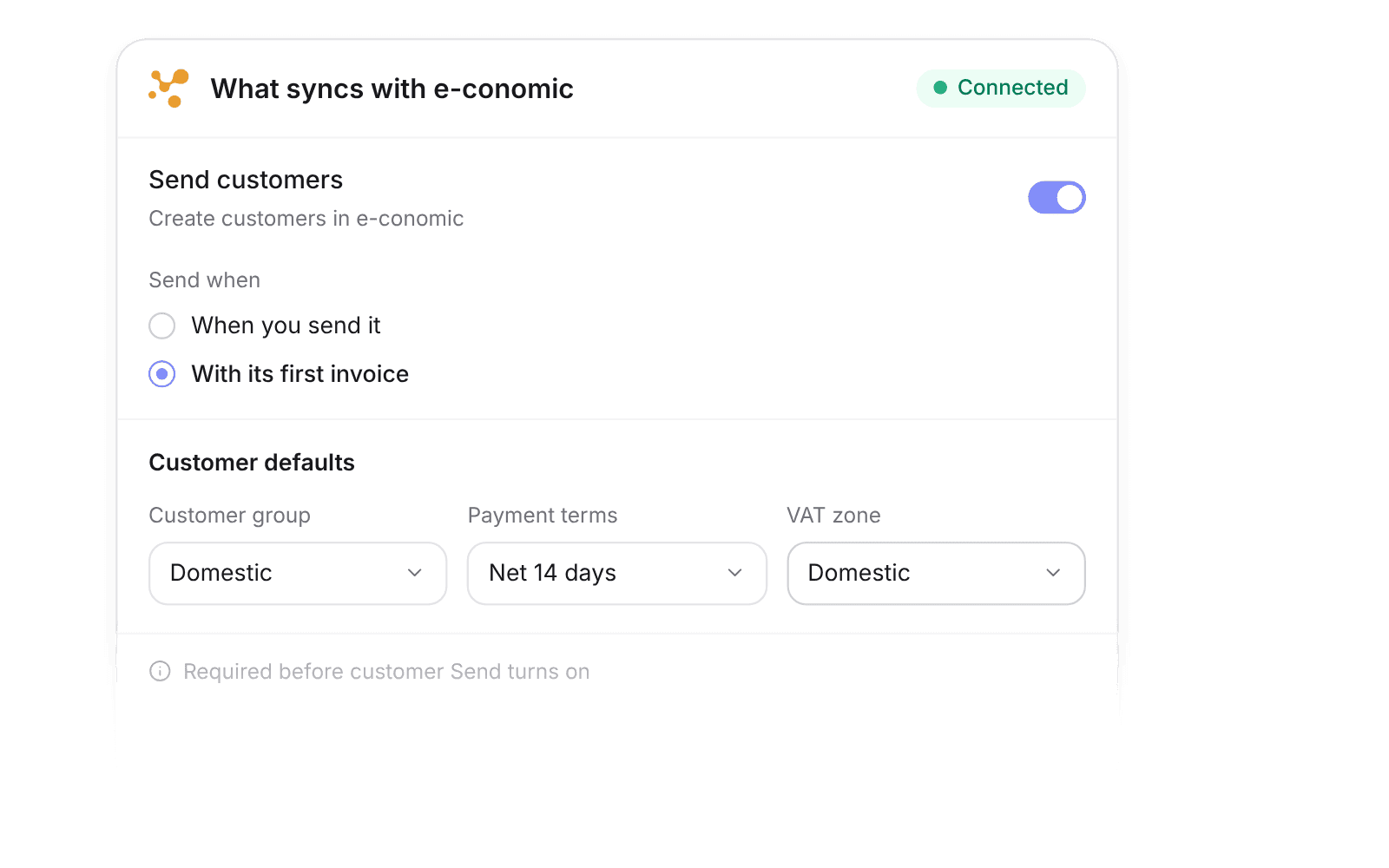
Sync settings control each direction. Every entity has Read and, where supported, Send toggles. New connections read everything and send invoices only. Once a record is linked, e-conomic owns it and Pike reads it back.
Before Pike can send customers, choose a customer group, payment terms, and VAT zone. The options load live from e-conomic.
How to connect Visma e-conomic
- 1.Go to Workspace settings → Integrations → Visma e-conomic.
- 2.Click Add integration and authorise your e-conomic agreement.
- 3.Click Import data to import products, customers, and invoices.
Full setup steps and field mappings are in the Visma e-conomic integration docs.
How agencies use Pike with Visma e-conomic
- Bill from tracked time. Invoices built from logged hours in Pike go to e-conomic without re-keying.
- Report on revenue by project. Invoices synced from e-conomic sit next to projects and customers in Pike dashboards.
- Keep VAT and posting in e-conomic. Your bookkeeper keeps e-conomic as the ledger.
Limits to know before you connect
- The integration covers customers, invoices, and products. It does not sync bills.
- Pike cannot create products in e-conomic, and importing products deactivates existing Pike products.
- After an invoice is sent to e-conomic, changes happen in e-conomic.
Visma e-conomic integration questions
Does Pike integrate with Visma e-conomic?
Yes. Pike syncs customers, products, and invoices with Visma e-conomic and sends invoices created in Pike to e-conomic.
Does the e-conomic integration sync bills or expenses?
No. It covers customers, invoices, and products only.
Can Pike create customers in e-conomic?
Yes. Turn on customer Send after choosing a customer group, payment terms, and VAT zone in the sync settings.

See Pike and Visma e-conomic working together on your data.
 ISO 27001
 GDPR
GDPR SOC 2 Type II
Built to keep sensitive client data secure and private.