

Accounting integration
Pike for Xero
send invoices from tracked work
Sync products, customers, and invoices with Xero, and send invoices built from tracked time without re-keying.
Last updated · Read as Markdown

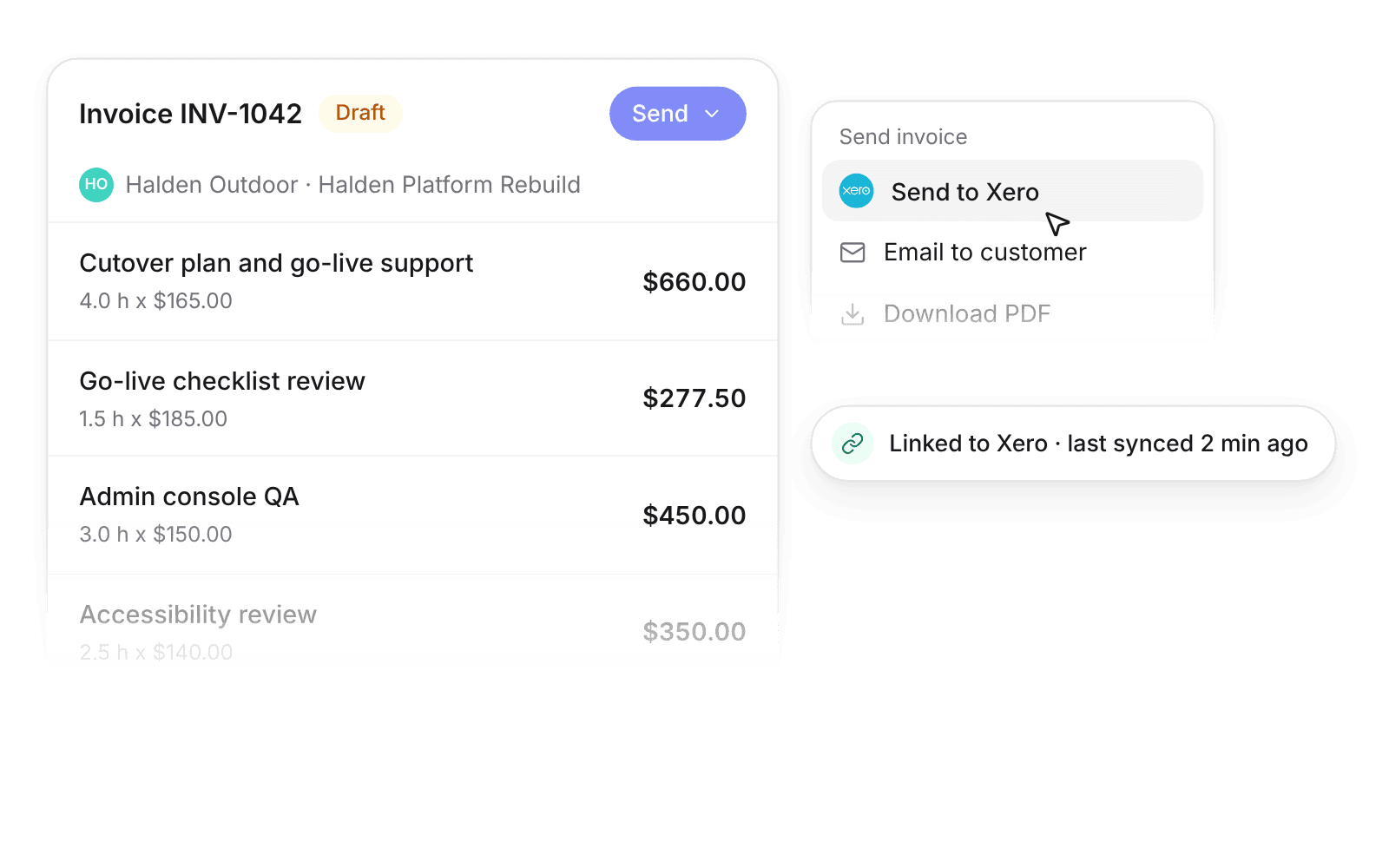
At a glance
- Direction
- Xero to Pike for products. Both ways for customers and invoices, controlled by Send toggles.
- Who sets it up
- Workspace admins and finance users.
- Source of truth
- Xero, once a record is linked.
- Documentation
- Xero docs
What syncs between Xero and Pike
| Entity | What syncs | Pike can send to Xero |
|---|---|---|
| Products | Name, price, SKU, unit, active state | No, read only |
| Customers | Name, tax number, currency | Yes, when Send is on |
| Invoices | Status, dates, currency, exchange rate, customer | Yes, on by default |
Sync settings control each direction. Every entity has Read and, where supported, Send toggles. New connections read everything and send invoices only. Once a record is linked, Xero owns it and Pike reads it back.
How to connect Xero
- 1.Go to Workspace settings → Integrations → Xero.
- 2.Click Add integration and authorise Xero.
- 3.Set Read and Send for products, customers, and invoices in the sync settings card.
Full setup steps and field mappings are in the Xero integration docs.
How agencies use Pike with Xero
- Invoice from billable time. Build invoices in Pike from logged hours and send them to Xero, without re-keying.
- Create customers on first invoice. Set customers to send with their first invoice, so new clients appear in Xero when you bill them.
- Keep books in Xero. Finance keeps Xero as the ledger while project leads track budget and margin in Pike.
Limits to know before you connect
- Pike cannot create products in Xero.
- Invoices reach Xero only when someone sends them. Emailing an invoice from Pike does not send it to Xero.
- Only admins and finance can change sync settings.
Xero integration questions
Does Pike integrate with Xero?
Yes. Pike syncs products, customers, and invoices with Xero, and sends invoices created in Pike to Xero.
Can Pike create customers in Xero?
Yes, when customer Send is on. Send each customer yourself, or have Pike create the customer in Xero with its first invoice.
Does emailing an invoice from Pike send it to Xero?
No. An invoice reaches Xero only when someone sends it to Xero from the invoice Send menu.
See Pike and Xero working together on your data.
 ISO 27001
 GDPR
GDPR SOC 2 Type II
Built to keep sensitive client data secure and private.