


Pike and
Ajera
Import clients, projects, phases, and time from Deltek Ajera, and keep your history when you switch.

At a glance
- Direction
- Ajera to Pike. Pike does not write to Ajera.
- Who sets it up
- Workspace admins.
- Keep syncing
- Off by default. Imports new time every 3 hours when on.
- Plan
- All plans
- Documentation
- Deltek Ajera docs
What syncs between Deltek Ajera and Pike
| Deltek Ajera | Pike | Notes |
|---|---|---|
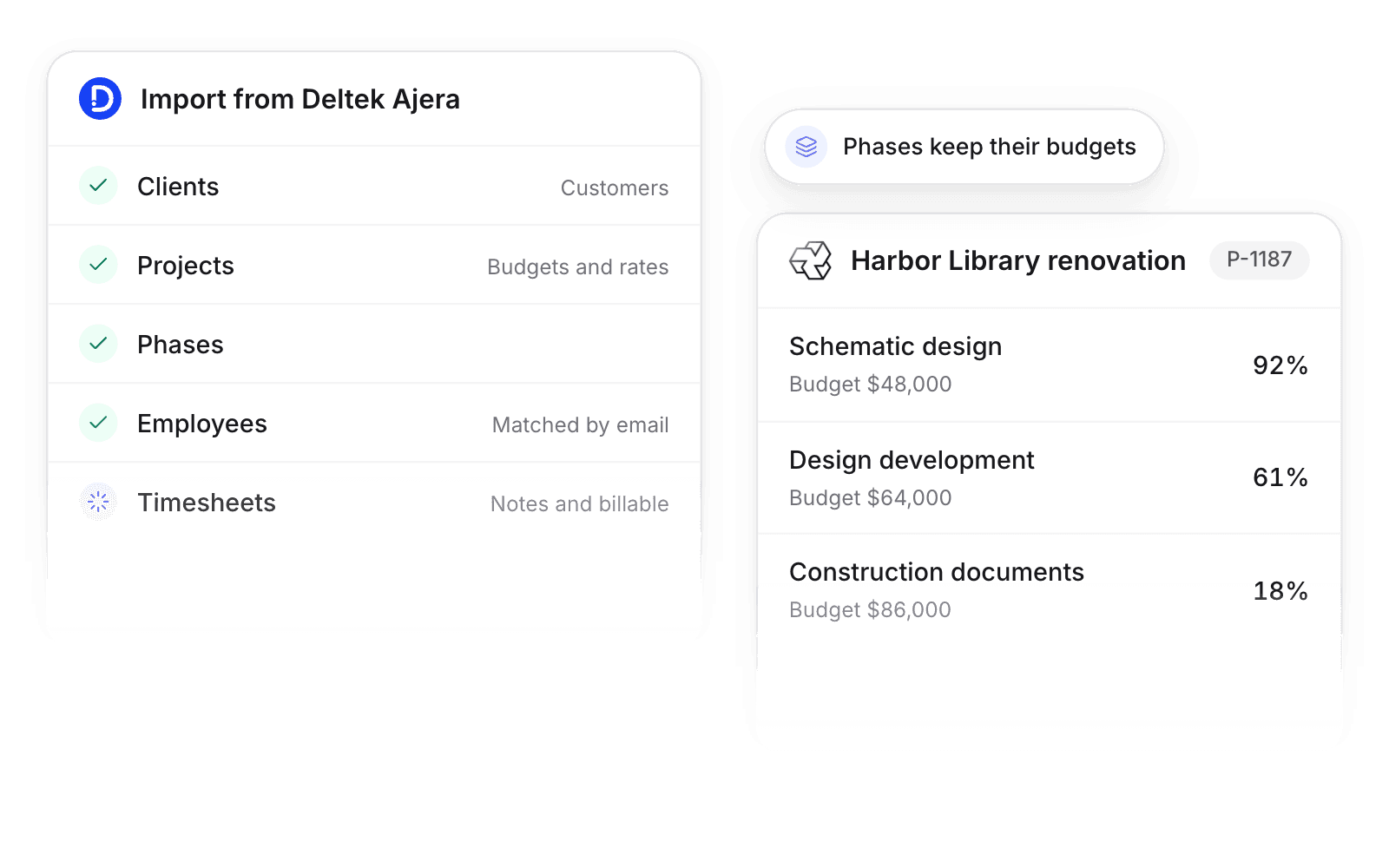
| Clients | Customers | |
| Projects | Projects | Billing type, budget, and hourly rates |
| Phases | Phases | With budget, under the matching project |
| Employees | Members | Matched by email |
| Timesheet entries | Time entries | With notes and billable flag |
| Invoices | Read-only invoice history |
Set up and use Deltek Ajera
Connect
- 1.In Ajera, create an API user with read access to clients, projects, and employees.
- 2.Go to Workspace settings → Integrations → Deltek Ajera, click Add integration, and enter your Ajera API URL and the API user.
- 3.Click Import data. Turn on Keep syncing to import new time every 3 hours while teams switch.
How to use it in your business
- Keep phase budgets. Projects arrive with their phases, so phase burn and margin in Pike pick up from where Ajera left off.
- Move one team at a time. With Keep syncing on, Pike imports new Ajera time every 3 hours, so one team can log in Pike while the rest finish the billing period in Ajera.
Limits
- Invoices from Ajera import as read-only history.
- Pike does not write to Ajera.
Setup steps and field mappings: Deltek Ajera docs.
Deltek Ajera integration questions
Can I import my Deltek Ajera data into Pike?
Yes. Pike imports clients, projects with their phases, budgets, and rates, employees, and timesheet entries with notes and billable flag.
Do Ajera phases come across?
Yes. Each Ajera phase becomes a phase on the matching Pike project.
Can I run Ajera and Pike side by side while we switch?
Yes. Turn on Keep syncing in the Ajera integration, and Pike imports new Ajera time entries every 3 hours, or in real time on the Enterprise plan.

See Pike and Deltek Ajera working together on your data.
 ISO 27001
 GDPR
 SOC 2 Type II
Built to keep sensitive client data secure and private.