

Proposals integration
Pike for DocuSign and PandaDoc
signed deals, ready to staff
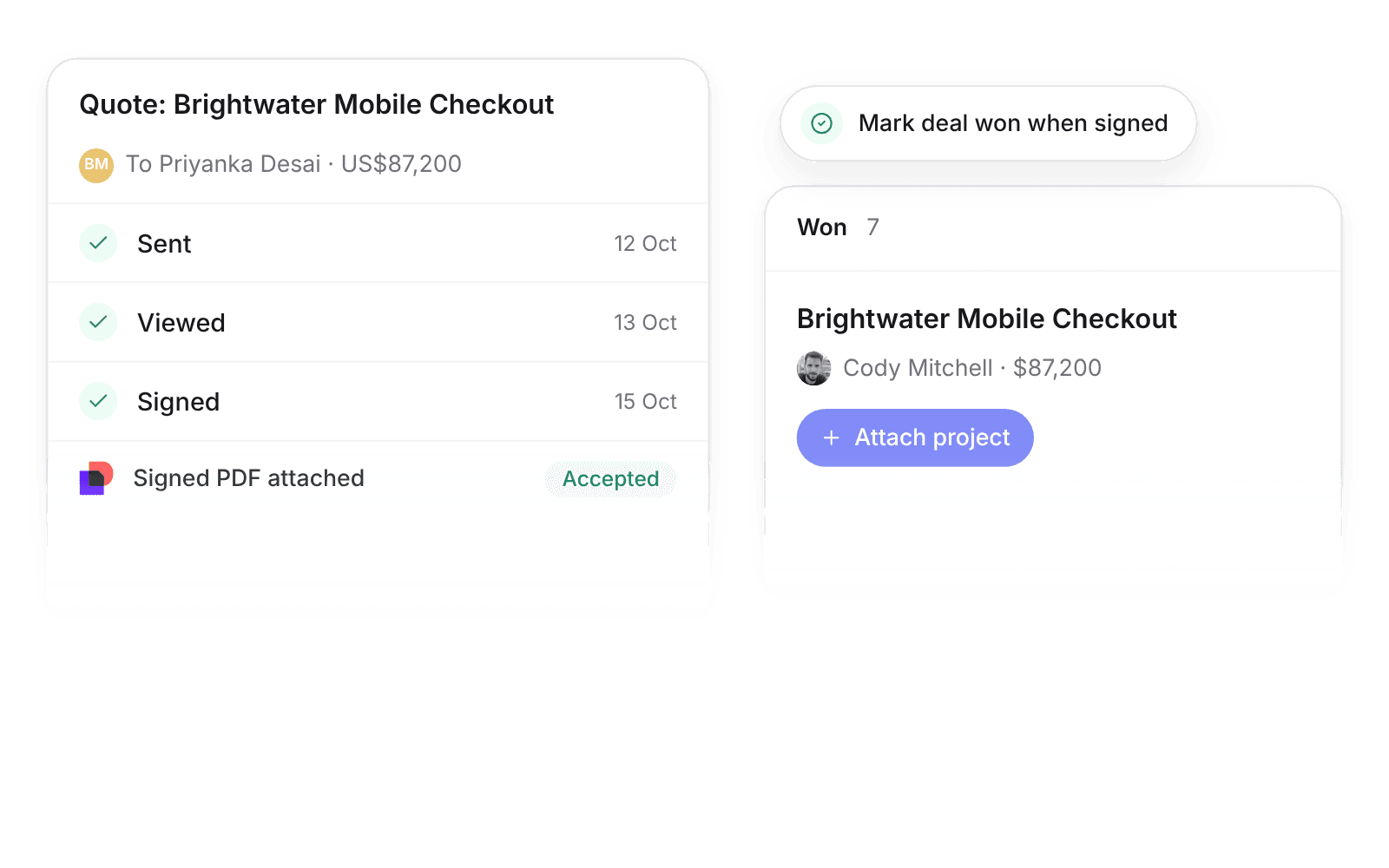
Pike integrates with DocuSign and PandaDoc: send a Pike quote for signature with DocuSign, or link a PandaDoc document to a deal, and status updates in real time. When the client signs, the deal can move to Won, ready to attach a project.
Last updated · Read as Markdown

At a glance
- Direction
- Pike to DocuSign for quotes. DocuSign and PandaDoc to Pike for status, in real time.
- Who sets it up
- Workspace admins.
- Source of truth
- DocuSign or PandaDoc, for signature status.
- Plan
- All plans
- Documentation
- DocuSign docs and PandaDoc docs
What syncs between DocuSign and PandaDoc and Pike
| Integration | How it starts | When signed or completed |
|---|---|---|
| DocuSign | Send for signature on a Pike quote creates an envelope with the quote PDF, addressed to the quote recipient | The signed PDF attaches to the deal and customer, the quote is marked Accepted, and the deal moves to Won if Mark deal won when signed is on (the default) |
| PandaDoc | Link a PandaDoc document to a Pike deal, from the deal or by pasting the document URL | The deal moves to Won if Mark deal won when completed is on. The document total becomes the deal value if Update deal value is on |
DocuSign status (sent, viewed, signed, declined) arrives through DocuSign Connect. PandaDoc status (draft, sent, viewed, completed) arrives through webhooks.
How to connect DocuSign and PandaDoc
- 1.Go to Workspace settings → Integrations → DocuSign or PandaDoc, click Add integration, and authorize.
- 2.For DocuSign, open a quote and click Send for signature.
- 3.For PandaDoc, link a document to a deal from the deal, or paste the document URL.
Full setup steps and field mappings are in the DocuSign integration docs and PandaDoc integration docs.
How agencies use Pike with DocuSign and PandaDoc
- Staff the project the day it is signed. Signed deals move to Won, so resource managers attach the project and book people without waiting for a sales handoff.
- Keep the signed copy with the client. The signed PDF attaches to the deal and customer, so account leads find the contract next to the project.
- Forecast from accurate deal values. With Update deal value on, the PandaDoc total sets the deal value, so pipeline numbers match what the client signed.
Limits to know before you connect
- DocuSign sends the Pike quote PDF as the envelope. Build other documents in DocuSign.
- Pike links existing PandaDoc documents. Create documents in PandaDoc.
DocuSign and PandaDoc integration questions
Does Pike integrate with DocuSign?
Yes. Send for signature on a Pike quote creates a DocuSign envelope with the quote PDF, and DocuSign status updates Pike in real time through DocuSign Connect.
Does Pike integrate with PandaDoc?
Yes. Link a PandaDoc document to a Pike deal, and PandaDoc status updates the deal in real time. A completed document can move the deal to Won.
What happens in Pike when a client signs a DocuSign quote?
The signed DocuSign PDF attaches to the deal and customer, the quote is marked Accepted, and with Mark deal won when signed on, the deal moves to Won.

See Pike and DocuSign and PandaDoc working together on your data.
 ISO 27001
 GDPR
GDPR SOC 2 Type II
Built to keep sensitive client data secure and private.