

CRM integration
Pike for HubSpot
from won deal to staffed project
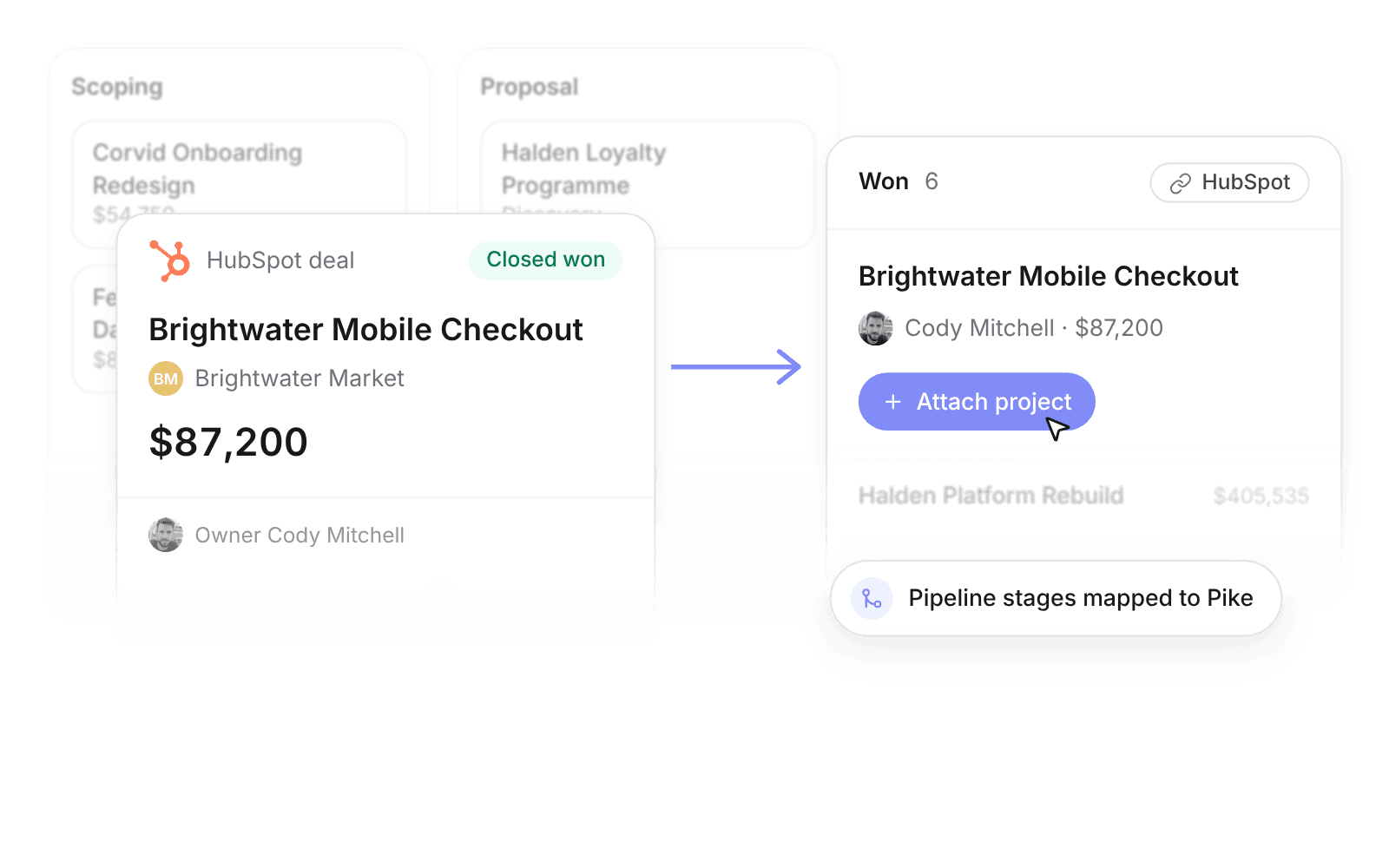
Sync HubSpot companies, contacts, and deals into Pike. When a deal is won, attach a project and staff it.
Last updated · Read as Markdown

At a glance
- Direction
- HubSpot to Pike.
- Who sets it up
- Workspace admins.
- Source of truth
- HubSpot for CRM fields. Pike-only fields, such as the linked project, stay in Pike.
- Documentation
- HubSpot docs
What syncs between HubSpot and Pike
| HubSpot | Pike | Mapping |
|---|---|---|
| Companies | Customers | Matched by HubSpot company id; name, domain, and address |
| Contacts on a company | Customer contacts | Name, email, and phone |
| Deals | Deals | Name to title, amount to value |
| Pipeline stages | Deal stages | Mapped in the integration settings |
| Deal owners | Deal owners | Matched by email to a workspace member |
How to connect HubSpot
- 1.Go to Workspace settings → Integrations → HubSpot.
- 2.Click Add integration, complete the OAuth flow, and choose the HubSpot portal.
- 3.Map HubSpot pipeline stages to Pike deal stages, then run Import data.
Full setup steps and field mappings are in the HubSpot integration docs.
How agencies use Pike with HubSpot
- See demand before it lands. Open deals in Pike show delivery leads what work is coming, so they can plan capacity before the contract is signed.
- Hand off without re-keying. A deal won in HubSpot shows as Won in Pike, where you attach the project.
- Keep one CRM. Sales and marketing stay in HubSpot; Pike does not ask them to change tools.
Limits to know before you connect
- Edit company, contact, and deal fields in HubSpot. Each sync brings HubSpot’s values into Pike.
- Owners map only when the HubSpot user’s email matches a Pike member.
HubSpot integration questions
Does Pike integrate with HubSpot?
Yes. Pike syncs HubSpot companies, contacts, and deals into Pike customers and deals, with pipeline stages mapped in the integration settings.
What happens when a HubSpot deal is won?
The deal shows as Won in Pike, and you attach a project to start delivery, staffing, and time tracking.
Can I use HubSpot and QuickBooks together with Pike?
Yes. Use HubSpot as the source for pipeline and CRM identity, and the accounting integration as the source for posted invoices.

See Pike and HubSpot working together on your data.
 ISO 27001
 GDPR
GDPR SOC 2 Type II
Built to keep sensitive client data secure and private.