

Payments integration
Pike for Stripe
clients pay invoices online
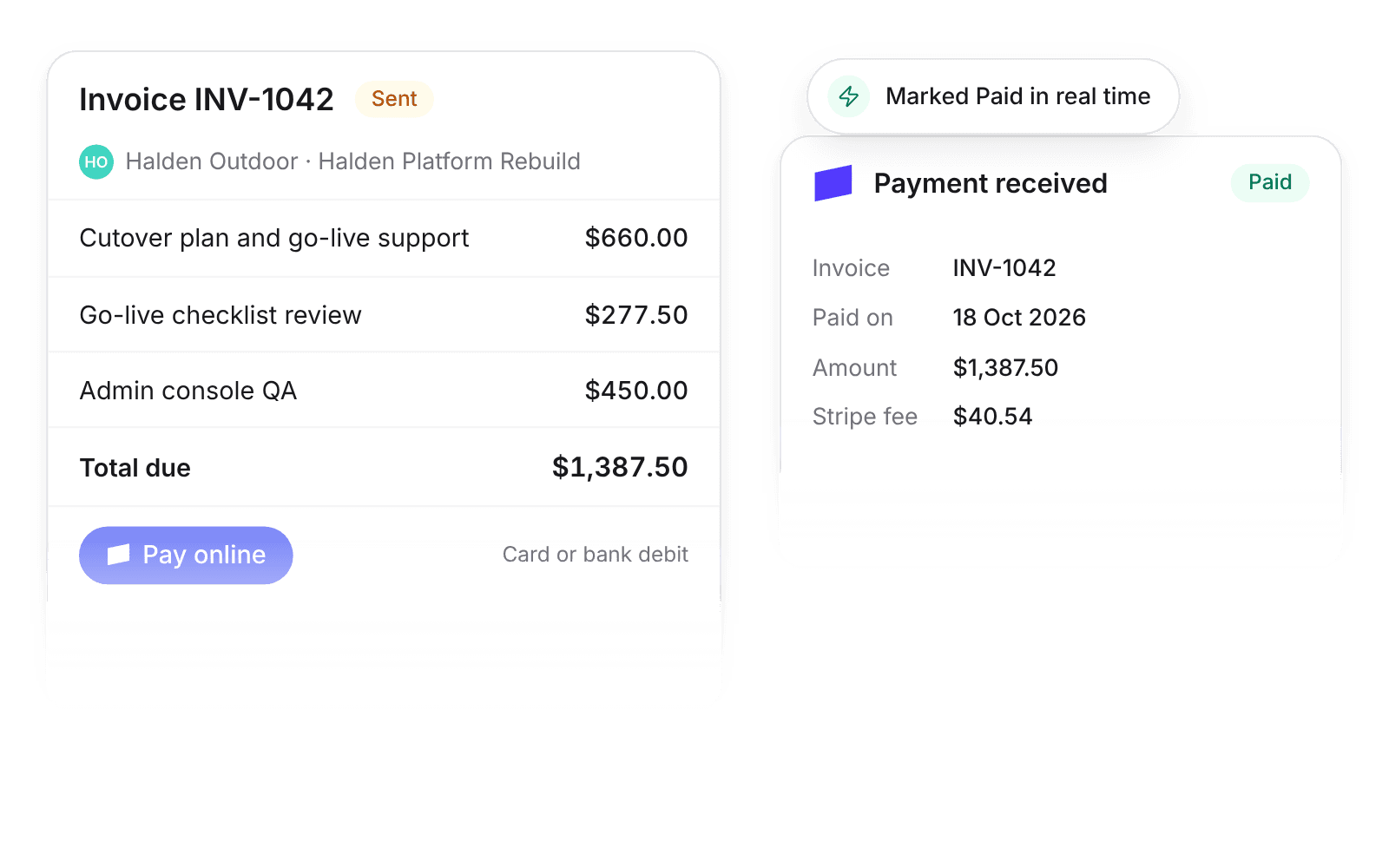
Pike integrates with Stripe: every invoice sent from Pike carries a Pay online link and button, and Stripe payments, partial payments, refunds, and disputes update the invoice in real time. Clients pay faster, which shortens days sales outstanding (DSO) and improves cash flow.
Last updated · Read as Markdown

At a glance
- Direction
- Stripe to Pike for payment updates, in real time.
- Who sets it up
- A workspace admin connects an existing Stripe account through Stripe Connect. Admins and finance users change the Stripe settings.
- Source of truth
- Stripe for payments. Reconciliation stays in your accounting system.
- Plan
- All plans
- Documentation
- Stripe docs
What syncs between Stripe and Pike
| Stripe event | Pike invoice |
|---|---|
| Successful payment | Marked Paid, with payment date, amount, and Stripe fee |
| Partial payment | Recorded as partial. The balance stays due |
| Refund | Status updated, and shown in the invoice activity |
| Dispute | Status updated, and shown in the invoice activity |
With Stripe connected, every invoice sent from Pike includes a Pay online link and button in the email and on the PDF. The link opens a Stripe-hosted payment page in the invoice currency, with the payment methods enabled in your Stripe account: card, and bank debits or transfers where Stripe supports them.
If the invoice also syncs to an accounting integration, Pike records the Stripe payment for visibility. Reconciliation stays in the accounting system, through its own Stripe feed. Pike does not post Stripe payments to accounting.
How to connect Stripe
- 1.Go to Workspace settings → Integrations → Stripe and click Add integration.
- 2.Connect your existing Stripe account through Stripe Connect.
- 3.Show Pay online on invoices is on for all customers. Turn it off per customer where you need to.
Full setup steps and field mappings are in the Stripe integration docs.
How agencies use Pike with Stripe
- Get paid sooner. A card or bank payment link on every invoice removes the bank-transfer step for clients, which shortens DSO.
- Stop chasing paid invoices. Paid invoices flip to Paid with the date and fee, so finance follows up only on what is still open.
- See cash, not just billing. Partial payments, refunds, and disputes show on the invoice, so the cash position in Pike matches Stripe.
Limits to know before you connect
- Stripe payouts and balances do not sync.
- Pike does not create subscriptions in Stripe.
- Pike does not post Stripe payments to accounting. Reconcile through your accounting system’s own Stripe feed.
Stripe integration questions
Does Pike integrate with Stripe?
Yes. With Stripe connected, every invoice sent from Pike includes a Pay online link, and Stripe payments, refunds, and disputes update the invoice in Pike in real time.
Which payment methods can clients use on Pike invoices with Stripe?
The Stripe payment page offers the methods enabled in your Stripe account: card, and bank debits or transfers where Stripe supports them.
Can I hide the Stripe Pay online link for some customers?
Yes. The Stripe setting Show Pay online on invoices is on for all customers by default, and you can turn it off per customer.
Does Pike send Stripe payments to QuickBooks or Xero?
No. Pike records Stripe payments on the invoice for visibility, and reconciliation stays in your accounting system through its own Stripe feed.
See Pike and Stripe working together on your data.
 ISO 27001
 GDPR
GDPR SOC 2 Type II
Built to keep sensitive client data secure and private.