



Pike and
your email and calendar
Log meetings from your calendar, turn emails into tasks, and see your plan in Google or Outlook.

At a glance
- Setup
- Admin turns it on. Each member connects an account.
- Calendar
- Outlook and Google Calendar.
- Email add-in
- Outlook and Gmail.
- Documentation
- Outlook docs, Gmail docs, and Google Calendar docs
What syncs between Outlook, Gmail, and Google Calendar and Pike
| Feature | What it does | Works with |
|---|---|---|
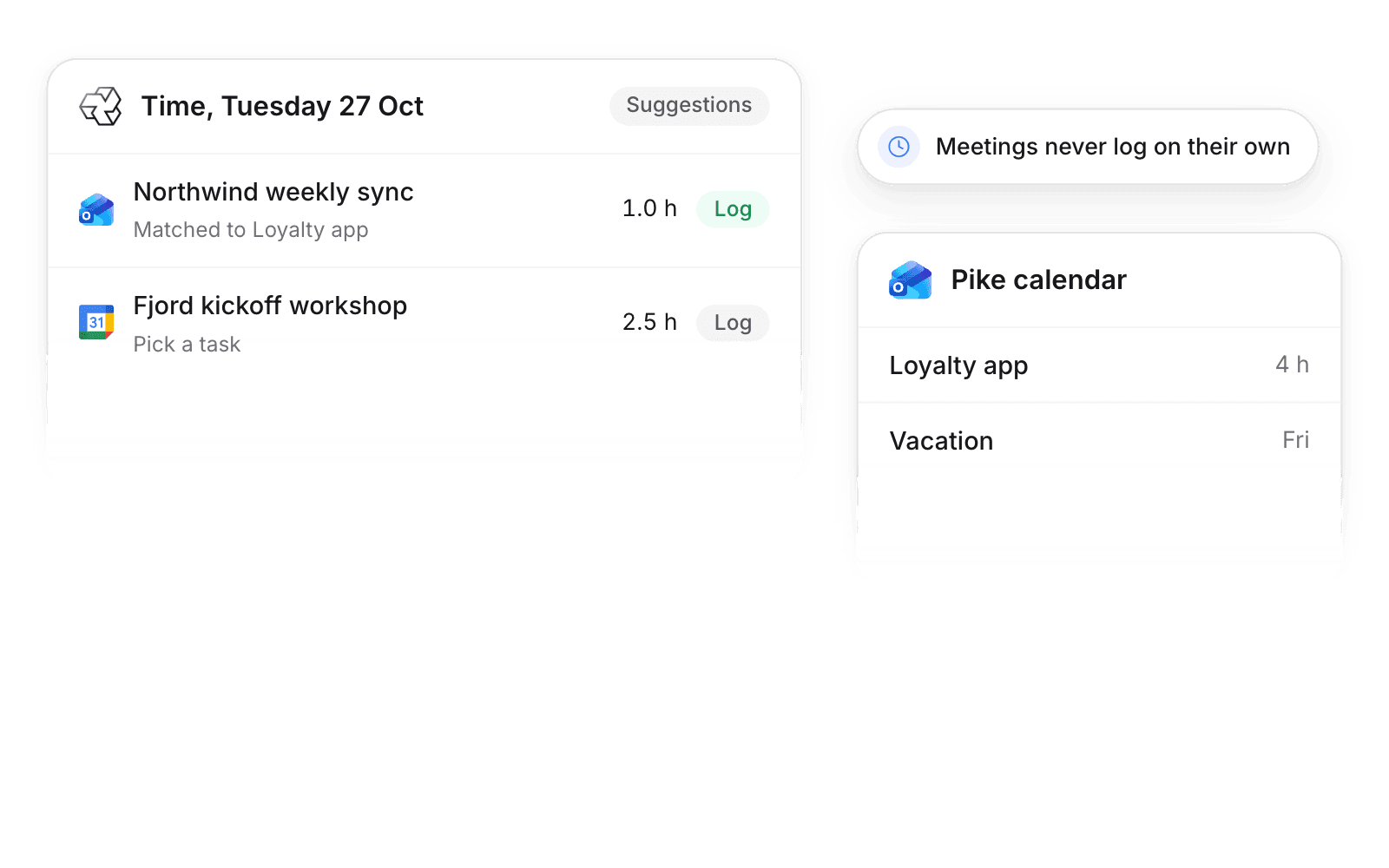
| Calendar suggestions | Meetings show as suggested time entries, matched to a task where possible | Outlook, Google Calendar |
| Pike calendar | Your allocations and approved time off on a read-only calendar | Outlook, Google Calendar |
| Email add-in | Create a task from an email, log time, and see the sender’s projects | Outlook, Gmail |
A meeting becomes a time entry only when the member saves it. Calendar events never change capacity.
Set up and use Outlook, Gmail, and Google Calendar
Connect
- 1.Go to Workspace settings → Integrations and turn on Outlook, Gmail, or Google Calendar.
- 2.Each member connects their account under Settings → Connections.
- 3.Pick Calendar suggestions, Pike calendar, or both.
How to use it in your business
- Stop losing meeting time. Client meetings show as suggestions, so billable calls get logged, not written off.
- See your plan where you live. Allocations and time off sit on the calendar people already check.
Limits
- Shared, delegated, and secondary calendars are not read.
- Pike reads an email only when you open the add-in on it.
Setup steps and field mappings: Outlook docs, Gmail docs, and Google Calendar docs.
Outlook, Gmail, and Google Calendar integration questions
Does Pike integrate with Outlook and Google Calendar?
Yes. Meetings show in the Pike timesheet as time suggestions, and allocations and time off appear in a Pike calendar.
Does Pike log meetings automatically?
No. Meetings show as suggestions. Only entries a member saves count toward timesheets.
Is there a Pike add-in for Gmail and Outlook?
Yes. The add-in creates a task from an email, logs time, and shows the sender’s projects.

See Pike and Outlook, Gmail, and Google Calendar working together on your data.
 ISO 27001
 GDPR
 SOC 2 Type II
Built to keep sensitive client data secure and private.