




Pike and
your file storage
Attach files from Google Drive, SharePoint, OneDrive, or Dropbox to projects and tasks.

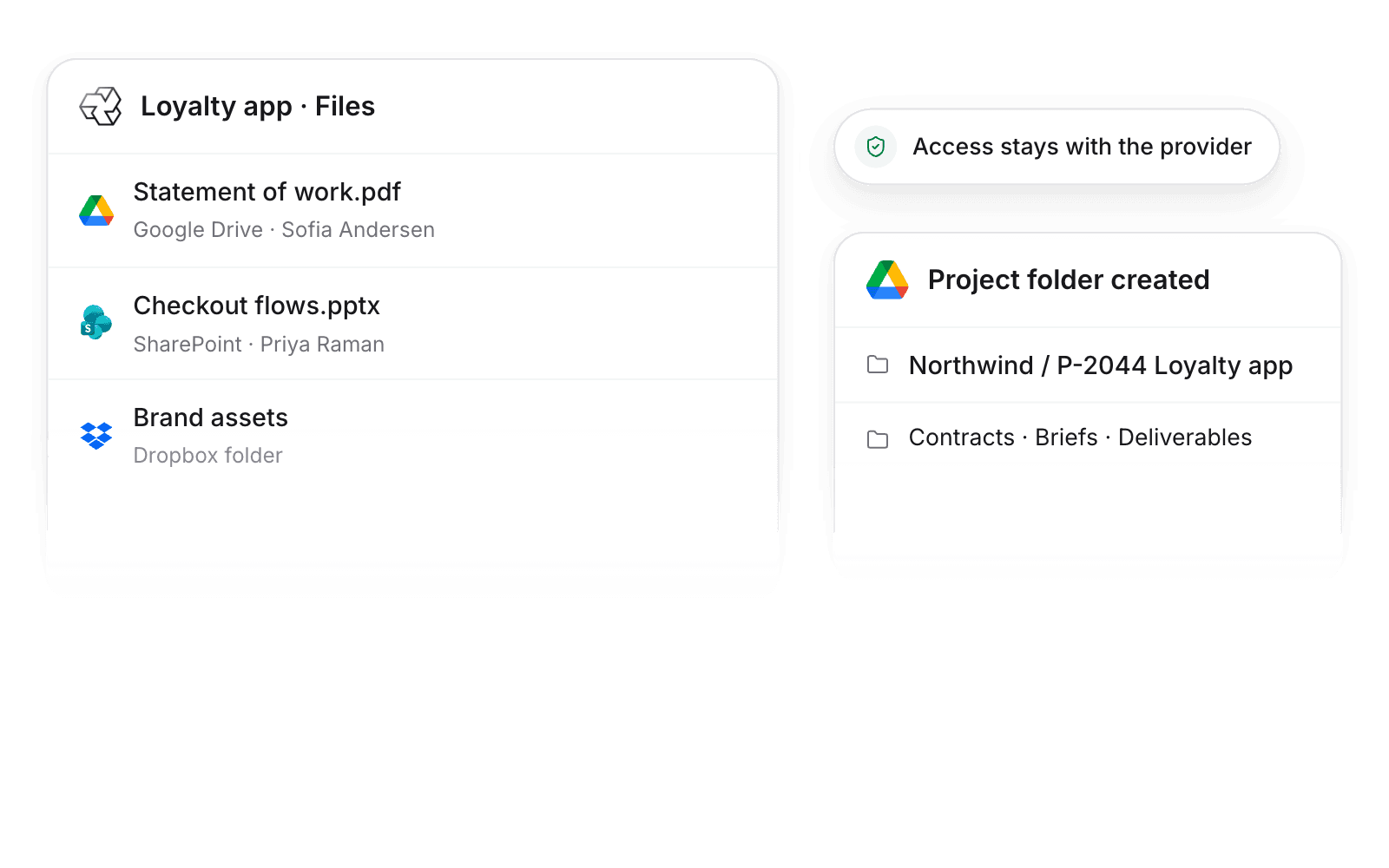
At a glance
- Setup
- Admin turns it on. Each member connects an account.
- Project folders
- Google Drive, SharePoint, and Dropbox.
- Permissions
- The file provider decides who can open each file.
- Documentation
- Google Drive docs, SharePoint docs, OneDrive docs, and Dropbox docs
What syncs between Google Drive, SharePoint, OneDrive, and Dropbox and Pike
| Feature | What it does | Works with |
|---|---|---|
| Attach files and folders | Link files to projects, tasks, and customers from the provider’s picker | All four |
| Link previews | Pasted links show as preview cards in tasks and comments | All four |
| Project folders | A folder with template subfolders for every new project | Google Drive, SharePoint, Dropbox |
Pike stores links, not files. Renaming a project renames its folder.
Set up and use Google Drive, SharePoint, OneDrive, and Dropbox
Connect
- 1.Go to Workspace settings → Integrations and turn on Google Drive, SharePoint, OneDrive, or Dropbox.
- 2.Each member connects their account under Settings → Connections.
- 3.Turn on Create project folders and choose where they go.
How to use it in your business
- Find the brief in seconds. Contracts and briefs sit on the project and task, not in shared drives.
- Start every project the same way. Each new project gets its template’s folders, so nobody builds them by hand.
Limits
- Pike links to files. It does not copy or store them.
- OneDrive does not get project folders. Use SharePoint for shared folders.
Setup steps and field mappings: Google Drive docs, SharePoint docs, OneDrive docs, and Dropbox docs.
Google Drive, SharePoint, OneDrive, and Dropbox integration questions
Does Pike integrate with Google Drive and SharePoint?
Yes. Attach files and folders to projects, tasks, and customers, and create a folder for every new project.
Does Pike store our files?
No. Pike stores links. Files stay with the provider, which decides who can open them.

See Pike and Google Drive, SharePoint, OneDrive, and Dropbox working together on your data.
 ISO 27001
 GDPR
 SOC 2 Type II
Built to keep sensitive client data secure and private.