


Pike and
Employment Hero
Sync employees, leave, and work hours from Employment Hero, and pay hourly staff from approved hours.

At a glance
- Direction
- Employment Hero to Pike for people and leave, every 3 hours. Pike to Employment Hero for timesheets, when enabled.
- Who sets it up
- A workspace admin, with an Employment Hero admin who authorizes the Pike app.
- Source of truth
- Employment Hero, for person fields.
- Plan
- All plans
- Documentation
- Employment Hero docs
What syncs between Employment Hero and Pike
| Employment Hero | Pike | Direction |
|---|---|---|
| Employees | Members, matched by email | Employment Hero to Pike |
| Teams | Teams | Employment Hero to Pike |
| Work hours | Capacity per week | Employment Hero to Pike |
| Approved leave requests | Time off | Employment Hero to Pike |
| Timesheet entries | Approved hours from a closed Pike pay period | Pike to Employment Hero, when Send hours to payroll is on |
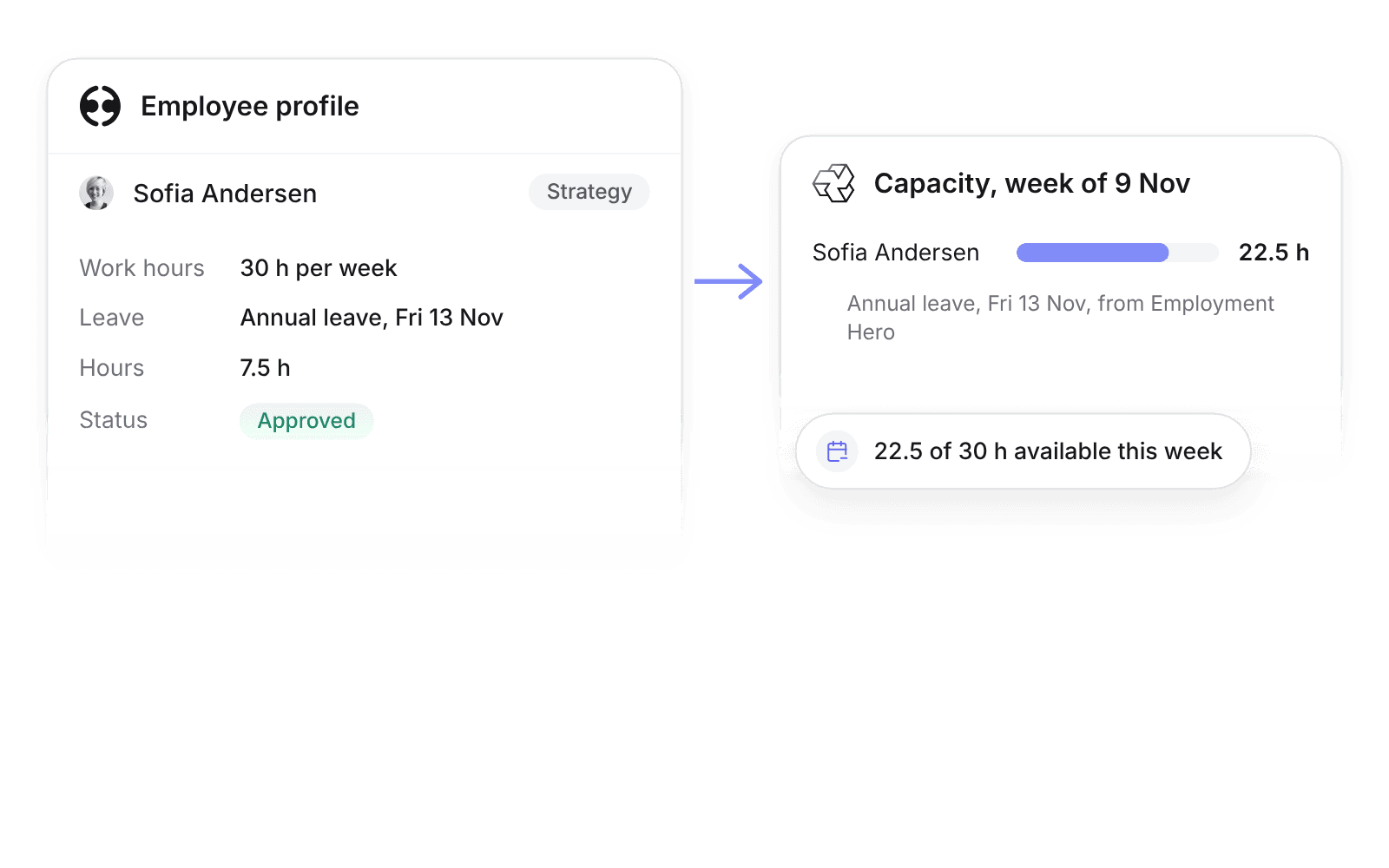
Approved time off creates Pike time off of the mapped type and comes off capacity. Pending or rejected requests do not sync.
Send hours to payroll is off by default. When on, closing a pay period posts approved normal and overtime hours for hourly employees as timesheet entries.
Set up and use Employment Hero
Connect
- 1.Go to Workspace settings → Integrations → Employment Hero, click Add integration, and authorize your organisation.
- 2.Map leave categories to Pike time off types and pay lines to work types, then click Import data.
- 3.Turn on Send hours to payroll when you want approved hours sent each pay period.
How to use it in your business
- Pay from the hours you bill. Approved Pike hours become Employment Hero timesheets, so the pay run and invoices use the same numbers.
- Plan on contracted hours. Work hours and approved leave set each person’s capacity, so utilization for part-time staff is right.
Limits
- Salaried employees’ hours are not sent.
- Pike does not run payroll or calculate tax or superannuation.
- Only approved time in a closed pay period is sent.
Setup steps and field mappings: Employment Hero docs.
Employment Hero integration questions
Does Pike integrate with Employment Hero?
Yes. Pike syncs Employment Hero employees, teams, work hours, and approved leave every 3 hours, and can send approved hours for hourly employees as timesheets.
Can I send Pike timesheets to Employment Hero Payroll?
Yes. With Send hours to payroll on, closing a Pike pay period posts normal and overtime hours for hourly employees as timesheet entries for the next pay run.
Does Employment Hero leave reduce capacity in Pike?
Yes. Approved leave requests remove those hours from capacity, so allocations and utilization stay correct.

See Pike and Employment Hero working together on your data.
 ISO 27001
 GDPR
 SOC 2 Type II
Built to keep sensitive client data secure and private.