

HR and payroll integration
Pike for Gusto
pay hourly people from approved time
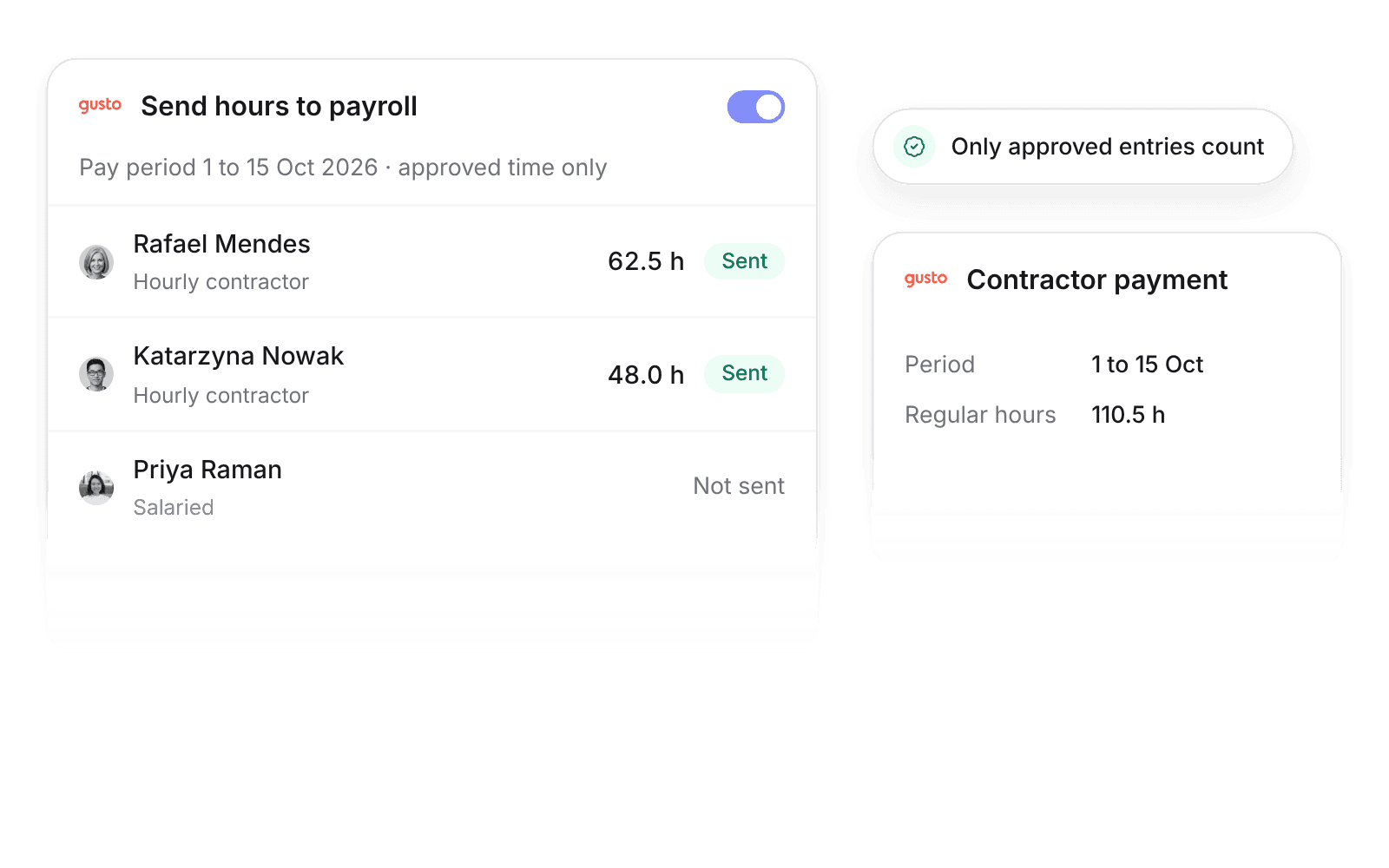
Pike integrates with Gusto: employees, contractors, departments, and approved time off sync into Pike, and approved Pike hours for hourly employees and hourly contractors can post to Gusto payroll as regular hours. Payroll uses the same approved timesheets you bill from.
Last updated · Read as Markdown

At a glance
- Direction
- Gusto to Pike for people and time off. Pike to Gusto for hours, when Send hours to payroll is on.
- Who sets it up
- Workspace admins.
- Source of truth
- Gusto, for person fields.
- Plan
- All plans
- Documentation
- Gusto docs
What syncs between Gusto and Pike
| Gusto | Pike | Direction |
|---|---|---|
| Employees and contractors | Members | Gusto to Pike, matched by email |
| Departments | Teams | Gusto to Pike |
| Approved time off | Time off | Gusto to Pike |
| Regular hours on payroll or contractor payment | Approved time for hourly people | Pike to Gusto, when Send hours to payroll is on |
Send hours to payroll is off by default. When on, approved Pike timesheets for the pay period post to the matching Gusto payroll or contractor payment as regular hours. Only approved entries count.
Sync compensation to cost profiles is off by default, and only admins and finance users can turn it on. When on, salary and pay period set the member’s cost profile, with the effective date from the HR system.
How to connect Gusto
- 1.Go to Workspace settings → Integrations → Gusto, click Add integration, and authorize your Gusto company.
- 2.Click Import data to bring in employees, contractors, departments, and time off.
- 3.Turn on Send hours to payroll when you want approved hours sent each pay period.
Full setup steps and field mappings are in the Gusto integration docs.
How agencies use Pike with Gusto
- Pay from the hours you bill. Hourly payroll uses approved Pike timesheets, so pay and invoices come from the same numbers.
- Cut the payroll export. Approved hours post to the Gusto payroll or contractor payment, so nobody copies a timesheet export by hand.
- Approve once. Only approved entries count, so time approval in Pike is the single check before both billing and pay.
Limits to know before you connect
- Salaried employees' hours are not sent.
- Pike does not run payroll.
- Only approved time entries are sent.
Gusto integration questions
Does Pike integrate with Gusto?
Yes. Pike syncs Gusto employees, contractors, departments, and approved time off, and can send approved hours for hourly people to Gusto payroll.
Can I send Pike timesheets to Gusto payroll?
Yes. With Send hours to payroll on, approved Pike timesheets for hourly employees and hourly contractors post to the matching Gusto payroll or contractor payment as regular hours.
Does Pike send hours for salaried employees to Gusto?
No. The Gusto integration sends hours for hourly employees and hourly contractors only.
See Pike and Gusto working together on your data.
 ISO 27001
 GDPR
GDPR SOC 2 Type II
Built to keep sensitive client data secure and private.