


Pike and
Deel
Import contractors from Deel with their real rates, and send approved hours as timesheets.

At a glance
- Direction
- Deel to Pike for contractors. Pike to Deel for timesheets.
- Who sets it up
- Workspace admins.
- Source of truth
- Deel, for contract rates and dates.
- Plan
- All plans
- Documentation
- Deel docs
What syncs between Deel and Pike
| Deel | Pike | Direction |
|---|---|---|
| Contractor | Contractor | Deel to Pike |
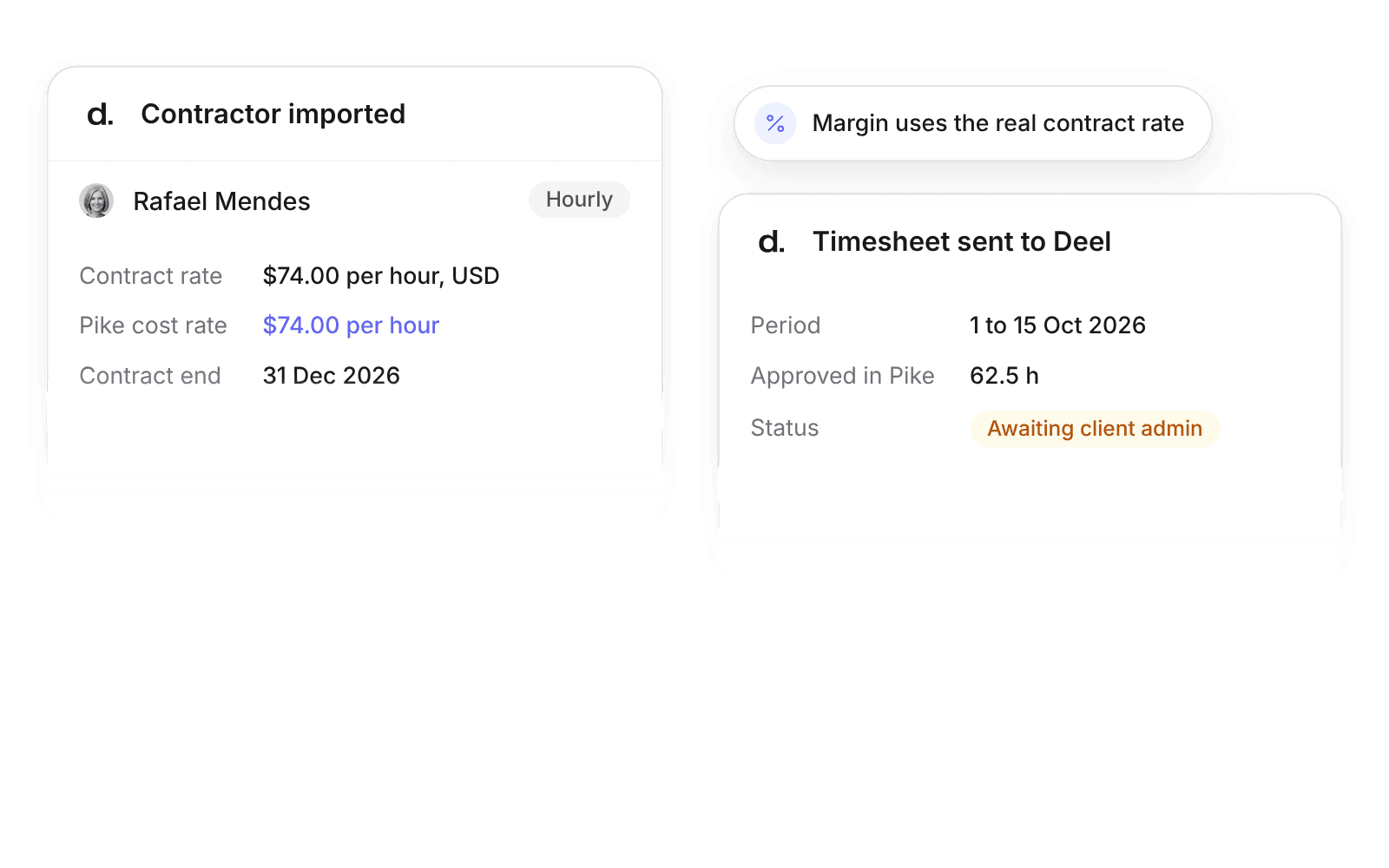
| Contract rate and currency | Contractor cost rate | Deel to Pike |
| Contract end date | Contractor end date | Deel to Pike |
| Timesheet submission | Approved time for the period | Pike to Deel, for hourly contracts |
Send timesheets is on by default for hourly contracts. Approved Pike time posts to Deel for the client admin to approve.
Set up and use Deel
Connect
- 1.Go to Workspace settings → Integrations → Deel, click Add integration, and authorize Deel.
- 2.Click Import data to bring in contractors with their rates and end dates.
- 3.Contractors log time in Pike, and approved time goes to Deel each period.
How to use it in your business
- Know freelancer cost before the invoice. Contract rates become cost rates, so margin includes contractor cost once time is logged.
- Stop collecting timesheets twice. Approved Pike time becomes the Deel timesheet, so contractors log hours once.
Limits
- Only approved Pike time is sent.
- Timesheets are approved in Deel by the client admin.
- Timesheets are sent for hourly contracts only.
Setup steps and field mappings: Deel docs.
Deel integration questions

See Pike and Deel working together on your data.
 ISO 27001
 GDPR
 SOC 2 Type II
Built to keep sensitive client data secure and private.