

Design and video integration
Pike for Figma
the latest frame on every task
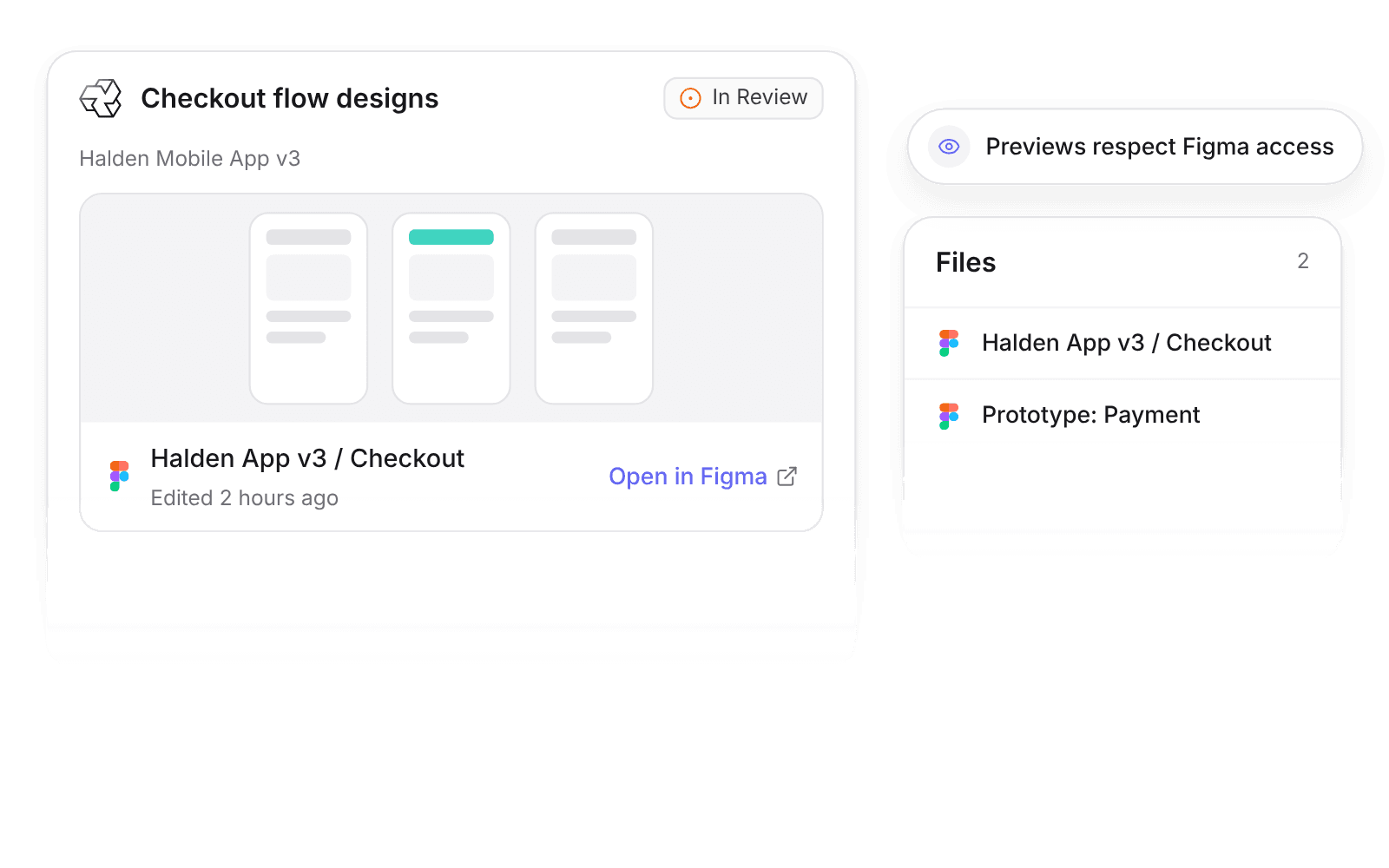
Pike integrates with Figma: Figma file, frame, and prototype links in task descriptions and comments expand into live previews with the frame thumbnail, file name, last edited time, and Open in Figma. The task’s Files tab lists every linked Figma file.
Last updated · Read as Markdown

At a glance
- Direction
- Figma to Pike, as previews.
- Who sets it up
- Each member connects their Figma account under Settings → Connections.
- Permissions
- Previews respect Figma permissions.
- Plan
- All plans
- Documentation
- Figma docs
What syncs between Figma and Pike
| Figma link | Preview in Pike |
|---|---|
| File | Thumbnail, file name, last edited time, Open in Figma |
| Frame | Frame thumbnail, file name, last edited time, Open in Figma |
| Prototype | Thumbnail, file name, last edited time, Open in Figma |
The task's Files tab lists the Figma files linked on the task.
How to connect Figma
- 1.Go to Settings → Connections.
- 2.Connect your Figma account.
- 3.Paste a Figma file, frame, or prototype link into a task description or comment.
Full setup steps and field mappings are in the Figma integration docs.
How agencies use Pike with Figma
- Review design without switching tools. Account leads and developers see the current frame and when it last changed, right on the task.
- Find every file for a deliverable. The Files tab lists linked Figma files, so handoff does not depend on searching Slack.
- Track design time against the work. Designers log time on the same task that holds the Figma preview, so design hours show up in project margin.
Limits to know before you connect
- Previews respect Figma permissions. A viewer without Figma access sees the link only.
- Pike does not edit Figma files.
Figma integration questions
Does Pike integrate with Figma?
Yes. With their Figma account connected, members see Figma file, frame, and prototype links in Pike tasks expand into live previews.
What does a Figma preview in Pike show?
A Figma preview in Pike shows the frame thumbnail, file name, last edited time, and an Open in Figma link.
Can people without Figma access see the preview?
No. Figma previews in Pike respect Figma permissions, so a viewer without access to the file sees the link only.

See Pike and Figma working together on your data.
 ISO 27001
 GDPR
GDPR SOC 2 Type II
Built to keep sensitive client data secure and private.