


Pike and
Granola
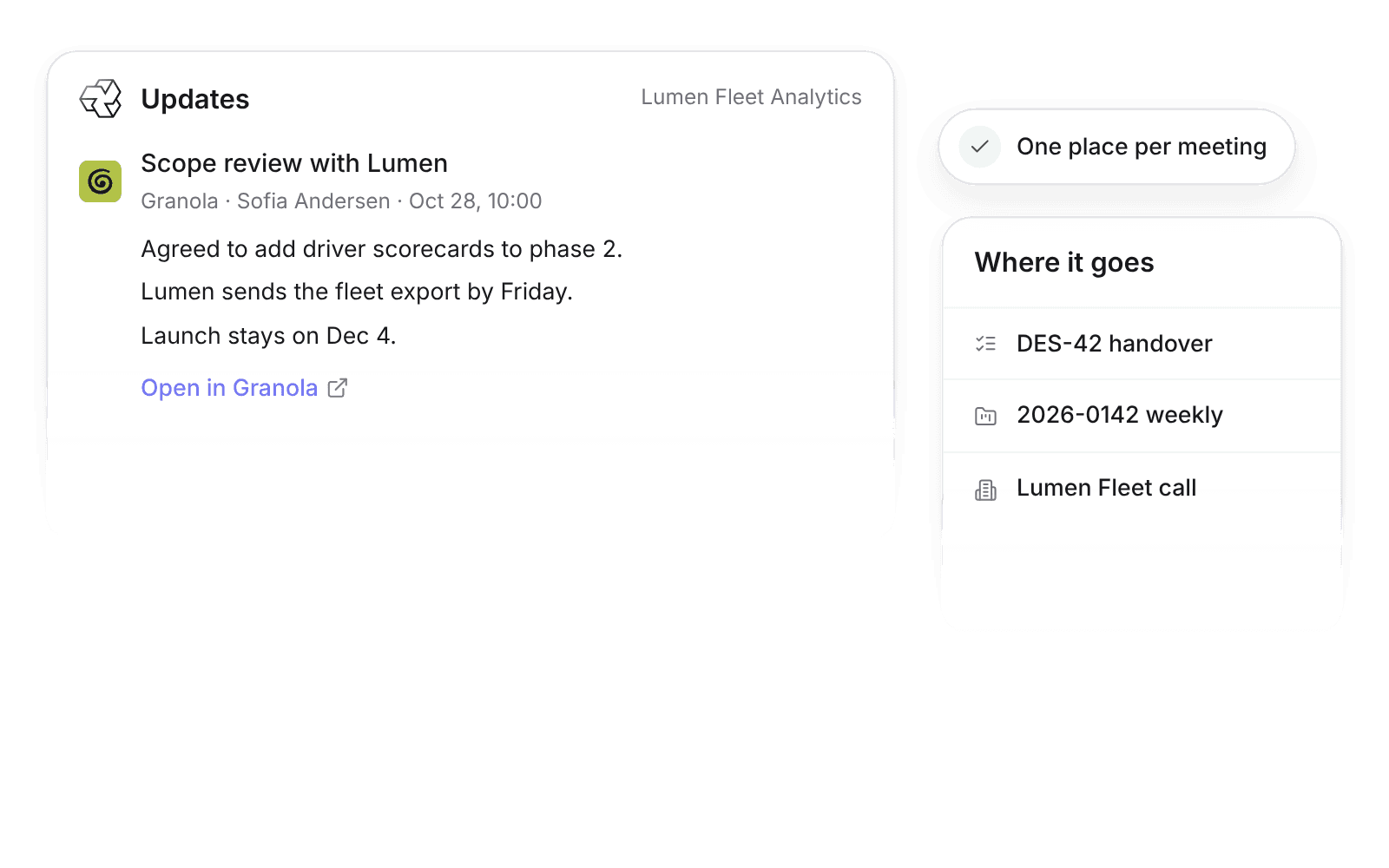
Granola meeting summaries post to the customer, project, or task they belong to, with no copying between tools.

At a glance
- Direction
- Granola to Pike. Nothing goes back to Granola.
- Who sets it up
- An admin turns on Granola. Members connect their own Granola API key.
- Permissions
- Pike only receives notes the connected Granola key can read.
- Granola plan
- Business or Enterprise.
- Plan
- All plans
- Documentation
- Granola docs
What syncs between Granola and Pike
| A Granola meeting with | Posts to |
|---|---|
| A task reference in the title, such as DES-42 | A comment on that task |
| A folder mapped to a project, or a project number in the title | An Update on that project |
| A folder mapped to a customer, or an external attendee from one customer | An Update on that customer |
Each meeting posts to one place, and the first match wins. Pike posts the meeting title, date, attendee names, the Granola AI summary, and a link to the full note in Granola. Transcripts stay in Granola.
A meeting that matches nothing does not sync. Map a Granola folder to a customer or project, or put a task reference or project number in the calendar invite before the meeting.
Set up and use Granola
Connect
- 1.In Granola, create an API key under Settings → Connectors → API keys. API keys need a Granola Business or Enterprise plan.
- 2.A Pike admin goes to Workspace settings → Integrations → Granola and clicks Add integration.
- 3.Each member adds their personal Granola key under Settings → Connections. A Granola admin can connect one workspace key for everyone instead.
- 4.Map Granola folders to customers or projects in the Granola integration settings, or add a task reference or project number to the calendar invite.
How to use it in your business
- Catch scope changes before they cost margin. A change agreed on a client call shows on the project, next to its budget, before anyone logs hours against it.
- Skip the handover call. A new account lead reads past meeting summaries on the customer instead of booking time with the previous lead.
- Keep decisions with the work. Outcomes from a working session post to the task the team is delivering.
Limits
- Granola needs a Business or Enterprise plan for API keys.
- Pike only receives notes the connected key can read.
- Notes from before you connect do not sync. Only new or newly shared notes do.
- Notes that match nothing do not sync.
- Task comments need a task reference in the meeting title.
- Transcripts stay in Granola.
Setup steps and field mappings: Granola docs.
Granola integration questions

See Pike and Granola working together on your data.
 ISO 27001
 GDPR
 SOC 2 Type II
Built to keep sensitive client data secure and private.