

HR and payroll integration
Pike for HiBob
Bob people data in your resource plan
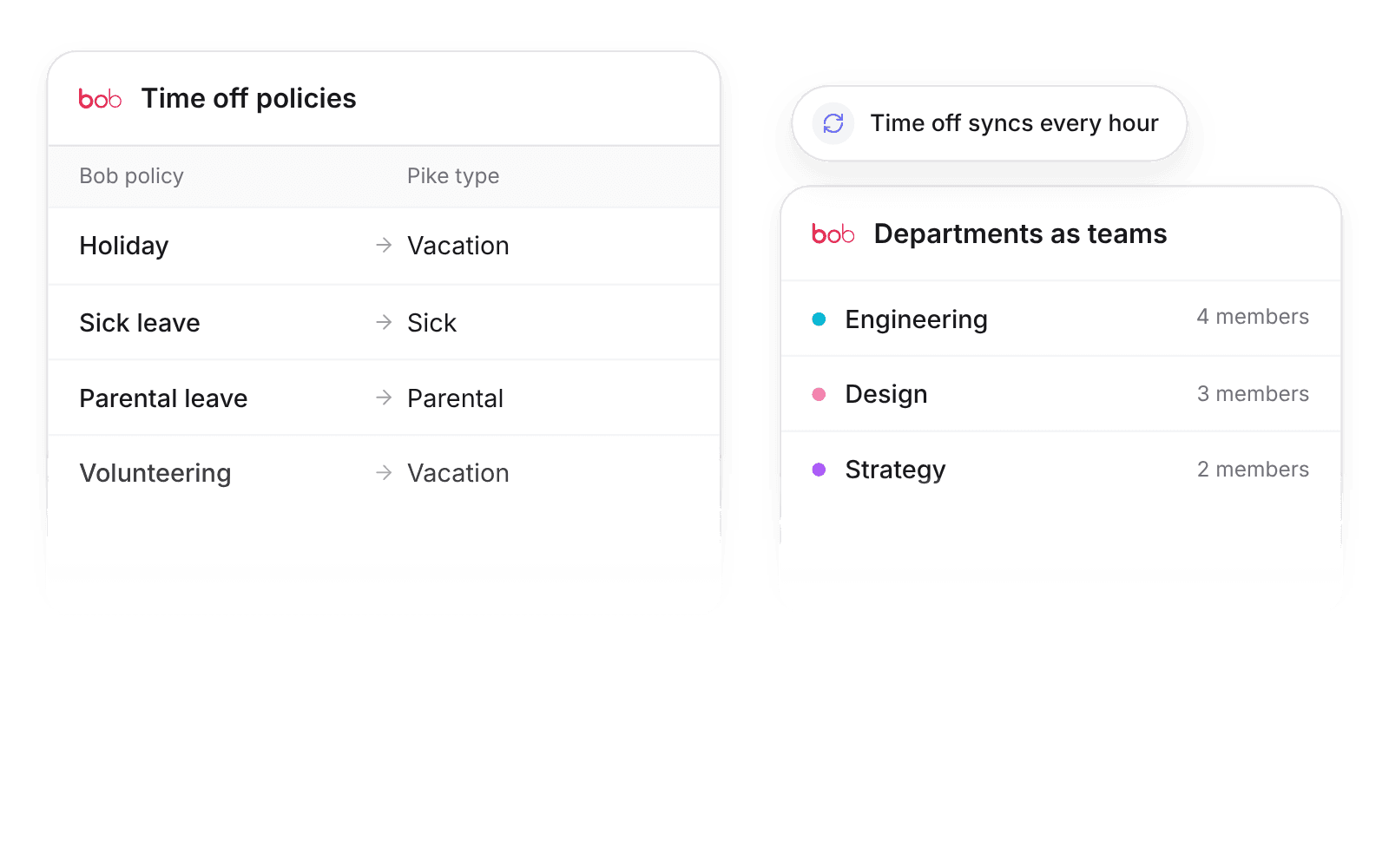
Pike integrates with HiBob: employees and Bob departments sync into Pike members and teams, and approved time off becomes Pike time off, mapped by time off policy. Capacity and utilization in Pike match the people data in Bob.
Last updated · Read as Markdown

At a glance
- Direction
- HiBob to Pike. Employees every 24 hours, time off every hour.
- Who sets it up
- A workspace admin, with a HiBob service user ID and token.
- Source of truth
- HiBob, for person fields.
- Plan
- All plans
- Documentation
- HiBob docs
What syncs between HiBob and Pike
| HiBob | Pike | Notes |
|---|---|---|
| Employee | Member | Matched by email |
| Department | Team | |
| Job title | Position | |
| Employment status | Member status | A terminated employee becomes a deactivated member. History is kept |
| Approved time off | Time off | Each policy maps to a Pike type |
Approved time off creates Pike time off of the mapped type (defaults: vacation to Vacation, sick to Sick, parental to Parental, others to Vacation). That removes those hours from capacity, so allocations and utilization stay correct. Pending or rejected requests do not sync.
Sync compensation to cost profiles is off by default, and only admins and finance users can turn it on. When on, salary and pay period set the member’s cost profile, with the effective date from the HR system.
How to connect HiBob
- 1.Go to Workspace settings → Integrations → HiBob and click Add integration.
- 2.Enter a HiBob service user ID and token.
- 3.Map time off policies to Pike time off types, then click Import data.
Full setup steps and field mappings are in the HiBob integration docs.
How agencies use Pike with HiBob
- Staff projects around leave. Approved Bob time off comes off capacity every hour, so allocations do not land on people who are away.
- Report by the teams HR runs. Bob departments become Pike teams, so utilization by team matches the org chart.
- Price work on current cost. With compensation sync on, salary changes set cost profiles from their effective date, so margin reports stay right.
Limits to know before you connect
- Pike does not write to HiBob.
- Pending or rejected requests do not sync.
- Compensation sync is off until an admin or finance user turns it on.
HiBob integration questions
Does Pike integrate with HiBob?
Yes. Pike syncs HiBob employees and Bob departments into Pike members and teams, and approved HiBob time off into Pike time off.
How do HiBob time off policies map to Pike?
The HiBob integration maps each Bob time off policy to a Pike time off type, such as Vacation, Sick, or Parental.
How do I connect HiBob to Pike?
Connect HiBob under Workspace settings, Integrations, with a HiBob service user ID and token.

See Pike and HiBob working together on your data.
 ISO 27001
 GDPR
GDPR SOC 2 Type II
Built to keep sensitive client data secure and private.