


Pike and
Planday
Sync employees, contracted hours, and approved absence from Planday, and plan project work on real availability.

At a glance
- Direction
- Planday to Pike, every 3 hours. On the Enterprise plan, changes sync in real time.
- Who sets it up
- A workspace admin, with a refresh token from a Planday administrator who connects the Pike app under API access.
- Source of truth
- Planday, for person fields, contracted hours, and absence.
- Plan
- All plans
- Documentation
- Planday docs
What syncs between Planday and Pike
| Planday | Pike | Notes |
|---|---|---|
| Employee and email | Member name and email | Matched by email |
| Departments | Teams | |
| Employee group | Position | |
| Supervisor | Manager | |
| Deactivated employee | Member status | A deactivated employee becomes a deactivated member. History is kept |
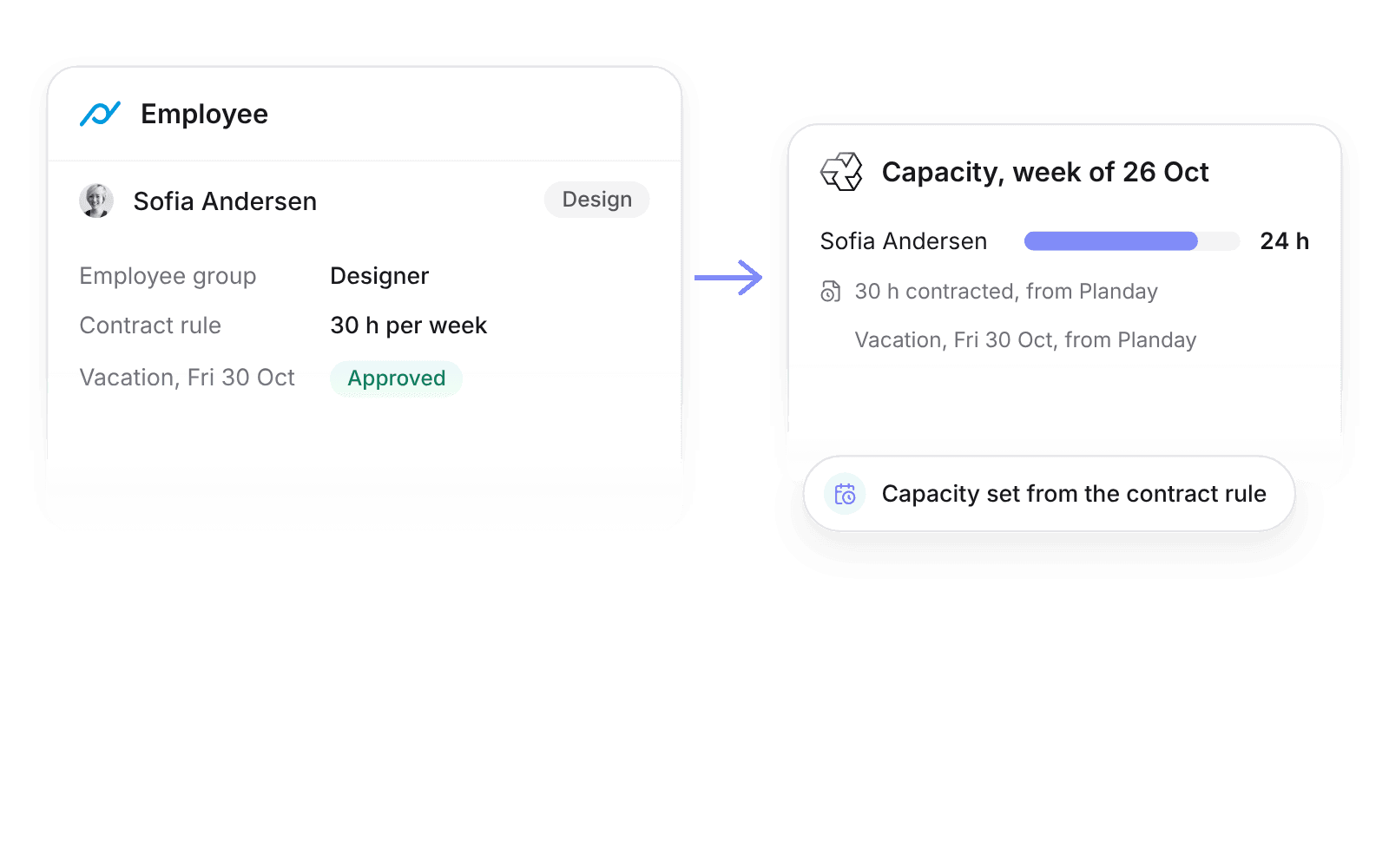
| Contract rule | Capacity per week | Contracted hours |
| Approved absence requests | Time off | By absence account |
Approved time off creates Pike time off of the mapped type and comes off capacity. Pending or rejected requests do not sync.
Scheduled shifts do not import. Capacity comes from the contract rule, so a week with fewer shifts does not show as free project time.
Set up and use Planday
Connect
- 1.Go to Workspace settings → Integrations → Planday, click Add integration, and copy the Pike app ID.
- 2.In Planday, go to Settings → Integrations → API access, click Connect app, authorize the Pike app, and paste the refresh token into Pike.
- 3.Map absence accounts to Pike time off types, then click Import data.
How to use it in your business
- Plan on contracted hours. A 30 hour contract rule in Planday gives 30 hours of capacity in Pike, so utilization for part-time staff is measured against their real week.
- Staff around approved leave. Approved absence comes off capacity, so nobody books people who are away.
Limits
- Pike does not write to Planday. Pike time stays in Pike.
- Scheduled shifts do not set capacity.
- Pending or declined absence requests do not sync.
Setup steps and field mappings: Planday docs.
Planday integration questions
Does Pike integrate with Planday?
Yes. Pike syncs Planday employees, departments, employee groups, contracted hours, and approved absence into Pike members, teams, capacity, and time off every 3 hours.
Do Planday shifts change capacity in Pike?
No. Contracted hours from the employee’s contract rule set weekly capacity. Shifts are the rota, and project work in Pike is planned against the contract.
Does Pike send time back to Planday?
No. Planday punch clock entries belong to scheduled shifts, and Pike time belongs to projects and tasks, so Pike time stays in Pike.

See Pike and Planday working together on your data.
 ISO 27001
 GDPR
 SOC 2 Type II
Built to keep sensitive client data secure and private.