


Pike and
Zenegy
Sync employees and absence from Zenegy, and send approved hours to payroll.

At a glance
- Direction
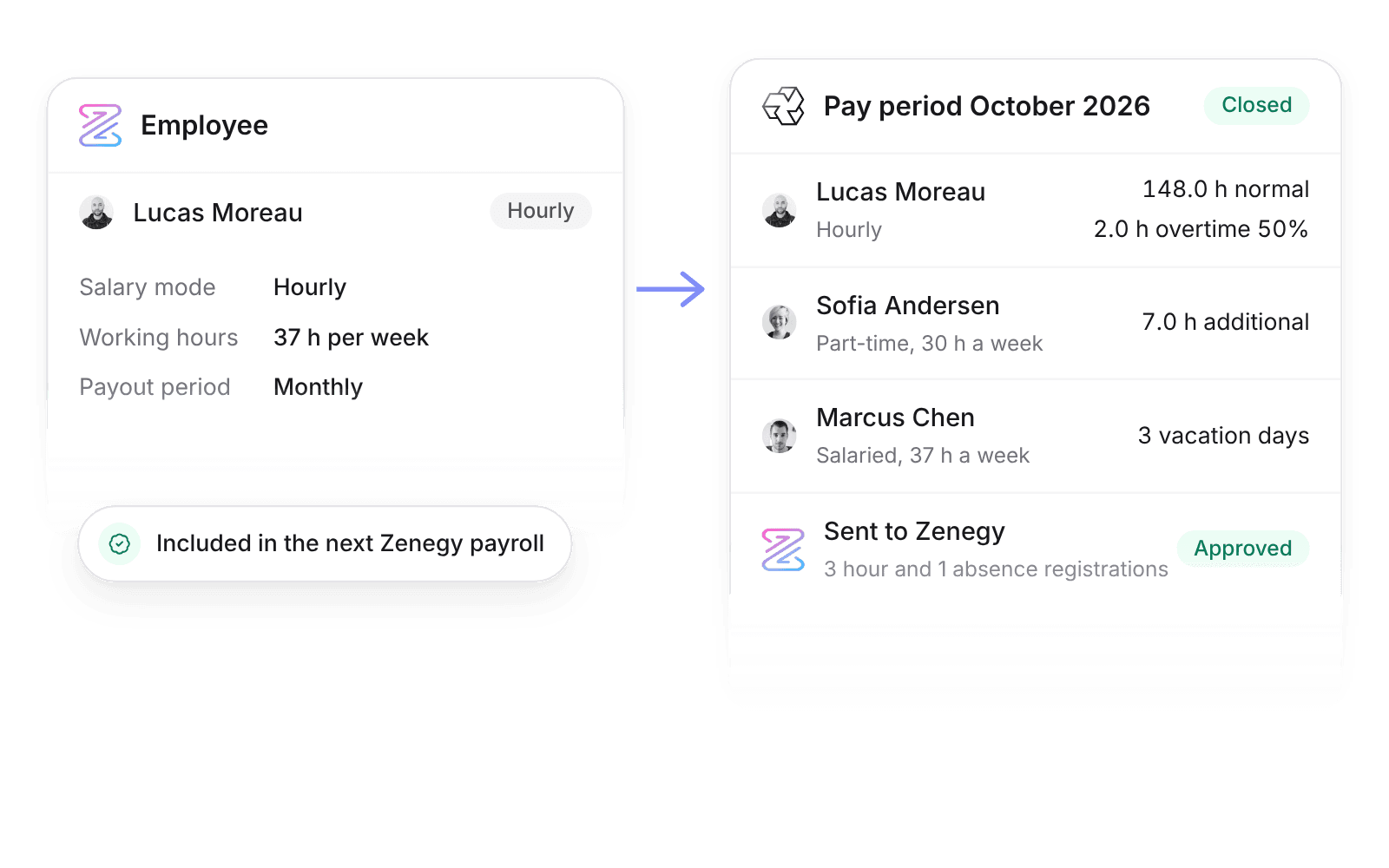
- Zenegy to Pike for people and absence, every 3 hours. Pike to Zenegy for pay lines when a pay period closes.
- Who sets it up
- A workspace admin, by signing in to Zenegy with an administrator user and choosing the company.
- Source of truth
- Zenegy for employees and absence. Pike for time and overtime.
- Plan
- All plans
- Documentation
- Zenegy docs
What syncs between Zenegy and Pike
| Zenegy | Pike | Direction |
|---|---|---|
| Employees | Members, matched by email | Zenegy to Pike |
| Departments | Teams | Zenegy to Pike |
| Salary mode and working hours | Employment type and capacity | Zenegy to Pike |
| Salary payout period | Pay period | Zenegy to Pike |
| Approved absence registrations | Time off | Zenegy to Pike |
| Approved hour and absence registrations | Pay lines from a closed pay period | Pike to Zenegy, when Send pay lines is on |
Send pay lines is off by default. When on, closing a pay period sends each employee’s pay lines as approved registrations for the next Zenegy payroll.
Set up and use Zenegy
Connect
- 1.Go to Workspace settings → Integrations → Zenegy, click Add integration, and sign in with a Zenegy administrator user.
- 2.Click Import data to bring in employees, departments, and approved absence.
- 3.Check the hour rate or absence type for each pay line under Pay codes, then turn on Send pay lines.
How to use it in your business
- Pay overtime from the hours you bill. Overtime and additional hours come from approved Pike time, so payroll and invoices use the same numbers.
- Stop keying hours into Zenegy. Closing the pay period in Pike creates the hour and absence registrations.
Limits
- Pike does not calculate salary, tax, pension, or holiday pay.
- Only closed pay periods are sent, and only approved time counts.
- Vacation balances stay in Zenegy.
Setup steps and field mappings: Zenegy docs.
Zenegy integration questions
Does Pike integrate with Zenegy?
Yes. Pike syncs Zenegy employees, departments, and approved absence, and sends hours, overtime, and absence from each closed pay period as approved registrations.
How does Pike handle part-time employees and overtime for Zenegy?
Hours above a part-timer’s norm go as additional hours. Hours above the full-time norm go as overtime or time off in lieu, per the working time policy.
Do the hours reach the next Zenegy payroll?
Yes. Pike sends registrations with the status Approved, and Zenegy includes approved registrations in the next payroll for the employee’s payout period.

See Pike and Zenegy working together on your data.
 ISO 27001
 GDPR
 SOC 2 Type II
Built to keep sensitive client data secure and private.