


Pike and
Remote
Sync the people you employ and contract through Remote, and plan with accurate capacity across countries.

At a glance
- Direction
- Remote to Pike, every 3 hours. On the Enterprise plan, changes sync in real time.
- Who sets it up
- A workspace admin, with a Remote API token created by a Remote company owner or admin.
- Source of truth
- Remote, for person fields, time off, and contractor invoices.
- Plan
- All plans
- Documentation
- Remote docs
What syncs between Remote and Pike
| Remote | Pike | Notes |
|---|---|---|
| Employments for employees | Members | Matched by work email |
| Employments for contractors | Contractors | Matched by work email |
| Job title | Position | |
| Department and manager | Team and manager | |
| Employment status | Member status | An offboarded employment becomes a deactivated member. History is kept |
| Approved time off | Time off | By mapped type |
| Contractor invoices | Invoices on the contractor | Read-only |
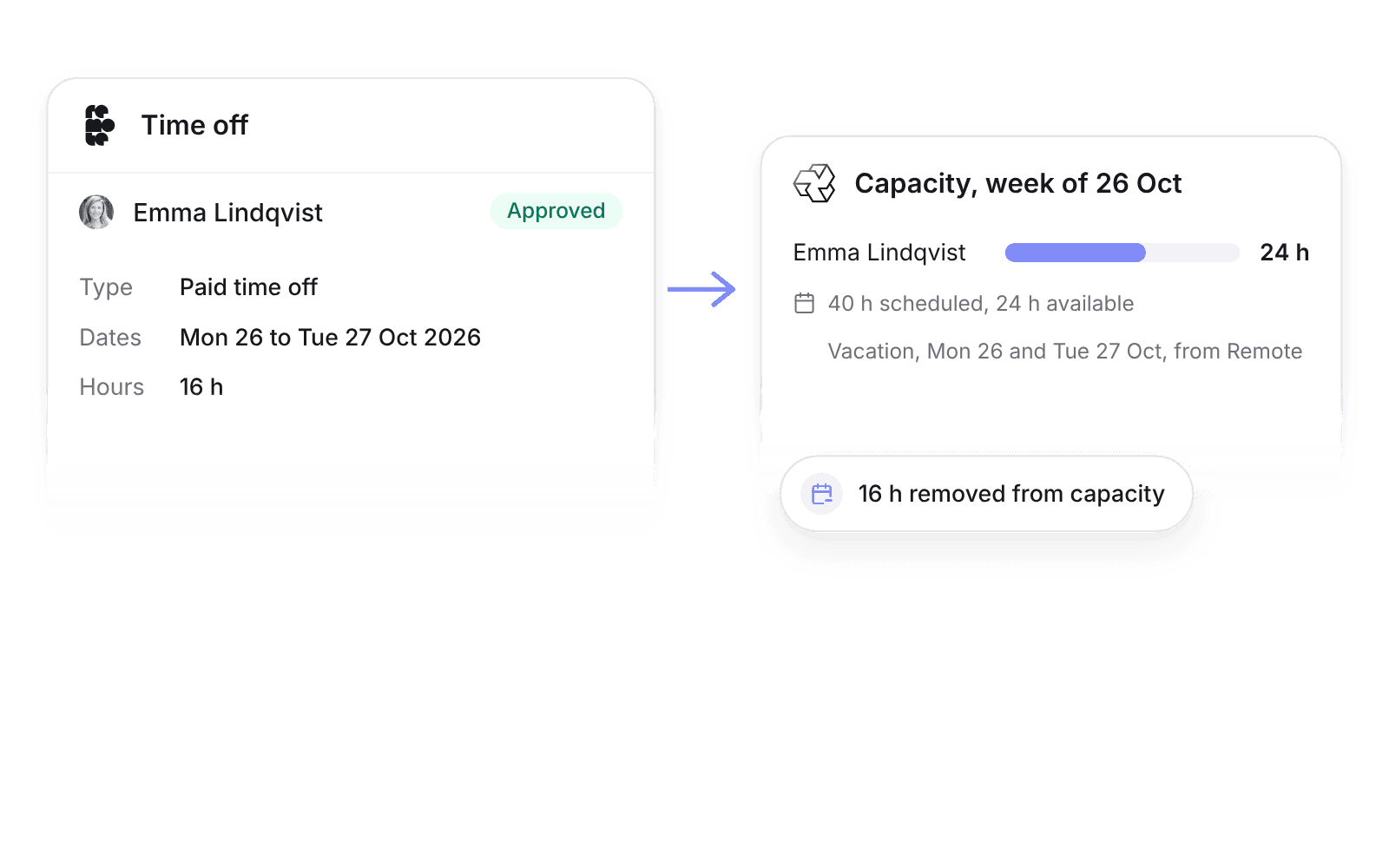
Approved time off creates Pike time off of the mapped type and comes off capacity. Pending or rejected requests do not sync.
Set up and use Remote
Connect
- 1.In Remote, go to Company Settings → Integrations & APIs, open the Remote API card, and click Generate API token.
- 2.In Pike, go to Workspace settings → Integrations → Remote, click Add integration, and paste the token.
- 3.Map time off types, then click Import data.
How to use it in your business
- Staff across countries on real availability. Approved Remote time off comes off capacity, so resource managers see who is free before they book them.
- Check contractor cost against logged time. Remote invoices show on each contractor next to their Pike hours, so finance spots a gap before month end.
Limits
- Pike does not write to Remote. Timesheets and contractor invoices are created in Remote.
- Remote does not set capacity. The work schedule in Pike does.
- Salaries and contract rates stay in Remote.
Setup steps and field mappings: Remote docs.
Remote integration questions
Does Pike integrate with Remote?
Yes. Pike syncs Remote employees into members and contractors into Pike contractors, and imports approved time off and contractor invoices every 3 hours.
Does Remote time off reduce capacity in Pike?
Yes. Approved time off removes those hours from capacity, so allocations and utilization stay correct.
Can Pike send timesheets to Remote?
No. Hourly employees submit timesheets in Remote, and contractors create their invoices there. Pike imports the invoices onto each contractor.

See Pike and Remote working together on your data.
 ISO 27001
 GDPR
 SOC 2 Type II
Built to keep sensitive client data secure and private.