


Pike and
Sage
Send invoices from tracked time to Sage, and see supplier bills on each project.

At a glance
- Direction
- Both ways for customers and invoices; the rest into Pike.
- Who sets it up
- Workspace admins connect. Admins and finance users change sync settings.
- Source of truth
- Sage, once a record is linked.
- Documentation
- Sage docs
What syncs between Sage and Pike
| Sage | Pike | Direction |
|---|---|---|
| Customers | Customers | Both ways |
| Products and services | Products | Sage to Pike |
| Sales invoices | Invoices | Both ways |
| Payments | Invoice status Paid | Sage to Pike |
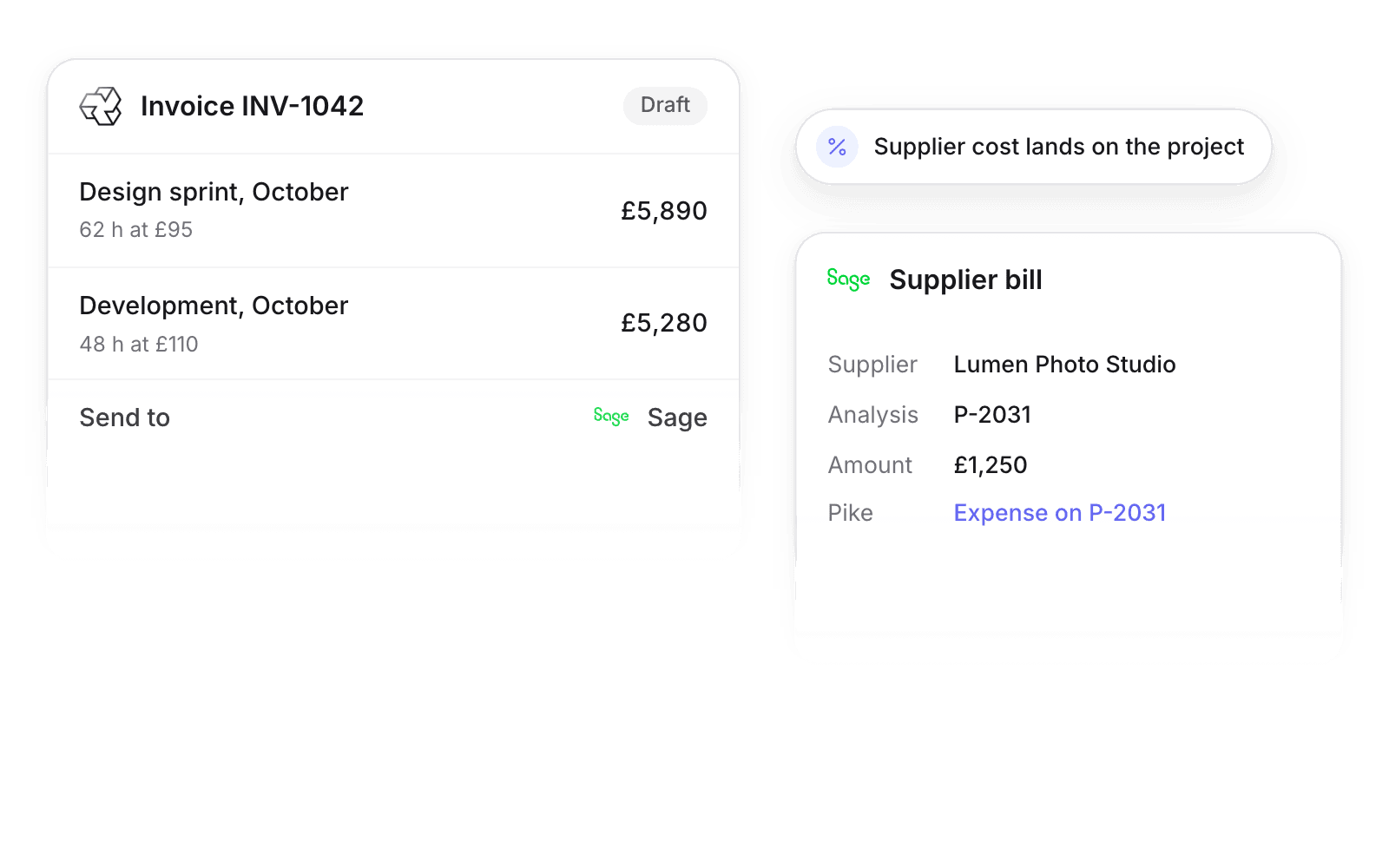
| Purchase invoices | Project expenses | Sage to Pike, when a line names a project |
A purchase invoice line whose analysis type value matches a Pike project number becomes an expense on that project.
Set up and use Sage
Connect
- 1.Go to Workspace settings → Integrations → Sage and sign in to your Sage business.
- 2.Set Read and Send for each entity in the sync settings card.
- 3.Click Import data.
How to use it in your business
- Bill from tracked time. Invoices built in Pike from billable hours go to Sage without re-keying.
- Put supplier cost on the project. Bills tagged with a project number land on that project, so margin includes them.
Limits
- Pike cannot create products in Sage.
- Bills sync to projects only when a line names a Pike project number.
- After an invoice is sent, make changes in Sage.
Setup steps and field mappings: Sage docs.
Sage integration questions
Does Pike integrate with Sage?
Yes. Pike syncs customers, products, invoices, payments, and supplier bills, and sends invoices and customers to Sage.
How do Sage supplier bills reach a Pike project?
Tag the bill line with the Pike project number as its analysis type value. Pike adds the line to that project as an expense.
Does emailing an invoice from Pike send it to Sage?
No. An invoice reaches Sage only when someone sends it to Sage from Pike.

See Pike and Sage working together on your data.
 ISO 27001
 GDPR
 SOC 2 Type II
Built to keep sensitive client data secure and private.