


Pike and
Trello
Sync Trello cards both ways, and see hours, budget, and margin on every board.

At a glance
- Direction
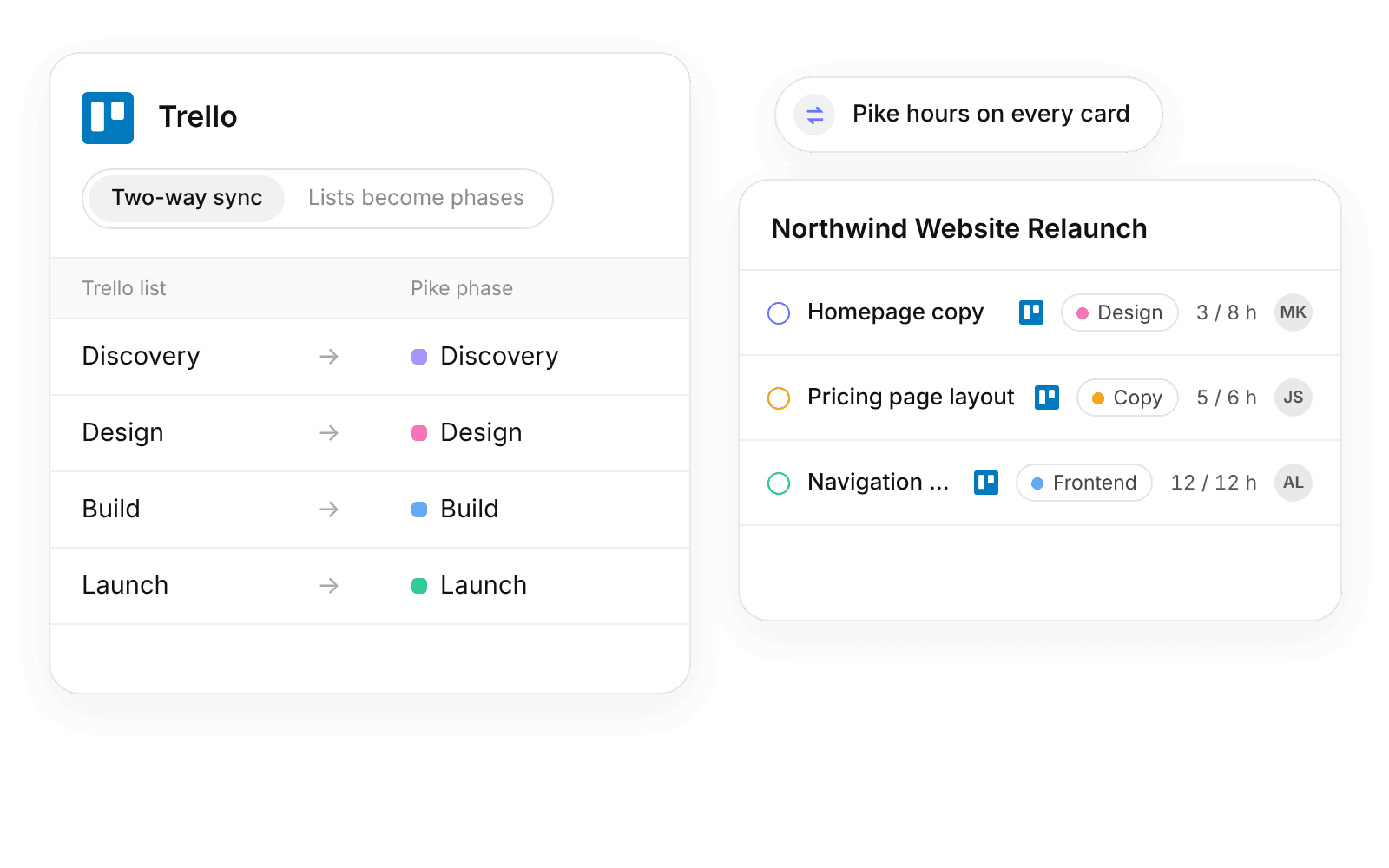
- Two-way for cards, lists, and labels. Pike sends hours to cards as Custom Fields.
- Who sets it up
- Admins connect. Admins and finance users change sync settings.
- Source of truth
- Trello for card content. Pike for time, rates, and cost.
- Plan
- All plans
- Documentation
- Trello docs
What syncs between Trello and Pike
| Trello | Pike | Notes |
|---|---|---|
| Board | Project | Trello to Pike. You pick the boards |
| List | Phase or status | Both ways. Phases by default |
| Card | Task | Both ways. Matched on the Trello card ID |
| Card members | Assignees | Both ways, through a member match |
| Start and due dates | Start and due dates | Both ways |
| Checklist | Checklist | Both ways |
| Label | Category | Both ways. Time reports group by category |
| Pike logged and Pike planned | Hours logged and allocated | Pike to Trello, as Custom Fields on each card |
Pike syncs every 3 hours on every plan. On the Enterprise plan, changes sync in real time. A card archived in Trello is marked Removed in Trello in Pike, and its time and history stay.
Set up and use Trello
Connect
- 1.Go to Workspace settings → Integrations → Trello, click Add integration, and allow Pike in the Trello window.
- 2.Pick the boards to connect, and link each one to a new or existing Pike project.
- 3.Choose whether lists become phases or statuses, match Trello members to Pike members, and click Import data.
How to use it in your business
- See margin per board. Each board is a Pike project with a customer, rates, and a budget, so leads see burn from the hours logged on its cards.
- Show hours where the team works. Logged and planned hours appear on each Trello card, and nobody opens a report to see a card running over.
- Plan in Pike, work in Trello. Tasks, dates, and assignees set in Pike appear on the board as cards.
Limits
- Rates, cost, and margin never go to Trello. Pike sends hour totals only.
- Comments, attachments, and other Custom Fields do not sync.
Setup steps and field mappings: Trello docs.
Trello integration questions

See Pike and Trello working together on your data.
 ISO 27001
 GDPR
 SOC 2 Type II
Built to keep sensitive client data secure and private.