

Best resource utilization software
 Rebecca Shaw

By Nadia Ellison
Content Writer at Pike
Share

The best PSA software for agencies and consultancies of 5 to 200 people is the one that shows margin per project while the work is running. Pike does this from $29 per user per month. Productive and Scoro suit smaller or quote-led teams, and Rocketlane and Kantata suit enterprise. Vendor prices below were checked on 23 November 2026.
Book a demo to see margin per project on your own engagements.
In this guide
"We use five different tools for projects, time tracking, and billing, and we are losing money on projects because we cannot see profitability in real time." That is the sentence agencies and consultancies bring to a PSA search, almost word for word. If you run a team of 15 to 200 people, you have probably lived some version of it: your project manager is in one tool, your time tracking is in another, your invoices are in a third, and the thing that actually tells you whether a client is profitable is a spreadsheet someone maintains on Friday afternoons. Your business is growing. Your operational visibility is not keeping pace.
Professional services automation (PSA) software exists to close that gap. It connects project delivery, resource planning, time tracking, and financial management into one system, so you can see what is happening across your business in real time instead of stitching together the picture from five different exports.
This guide compares the nine tools most commonly shortlisted by agencies and consultancies in 2026, covering what each one does well, where each one breaks down, and which type of team it actually fits. We name exactly who each tool is not for. If that turns out to be you, we tell you who is.
For a 20-person management consulting firm, shortlist Pike, Scoro and Productive. Pike fits when you need margin per engagement and resource planning in one place, Scoro when quoting and CRM matter most, and Productive when you want the lightest setup. Add BigTime when invoicing accuracy with QuickBooks is the main problem. See the shortlist by firm size.
The best PSA tool for a 20-person consulting firm is one your consultants log time in every day and that shows margin per engagement without a spreadsheet. Pike, Productive and Scoro fit this size. Test each with one live fixed-fee engagement before you decide.
Yes, for most firms. A 50-person consulting firm usually runs well over ten engagements at a time, and the cost of unbilled hours and late margin reports passes the licence cost at that size. Pike's Core plan is $29 per user per month on yearly billing. See the worked example.
For a 50-person consulting firm, compare Pike, Scoro, BigTime and Accelo. Pike gives live margin by project and client with resource planning, Scoro adds quoting and CRM, BigTime is the accounting-first choice and Accelo fits retainer-heavy firms that want CRM and PSA together.
For a 100-person IT consulting firm, shortlist Pike, Accelo and Rocketlane. Check fixed-fee and milestone billing, quoting tied to the statement of work, and capacity planning by skill across concurrent client projects. Rocketlane suits firms running long client onboarding projects. See IT and technology consulting firms.
For a 50-person technology consulting firm, shortlist Pike, BigTime and Accelo. Ask each vendor to show the remaining budget on a fixed-fee project updating as time is logged, because fixed-fee work is where technology firms lose margin unnoticed.
For a 100-person risk and compliance consulting firm, shortlist Pike and Accelo. You need retainer billing, capacity planning for audit-season peaks and margin per client across years. See risk and compliance consulting firms.
Pike, Accelo and Rocketlane rate strongest on resource capacity planning in our comparison. For agencies of 15 to 200 people, Pike connects resource allocation to project budgets and margin, which means you can see whether a booking fits the budget before the work starts. Above 200 people, Pike Enterprise adds SSO, SCIM user provisioning and custom roles on top of the same resource planning.
The easiest PSA to implement is the one your delivery team uses daily within two weeks. Productive and Teamwork typically go live in two to four weeks and Scoro and BigTime in four to eight. Pike pairs you with an implementation specialist who migrates your data and trains your team. See implementation times.
For engineering consulting firms, compare Pike and BigTime against Deltek and BQE Core, the systems many engineering firms already run. Engineering firms bill by project phase and mix fixed fees with hourly work, which means phase budgets and hours against them matter most. Pike has no earned value reporting. See engineering consulting firms.
For a growing environmental consulting firm, shortlist Pike, BigTime and Scoro, and rank them on how quickly field staff can log time. Environmental firms run many small projects per client, and missed timesheets make every budget figure wrong. See environmental consulting firms.
Professional services automation (PSA) software is a platform designed to run the core operations of a service-based business: managing client projects, planning team capacity, capturing billable time, and tracking financial performance, all in one connected system.
The term covers a wide range of tools, from lightweight agency management platforms to enterprise-grade systems built for 500-person consultancies. What they share is a foundational belief that delivery data and financial data should not live in separate places.
Most agencies have tried to solve the PSA problem with a project management tool. The shortfall shows up fast.
PSA vs PM tool vs ERP
| Capability | PM tool | PSA software | ERP |
|---|---|---|---|
| Task and timeline management | Strong | Strong | Limited |
| Resource capacity planning | Basic | Strong | Strong |
| Time tracking linked to billing | Add-on | Native | Yes |
| Project financial management | No | Strong | Strong |
| Real-time profitability by project | No | Strong | Strong |
| Invoicing and revenue tracking | No | Strong | Strong |
Project management tools give you task and timeline visibility. They are not built to answer 'what is our margin on the Dalton project this month' or 'who has capacity to take on new work in three weeks.' ERP systems give you financial control without delivery context. PSA software connects both layers, and for professional services businesses, that connection is where the operational value lives.
When agencies and consulting firms choose a PSA platform, they should check seven things: real-time project profitability, time tracking that feeds billing, resource capacity planning, a link from pipeline to delivery, support for every billing model they sell, ease of daily use, and implementation time. These capabilities separate tools worth buying from tools that need a spreadsheet alongside them within six months.
Can you see margin by project, by client, and by team, while the project is still running? Not in a report you build at month-end. In real time, updated as time is logged. If the answer is no, you will find out projects were unprofitable after the invoice has gone out. At that point, there is nothing you can do about it.
Billable time is the raw material of agency revenue. If time tracking lives in a separate tool, or if it requires a manual export before it touches a budget or invoice, you are operating with incomplete data from day one. Look for a system where time logged against a task updates the project budget and feeds into invoicing automatically.
Before you accept new work, you need to know whether your team has the hours for it. Not a rough estimate. Actual availability data based on current project allocations, booked leave, and realistic working hours. Agencies that see capacity before they commit stop over-allocating their teams. Agencies that find out after the fact keep burning people out on projects budgeted for one week that took three.
A deal closes. Someone creates a project from scratch in a separate tool and manually recreates the scope, budget, and team. This costs time every time it happens, and it introduces errors. PSA tools that connect your pipeline to project setup remove this handoff entirely. When a deal closes, the project is ready to run.
Agencies run fixed-price projects, time-and-materials engagements, capped T&M contracts, and monthly retainers, often simultaneously. Your PSA needs to handle all of them without workarounds. If fixed-fee invoicing works but retainer billing requires a manual process, that is a product gap, not a workflow quirk.
The most capable PSA tool in the world is worth nothing if your team does not use it. Time tracking data is only useful if people log time consistently. Budget visibility only works if project data stays up to date. Evaluate tools based on how your team actually behaves on a Tuesday afternoon, not how an admin panel looks in a demo. The easier a tool is to use day to day, the more reliable the data that comes out of it.
Some PSA platforms require months of configuration before you can run a single project on them. For agencies in the 15 to 150-person range, that timeline is a real cost. Shorter implementation means earlier operational value. Ask vendors for verified go-live timelines from similar-sized customers, not projected estimates from a sales deck.
Nine tools. Four categories of buyer. Honest assessments of where each one works and where each one breaks. Starting with our recommendation for the majority of growing agencies and consultancies, then covering the alternatives by use case.
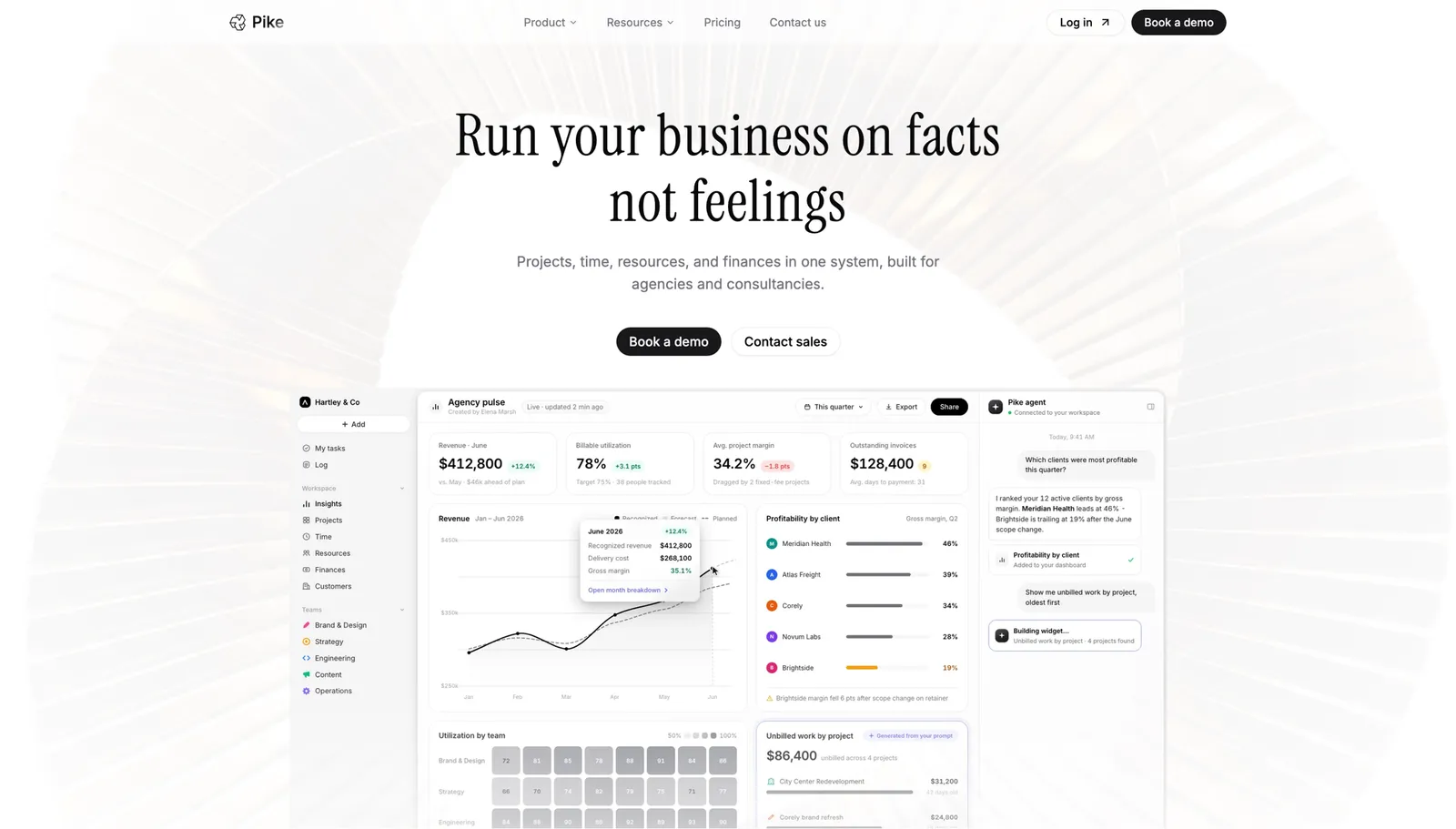
Pike is the operating system for agencies and consultancies built around a single premise: delivery data and financial data should live in the same place. Projects, time tracking, resource allocation, pipeline, and invoicing are connected by design, not bolted together through integrations.
For a 30-person consultancy managing eight client engagements simultaneously, Pike surfaces the question that matters most, which of these projects are actually profitable right now, without requiring anyone to build a spreadsheet to find out. That visibility is live, not assembled at month-end.
Where most PSA tools make you choose between a clean interface and deep functionality, Pike is built on the assumption that adoption depends on both. The interface is fast and opinionated. Time logging takes seconds. Project finances update automatically as work progresses. The result is a system teams actually use consistently, which is the only way the data in it stays accurate.
By the numbers: Pike runs 4 billing models (fixed-price, time-and-materials, capped T&M, and retainer) and 4 native accounting integrations (QuickBooks, Xero, Business Central, and E-conomic) inside a single system, and it is in production at teams including Outerkind, McElroy Architecture, e&enterprise, WPP, and Veolia.
Pike pros and cons
| Category | Details |
|---|---|
| Pros | Delivery and financial data unified by design; real-time project profitability without report-building; clean fast interface; handles fixed-price, T&M, capped T&M, and retainer models; pipeline connected to project setup; QuickBooks, Xero, Business Central, and E-conomic integrations; fast implementation |
| Cons | Not built for product teams; less suitable under 10 people; does not replace a full accounting system |
Used by teams at Outerkind, TheClients, McElroy Architecture, e&enterprise, and teams within WPP and Veolia. Book a demo at https://cal.com/usepike/demo
Scoro is a comprehensive business management platform that covers CRM, project management, time tracking, invoicing, and reporting in a single system. For boutique consultancies and agencies under 100 people that want everything in one place and are comfortable with a structured, layered interface, it is a credible option.
The platform is particularly strong at quoting and estimation workflows, which matters for consultancies that do a lot of scoping work before projects begin. Scoro also handles retainer billing and recurring work reasonably well, making it a reasonable fit for agencies running a mix of project-based and retained client relationships.
The caveats are consistent across evaluations. The interface is dense. New users typically take longer to onboard than they expect. Support response times are a recurring complaint in G2 reviews. And the underlying architecture limits what AI can do: Scoro has added AI features, but they have not kept pace with what more modern platforms offer. For straightforward delivery workflows under 100 people, Scoro delivers what it promises. For teams that need faster iteration, cleaner UX, or better financial real-time visibility, there are stronger options.
Boutique consultancies and agencies with fewer than 100 people running a mix of project and retainer work who want a single platform and are comfortable with a more structured, layered interface.
Teams that prioritise ease of use and fast daily adoption. Organisations that have outgrown 100 people and need more advanced resource planning. Teams that expect modern AI-assisted workflow automation.
Scoro quick facts
| Metric | Value |
|---|---|
| G2 score | 4.5/5 |
| Pricing | From $17/user/month, 5 user minimum |
| Go-live | 4 to 8 weeks |
| Client portal | Limited |
| AI level | Level 1 reporting only |
See our Scoro comparison: Scoro vs Pike.
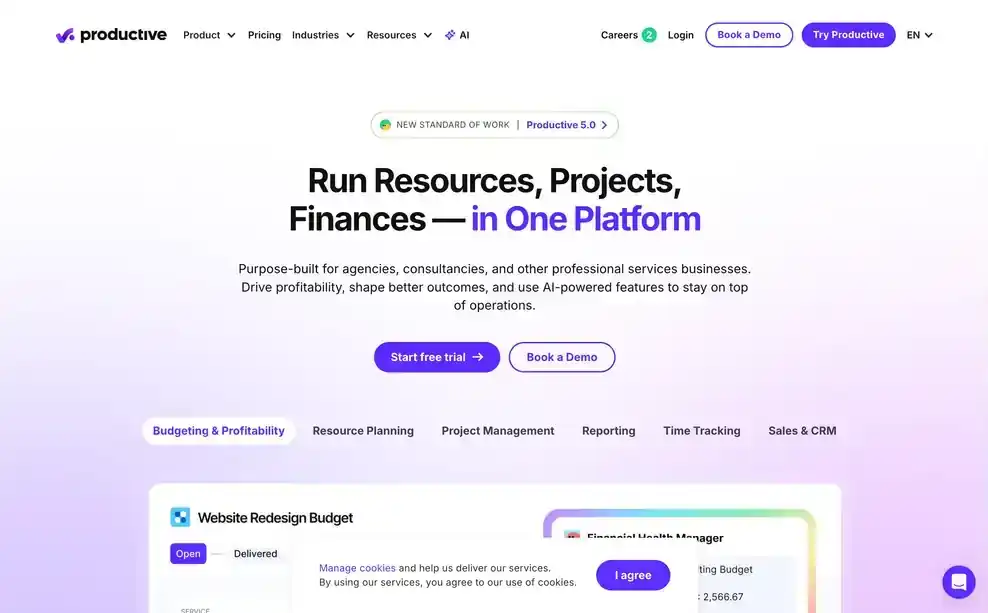
Productive is a clean, well-designed PSA built specifically for creative agencies, design studios, and digital teams. It handles project profitability tracking, time logging, resource scheduling, and billing in a single interface, with a UX that prioritises simplicity over depth.
For a 30-person design or content agency that needs reliable project margin visibility without a heavy implementation, Productive is a strong fit. The interface is genuinely easy to use, onboarding is fast, and teams tend to adopt it without significant training overhead.
The ceiling hits reliably at around 100 people. Resource forecasting becomes less effective, reporting depth becomes insufficient for growing portfolio complexity, and the lack of a native client portal means client collaboration still requires separate tools. Productive is the right tool for its target segment. It is the wrong tool once you need to scale delivery operations beyond it.
Creative agencies, design studios, and content firms under 100 people that prioritise clean UX, fast onboarding, and project profitability visibility.
Teams over 100 people needing advanced resource forecasting. Organisations running complex billing structures. Teams that need client-facing project portals or deep integration ecosystems.
Productive quick facts
| Metric | Value |
|---|---|
| G2 score | 4.6/5 |
| Pricing | From $10/user/month billed monthly |
| Go-live | 2 to 4 weeks |
| Client portal | No |
| AI level | Level 1 basic automation |
See our Productive comparison: Productive vs Pike.

BigTime has been in the professional services market for over 20 years. It is built around billing accuracy and invoicing speed, with strong integrations into QuickBooks and Xero. For small agencies and consulting firms where the primary pain is invoice generation and time tracking accuracy, it solves that problem reliably.
The trade-off is clear and consistent across every review segment. Resource planning, utilisation forecasting, and multi-practice delivery above 50 headcount are where BigTime breaks down. Teams that buy BigTime for its billing strengths tend to outgrow it within 18 to 24 months as their operational complexity increases. If your primary goal is accurate invoicing and you are under 50 people, BigTime earns its 4.5/5 G2 score. If you need connected resource and financial visibility at scale, you will move off it.
Billing-first professional services firms under 50 people that prioritise accurate invoicing and QuickBooks integration over advanced resource planning.
Teams over 50 people that need resource planning and utilisation forecasting. Organisations requiring deep Salesforce or CRM integration. Teams expecting modern UX and fast daily adoption across project managers.
BigTime quick facts
| Metric | Value |
|---|---|
| G2 score | 4.5/5 |
| Pricing | From $20/user/month |
| Go-live | 4 to 8 weeks |
| Client portal | No |
| AI level | Level 1 reporting |

Accelo is a quote-to-cash PSA that combines CRM, project management, ticketing, and billing in a single platform. Its strongest differentiation is retainer management for subscription and recurring service models, a genuine gap in most PSA tools. IT services firms and boutique consulting practices that run retained client relationships consistently cite this as the reason they chose Accelo over alternatives.
In July 2025, Accelo acquired Forecast, the predictive resource AI platform. The integration completed in June 2026, bringing AI-assisted capacity planning and workload forecasting into Accelo's platform and moving it from Level 1 to Level 2 on the AI spectrum. This is the most significant upgrade the platform has seen in years.
The constraints: for organisations above 200 users, resource planning and portfolio management become less effective. The interface has a steeper learning curve than newer tools. The integration with enterprise systems like Salesforce or NetSuite requires additional work. For SMB to mid-market service businesses with strong retainer models, Accelo is a legitimate option. For teams prioritising clean UX and fast onboarding, it is not the right fit.
Small and mid-market service businesses under 200 people that want CRM and PSA combined, particularly teams running strong recurring retainer models.
Organisations above 200 users. Teams that prioritise ease of use and fast adoption. Those requiring deep enterprise integrations out of the box.
Accelo quick facts
| Metric | Value |
|---|---|
| G2 score | 4.4/5 |
| Pricing | Contact sales |
| Go-live | 4 to 6 weeks |
| Client portal | Basic |
| AI level | Level 2 predictive resource AI |
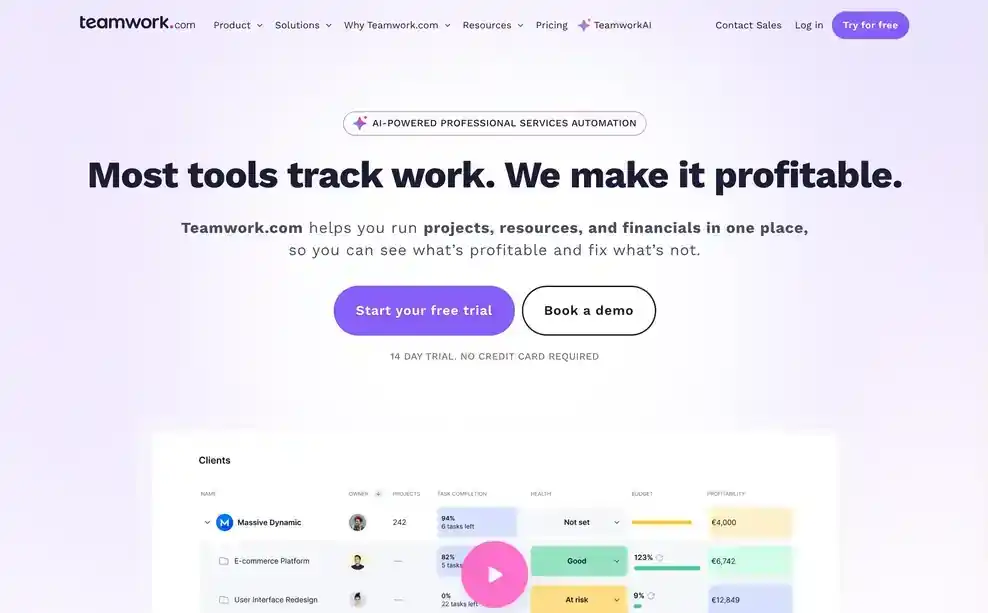
Teamwork is a project management platform built with client work in mind, offering guest access, client portals, and collaboration features that make it easy to share project progress with external stakeholders. For agencies whose primary pain is client communication and external project visibility, rather than internal financial operations, Teamwork addresses that well.
The gap is on the financial side. Teamwork handles tasks, timelines, and client updates effectively. It does not handle project profitability, resource utilisation, or connected billing with the depth that growing agencies eventually need. Teams that start on Teamwork for its client collaboration features tend to maintain parallel tools for financial reporting and resource planning. That combination is a signal the platform is not covering enough of the operation.
Agencies where client communication and external project visibility are the primary pain point, and where financial and resource operations are managed through separate tools.
Teams that need connected delivery and financial data in one system. Agencies trying to eliminate manual reporting and spreadsheet-based profitability tracking.
Teamwork quick facts
| Metric | Value |
|---|---|
| G2 score | 4.4/5 |
| Pricing | From $9.99/user/month billed yearly, 3 seat minimum |
| Go-live | 2 to 4 weeks |
| Client portal | Yes |
| AI level | Level 1 |
See our Teamwork comparison: Teamwork vs Pike.

Rocketlane is an enterprise PSA platform built for professional services organisations with 50 to 500+ billable consultants. It is the only PSA platform in the market shipping Level 3 agentic AI in production in 2026, meaning the AI does not just surface insights, it executes actions: generating documentation, running resource allocation decisions, and converting signed statements of work into live project plans without human initiation.
For enterprise PS teams replacing a fragmented stack or a legacy PSA, Rocketlane delivers a faster implementation than Kantata or Certinia (4 to 12 weeks versus 6 to 12 months), a free unlimited client portal with no per-seat external user fees, and a 94% G2 recommendation rate from verified enterprise reviewers.
Rocketlane is priced and positioned for enterprise. At $49 per user per month for Standard and $69 for Premium, billed annually with a 5 seat minimum, it is not a starting point for a 20-person agency moving off spreadsheets. If you are evaluating PSA for a 100 to 500-person professional services organisation and agentic AI execution is part of your evaluation criteria, Rocketlane is the clear choice in 2026.
Enterprise professional services organisations with 50 to 500+ billable consultants in IT services, consulting, and SaaS implementation who want agentic AI execution and fast go-live.
Agencies and consultancies under 50 people. Teams that need a cost-effective starting point. Organisations not yet running at enterprise operational scale.
Rocketlane quick facts
| Metric | Value |
|---|---|
| G2 score | 4.7/5 |
| Pricing | From $49/user/month, 5 seat minimum |
| Go-live | 4 to 12 weeks |
| Client portal | Yes (free unlimited) |
| AI level | Level 3 agentic |
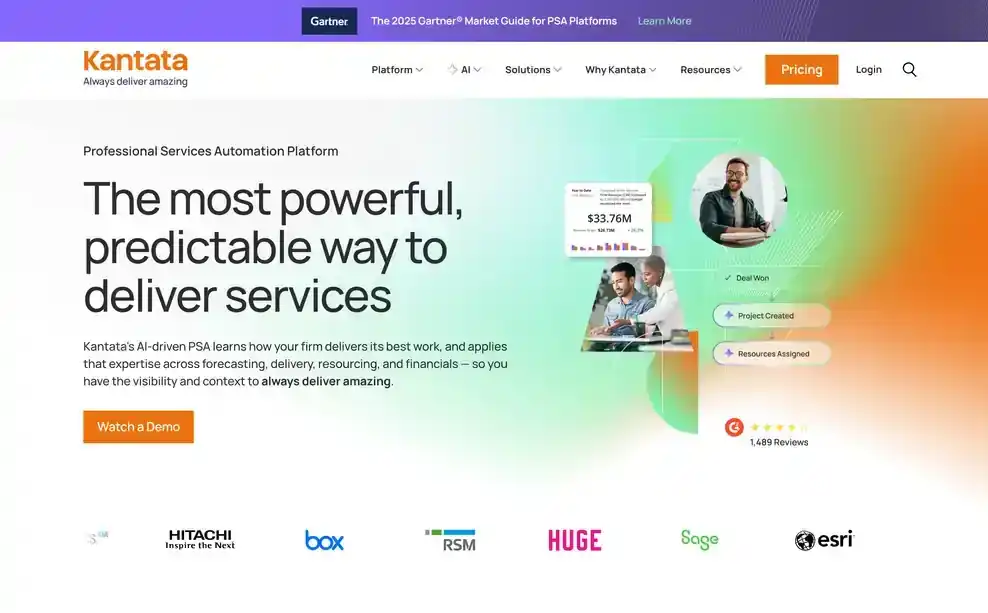
Kantata is the incumbent PSA for large enterprise professional services organisations requiring deep multi-entity financial management. The platform handles complex billing structures, consolidated revenue recognition across subsidiaries, and enterprise-scale resource management with a depth that few platforms match.
Kantata takes six to twelve months to implement, requires dedicated platform administration, and has a user interface that delivery teams find complex enough to route around. Teams that use Kantata alongside Smartsheet are exhibiting the classic adoption failure signal. The platform is a legitimate choice for 500+ person organisations with dedicated PSA administrators. It is not a sensible choice for agencies and consultancies in the 15 to 150-person range.
Large enterprise professional services organisations with 500+ employees requiring advanced multi-entity financial management and complex billing structures, prepared for a 6 to 12 month implementation cycle.
Agencies and consultancies under 150 people. Teams looking for fast time-to-value. Organisations that need high daily adoption by delivery teams without dedicated admin support.
Kantata quick facts
| Metric | Value |
|---|---|
| G2 score | 4.2/5 |
| Pricing | Contact sales |
| Go-live | 6 to 12 months |
| Client portal | Paid add-on |
| AI level | Level 1 reporting only |
See our Kantata comparison: Kantata vs Pike.
Monday.com appears on shortlists because it is visually appealing, easy to adopt, and already in use at many agencies for internal task management. It is not a PSA. It does not provide billable utilisation tracking, project financial management, resource capacity planning tied to actual cost, or connected invoicing. At $9 per seat per month it looks cost-effective. Once you account for the separate time tracking tool, the spreadsheet someone maintains to track profitability, and the hours a project manager spends producing reports manually, the total operational cost is significantly higher.
The same logic applies to spreadsheets. Every agency that relies on a spreadsheet for profitability tracking, resource planning, or project budget monitoring has built internal tooling to compensate for a gap in their software stack. The problem with spreadsheets is not that they stop working. It is that they stop scaling. When the person who built the spreadsheet leaves, when the project count passes thirty, when two people update the same cell in the same week, the data becomes unreliable. Unreliable data is worse than no data, because people make decisions based on it.
If your agency is evaluating Monday.com or running on spreadsheets, the right next step is not finding a better spreadsheet. It is replacing the workflow with a system that keeps delivery and financial data connected without manual effort.
The table below maps the capabilities that matter most for agencies and consultancies evaluating PSA software in 2026. Evaluated across seven dimensions that predict operational performance, not feature checklist depth.
Full feature comparison
| Capability | Pike | Scoro | Productive | BigTime | Accelo | Teamwork | Rocketlane |
|---|---|---|---|---|---|---|---|
| Real-time project profitability | Strong | Good | Limited | Good | Good | No | Good |
| Time tracking to billing | Native | Yes | Yes | Strong | Yes | Partial | Yes |
| Resource capacity planning | Strong | Good | Good | Good | Strong | Basic | Strong |
| Pipeline to project connection | Native | Yes | Partial | Limited | Yes | No | Yes |
| Billing model flexibility | Strong | Good | Good | Strong | Good | Limited | Good |
| Client portal | Yes | Limited | No | No | Basic | Strong | Strong |
| Implementation speed | Fast | 4 to 8 weeks | 2 to 4 weeks | 4 to 8 weeks | 4 to 6 weeks | 2 to 4 weeks | 4 to 12 weeks |
| Best team size | 15 to 200; Enterprise above 200 | Under 100 | Under 100 | Under 50 | Mid-market | Collaboration-first | 50 to 500+ |
| Pricing from | $29/user/mo | $17/user/mo | $10/user/mo | $20/user/mo | Contact sales | $9.99/user/mo | $49/user/mo |
Source and date: vendor pricing pages, checked 23 November 2026. Pike bills yearly. Productive lists $10 monthly and $12 yearly for Essentials. Scoro lists Time-billing at $17 per user with 5 users minimum. BigTime lists Essentials at $20. Teamwork lists Basics at $9.99 billed yearly. Rocketlane lists Standard at $49 billed annually. Accelo and Kantata publish no price. Entry tiers lack features that Pike includes in its base plan, so compare the tier you would actually need.
Book a demo and we will price your seat count against the two tools on your shortlist.
Choose Productive when you are a creative agency under 30 people that wants the quickest setup and is happy to bill from simple budgets. Choose Scoro when quoting and a built-in CRM matter more to you than resource planning. Choose BigTime when invoice accuracy with your accounting system is the only problem you need solved this year. Choose Rocketlane or Kantata when you run 500 or more billable consultants and have an administrator for the platform.
Pike has limits. It does not replace your accounting system, it is not a task tool for product teams, and a team under 10 people that still holds project context in one head gets little from it yet.
The tool that fits depends on your team size, primary pain point, and where you are in your operational maturity. Use the routing below to cut to the right answer for your situation.
Decision routing
| If your team needs… | Consider |
|---|---|
| Connected delivery and financial data, 15 to 200 people | Pike |
| All-in-one quoting and CRM under 100 | Scoro |
| Fast setup creative agency | Productive |
| Billing accuracy under 50 | BigTime |
| CRM plus PSA with retainers | Accelo |
| Client portal focus | Teamwork |
| Connected delivery and finance above 200, with SSO and SCIM | Pike Enterprise |
| Enterprise AI execution 50 to 500+ | Rocketlane |
| Multi-entity enterprise 500+ | Pike Enterprise, Kantata |
Headcount changes the shortlist more than industry does. For a 20-person consulting firm, compare Pike, Productive and Scoro. At 50 people, compare Pike, Scoro, BigTime and Accelo. At 100 people, compare Pike, Accelo and Rocketlane, and add Pike Enterprise or Kantata only when you run several legal entities on one system. Above 200 people, compare Pike Enterprise, Kantata and Rocketlane.
PSA shortlist by firm size
| Firm size | Shortlist | What decides it |
|---|---|---|
| 10 to 20 people | Pike, Productive, Scoro | Whether you need resource planning and invoicing now, or only projects and time |
| 30 people | Pike, Scoro, Productive, BigTime | How many billing models you run at once, and how long reconciling time with invoices takes |
| 50 people | Pike, Scoro, BigTime, Accelo | Margin by project and client while work runs, and how much month-end reporting finance rebuilds |
| 75 to 100 people | Pike, Accelo, Rocketlane | Capacity planning across several teams, and how long a rollout your delivery leads can absorb |
| 200 to 500 people | Pike Enterprise, Kantata, Rocketlane | Multi-entity finance, enterprise permissions and a dedicated owner for the system |
Agencies have their own shortlist, with retainers and creative resourcing in the mix: see PSA software for agencies.
The type of consulting work changes which feature breaks first. These are the shortlists for the firm types buyers ask about most.
Management consulting firms of 20 to 75 people usually run fixed-fee and time-and-materials engagements side by side, with a small partner group that needs margin per engagement. Shortlist Pike and Scoro, and add BigTime when invoicing accuracy with QuickBooks is the main problem.
In each trial, run one fixed-fee engagement end to end: the budget, the hours logged against it, the remaining budget and the invoice. Then check whether a partner can see utilization by consultant without asking anyone to build a report.
IT and technology consulting firms need fixed-fee and milestone billing, quoting tied to the statement of work, and capacity planning by skill across concurrent client projects. For 20 to 100 people, shortlist Pike, BigTime and Accelo. Above 100 people, with long client onboarding projects, add Rocketlane.
Fixed-fee work is where IT firms lose margin unnoticed, because the budget is set at the quote and the hours land weeks later. Ask each vendor to show the remaining budget on a fixed-fee project updating as time is logged. For quoting and SOW tools specifically, see project management software for consultants.
Engineering consulting firms bill by project phase, mix fixed fees with hourly work and track hours against phase budgets. For 20 to 100 people, shortlist Pike and BigTime, and compare them against Deltek or BQE Core when one of those is already in place. Pike has no earned value reporting, which matters if your clients ask for it.
Environmental consulting firms split time between field work and reporting, run many small projects per client, and need hours, expenses and budgets per project phase in one place. For a growing firm of 20 to 100 people, shortlist Pike, BigTime and Scoro, and test how quickly staff outside the office can log their time.
Adoption decides the outcome here. When field staff skip timesheets, every budget and margin figure downstream is wrong, and the finance team stops trusting the system. Put ease of daily use at the top of your criteria, ahead of feature depth.
Risk and compliance consulting firms run recurring engagements, retainers and audit-season peaks. A 50 to 100-person firm needs retainer billing, capacity planning for the busy months and margin per client across years. Shortlist Pike and Accelo, and add Scoro for teams under 100 that also want quoting and CRM in the same tool.
For most consulting firms, PSA software pays for itself once you run more than five to ten client engagements at a time, which usually happens between 15 and 30 people. Below that, a project tool and a spreadsheet still work. Above it, unbilled hours and late margin reports cost more than the licences.
The numbers below are an example; replace them with your own. Take a 50-person consulting firm where 40 people bill, each logging 120 billable hours a month at an average rate of $150. That is $720,000 of billable work a month. Recovering 1% of hours that today go unbilled or get written off is $7,200 a month. Pike's Core plan at $29 per user per month on yearly billing comes to $1,450 a month for 50 users, plus a one-time implementation fee.
At 20 or 30 people the numbers are smaller and the question is the same: how many days a month does someone on your team spend reconciling time, budgets and invoices by hand?
The easiest PSA to implement is the one your delivery team uses daily within the first two weeks. Among the tools above, Productive and Teamwork typically go live in two to four weeks, Scoro and BigTime in four to eight, and Rocketlane in four to twelve. Kantata rollouts for large firms can run for months.
Pike pairs every new customer with an implementation specialist who migrates your data, trains your team and sets Pike up for how your firm works, for a one-time fee quoted with your plan. Whichever tool you choose, go live with active projects first and add configuration over the following weeks, as described below.
Before you book a demo or start a trial, your team should have clear answers to five questions. The platform that answers all five correctly for your situation is the right fit, regardless of which tool wins any individual feature comparison.
1. What is the primary pain driving this decision? A billing accuracy problem requires a different tool than a resource visibility problem, which is different again from a profitability reporting problem. Your dominant pain should determine your evaluation priority.
2. What does your team size and growth trajectory look like? A tool built for 30 people will need to be replaced at 150. A tool built for 500 will be over-engineered at 30. Match the platform to where you will be in 24 months, not just where you are today.
3. What does your billing model look like? Fixed-price projects, T&M, capped T&M, retainers, or a mix. Not all PSA tools handle all billing types equally. Confirm your model is supported natively before committing.
4. How much implementation overhead can your team absorb? A six-month implementation has a real cost in time, distraction, and delayed value. Shorter implementations carry less risk. Ask for verified go-live timelines from similar-sized customers before accepting projected dates from sales.
5. What does your current tool stack look like? If you are replacing a stack of tools, map which integrations you need on day one. If you are migrating from an existing PSA, understand what historical data you need to carry across and how the new platform handles that migration.
Most agencies and consultancies in the 15 to 150-person range can implement a PSA platform in two to eight weeks if they approach it correctly. The teams that take longest are the ones that try to migrate everything at once and configure every edge case before going live. The faster path is to start with your active projects, get the team logging time in the new system, and layer in additional configuration over the first 90 days as the team gets comfortable.
The data that matters most to migrate: active projects and their current budgets, resource profiles and current allocations, at least 12 months of historical time entries if billing patterns depend on them, and your client list. Stale historical data from projects three years ago rarely justifies the migration effort it requires.
If your agency or consultancy is managing client projects across disconnected tools and finding out margin has slipped after the invoice has gone out, it is worth seeing what a unified operating system looks like in practice. Pike connects projects, time, resources, pipeline, and financials in one place so your team has the visibility it needs while work is still happening.
Book a demo at https://cal.com/usepike/demo and we will walk through how your team would run day to day on Pike.
Share
More in the same topic
 ISO 27001
 GDPR
 SOC 2 Type II
Built to keep sensitive client data secure and private.